Google Performance Max for D2C: What the Algorithm Is Hiding From You
 1 Apr 20267 min read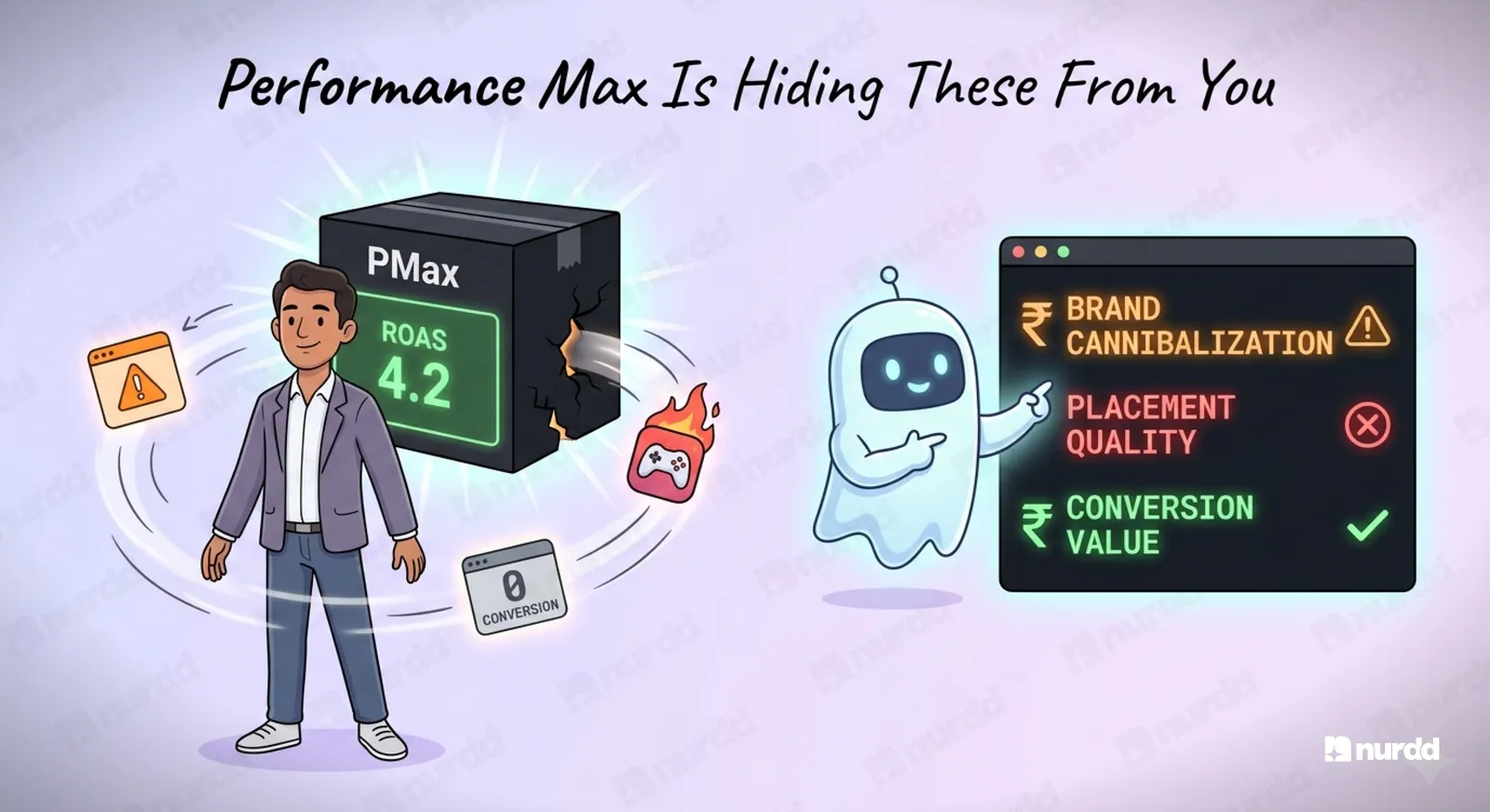
Performance Max hides where your revenue comes from, including branded search, low-quality placements, and the audiences and creative driving results. Check Search Terms and Placement Reports, exclude your brand and poor placements, turn off Final URL expansion, and optimize for purchase value.
Google launched Performance Max with the promise of AI-powered campaign management that optimizes across all Google inventory simultaneously. Search, Shopping, YouTube, Display, Gmail, Maps. One campaign. Full automation.
For D2C brands, this sounds like efficiency. In practice, without the right setup and monitoring, PMax can quietly become your most wasteful campaign while looking like your best performer. This guide covers what Performance Max is not showing you, and what to do about it.
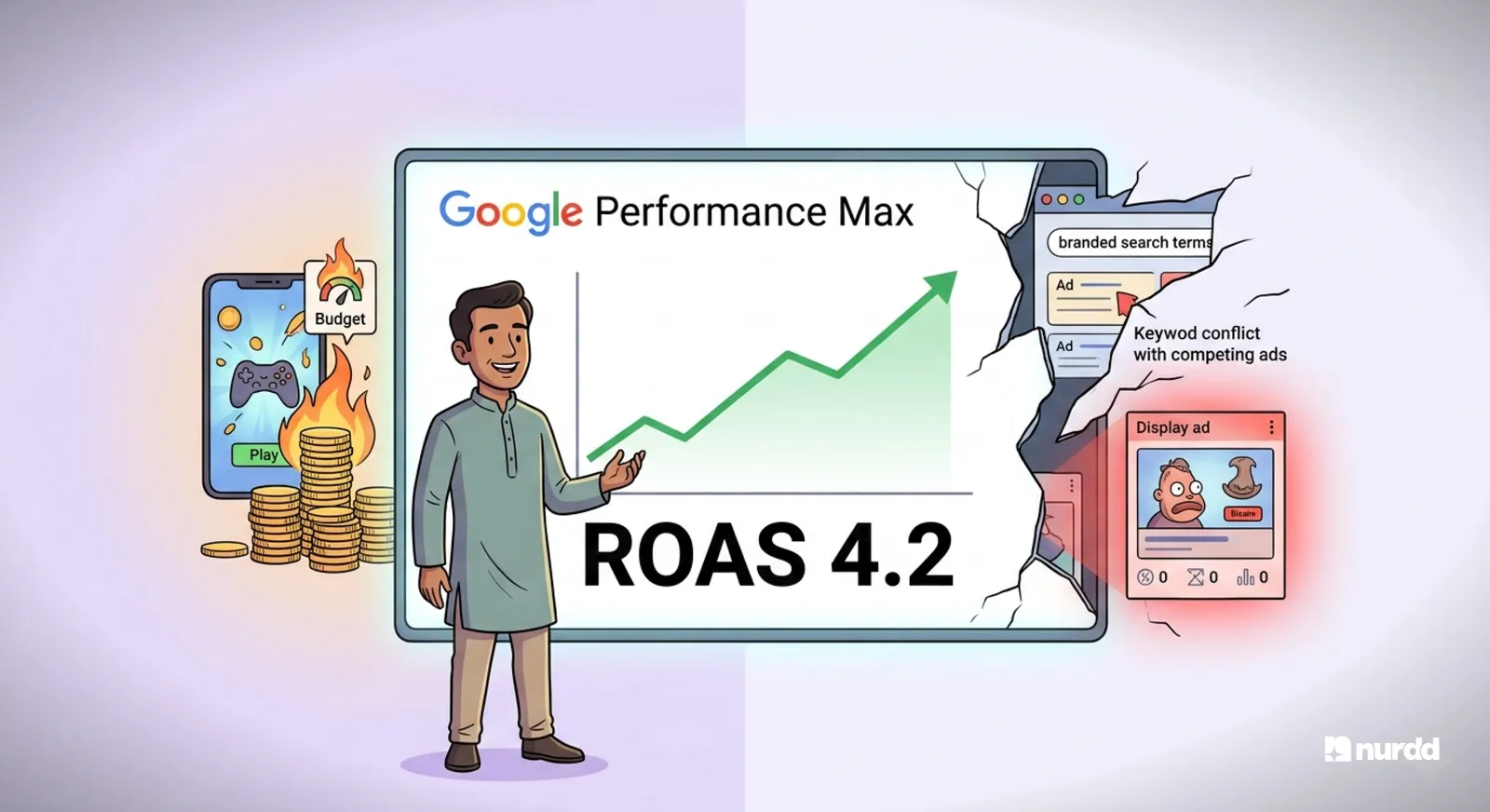
The PMax Black Box Problem
Traditional Google campaigns give you transparency. You can see which keywords triggered your ads, which placements served impressions, which demographic converted best. You can pause underperformers and double down on winners.
PMax gives you almost none of this by default. The algorithm decides where to serve, who to show, what creative to use, and how to bid. Your reporting shows aggregate results across the entire campaign, not channel-by-channel or creative-by-creative breakdowns.
The result: you cannot tell if your revenue is coming from brand search cannibalization, placements, YouTube awareness, or Display retargeting. All you see is the total.
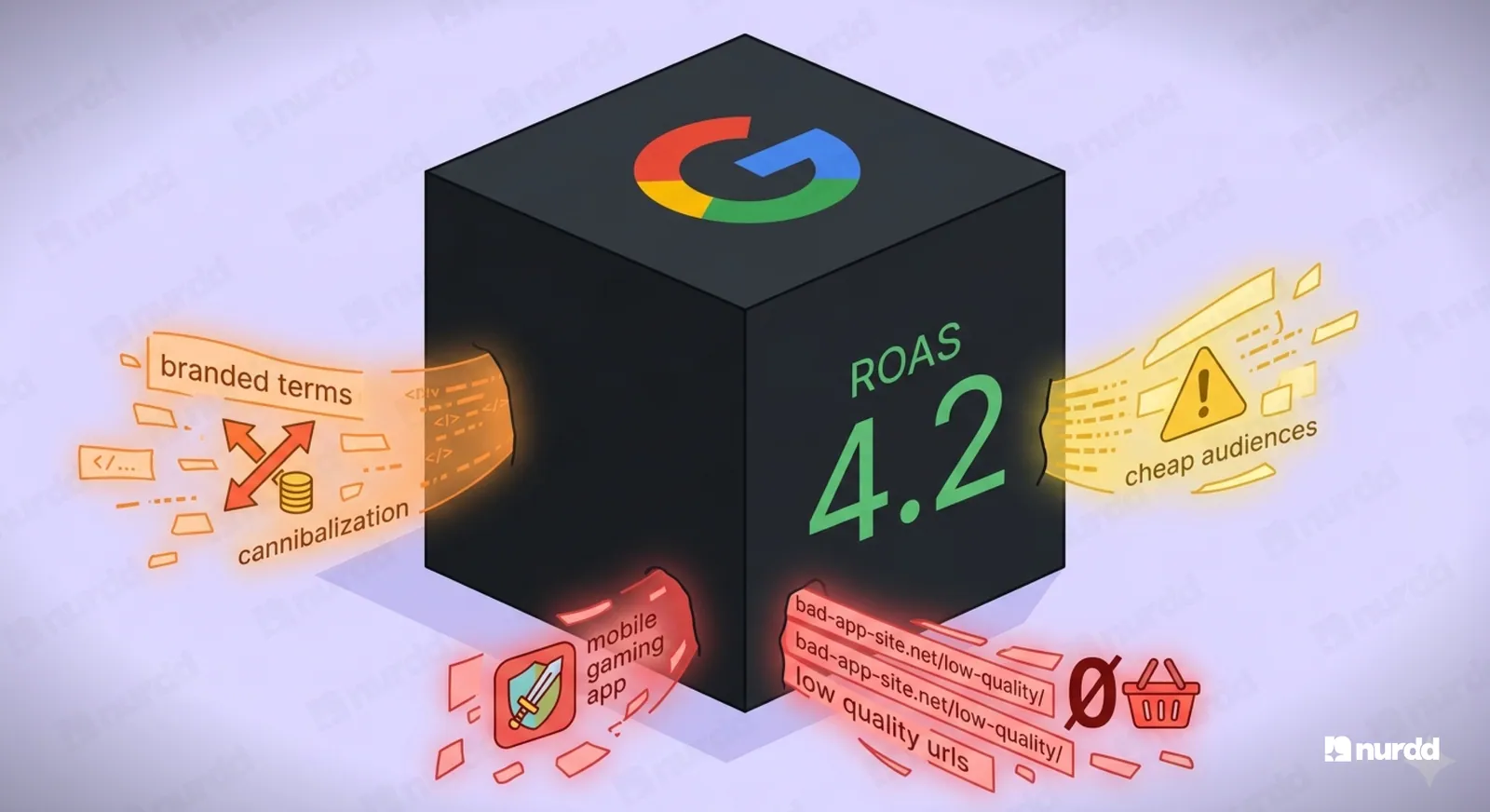
The Three Things PMax Is Hiding
1. How much of your PMax revenue is branded search
PMax participates in branded search auctions. If someone searches your brand name and clicks your PMax ad instead of your existing Brand Search campaign, PMax claims that conversion. But you would have gotten that customer anyway through your brand campaign.
PMax is not generating incremental revenue. It is capturing existing demand and claiming credit for it. To check this: Look at your Search Terms report under PMax (now available in limited form). Filter for your brand name. If branded terms are accounting for more than 30 percent of your search-triggered conversions, you have a cannibalization problem.
Fix: Add your brand name to campaign-level negative keywords in your other campaigns, and ensure your brand campaign has higher priority bidding. This forces branded traffic to your intentional brand campaign, not PMax.
2. Which placements are consuming your budget
Without a placement exclusion strategy, PMax will serve on any Google inventory it can access. This includes low-quality Display Network placements, apps, and YouTube channels that have nothing to do with your target audience.
Check your Placement Report under PMax. Look for high-impression, zero-conversion placements. A mobile gaming app that has served 50,000 impressions and zero conversions is wasting your budget and potentially hurting your quality signal.
Fix: Build a placement exclusion list. Exclude all mobile app inventory by adding adsenseformobileapps.com to your exclusions. Exclude specific URLs that show high impression volume with zero conversions.
3. Which audience signals are actually driving results
PMax allows you to add audience signals, essentially telling the algorithm which audiences to start from. But the algorithm is free to expand beyond these signals at any time. It may discover that a completely different audience converts better and start spending heavily against them.
This can be a feature or a bug. If the algorithm finds a real audience expansion that converts well, that is valuable. If it finds a cheap audience that converts poorly and optimizes toward it because it improves its learning metrics, that is a problem.
Fix: Set up conversion value rules to ensure the algorithm is optimizing toward high-value purchases, not just high-volume ones. If your INR 2,000 orders are more profitable than your INR 400 orders, tell the algorithm to weight higher-value conversions more heavily.
Five Essential PMax Configuration Settings for D2C Brands
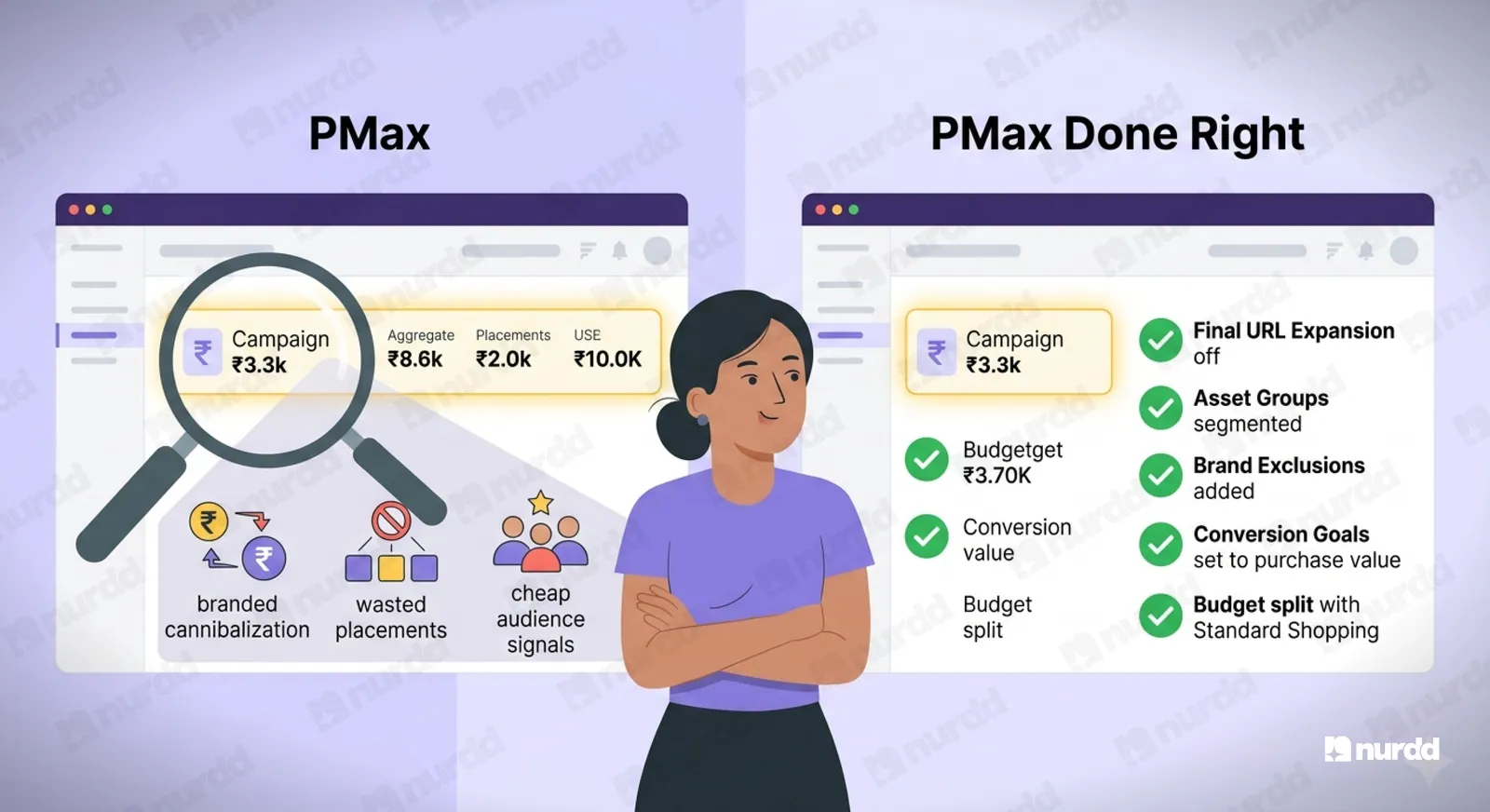
1. Final URL expansion: Off
By default, PMax can override your specified landing page URL and send traffic to whatever page it decides is most relevant. For D2C brands, this often means traffic gets sent to category pages or the homepage instead of your product landing page. Turn this off under Campaign Settings.
2. Asset group segmentation
Create separate asset groups for different product categories. Do not put all your products in one asset group. This gives you better creative control and more granular performance data per product line.
3. Brand exclusions at campaign level
Add your brand name and common misspellings as brand exclusions within PMax. This prevents PMax from targeting branded search terms and cannibalize your brand campaign.
4. Conversion goals: Purchase value, not purchase count
If you optimize for purchase count, the algorithm will find the cheapest-to-convert customers, who may also be your lowest-value customers. Always optimize toward purchase value or customer lifetime value signals.
5. Budget allocation: PMax vs standard Shopping
PMax should not replace your standard Shopping campaign unless you have enough conversion data (50-plus conversions per month at minimum) for the algorithm to learn effectively. Run both in parallel. Compare CPCs, ROAS, and new customer rates between the two. Scale PMax budget only when it demonstrably outperforms Shopping on all three metrics.
PMax is a powerful tool and a dangerous one. It does not require less attention than manual campaigns. It requires different attention: monitoring placement quality, checking for brand cannibalization, and validating that the conversions it claims are actually incremental. Do that work and PMax can be genuinely efficient. Skip it and you will overpay for traffic you would have gotten anyway.
Sources and References
Google Ads Help (2025) – About Performance Max Campaigns | support.google.com/google-ads
Google Ads Help (2025) – Final URL Expansion in Performance Max | support.google.com/google-ads
Search Engine Journal (2025) – Performance Max: Placement Exclusions and Brand Safety Controls | searchenginejournal.com
Google Ads Help (2025) – Conversion Value Rules in PMax Campaigns | support.google.com/google-ads
Neil Patel Digital (2025) – Performance Max vs Standard Shopping | neilpatel.com
Search Engine Land (2025) – How to Audit Performance Max Campaigns | searchengineland.com

Your ads are spending. Are they actually performing?
Pulse connects to Google Ads and Meta Ads to explain performance in plain language, diagnose what changed, and recommend specific actions — no data analyst needed.