AI Search Visibility
AI Search Prompt Tracking: How Many Prompts You Need
Start with 25 to 40 prompts per market, split by buying stage, on at least two engines, and review the trend weekly and the set monthly.
 Simran Rawat6 Nov 202618 min read

Most brands should start prompt tracking for AI search with 25 to 40 prompts per market or buyer segment, grouped by buying stage and run on at least two engines such as ChatGPT and Gemini. Review the trend weekly, review the prompt set monthly, and freeze it between reviews so changes in your data reflect the market, not your edits.
For prompt tracking ai search, start with 25 to 40 prompts per market or buyer segment, split across awareness, consideration and decision stages, and run them on at least two engines. Add a prompt only when a real buyer question has no home in the set. Read the trend weekly and review the set monthly.
That answer is deliberately a range, because the published advice disagrees and the reasons matter. This guide explains why, gives you a decision table for sizing your own set, shows a worked example with the arithmetic laid out, and ends with a checklist and a way to run the whole thing in Noma. It avoids borrowed benchmark statistics: where a number appears, it comes from a named source and says what that source actually measured.
Key takeaways
- Size the set per segment (market, product line or persona), not per brand. A single brand-wide number hides the gaps.
- Start at 25 to 40 prompts per segment, then grow only where the data shows a gap you can act on.
- Group prompts by buying stage and by intent cluster, and report on the clusters, not on single prompts.
- Track on at least two engines, and include both a conversational engine such as ChatGPT and a search-tied one such as Gemini or Google AI Mode.
- Collect daily, glance weekly, review the set monthly, and freeze it in between.
- Never judge a single prompt on a single run. Judge a cluster across many runs.
How many prompts should I track for AI search visibility?
Track enough prompts that every buying stage in every segment has several distinct questions, which in practice lands between 25 and 40 per segment. Fewer than that and one odd answer moves your score. More than that and you are paying for noise before you have fixed the gaps the first set already shows.
The published guidance looks inconsistent until you notice that each source counts a different unit. The table below puts them side by side, with the unit made explicit.
| Source | What it recommends | Unit it counts |
|---|---|---|
| SE Ranking, checked November 2026 | Start with 20 to 40 prompts across 2 to 3 AI models, tracked for at least 30 days; 15 prompts per persona as a starting point | Whole starting set, or per persona |
| Semrush, checked November 2026 | Around 25 prompts when starting out | Whole starting set |
| Rankshift, checked November 2026 | At least 30 prompts per product, country or buyer segment; 50 to 100 for highly competitive categories | Per segment |
| Uberall, checked November 2026 | 7 to 11 intent types with 5 to 12 phrasings each, on at least two models, roughly 35 to 130 prompts per market | Per market (local search) |
| Conductor, checked November 2026 | 10 to 30 topics; typical 50 to 150 prompts per topic, with a minimum of about 5 | Per topic (enterprise) |
Read across the rows and a pattern appears. Everyone who gives a total for a small team says 20 to 40. Everyone who gives a bigger figure is counting per market, per product or per enterprise topic. The honest summary is: roughly 30 per segment, multiplied by the number of segments you genuinely sell into.
Uberall reports that in the study it cites, 7 intents captured only 46% of the businesses AI recommended, and about 11 intents were needed to reach 80%. That is one study of local search, so treat it as a reason to cover intents broadly, not as a universal threshold.
The Uberall figure is the most useful single number in this space, because it explains why more phrasings of one question do not help as much as more different questions. Breadth of intent beats volume of near-duplicates. If you want a deeper treatment of choosing what goes in, see which prompts to track for AI search visibility.
Why can't one prompt tell me my AI visibility?
A single prompt run once gives you one draw from a random process. Answer engines generate text probabilistically, so the same question can return different brands, in a different order, on every run.
SparkToro's research, reported by Search Engine Journal, checked November 2026, tested 12 brand-recommendation prompts and found that ChatGPT and Google AI Overviews each returned the same brand list less than 1% of the time across repeated runs. The same report notes the data hints that how often a brand appears across many runs of similar prompts is more stable than any single list. SparkToro ran the work with Gumshoe.ai, which sells AI tracking tools, a disclosure worth keeping in mind.
Peec AI makes the statistical point precisely. In Peec AI's article on prompt tracking, checked November 2026, the authors say that pinning a prompt whose true visibility is 50% down to plus or minus 10 percentage points takes about 100 runs. They add that one prompt run once a day would need months to a year to establish a reliable visibility level. So a single prompt, on its own, is a weak instrument.
The practical conclusion is not to run every prompt 100 times. It is to treat the prompt set as a sample of the market and the cluster of prompts as the unit you read. Peec's own framing is that a portfolio is only a sample of what buyers ask, which is why the set needs variety, not repetition. For the personalisation side of this problem, see whether personalization changes AI answers.
What does a prompt set actually sample?
A prompt set samples the questions buyers might ask, and, behind each one, the sub-questions the engine asks on the buyer's behalf. Google's documentation says AI Overviews and AI Mode may use a technique called query fan-out, issuing multiple related searches across subtopics and data sources before composing an answer.
That matters for prompt selection. Google's Search Central page on AI features, checked November 2026, also states there are no additional requirements to appear in AI Overviews or AI Mode beyond the fundamental SEO practices. So the lever is not a secret format: it is being the page that answers the sub-questions. A prompt set that covers the sub-questions of your buying journey tells you where those pages are missing.
Uberall's write-up adds a practical tip: when two candidate prompts look similar, run fan-out on both and keep the one that expands into richer sub-searches. A detailed parent prompt can fan out into several sub-questions, while a generic one may fan out into only a couple, according to the same source.
How do I build a prompt set in six steps?
Build the set from segments down to individual prompts, then cut it to budget, then freeze it. Each step below states the action, the result and the reason, so you can check your work as you go.
Step 1: Define your segments
Action: list every combination of market, product line and buyer persona you actually sell into. Result: a segment list, typically three to ten rows. Why: prompts are sized per segment, and a brand that sells sunscreen in Germany and moisturiser in the UK has two different visibility problems that a blended score would average away.
Resist the urge to create a segment for every internal team. A segment earns its place only if the buyer's questions, the competitors named, or the geography differ from the others.
Step 2: Write prompts by buying stage
Action: for each segment, write questions at three stages: awareness (the buyer is defining the problem), consideration (the buyer is comparing approaches or brands) and decision (the buyer is choosing, checking price, fit or trust). Result: a first draft of 30 or more prompts per segment. Why: the stage tells you what a mention is worth. A mention at awareness builds familiarity, while absence at decision costs sales directly.
The table below is a design aid, not a benchmark. The suggested allocation is my own starting point for balancing a set, and you should move it to match where your revenue is won.
| Stage | Prompt shape | Suggested share of the set | What a miss tells you |
|---|---|---|---|
| Awareness | Problem and category questions with no brand named | About 25% | Buyers are learning the category without you in it |
| Consideration | Comparisons, alternatives, best-for-use-case, how-to-choose | About 40% | You are missing from the shortlists engines assemble |
| Decision | Pricing, reviews, fit, integrations, is-it-worth-it, brand-versus-brand | About 25% | Engines hesitate or cite someone else when a buyer is ready to act |
| After purchase | Setup, troubleshooting, returns, reorder questions | About 10% | Your own support content is not being found or cited |
Consideration gets the largest share because that is where engines build lists of brands, and where a brand is most often included or left out. If your category is high-consideration, such as insurance or banking, shift more weight to decision prompts. The industry pages show how buying questions differ by sector.
Step 3: Cluster phrasing variations by intent
Action: group prompts that ask the same underlying question in different words, and give each group a name. Write three to six phrasings per intent, mixing short keyword-style and long conversational forms. Result: an intent cluster you can report as one line. Why: Semrush's guidance is to report on a dozen intent categories rather than eighty individual prompts, and the statistics from Peec and SparkToro explain why: a cluster pools many runs, a single prompt does not.
Keep clusters tight. If two phrasings would be answered by different pages on your site, they are different intents and belong in different clusters.
Step 4: Choose the engines
Action: pick at least two engines, one conversational and one tied to search. Result: a comparison you can read side by side. Why: SE Ranking suggests starting with ChatGPT for its user base, Perplexity for its citation-heavy behaviour and Google's AI Overviews or AI Mode for search-tied intent, and Uberall pairs ChatGPT with Gemini. The engines draw on different sources, so the same prompt can produce different outcomes.
For engine-specific tactics, Perplexity vs ChatGPT vs Gemini and how to get cited by Gemini specifically go deeper than a prompt-tracking guide can.
Step 5: Score each prompt and cut to budget
Action: score every candidate from 1 to 3 on three questions: how close is the buyer to purchase, how much revenue sits behind this segment, and can you change the answer with a page you could publish or fix. Add the three scores. Result: a ranked list from 3 to 9. Why: it forces trade-offs, and it keeps prompts you can act on ahead of prompts that merely sound important.
Keep prompts scoring 7 to 9 first, then fill remaining space with 5 and 6. Drop anything scoring 3 or 4 unless it is a brand-safety check. Semrush uses a similar scored cut-off approach, with its own scale, for deciding which prompts qualify as core tracking targets.
Step 6: Freeze the set and set the cadence
Action: write the final set into a dated document, record the engines and the cluster names, and commit to not editing it until the next scheduled review. Result: a baseline you can compare against. Why: Peec's guidance includes freezing the prompt set because every edit breaks the comparison with the previous period, so you cannot tell whether a change came from the market or from your edit.
How do I choose prompts to monitor in ChatGPT and Gemini?
Choose the same buyer questions for both engines, but phrase them the way each engine's users tend to ask. Conversational engines handle long, scenario-rich questions. Search-tied engines such as Gemini and Google AI Mode sit closer to how people search, so include shorter, keyword-like forms next to the long ones.
Use these rules when selecting prompts for the two engines:
- Keep a shared core. At least half the set should be identical on both engines, so you can compare like for like.
- Add engine-specific variants. A long scenario prompt ('I run a small clinic and need...') suits ChatGPT, while a short comparison query suits Gemini.
- Include brand-named prompts separately. Prompts that name your brand test how engines describe you, while unbranded prompts test whether you are recommended at all. Peec's article separates the non-branded question for this reason.
- Source prompts from real language. Customer support tickets, sales calls, on-site search and the questions sections of review pages show how buyers phrase things, and SE Ranking lists several such methods for sourcing prompt ideas.
- Keep location and persona explicit. If the buyer's city or role changes the right answer, put it in the prompt.
For a deeper dive into the ChatGPT side, a four-week ChatGPT tracking test plan shows a manual routine you can run before committing to tooling.
What does the arithmetic look like for a real set?
The arithmetic below is an illustrative example, not a case study. The brand is hypothetical, and the only external figure is the roughly 100 runs Peec says are needed to pin a 50% prompt to plus or minus 10 percentage points.
Imagine a skincare brand that sells a mineral sunscreen in two markets, Germany and the United Kingdom. It builds one segment per market, with 30 prompts each.
| Item | Calculation | Result |
|---|---|---|
| Prompts per market | 8 awareness + 12 consideration + 6 decision + 4 after purchase | 30 |
| Total prompts | 30 x 2 markets | 60 |
| Engines | ChatGPT, Gemini, Perplexity | 3 |
| Prompt-engine pairs | 60 x 3 | 180 |
| Observations in 30 days at one run a day | 180 x 30 | 5,400 |
| Runs for one prompt on one engine in 30 days | 1 x 30 | 30 |
| Runs for one consideration cluster of 6 phrasings on one engine in 30 days | 6 x 30 | 180 |
The last two rows are the point. One prompt on one engine reaches only 30 runs in a month, well short of the roughly 100 Peec cites for a tight reading at 50% visibility. A six-phrasing cluster on one engine reaches 180, which clears that bar. This is why the cluster, not the prompt, is the reporting unit.
Peec's caveat applies, though: different prompts have different true visibility, so pooling six phrasings answers 'how visible are we for this intent?' rather than 'how visible are we for this exact sentence?'. For buying decisions, the intent question is usually the one you care about. For turning those readings into a metric, AI search share of voice shows how to compute it from the same data.
How often should I review my prompts?
Collect daily, look at the trend weekly, review the set monthly, and rewrite it at most quarterly. The review rhythm should be slower than the collection rhythm, because reading daily numbers as signals is the fastest way to chase noise.
| Cadence | What you do | What you do not do |
|---|---|---|
| Daily (automatic) | Let the tool run every prompt on every engine | Do not read single-day movements |
| Weekly | Look at cluster-level trend lines and any new competitor appearing in a cluster | Do not edit prompts |
| Monthly | Review the set: retire prompts that never inform a decision, add prompts for new launches, check each stage still has coverage | Do not change more than a fifth of the set at once |
| Quarterly | Rebuild segments, re-score prompts, and start a new baseline period | Do not compare across the break without noting it |
Uberall's advice for tight budgets is useful here: fewer prompts run more often beats more prompts run rarely. SE Ranking recommends at least 30 days of tracking before drawing conclusions. If you want to test whether a content change moved a cluster, GEO experiment design covers how to separate your change from background drift.
When a product launches, add prompts for each distinct reason someone would buy it, and note the date in your change log. Semrush suggests drafting a few prompts per reason for a launch, which is a sensible way to keep additions disciplined.
What should I check before I launch the set?
Use this checklist to confirm the set is ready before you start the clock. Work through it in order.
- List every segment (market, product, persona) and drop any that share the same questions and competitors.
- Write at least 25 prompts for each segment, covering awareness, consideration, decision and after-purchase stages.
- Name each intent cluster and make sure it has at least three phrasings.
- Mark which prompts name your brand and which do not, and keep the unbranded ones as the majority.
- Score every prompt from 1 to 3 on purchase proximity, revenue weight and actionability, and cut below your threshold.
- Choose at least two engines, one conversational and one search-tied, and keep a shared core of prompts.
- Record the final set, its date and its owner in one document.
- Run a first pass, note which clusters already show your brand, and write down what you expect to change.
- Schedule the weekly trend look and the monthly set review in the calendar.
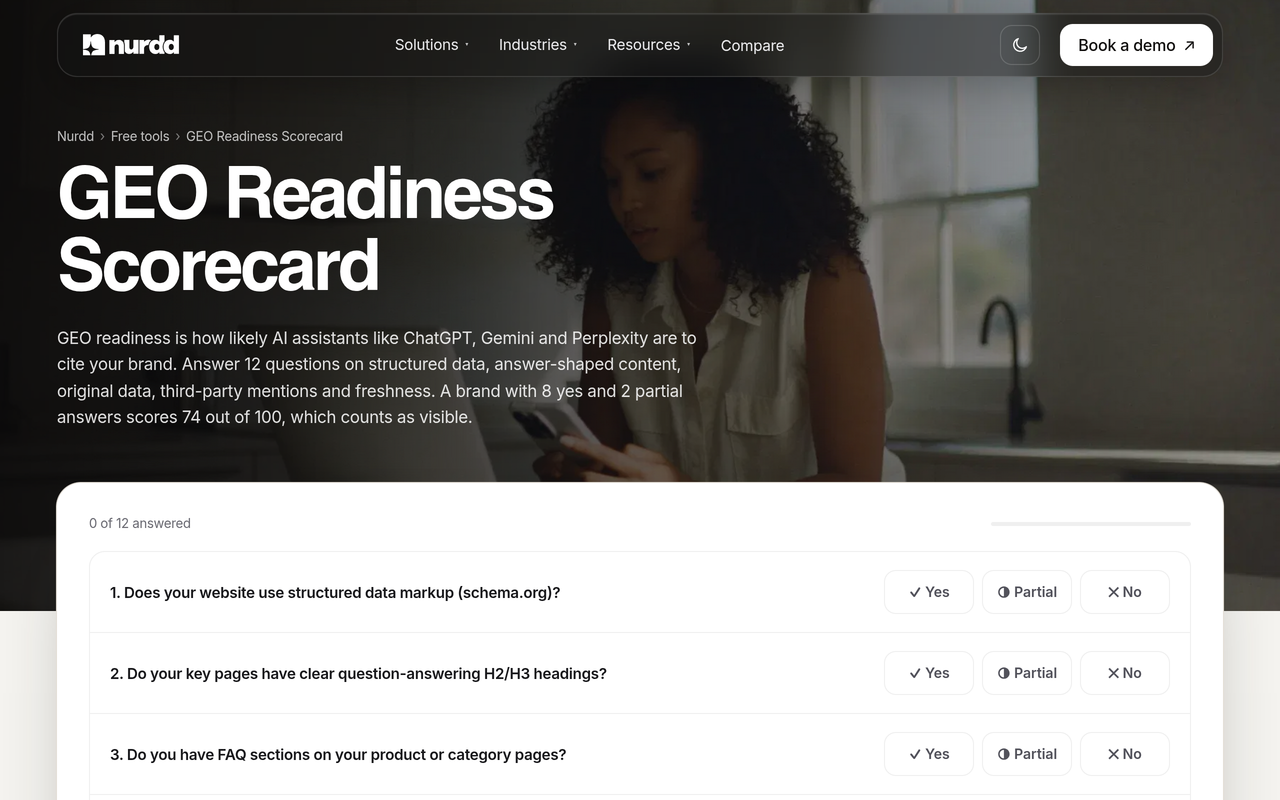
- Check your readiness to be cited with the free GEO readiness scorecard, so you know whether low visibility is a tracking problem or a content problem.
What mistakes make prompt tracking misleading?
Most bad prompt sets fail in predictable ways. Each of the following mistakes produces data that looks precise but cannot support a decision.
- Tracking only branded prompts. A brand-named prompt almost always mentions the brand, so the score looks healthy while unbranded buyer questions go unmeasured.
- Counting near-duplicates as breadth. Ten phrasings of one question is one intent. Uberall's intent coverage figures show breadth of intent is what widens coverage.
- Reading one run. SparkToro's finding that brand lists almost never repeat is the reason a single run is not a result.
- Editing the set every week. Each edit resets the comparison, as Peec's freeze guidance explains.
- Tracking one engine and generalising. A strong showing in one engine says little about another.
- Ignoring the sources behind answers. A mention without the cited page tells you that you appeared but not what to fix. Record which page each citation comes from.
- Sizing for the tool's plan limit, not the buyer. Conductor notes that platforms limit topics and prompts, so being selective is a necessity, and the way to be selective is the scoring step above, not a round number.
If your brand appears in none of your clusters, the prompt set is probably fine and the cause is elsewhere. Why your brand isn't showing up in ChatGPT answers walks through the usual causes.
How does Noma run a prompt set?
Noma by Nurdd is an AI search visibility dashboard at nomahq.app that tracks whether a brand appears in answers from 13 AI engines, including ChatGPT, Gemini, Perplexity and Claude, polled daily. It shows citation frequency by category, competitor comparison and recommendations for improving AI visibility, so a frozen prompt set keeps producing data without anyone re-running questions by hand.
Book a demo at https://www.nurdd.club/demo and we will walk through your own brand: your segments, a starter prompt set built from the stages above, and how your brand and your competitors show up across the engines Noma tracks.
Here is how the six steps map to a working routine in Noma.
- Bring your frozen set. Take the dated document from Step 6 and enter your prompts, keeping the stage and cluster names in your own records so you can group results the way you planned.
- Let daily polling do the collecting. Because Noma polls daily, every prompt builds up observations on its own. That is the mechanism that gets a cluster past the run counts discussed above without manual checking.
- Read by category and competitor. Use the citation frequency by category and the competitor comparison to see which clusters you appear in and which competitors take your place.
- Open the sources. Noma records whether your brand is named and which page each citation comes from, so a miss turns into a specific page to create, fix or earn a mention on.
- Act on the recommendations, then wait. Make one batch of changes, log the date, and hold the prompt set still while the trend settles. Your monthly review decides whether the change worked.
Noma has a 3-day free trial. A card is taken at signup and billing starts on day 3, with no charge if you cancel before then, so a first prompt set can be loaded and read across several days of polling before you commit. For an overview of how tools in this category differ, see the comparison of AI search visibility tools and the Noma vs Peec AI page.
If you would rather have a team act on what the data shows, Nurdd also runs answer engine optimization and generative engine optimization as managed services, measured in Noma. For reporting the results to colleagues, the AI search metrics reporting guide and what executives need to see on an AI visibility dashboard are useful next reads.
What is the next step?
Write your segments, draft 30 prompts for the most valuable one, score them, cut them and freeze them. That single afternoon of work gets you further than a month of arguing about the right number. If you are new to the vocabulary, what is generative engine optimization and the AI search glossary cover the terms.
To see your own set running, book a demo of Noma. You will see your brand's presence by prompt cluster across the engines, the competitors that appear where you do not, and the pages being cited in your category.
How we researched this
We searched the primary keyword and read the pages that rank for it from AI visibility vendors and an SEO platform, noting how each sizes a prompt set and what each leaves out. We also reviewed Google's own Search Central documentation and a published summary of SparkToro's variability research. Everything cited here was checked on the publication date of this post. We did not run hands-on tests, interviews or customer studies for this article, and the worked example is illustrative arithmetic on a hypothetical brand. Vendor figures describe the vendors' own studies or guidance, and several of those vendors sell tracking products.
Frequently asked questions
How many prompts should I track for AI search visibility?
Start with 25 to 40 prompts per market, product or buyer segment, which matches the starting ranges published by SE Ranking, Semrush and Rankshift. Large or highly competitive categories may need 50 to 100 per segment. Add prompts where the data shows a gap you can act on, not to reach a round number.
How do I choose prompts to monitor in ChatGPT and Gemini?
Keep a shared core of buyer questions that run on both engines, then add engine-specific phrasing: longer scenario questions for ChatGPT and shorter search-like queries for Gemini. Mix unbranded prompts, which test whether you are recommended, with a smaller number of brand-named prompts, which test how you are described. Source the wording from support tickets and sales calls.
How often should I review my tracked prompts?
Let the tool collect daily, look at cluster trends weekly and review the set itself monthly. Rewrite segments and re-score prompts quarterly. Freeze the set between reviews so movements in your data are not caused by your own edits.
Is it better to track more prompts or run fewer prompts more often?
Under a fixed budget, Uberall's guidance is that fewer prompts run more often beats more prompts run rarely. Repeated runs matter because answers vary, a point Peec AI quantifies at about 100 runs for a tight reading of a 50% prompt. Within the budget, favour different intents over extra phrasings of the same one.
Should I track branded or unbranded prompts?
Track both, but keep unbranded prompts as the majority. Unbranded prompts show whether engines recommend you when a buyer has not named you, which is the visibility you are trying to win. Branded prompts show how engines describe you and catch inaccurate claims.
Why do my AI visibility results change every day?
Answer engines generate responses probabilistically. SparkToro's research, as reported by Search Engine Journal, found that the same brand list almost never repeated across runs of one prompt in ChatGPT and Google AI Overviews. Read clusters over weeks rather than reacting to single runs.
Can I run prompt tracking in Noma for free?
Noma offers a 3-day free trial. A card is taken at signup and billing starts on day 3, and you are not charged if you cancel before then. You can book a demo at https://www.nurdd.club/demo to see a prompt set for your own brand first.
Do I need to track every AI engine?
No. SE Ranking advises focusing on 2 to 3 priority models where your buyers actually search, rather than covering everything. Noma tracks 13 AI engines, including ChatGPT, Gemini, Perplexity and Claude, so you can start with a few and widen the view once the first clusters are readable.