Influencer Marketing
Influencer Rate Card Template for Brands to Compare Offers
Turn creator quotes into a like-for-like sheet by deliverable, usage rights and exclusivity, with a template, worked example and checklist.
 Simran Rawat12 Nov 202617 min read

To compare influencer rate cards, restate every creator's quote against the same brief in one sheet, with separate lines for base fee per deliverable, usage rights, paid boosting, exclusivity and extras. Then compare the normalised totals and check audience quality, because a headline fee hides what the rights and restrictions cost. Nia by Nurdd then helps with the next step: forecasting ROI before spend and attributing sales to each creator.
To compare influencer rate cards from different creators, copy every quote into one influencer rate card template with the same columns: deliverable, base fee, usage rights (channels and duration), paid-boost fee, exclusivity window and fee, revisions, and an all-in total. Price each creator for the same scope, then compare. A headline fee alone tells you almost nothing.
Key takeaways
- Split every quote into five lines before comparing: base fee per deliverable, usage rights, paid boosting, exclusivity and extras. The worked example below, which is partly illustrative, shows a creator who looks mid-priced on headline fee becoming the most expensive once rights are matched.
- Ask every creator to price the same written brief. Rate cards are built around the creator's preferred package, so they are not comparable until you restate them against your scope.
- Treat usage rights and exclusivity as add-ons priced separately. impact.com's published ranges put them at a percentage of the base fee, so they can add more than the content itself.
- Check the audience before you check the price. Run a fake follower estimate and an engagement rate calculation so you compare cost against real reach.
- Keep the finished sheet with the campaign record, so next quarter's negotiation starts from what a creator's price actually delivered.
What should a brand look for in an influencer rate card?
A brand should look for eight things in an influencer rate card: the deliverables and platforms, the base rate for each, what the base rate includes, usage rights, whitelisting or boosting terms, exclusivity, revisions and turnaround, and payment terms. Anything missing from the card is a question to ask, because missing lines usually get priced later.
Collabstr publishes a rate card guide with a template and a check on whether a rate is fair, written from the creator's side. impact.com's rate card guide separates a rate card from a media kit: the media kit introduces the creator, while the rate card is used further into partnership discussions.
That distinction matters for brands. A media kit tells you who the creator is. A rate card tells you what they will charge, and only a normalised comparison tells you whether that charge is fair for your scope.
Why are influencer rate cards so hard to compare?
Influencer rate cards are hard to compare because each creator bundles different things into the headline number. One card might include thirty days of organic reposting, another might price ninety days of paid usage separately, and a third might quietly assume exclusivity. You end up comparing different products at different prices.
Three differences cause most of the confusion:
- Unit of sale. Some creators quote per post, some per video, some per bundle. Divide a bundle price by the number of deliverables before you compare it with a one-off post.
- Rights. Organic posting on the creator's own feed is a different purchase from running the content as an ad on your own account. The price gap between those is where most quotes diverge.
- Restrictions. Exclusivity stops the creator working with your competitors for a period, which costs them income, so it is priced separately by many creators.
The fix is not a better-looking card. The fix is a single sheet where every creator is restated against the same brief, which is what the rest of this guide builds.
How to build an influencer rate card comparison sheet, step by step
The method below takes you from a pile of PDFs and DMs to one ranked sheet. Each step names the action, the result you should have, and why it matters.
Step 1: Write one scope and send it to every creator
Action: Write a half-page brief that fixes the deliverable (for example, one Instagram Reel), the number of revisions, the posting window, the usage you want (channels and months), whether you want to run the content as ads, and the exclusivity you need, if any. Send the same brief to every creator you are comparing.
Result: Every quote answers the same question.
Why: When creators quote from their own cards, you compare their packaging. When they quote from your brief, you compare their prices.
Step 2: Split each quote into a base fee per deliverable
Action: Put the fee for the content alone in one column, and divide any bundle price by the number of deliverables it covers. Record the platform and format next to it.
Result: A clean cost per deliverable for each creator.
Why: It is the only line that is comparable across formats. Sprout Social's rate card guide gives an example brand-side formula of $100 per 10,000 followers for images, with a 20% increase for video. Treat that as a rough sanity check, not a price list.
Step 3: Normalise usage rights into channels and months
Action: For each creator, write down which channels the content may run on (their feed only, your social accounts, your website, email, paid ads) and for how many months. If the card says "full rights" or "buyout", ask for a duration and channel list in writing.
Result: A usage line expressed as channels multiplied by months, with a fee against it.
Why: impact.com's usage rights pricing guide describes three common types: limited usage on one platform for a set time, unlimited usage across platforms for a set period, and usage in perpetuity. Each is a different purchase and should sit on its own line.
Step 4: Price exclusivity as its own line
Action: Record the competitor category, the length of the window (before and after the post) and the fee. If a creator has not priced exclusivity, ask them to.
Result: Every quote shows what the restriction costs you, even when the creator has folded it into the headline.
Why: impact.com's guide says most creators charge between 20 and 100 percent of their base rate for exclusivity, depending on the length of the restriction and the brand's size. Comparing a quote with exclusivity to one without it is like comparing a car with and without an engine warranty.
Step 5: Add paid amplification (boosting or allowlisting)
Action: If you plan to run the post as an ad from the creator's handle, add a line for boosting. Record whether the creator charges a flat fee or a share of ad spend, and how long the permission lasts.
Result: A separate line that stays at zero if you only want organic posts.
Why: impact.com's guide says creators typically charge five to 20 percent of the brand's total paid ad spend behind the content. Because the ad runs from the creator's account, the creator has to grant the permission, so write its type and duration into your agreement.
Step 6: Add the extras that change the total
Action: Add lines for revisions beyond the included number, rush turnaround, raw footage, extra cut-downs and travel or product costs. Record included revisions and turnaround days for every creator.
Result: An all-in total that reflects what you will actually pay.
Why: Extras are where a cheap base fee turns expensive. Expect creators to price revisions, turnaround and raw footage separately, so ask for each one by name.
Step 7: Benchmark each line and vet the audience
Action: Compare each base fee with published medians for the creator's tier, then check the audience with a fake follower estimate and an engagement rate calculation. Flag any creator whose price is far above the tier median without stronger engagement.
Result: A price-versus-quality flag for each creator.
Why: A fee is only high or low relative to the real audience behind it. Use Nurdd's free fake follower checker and Instagram engagement rate calculator, and work through the fake follower audit checklist before you pay.
Step 8: Score the normalised offers and choose
Action: Rank the creators by normalised all-in cost, then apply the weighted scorecard further down this page.
Result: A shortlist with a documented reason for each choice.
Why: A written scorecard lets another person on your team audit the decision, and gives you leverage when you negotiate: you can name which line is out of range.
What does the comparison sheet template look like?
The influencer rate card template below is a column list you can paste into a spreadsheet. Each creator is one row. The first group of columns records what the creator quoted; the second group restates it against your brief.
| Column group | Columns | What to enter |
|---|---|---|
| Identity | Creator, platform, follower count, niche | Handle and the platform the quote applies to |
| Content | Deliverable, quantity, base fee, fee per deliverable | Bundle price divided by the number of pieces |
| Usage rights | Channels, months, usage fee | Organic only, brand social, website, email or paid; number of months |
| Paid boost | Permission type, duration, boost fee | Flat fee or percentage of ad spend, and how long the permission lasts |
| Exclusivity | Category, window, exclusivity fee | Which competitors are blocked, for how long, and the price |
| Extras | Revisions included, turnaround days, raw footage, rush fee | Included versus charged separately |
| Terms | Payment schedule, cancellation, disclosure responsibility | Deposit, milestones and net days |
| Totals | Quoted total, normalised total, normalised cost per deliverable | Normalised total restates every creator to your brief |
| Quality | Fake follower estimate, engagement rate, audience fit, past results | Numbers from your own checks, not the creator's media kit |
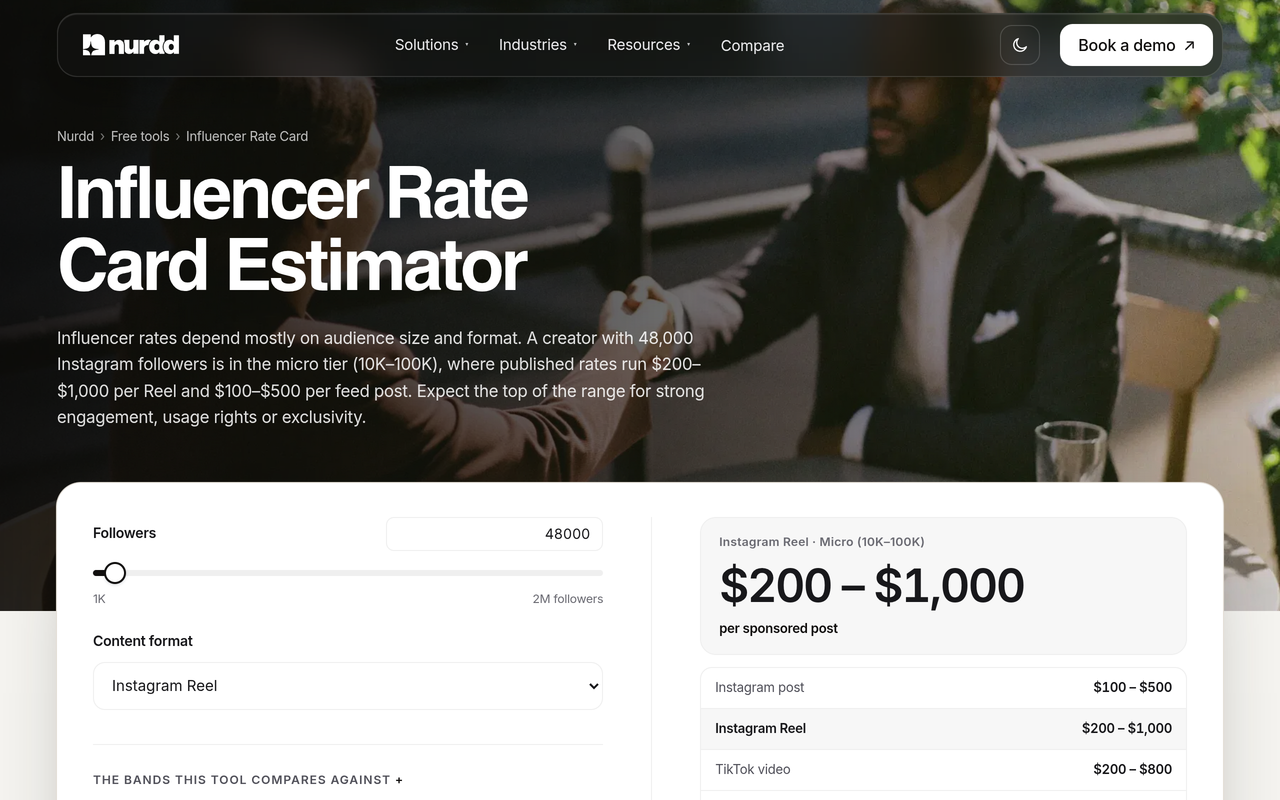
Nurdd's influencer rate card estimator gives published USD rates by tier and format, which is a quick way to fill the benchmark column. The related guide, Influencer Rate Card: What to Include and How to Build One, covers the creator side of the same document.
How much do usage rights and exclusivity add to a quote?
Usage rights and exclusivity can add more to a quote than the content itself. impact.com's guide puts monthly usage rights at 0 to 50% of the base fee for nano creators and 100% and up for creators above one million followers. Its exclusivity range is 20 to 100 percent of the base rate.
| Creator tier (impact.com) | Monthly usage rights fee, as a share of the base fee |
|---|---|
| Nano (under 15k followers) | 0 to 50% |
| Micro (15k to 75k) | 25 to 75% |
| Mid-tier (75k to 250k) | 40 to 100% |
| Macro (250k to 1m) | 50 to 125% |
| Celebrity (1m+) | 100% and up |
Those figures are from impact.com's usage rights guide, which describes them as average ranges and notes every creator prices differently. A separate guide from UGC Bloom puts an organic repost-only right at 0 to 10% of the base fee for 30 to 90 days, which shows how sharply the price rises once ads are involved.
Rule of thumb for brands: price usage by channel and month, not by the word "rights". An organic repost on your feed and a ninety-day paid run are different products, and a creator who bundles both into one number is hiding the line you most need to negotiate.
Worked example: three offers for one Reel
This worked example uses the cost build-up published by impact.com for a $500 Instagram post, then restates two further quotes against the same scope. Creator A's numbers come from impact.com. Creators B and C, and every price attached to them, are illustrative, not real data.
impact.com's own build-up for a post with three months of usage, website use, a boost and three months of exclusivity runs like this:
- Base rate: $500
- Three months of usage rights: $750
- Website use: $200
- Boost fee (15% of $300 ad spend): $45
- Exclusivity fee (50% of base for three months): $250
- Total: $1,745
Call that Creator A. In this illustration, Creator B quotes a flat $1,400 that includes three months of usage on all brand channels but excludes boosting and exclusivity. Creator C quotes $1,100 for the post with usage extra.
Your scope, set in Step 1, is three months of usage on brand channels including the website, plus a boost behind $300 of ad spend, and no exclusivity. Ask each creator to price the missing lines. Suppose B asks $100 for the boost and C asks $600 for three months of usage and $60 for the boost.
| Line | Creator A (impact.com build-up) | Creator B (illustrative) | Creator C (illustrative) |
|---|---|---|---|
| Headline fee as quoted | $500 | $1,400 | $1,100 |
| Usage, 3 months incl. website | $950 ($750 + $200) | Included | $600 (requested) |
| Boost | $45 | $100 (requested) | $60 (requested) |
| Exclusivity | Removed (was $250) | Not included | Not included |
| Normalised total | $1,495 | $1,500 | $1,760 |
On headline fee the order is A ($500), C ($1,100), B ($1,400). On the normalised totals the order is A ($1,495), B ($1,500), C ($1,760). Creator C moves from second-cheapest to most expensive, and Creator B goes from the highest headline to within $5 of Creator A.
That is the point of the sheet: an unpriced line is a future invoice. If the three were otherwise equal, you would now negotiate with B and A on audience quality and results, not on a headline that was never comparable.
What should an influencer cost per deliverable at each tier?
Published medians give you a benchmark for the base-fee column. OpenSponsorship's study of 1,527 creator campaigns (data pulled July 2026) reports medians, not averages. The tiers below are the ones whose figures could be confirmed from the study and its published summaries.
| Creator tier | Median cost per deliverable | Median cost per view |
|---|---|---|
| Nano (under 10K followers) | $134 | $0.13 |
| Mid (50K to 250K followers) | $417 | $0.19 |
| Mega (1M+ followers) | $2,727 | $0.07 |
OpenSponsorship's results also show that mega creators delivered the cheapest cost per view, at roughly 7 cents, while nano creators generated views equal to 19.9% of their follower count against 1.1% for mega creators. Reported by Eyeballs and Clicks, the same study found the mid tier had the worst cost per view and cost per engagement.
Use these medians as a sanity check for the fee-per-deliverable column, not as a price list. The study's dataset is weighted toward sports, wellness, food and lifestyle, so a quote in another category may legitimately sit elsewhere.
Nurdd's influencer pricing benchmarks and the marketing benchmarks hub list the OpenSponsorship medians alongside their source and period.
How do I score offers once they are normalised?
Score offers on a weighted scorecard so price is one input, not the verdict. The weights below are a suggested starting point from this guide, not a published standard. Change them to suit the campaign goal.
| Criterion | Suggested weight | How to score it (1 to 5) |
|---|---|---|
| Normalised all-in cost per deliverable | 30% | 5 for the lowest in the set, 1 for the highest |
| Audience quality | 25% | Fake follower estimate and engagement against tier norms |
| Rights fit | 15% | Channels and months match your brief with no gaps |
| Restrictions | 10% | Exclusivity limited to what you need |
| Content fit and past results | 15% | Previous work in your category, and results if you have them |
| Terms | 5% | Clear revisions, turnaround and payment schedule |
If your goal is sales, replace the cost weight with a forecast. Nurdd's influencer ROI calculator projects revenue and ROAS from a creator budget, and the guide on picking influencers on predicted sales explains why a cheaper fee is not always a cheaper customer.
Checklist: what to confirm before you sign any influencer rate
- Confirm the deliverable, platform, format and number of pieces in writing.
- Confirm what the base fee includes: revisions, turnaround days, raw footage and cut-downs.
- Write the usage channels and number of months, and refuse open-ended wording such as "full rights" without a duration.
- State whether the content may be edited, cropped or captioned by your team.
- Agree the boosting or allowlisting permission, its duration, and how the fee is calculated.
- Name the exclusivity category and window, or record "none".
- Run a fake follower estimate and an engagement check on the creator.
- Agree who is responsible for the paid-partnership label and the disclosure wording.
- Agree payment milestones and what happens if the post is late or removed.
- Save the signed terms and the final normalised sheet with the campaign record.
What are the common mistakes when comparing rate cards?
- Comparing headline fees. A flat fee with rights included and a base fee with rights extra are not the same number. Restate both before ranking.
- Accepting perpetual rights by default. impact.com's guide advises creators to charge a premium for perpetual usage, so a card that offers it cheaply deserves a question about what was left out.
- Ignoring exclusivity. It costs the creator income, so it will be priced somewhere. Make them show you where.
- Using averages from random blogs. Prefer sourced medians with a stated sample, such as OpenSponsorship's, and record the date you checked.
- Skipping audience checks. A low price for an audience padded with inactive accounts is not a low price. The guide to vetting an influencer's audience shows what to check before you pay.
- Losing the sheet after signing. If the comparison lives in a one-off email thread, you cannot compare what a creator charged with what they delivered next time.
Do disclosure rules change how I compare offers?
Disclosure rules do not change the price, but they change the terms you must agree. In the United States, the FTC's Endorsement Guides (16 CFR 255.5) say that a connection between a creator and a brand that might materially affect the weight or credibility of an endorsement, and that the audience would not reasonably expect, must be disclosed clearly and conspicuously. Such material connections can include a business, family or personal relationship, monetary payment, or free or discounted products.
For your sheet, that means adding a "disclosure" row: who writes it, where it appears, and who checks it. This is general information, not legal advice. Ask your counsel about the rules in each market you advertise in.
Where does Nia by Nurdd fit after you compare rate cards?
Nia by Nurdd is an AI-native creative studio with influencer marketing built in. It searches 10M+ creator profiles, scores each with TruAI fake follower detection, forecasts ROI before spend, attributes product-level sales to specific creators afterwards and manages the campaign workflow. Nia is priced below comparable plans.
Want to see Nia by Nurdd for your own brand? Book a demo of Nia by Nurdd and see creator search, TruAI scoring and ROI forecasting run on your own category.
The reason this matters for rate cards is the second negotiation. The first time you compare quotes, you only have prices. By the second campaign, you can set each creator's normalised cost per deliverable against the sales attributed to them, and the influencer performance attribution guide explains how to track that by creator. Keep your comparison sheet alongside that record, and pair it with a clean UTM structure for influencer campaigns so every creator row has a link to its results.
If you want a team to run the process, Nurdd also offers a managed influencer marketing service run on Nia, and the Nia overview page lists the full workflow. For a wider view of the market, read Best Influencer Marketing Platforms in 2026 or how to pick an influencer marketing platform.
What should I do next?
Start with one live campaign. Send the same brief to three creators, fill in the template above, and normalise the quotes before you negotiate. Add a fake follower check and a benchmark for each base fee, then score the offers. You will know exactly which line to push on.
When you are ready to forecast ROI before spend and attribute sales to each creator, book a demo of Nia by Nurdd and see it for your own brand. You can also browse Nurdd's free tools for rate, engagement and ROI checks in the meantime.
How we researched this
We reviewed published creator-pricing guides, rate card articles from influencer platforms, a pricing dataset from OpenSponsorship and the FTC's influencer disclosure guidance. All pages were checked on the publication date of this post, and every figure here is stated as the source gives it. We did not test any tool hands-on and we did not interview creators. In the worked example only Creator A's build-up is published; Creators B and C and their prices are illustrative. Percentage ranges for usage rights and exclusivity vary by source, so confirm the current terms with each creator.
Frequently asked questions
How do I compare influencer rate cards from different creators?
Send each creator the same written brief, then record their answers in one sheet with separate columns for base fee, usage rights, boosting, exclusivity and extras. Restate every quote to your scope, then compare the normalised totals. Add an audience quality check so you compare cost against real reach.
What is a fair price for usage rights?
There is no single fair price, but published ranges give a guide. impact.com lists monthly usage fees from 0 to 50% of the base fee for nano creators to 100% and up for creators with over one million followers. Price depends on channels, duration and whether the content will run as ads.
What is the difference between usage rights and whitelisting?
Usage rights let a brand use the creator's content on its own channels. Whitelisting, also called allowlisting or boosting, lets a brand pay to promote a post from the creator's own account. impact.com explains that with boosting the creator keeps ownership and the post stays on their profile.
How much does exclusivity cost?
impact.com's guide says most creators charge between 20 and 100 percent of their base rate, depending on the length of exclusivity and the brand's size. Other guides give lower or higher bands, so get the figure in writing from each creator and keep it on its own line.
Should I pay per post or per bundle?
Ask for both and divide the bundle price by the number of deliverables. Bundles often lower the per-post price, but confirm that usage and revisions are the same in both quotes. Pay per post when you want to test a creator, and use a bundle once their results justify it.
Is an influencer's rate card negotiable?
Yes. impact.com describes the rate card as a starting point for the payment conversation. The strongest lever for a brand is scope: offer shorter usage, fewer channels or no exclusivity in return for a lower fee, or ask for a longer window at a lower monthly rate.
What tools can I use to judge whether a creator's rate was worth it?
A spreadsheet works for one campaign. Past that, you need a way to forecast returns and tie sales back to each creator. Nia by Nurdd forecasts ROI before spend, attributes product-level sales to creators and manages the campaign workflow, so you can set each rate against what the campaign returned.