AI Search Visibility
AI Bot Traffic in Server Logs: What to Look For
How to find GPTBot, ClaudeBot and PerplexityBot in your access logs, verify them, and learn what crawler visits can't tell you about citations.
 Sheetal Shakshi9 Nov 202617 min read

To see AI bot traffic in your server logs, filter access logs by the published user-agent tokens (GPTBot, OAI-SearchBot, ChatGPT-User, ClaudeBot, Claude-User, Claude-SearchBot, PerplexityBot, Perplexity-User), verify the IP addresses against each vendor's published ranges, then group hits by URL and status code. Crawler activity shows that engines can read your pages, but it does not show that your brand is named in answers. Noma by Nurdd tracks that second question across 13 AI engines.
To see AI bot traffic in your server logs, filter your access logs for the user-agent tokens that OpenAI, Anthropic and Perplexity publish, confirm the requests come from their published IP ranges, and then group the hits by URL, status code and bot type. That shows who is reading your site. It does not show whether any AI assistant names your brand when a buyer asks a question.
This guide walks through the log work step by step, then draws the line between what logs can prove and what they cannot. It ends with a decision table you can use to read your own numbers and a checklist for a first audit.
Key takeaways
- AI crawlers fetch pages on the server, so they do not run JavaScript and do not appear in analytics tags. Your raw access logs or CDN logs are the record.
- Split bots by purpose, not by company. Training crawlers, search crawlers and user-triggered fetchers mean different things for visibility.
- A user-agent string can be faked. Verify IPs against each vendor's published list before you report a number.
- Crawler hits are a precondition for being cited, not evidence of it. The ratio of pages crawled to visitors sent back is lopsided for most AI companies.
- Pair log analysis with answer-level tracking, which is what Noma does across 13 AI engines, including ChatGPT, Gemini, Perplexity and Claude.
Why can't Google Analytics show AI bot traffic?
Analytics tools rely on a script running in a browser. A crawler that requests your HTML and reads it never loads that script, so the visit is never counted. Several of the log-analysis guides that rank for this topic make the same point, including one from WISLR, 2026, which analysed 12,099 AI and crawler bot requests drawn from 288,566 log files over 48 days.
The consequence is a blind spot with two sides. You cannot see which assistants are reading your pages, and you cannot see which pages fail to load for them. A product page that returns a 403 error to GPTBot looks fine in every dashboard you own.
Logs also answer a different question from referral analytics. Referral data tells you when a person clicked a link inside an AI answer and landed on your site. Logs tell you when a machine fetched the page. Our guide to measuring AI referral traffic in analytics covers the human side of that split.
Which AI bots should you look for, and what does each one do?
The most useful habit is to sort bots by job. The same company often runs several crawlers with different consequences if you block them. The vendors document this on their own pages.
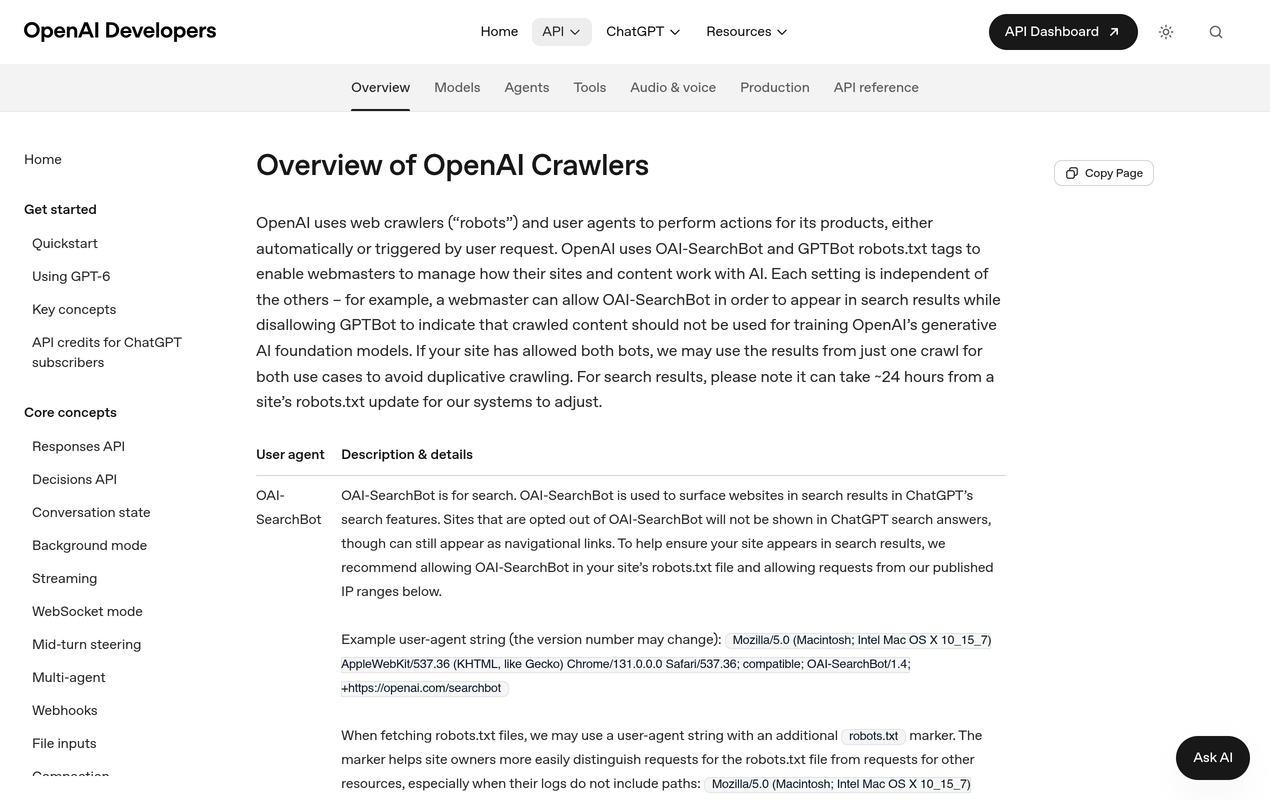
OpenAI's crawler overview, checked November 2026, describes OAI-SearchBot as the bot that surfaces sites in ChatGPT's search features, and says sites that opt out will not be shown in ChatGPT search answers, though they can still appear as navigational links. It describes ChatGPT-User as used for certain user actions in ChatGPT and Custom GPTs, and says it is not used to crawl the web automatically. GPTBot is the third token and relates to model training.
Anthropic runs three. As reported by Search Engine Roundtable, February 2026, ClaudeBot collects content that may contribute to model training, Claude-User fetches pages when a person asks Claude a question, and Claude-SearchBot improves the quality of search results. PPC Land, February 2026, adds that blocking ClaudeBot addresses training concerns but leaves Claude-User in place.
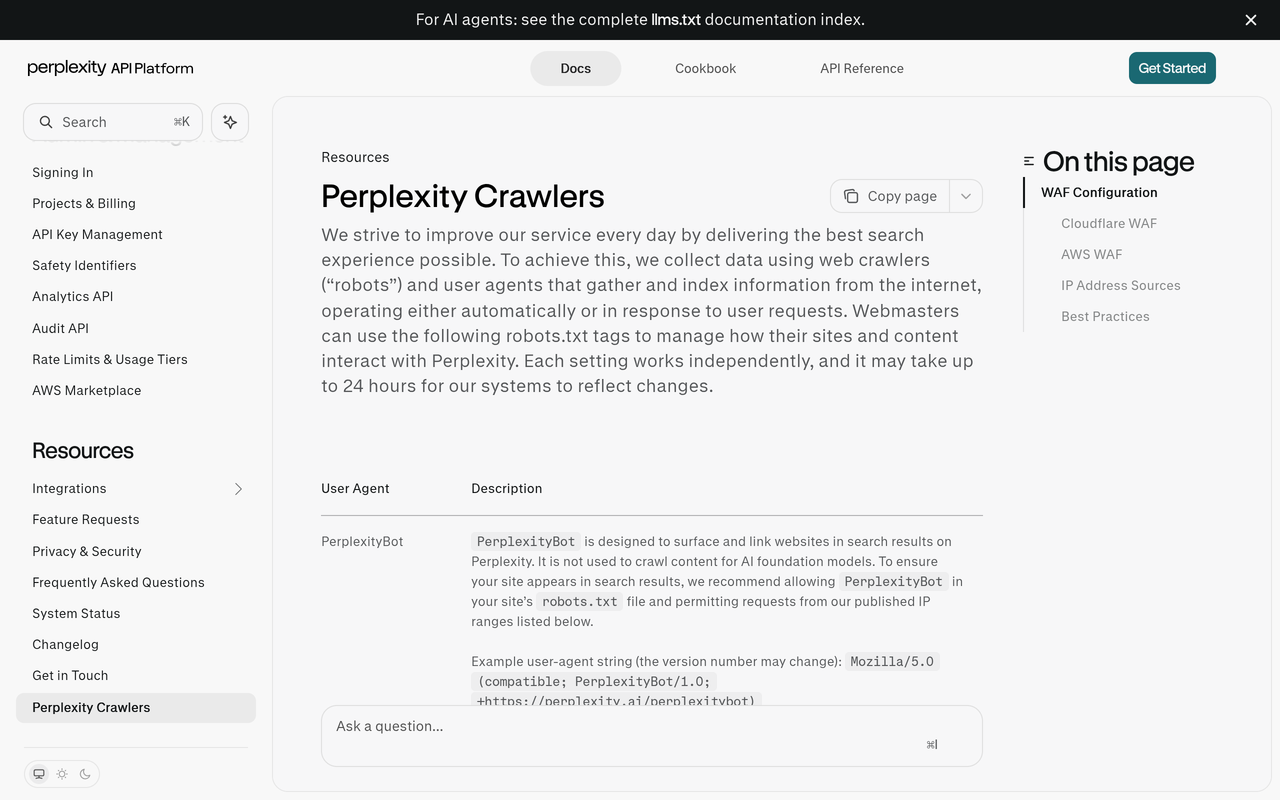
Perplexity documents two. Its crawler documentation, checked November 2026, says PerplexityBot is designed to surface and link websites in Perplexity search results, and Perplexity-User supports user actions inside Perplexity. Each has its own published IP list.
Google works differently. Its common crawlers page, checked November 2026, says Google-Extended has no separate HTTP user agent string, so it will never appear as its own line in your logs. It is a robots.txt control token, and Google says it does not affect inclusion in Google Search or act as a ranking signal. Google's AI features draw on the normal Googlebot crawl, so Googlebot lines are the ones to watch there.
A decision table: what each bot type means for visibility
| Bot type | Examples (from vendor docs) | What a log hit tells you | What it does not tell you |
|---|---|---|---|
| Training crawler | GPTBot, ClaudeBot | Your content may be collected for model training | That any answer will name you |
| Search or index crawler | OAI-SearchBot, Claude-SearchBot, PerplexityBot | Your page is eligible to be surfaced in that engine's search results | That it ranks, or that it is quoted |
| User-triggered fetcher | ChatGPT-User, Claude-User, Perplexity-User | A person's question led an assistant to open your page at that moment | Whether the page was used in the final answer or your brand was named |
| Control token only | Google-Extended | Nothing, because it has no log line | Not applicable |
The user-triggered row is the most interesting. A fetch by ChatGPT-User means a live question touched your page, which is closer to demand than a scheduled crawl. It is still a fetch, and a fetched page can be read and then left out of the answer.
How do you find AI bot traffic in your server logs? A step-by-step guide
The steps below assume access to raw logs from your web server, CDN or hosting platform. Shared hosting plans often hide these, so ask your host for an export or check the CDN dashboard first.
Step 1: Get the right log source
Action: Pull access logs from the layer closest to the visitor, usually your CDN or edge network, and keep origin logs as a second source. Result: You see requests that were blocked or cached before reaching your origin. Why: A bot challenged by a firewall rule may never reach your web server, so origin logs alone can make a block look like no interest.
Export at least four weeks. Bot visits are bursty, and a seven-day window can miss a whole crawl cycle.
Step 2: Filter by documented user-agent tokens
Action: Search the user-agent field for the exact tokens in the vendor docs: GPTBot, OAI-SearchBot, ChatGPT-User, ClaudeBot, Claude-User, Claude-SearchBot, PerplexityBot and Perplexity-User. Result: A clean list of requests from named AI agents. Why: A generic match on the word "bot" pulls in uptime monitors and scrapers and buries the signal.
A typical command on a Linux server looks like this:
grep -E "GPTBot|OAI-SearchBot|ChatGPT-User|ClaudeBot|Claude-User|Claude-SearchBot|PerplexityBot|Perplexity-User" access.log
Our AI crawler user agents list keeps the tokens together and explains what to allow or block.
Step 3: Verify the requester is real
Action: Compare the source IP of each hit with the vendor's published list. OpenAI points to JSON files such as gptbot.json and chatgpt-user.json, and Perplexity points to perplexitybot.json and perplexity-user.json. Result: You separate genuine crawlers from imitations. Why: A user-agent header is plain text that anyone can copy.
For Google, the common crawlers page describes a two-part check: the IP sits in the published ranges, and the reverse DNS hostname matches the googlebot.com pattern the page gives. Treat any AI-bot line that fails verification as unverified traffic, and exclude it from your reporting.
Step 4: Group hits by bot, URL and status code
Action: Build a simple table of hits per bot per URL path and per HTTP status. Result: You learn which sections each bot reads and where it hits errors. Why: Status codes are the part analytics can never give you. A run of 403, 429 or 5xx responses to a search crawler is a fixable cause of invisibility.
Look for three patterns: pages that return 200 to browsers but 403 to bots, redirect chains that end in a login or consent wall, and heavy crawling of low-value URLs such as filtered category pages while your guides are untouched.
Step 5: Check robots.txt and sitemap requests
Action: Filter for requests to /robots.txt and /sitemap.xml by each bot. Result: You see whether a bot reads your rules before crawling. Why: A bot that fetches robots.txt and then skips disallowed paths is behaving as documented, and one that never checks it needs a firewall decision rather than a robots.txt edit.
The WISLR analysis noted that ClaudeBot and GPTBot began requesting sitemap.xml for the first time on the same day in its data, which is a reminder that behaviour changes without notice and needs repeat checks.
Step 6: Separate fetchers from crawlers over time
Action: Chart user-triggered fetchers (ChatGPT-User, Claude-User, Perplexity-User) weekly, apart from training and search crawlers. Result: A trend line that moves with real questions rather than crawl schedules. Why: Training crawls arrive in waves and swamp the smaller, more meaningful fetcher signal.
Note which URLs fetchers request. If a handful of articles attract most ChatGPT-User hits, those pages are the ones people's questions are reaching, and they deserve the most careful maintenance.
Step 7: Record response time
Action: Add response time per request if your log format supports it. Result: You can spot slow pages for bots. Why: Guides such as Passion Digital's log analysis guide point out that AI crawlers can have tighter time limits than classic search crawlers, so a page that times out may simply not be read.
Step 8: Save a monthly snapshot
Action: Store the table of verified hits per bot, URL group and status each month. Result: A baseline to compare against after you change robots.txt, rendering or content. Why: Without a baseline, you cannot tell whether a change in crawling came from your edit or from the vendor.
Worked example: reading real log numbers without over-reading them
The WISLR study gives a concrete dataset to practise on. Its analysis covered 12,099 AI and crawler bot requests across 20 distinct bots in 48 days, from a single site. The authors report that ChatGPT-User traffic grew fivefold over the period and that GPTBot appeared from nothing.
Here is how to read a result like that. First, the growth in ChatGPT-User suggests more live questions were reaching that site, which is a demand signal. Second, GPTBot appearing is a collection signal, nothing more. Third, none of the three numbers says how many answers named the site. That is a limit of the method, not a flaw in the study.
Now add the ratio view from public network data. Reported figures from Ecorpit, 2026, citing Cloudflare Radar for July 2026, put the crawl-to-refer ratio at 1,917:1 for Anthropic, 289:1 for Perplexity and 251:1 for OpenAI. The same report says the Anthropic ratio was 70,900:1 in a June 2025 measurement, so the ratios move a lot.
As simple arithmetic, a ratio of 251:1 means that if a bot made 10,000 page requests, roughly 40 visitors would come back (10,000 divided by 251). That is an illustration of the ratio, not a forecast for your site. The point is that heavy crawling and little referral traffic can coexist, so crawl volume is a poor proxy for results.
A crawl-to-refer ratio of 251:1 means 251 pages were crawled for every visitor sent back. Crawl volume therefore says little about the traffic or citations a page earns.
Does AI crawler activity mean my brand will be cited in ChatGPT?
No. Crawler activity means a bot could read your page. A citation requires that the engine chooses your page, uses it in an answer, and names your brand or links to you for a specific question. Those are three further steps, and the logs record none of them.
OpenAI's documentation makes the first half of this plain. OAI-SearchBot access determines whether a site can be shown in ChatGPT search answers, which makes it a precondition. It does not promise placement. The same logic applies to PerplexityBot and Claude-SearchBot.
There are also cases where citations happen with little crawler evidence. An engine may rely on third-party pages, such as review sites, forums and directories, that describe your brand. Your own logs show nothing about that, because the bot visited someone else's server. Our explainer on why a brand isn't showing up in ChatGPT answers goes through the common causes.
What logs can and cannot prove
| Question | Server logs | Answer-level tracking |
|---|---|---|
| Did a verified AI bot request this page? | Yes | No |
| Did the page return an error to the bot? | Yes, via status codes | No |
| Did a person's question trigger a fetch? | Partly, via user-triggered fetchers | No |
| Is my brand named in the answer? | No | Yes |
| Which page does the engine cite? | No | Yes |
| How do I compare with competitors in the answer? | No | Yes |
| Which engines mention me, across a category prompt set? | No | Yes |
What do common log patterns mean? A reading guide
Use the table below as a first pass. It describes likely causes to investigate, not certain diagnoses.
| Pattern in your logs | Likely cause to check | Next action |
|---|---|---|
| No hits from search crawlers (OAI-SearchBot, PerplexityBot, Claude-SearchBot) | Blocked in robots.txt, firewall or bot-protection rules | Review robots.txt and CDN bot settings against the vendor docs |
| Search crawler hits but mostly 403 or 429 | Rate limiting or bot challenge | Allow verified IP ranges from the vendors' published files |
| Training crawler hits, no search crawler hits | Different rules apply per token | Decide deliberately which purposes you allow |
| Fetcher hits concentrated on a few URLs | Those pages match live user questions | Refresh and strengthen them first |
| Heavy hits on parameterised URLs | Crawl budget wasted on duplicates | Canonicals, internal links and sitemap hygiene |
| Bot hits fail verification | Spoofed user agent | Exclude from reporting and consider blocking |
| Bot reads HTML but the page content is loaded by JavaScript | Key facts missing from server-rendered HTML | Put primary answers in the initial HTML |
The last row matters because the bots in the logs fetch server-side. The WISLR piece notes that bots do not execute JavaScript, so anything loaded only after scripts run may be invisible to them. Check by viewing your page source rather than the rendered page.
How do you decide what to allow or block?
Allowing or blocking is a business decision with a visibility cost, and the vendors' own wording shows why. Anthropic says disabling Claude-User prevents retrieval in response to a user query and may reduce visibility for user-directed search, as covered by Search Engine Roundtable. OpenAI says opting out of OAI-SearchBot keeps a site out of ChatGPT search answers.
A practical rule is to treat the training bots and the search or fetch bots as separate decisions. Some brands choose to limit training collection while keeping search and user-triggered access open, because those are the paths that lead to being named in an answer. Whatever you choose, write it down, and record the date, so you can connect later changes in citations to it.
For testing a change, avoid editing several things at once. Our guide to GEO experiment design explains how to isolate one change and measure the result in answers.
Why do log analysis and citation tracking need each other?
Logs measure the supply side of AI visibility: can the engines reach and read you? Answer tracking measures the outcome: do the engines name you? A site can pass the first test and fail the second, and the fix is different in each case. Reachability problems are technical, while naming problems are about content, entity clarity and third-party sources.
The same split applies in any tool: bot data explains access, not recommendation. Our Noma vs Profound comparison covers how the two products differ on the answer side.
The loop works like this. Use logs to remove access barriers. Use answer tracking to see whether naming improves. Then use the cited pages in those answers to see which sources the engines actually rely on. If you are choosing a tool for the second step, the comparison of AI search visibility tools sets out the criteria.
How does Noma cover what server logs cannot?
Noma by Nurdd is a web dashboard that tracks whether a brand appears in answers from 13 AI engines, including ChatGPT, Gemini, Perplexity and Claude, polled daily. It records whether your brand is named, shows which page each citation comes from, compares you with competitors by category, and gives recommendations to improve your AI visibility. It does not replace log analysis. It answers the question logs leave open: are you actually named?
Book a demo at nurdd.club/demo and we will show you your own brand's answer coverage in Noma, which prompts name you, which competitors appear instead, and which pages the engines cite.
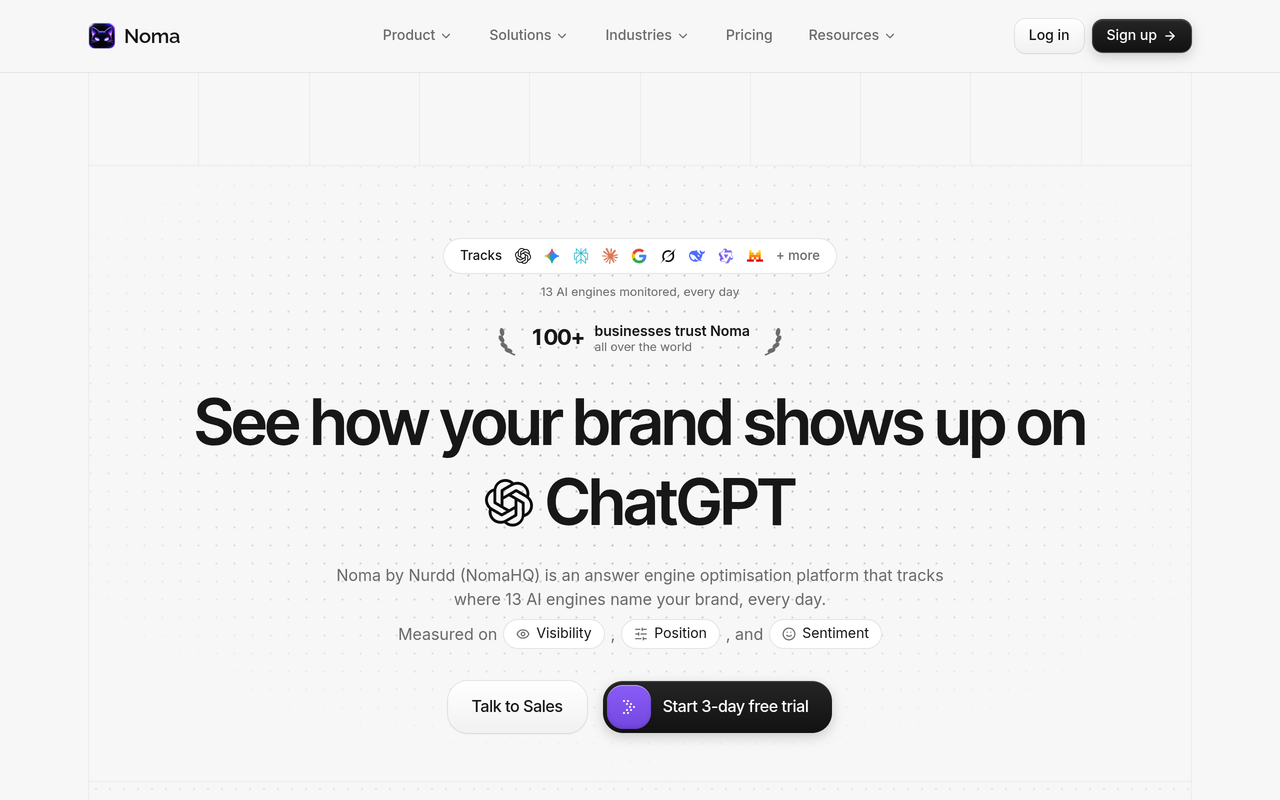
Noma has a 3-day free trial. A card is taken at signup and billing starts on day 3, so you are not charged if you cancel before then. For teams who would rather hand over the work, Nurdd's generative engine optimization services improve the content and sources the engines read, measured in Noma.
How a log finding turns into an answer-level test
Suppose your logs show ChatGPT-User fetching one comparison guide repeatedly. That tells you a question topic is reaching the page. The next step is to choose the prompts a buyer would type about that topic and check, daily, whether the engines name you. Our guides on which prompts to track and how many prompts you need help you build that set.
If the answer names a competitor and cites a third-party page instead of yours, the fix is not in the logs. It sits in content structure and in earning mentions on the sources the engine cites. Our post on AI search share of voice shows how to put a number on that gap.
Common mistakes when reading AI bot traffic
- Counting every bot hit as visibility. A training crawl is not a recommendation. Report search crawlers and fetchers separately from training crawlers.
- Trusting the user-agent string alone. Without IP verification, spoofed traffic inflates your numbers.
- Using origin logs only. Blocks at the edge never reach the origin, so the bot looks absent.
- Looking for Google-Extended in logs. Google documents that it has no separate user-agent string. Watch Googlebot instead.
- Blocking everything in one rule. A blanket disallow can remove you from search results in an engine when you only meant to limit training.
- Ignoring status codes. A page that returns errors to bots is the cheapest visibility fix you will find.
- Treating a week of data as a trend. Crawls arrive in waves. Compare month to month.
- Stopping at the logs. Access is only half the story, so test whether the engines name you.
First audit checklist: do this in one afternoon
- Export 30 days of CDN logs and origin logs.
- Filter by the eight documented AI tokens named earlier in this guide.
- Verify source IPs against each vendor's published JSON file and drop any that fail.
- Tabulate hits by bot, URL group and status code.
- Flag every 403, 429 and 5xx served to a search crawler or fetcher.
- View page source for your top five pages to confirm key facts appear in the initial HTML.
- Check robots.txt for rules on each token and write down which purposes you allow.
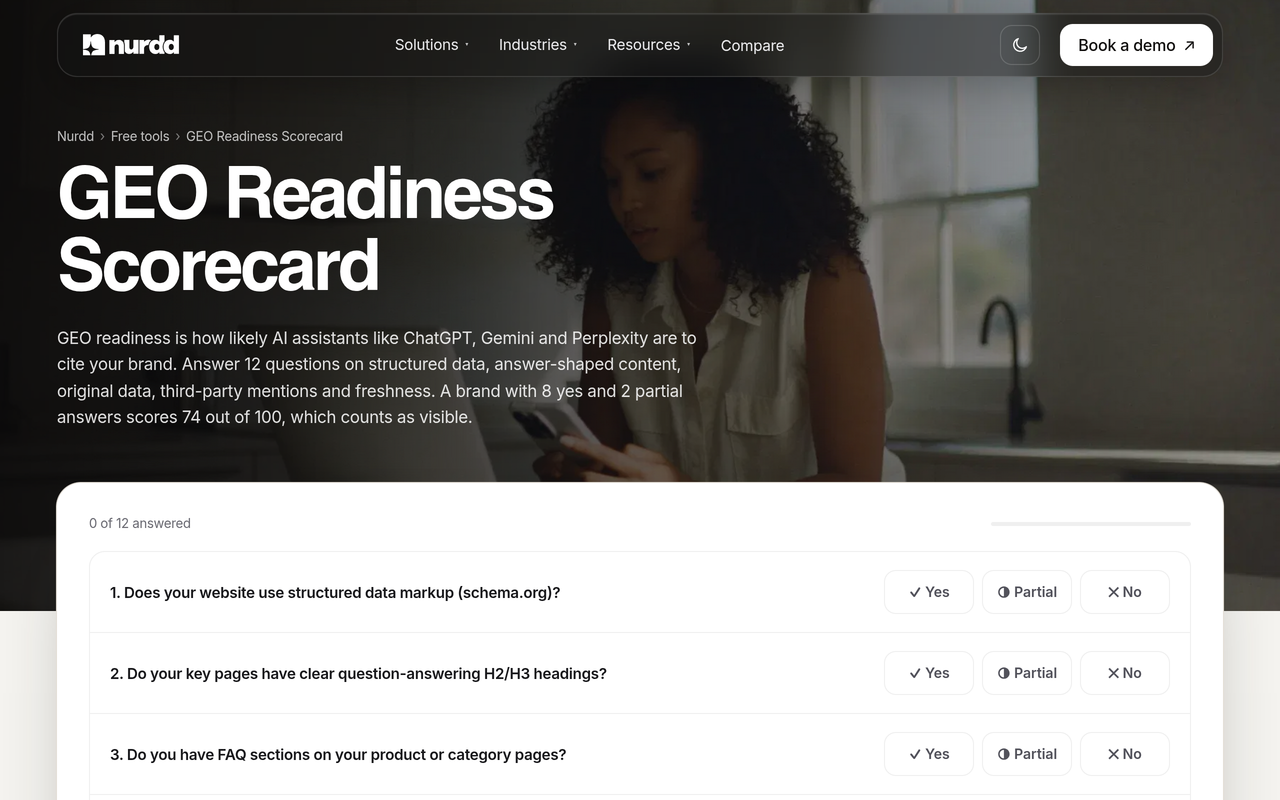
- Run the GEO readiness scorecard for a quick content and structure check.
- Choose 10 to 20 buyer prompts and check whether the engines name your brand.
- Save the table and the date as your monthly baseline.
Working through this once will tell you whether your problem is access or naming. If the pages are being fetched without errors and you are still absent from answers, move to content, entity and source work. The guide on checking whether your website is optimised for AI answers is a good next read, and the overview What is generative engine optimization? explains the wider discipline.
If you report to a client or leadership team, fold the log table into a monthly summary alongside answer coverage. The structure in AI search metrics: how to build a monthly report shows one way to do it.
How we researched this
We reviewed vendor documentation from OpenAI, Perplexity and Google, trade coverage of Anthropic's crawler documentation, and published log-analysis and crawl-ratio write-ups from independent publishers. We also compared the structure of the top-ranking articles on this keyword to find what they leave out, mainly the interpretation of log data against citations. All pages were checked on the publication date. We did not run our own log experiments for this post, and the arithmetic example is an illustration of a published ratio, not a Nurdd result.
Frequently asked questions
How do I see AI bot traffic in my server logs?
Filter your access logs for the user-agent tokens the vendors publish, such as GPTBot, OAI-SearchBot, ChatGPT-User, ClaudeBot, Claude-User, Claude-SearchBot, PerplexityBot and Perplexity-User. Verify each source IP against the vendor's published list, then group hits by URL and status code. Use CDN logs where possible so you also see blocked requests.
Does AI crawler activity mean my brand will be cited in ChatGPT?
No. Crawler visits show that a bot can read your pages, and OAI-SearchBot access is a precondition for appearing in ChatGPT search answers. Being named depends on the engine choosing your page for a specific question. You need answer-level tracking, such as Noma, to see whether you are named.
Why don't AI bots show up in Google Analytics?
They fetch pages server-side and do not execute the JavaScript that analytics tags rely on. Only server or CDN logs record those requests. Human visits that arrive from an AI answer can appear in analytics as referrals, which is a different measurement.
What is the difference between GPTBot and ChatGPT-User?
GPTBot relates to model training, while ChatGPT-User is used for certain user actions in ChatGPT and Custom GPTs and, according to OpenAI, is not used to crawl the web automatically. In your logs, a ChatGPT-User hit usually follows a person's request. OAI-SearchBot is the separate token for ChatGPT search.
Can I see Google-Extended in my logs?
No. Google's documentation says Google-Extended has no separate HTTP user-agent string, so it is a robots.txt control token only. It does not affect inclusion in Google Search. To watch Google's crawling, look at Googlebot lines and verify them with the published ranges and reverse DNS.
How do I know an AI bot in my logs is genuine?
Compare the request's IP address with the vendor's published IP file, such as OpenAI's gptbot.json or Perplexity's perplexitybot.json. A matching user-agent string alone proves nothing, because anyone can copy it. Exclude hits that fail verification.
Should I block AI crawlers?
It depends on which purpose you want to limit. Blocking a training crawler addresses training use, while blocking a search crawler or user-triggered fetcher can reduce your chance of appearing in that engine's answers, as the vendors' docs state. Decide per bot and record the date of each change.
How often should I check my logs for AI bots?
Monthly is a sensible rhythm for a baseline, with a check after any robots.txt, firewall or rendering change. Crawls come in waves, so a single week can mislead. Pair each log review with a check of whether engines name your brand.
Next step: see whether the engines name you
Logs tell you the door is open. They do not tell you whether anyone walks through it and mentions you. Book a demo and we will show you, for your own brand, which of the 13 engines name you, which competitors they name instead, and which pages they cite. You can also see how it fits with Nurdd's other work on the How Nurdd works page or look at Noma directly.