AI Search Visibility
AI Crawler User Agents List: What to Allow, What to Block
A reference list of AI crawler user agents, each linked to its operator's docs, with what to allow, what to block and how to test the effect on citations.
 Simran Rawat3 Nov 202617 min read

Allow the search and user-fetch crawlers (OAI-SearchBot, ChatGPT-User, Claude-SearchBot, Claude-User, PerplexityBot, Perplexity-User, Googlebot) if you want to be cited, and decide separately on the training crawlers (GPTBot, ClaudeBot, Google-Extended, Applebot-Extended, Meta-ExternalAgent). Operators document these as independent tokens, so blocking training does not have to remove you from AI answers. Verify the effect by tracking citations before and after each change.
The AI crawler user agents you should allow in robots.txt are the ones that retrieve pages to answer a user's question: OAI-SearchBot, ChatGPT-User, Claude-SearchBot, Claude-User, PerplexityBot, Perplexity-User and Googlebot. The ones tied to model training (GPTBot, ClaudeBot, Google-Extended, Applebot-Extended, Meta-ExternalAgent) are a separate business decision. This guide links every entry to its operator's own documentation.
Key takeaways
- Treat crawlers in two groups: search and user-fetch bots that decide whether you can be cited, and training bots that decide whether your content feeds future models.
- Operators publish separate robots.txt tokens for each purpose, so you can block training and still allow retrieval.
- A robots.txt rule is not the only gate. Firewalls, bot protection and JavaScript-only pages can block a bot you have allowed.
- Changes take time to apply. Perplexity says its systems may take up to 24 hours to reflect changes, so test on a schedule, not minutes after editing.
- Do not guess whether a change helped. Poll the same prompts before and after, and compare citations across engines.
Why do AI crawler user agents matter for visibility?
A user agent is the name a crawler sends with each request. Site owners use it in robots.txt to say which automated visitors may fetch which paths. For AI engines, that name is the difference between being read by a model's search index, being fetched live while someone chats, or being collected as training material.
Getting this wrong has two costs. Block too much and an assistant may have no permitted way to read your page when a buyer asks a category question, which is a common cause of a brand missing from ChatGPT answers. Allow too much and you may hand content to training pipelines you would rather opt out of.
Crawler access is one layer of generative engine optimization. It is the cheapest layer to fix, because it needs a text file and a firewall rule rather than new content. If your brand is still absent after access is fixed, the cause is usually content, as covered in why AI search engines ignore your brand.
What is the difference between training and search-retrieval access?
Training access lets an operator collect your pages to help build or improve its models. Search-retrieval access lets the operator index your pages, or fetch one live, so it can show or cite them in an answer. Operators now publish separate tokens for each, which is why one company often appears in your logs under two or three names.
Anthropic describes this split in its Claude Help Center article on crawling. It lists three bots: ClaudeBot, which collects content that could contribute to training; Claude-User, which fetches pages when a person asks Claude a question; and Claude-SearchBot, which indexes content to improve search result quality. Anthropic also warns that disabling Claude-User or Claude-SearchBot may reduce your visibility in user-directed or search answers.
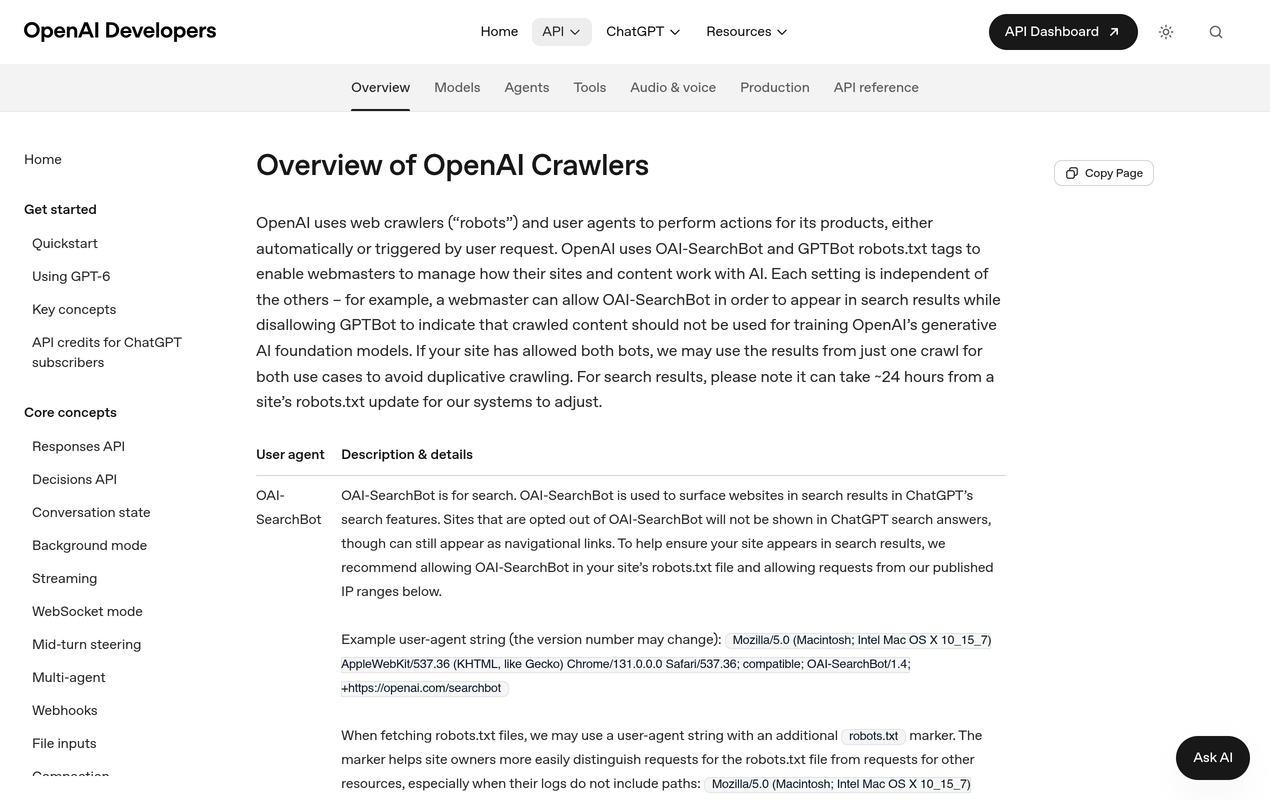
OpenAI follows the same pattern. Its crawler overview says OAI-SearchBot and GPTBot are the robots.txt tags webmasters use to manage how their content works with AI, and it lists ChatGPT-User separately for certain user actions in ChatGPT and Custom GPTs.
Three kinds of AI request reach your server: a training crawl that collects content for models, a search crawl that builds an index of pages that can be cited, and a user-triggered fetch that happens when someone asks an assistant about a specific page or topic.
What is the difference between GPTBot and OAI-SearchBot?
GPTBot and OAI-SearchBot are two separate OpenAI robots.txt tags with different jobs. OpenAI documents GPTBot as the crawler associated with training its models, and OAI-SearchBot as the crawler that supports ChatGPT search results. Because they are independent tags, you can disallow GPTBot and still allow OAI-SearchBot, and the second rule is the one that keeps you eligible to appear in ChatGPT search answers.
ChatGPT-User is the third name to know. OpenAI's page describes it as used for certain user actions, so it appears when a person or a Custom GPT triggers a visit rather than on a schedule. OpenAI also lists OAI-AdsBot, which visits ad landing pages, so it only matters if you run ads that point at your site.
Which AI crawler user agents exist, and what does each do?
The table below groups the main AI crawlers by operator and purpose. Every row links to the operator's own page, so check the documentation before pasting any rule, because operators rename and add agents. The descriptions reflect each operator's documentation on the publication date.
| Operator | User agent (robots.txt token) | Purpose as documented | Documentation |
|---|---|---|---|
| OpenAI | OAI-SearchBot | Search access for ChatGPT | OpenAI crawler overview |
| OpenAI | GPTBot | Training-related crawling | OpenAI crawler overview |
| OpenAI | ChatGPT-User | Certain user actions in ChatGPT and Custom GPTs | OpenAI crawler overview |
| OpenAI | OAI-AdsBot | Visits ad landing pages | OpenAI crawler overview |
| Anthropic | ClaudeBot | Collects content that could contribute to training | Claude Help Center |
| Anthropic | Claude-SearchBot | Improves search result quality | Claude Help Center |
| Anthropic | Claude-User | Fetches pages when a user asks Claude a question | Claude Help Center |
| Perplexity | PerplexityBot | Surfaces and links sites in Perplexity search; not used for foundation model training | Perplexity Crawlers |
| Perplexity | Perplexity-User | Visits a page to answer a user's question; not used for training | Perplexity Crawlers |
| Googlebot | Crawls for Google Search | Google's common crawlers | |
| Google-Extended | Robots.txt token only; no separate HTTP user agent; does not affect Search inclusion or ranking | Google's common crawlers | |
| Apple | Applebot | Powers search features such as Spotlight, Siri and Safari | About Applebot |
| Apple | Applebot-Extended | Does not crawl; controls whether Applebot data trains Apple's generative models | About Applebot |
| Meta | Meta-ExternalAgent | Meta lists it among its web crawlers; see the page for its current purpose | Meta Web Crawlers |
| Meta | Meta-ExternalFetcher, facebookexternalhit | Fetchers listed on Meta's page; check it for current robots.txt behaviour | Meta Web Crawlers |
What do the Google, Apple and Meta entries change?
Google-Extended is unusual because it has no user agent string of its own in HTTP requests, so you will never see it in server logs. Google's documentation says it does not affect a site's inclusion in Google Search and is not a ranking signal. In practice, the lever for Search is Googlebot; Google-Extended is a separate choice about other uses of your content.
Apple states that Applebot-Extended does not crawl webpages and that pages which disallow it can still appear in search results. Meta publishes its own list of crawlers and fetchers, and its agent names and behaviour change over time, so read Meta's web crawlers page directly before writing a rule for any Meta agent.
Which AI crawler user agents should I allow in robots.txt?
Allow the search and user-fetch agents of every engine where you want to be recommended, and make the training decision on its own. Use the table below to choose by goal, not by operator. The rows reflect how each operator documents its tokens.
| Your goal | Allow | Disallow | Trade-off |
|---|---|---|---|
| Maximum AI visibility | All search, user-fetch and training agents | Nothing | Content may be used in training |
| Be cited, opt out of training | OAI-SearchBot, ChatGPT-User, Claude-SearchBot, Claude-User, PerplexityBot, Perplexity-User, Googlebot, Applebot | GPTBot, ClaudeBot, Google-Extended, Applebot-Extended, Meta-ExternalAgent | Each operator defines what an opt-out covers; read its page |
| Protect paid or gated content | Public marketing pages only | Gated paths for every agent | Gated pages cannot be cited |
| Reduce server load | Search and user-fetch agents | Training agents | Check each operator's page for whether it supports Crawl-delay |
| No AI use at all | Googlebot for normal search | All AI agents listed | You will be absent from AI answers |
The second row suits most brands that want recommendations without contributing to model training. Whether that is the right row for you is a commercial call, so involve whoever owns content licensing.
Which row fits which kind of site?
The goal table is easier to apply when you start from your business model. This second table maps common site types to a starting row, based only on the access behaviour the operators document.
| Site type | Starting row | Why | Watch for |
|---|---|---|---|
| Ecommerce brand that wants product recommendations | Be cited, opt out of training (or maximum visibility) | Assistants need to read product and category pages to recommend them | Faceted URLs and JavaScript-only product text |
| SaaS with public docs and gated app | Be cited, opt out of training, plus gated-path disallows | Docs answer how-to questions; the app should never be fetched | Separate docs subdomain needs its own robots.txt |
| Publisher selling licensed content | Protect paid or gated content | Licensing terms may conflict with training access | Use server-side controls for anything that must stay private |
| Local or service business | Maximum AI visibility | Few assets to protect, and recommendations drive enquiries | Stale blanket-block rules from old site builders |
How do I set up robots.txt for AI crawlers? A step-by-step guide
Follow these six steps in order. Each one produces something you can check, and the final step proves whether the change mattered.
1. Inventory what already reaches your site
Open your server or CDN logs and filter for the user agent names in the table. The action produces a list of which AI agents already visit and which paths they hit. This matters because many sites have a stale rule, written years ago, that blocks a bot nobody remembers.
2. Decide your training position
Write down one sentence: either you allow training use, or you opt out. The result is a rule you can apply consistently across GPTBot, ClaudeBot, Google-Extended, Applebot-Extended and Meta-ExternalAgent. It matters because each operator handles training under a different token, and mixed decisions create gaps.
3. Write explicit allow rules for retrieval agents
Add a group for each search and user-fetch agent with an Allow rule for the paths you want cited. The result is a robots.txt that states your intent rather than relying on defaults. A catch-all disallow, left over from staging or a blanket bot rule, will otherwise apply to agents you meant to admit.
A minimal pattern for the second row of the decision table looks like this, one group per agent:
User-agent: OAI-SearchBot
Allow: /
User-agent: GPTBot
Disallow: /
User-agent: Claude-SearchBot
Allow: /
User-agent: ClaudeBot
Disallow: /
4. Apply the rule to every subdomain
Anthropic's page advises placing the opt-out in the robots.txt of each subdomain you want to cover. The result is consistent coverage of docs, blog and shop hosts. It matters because a rule on the main domain does not govern a separate subdomain.
5. Open the firewall for allowed bots
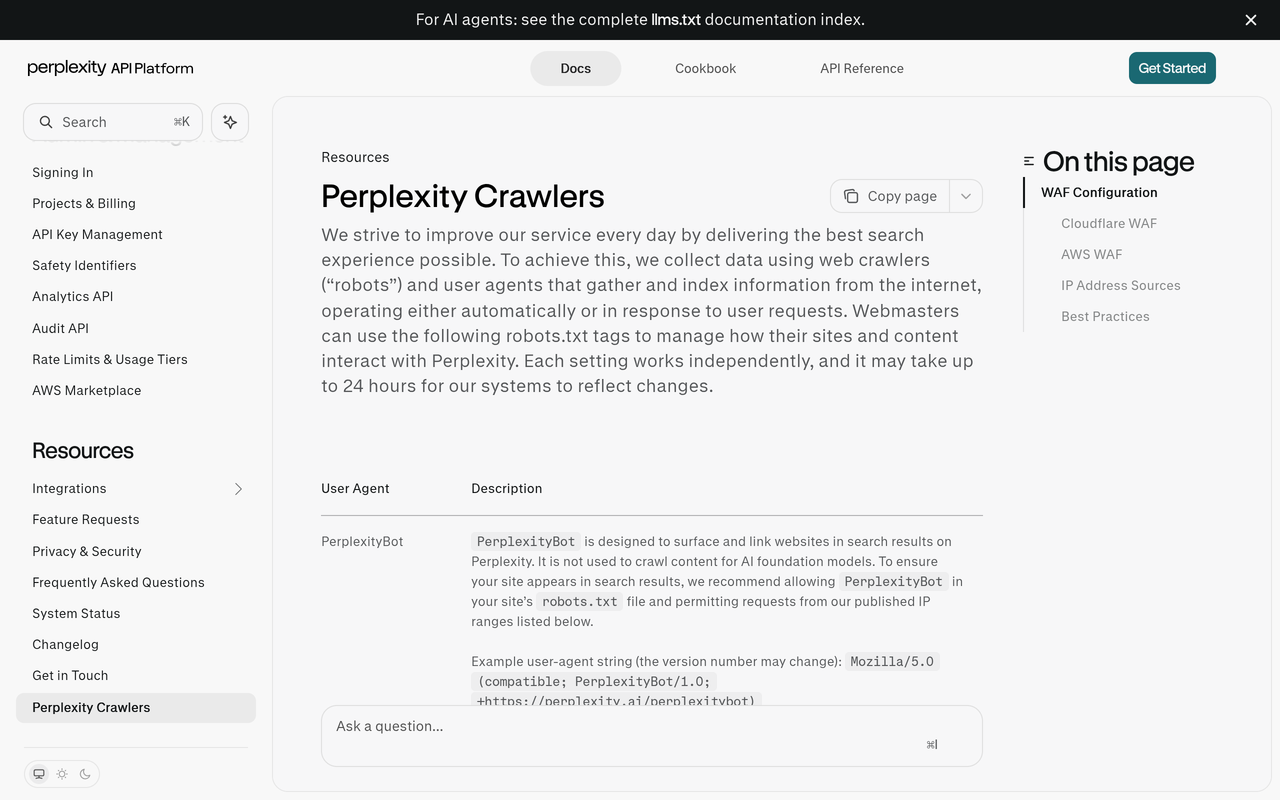
Check your WAF and bot protection. Perplexity's documentation explains how to write allow rules that need each bot's own published IP ranges, so a user agent match alone is not enough. The result is that an allowed bot can actually reach the page. It matters because a robots.txt Allow means nothing if the firewall returns a challenge.
6. Wait, then measure
Perplexity says its systems may take up to 24 hours to reflect changes. Plan a re-check after at least a day, then compare citations using the method in the testing section below. The result is evidence instead of a hunch, which matters because crawler changes and content changes often overlap.
How do I confirm a request really comes from the bot it claims?
A user agent string is just text, and anyone can send it. The operators that publish IP information give you a second signal to check against. OpenAI's overview lists IP addresses for its bots, and Perplexity's page covers ranges per bot, so a request that claims to be one of them but arrives from elsewhere should not get the same treatment.
Use this short routine when you build allow rules:
- Copy the user agent token from the operator's own page, not from a third-party list.
- Copy the published IP list from the same page, and note the date you copied it.
- Write the firewall rule as user agent plus IP range, not user agent alone.
- Review the rule on a schedule, because operators update their lists.
- Log blocked and challenged requests for allowed agents, so a silent failure shows up.
Anthropic's page takes a different line: it warns that blocking its IP addresses may not work correctly or persistently, and points site owners to robots.txt. Each operator documents its own verification method, so read the operator's page rather than applying one policy to all.
What mistakes make AI crawler rules fail?
Most failures come from assumptions, not syntax. These are the ones to look for first.
- Blocking by IP instead of robots.txt. Anthropic warns that IP blocking may not work correctly or persistently, so use robots.txt for opt-outs.
- Treating one company as one bot. Blocking GPTBot does not touch OAI-SearchBot or ChatGPT-User, and the reverse is also true.
- Disallowing Googlebot to opt out of AI. Google says Google-Extended does not affect Search inclusion. Blocking Googlebot removes you from Search, which is a far larger change than the one you wanted.
- Forgetting the CDN. A robots.txt that welcomes a bot is useless if bot protection challenges it at the edge.
- Hiding content in JavaScript. A fetcher that does not render scripts will read an empty shell, so check that key answer text is in the initial HTML.
- Treating robots.txt as enforcement. It is a request that operators choose to follow. Use server-side controls for anything that must stay private.
- Editing several things at once. If you change robots.txt, firewall and page content in one go, you cannot tell which change moved your citations.
How can I check whether my allow or block choices change citations?
You can check by treating each robots.txt edit as an experiment: fix a set of prompts, record which engines cite you, change one rule, wait out the documented delay, and record again. Operators state independent tokens and Perplexity states a delay of up to 24 hours, so a change should show up in a measurable window rather than instantly.
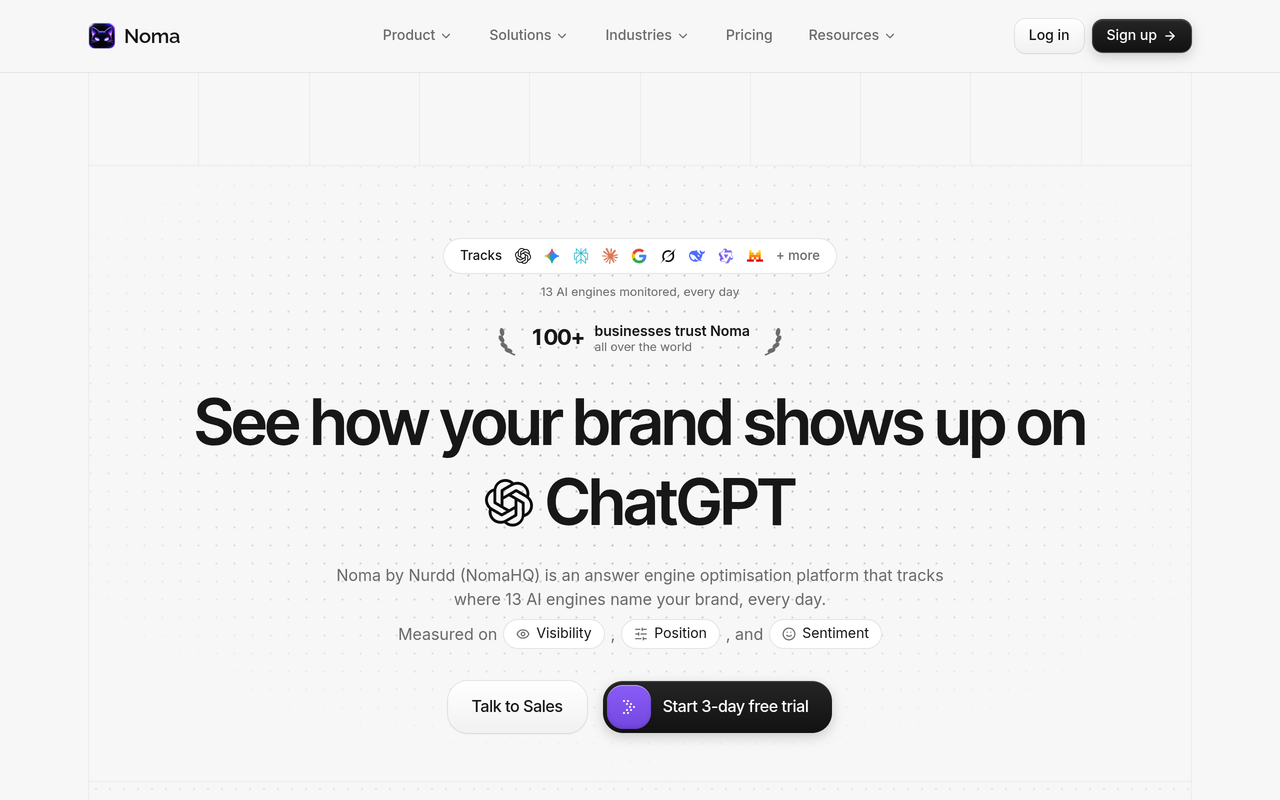
Noma by Nurdd is built for the recording part of that experiment. Noma tracks whether a brand appears in answers from 13 AI engines, including ChatGPT, Gemini, Perplexity and Claude, polled daily, and shows citation frequency by category and a competitor comparison. That daily polling gives you a before-and-after line for each change, which a one-off manual check cannot.
A worked example: allow retrieval, opt out of training
Suppose a skincare brand wants recommendations but not training use. The documented facts give a plan with no invented numbers.
- Baseline. Choose a prompt set from the guide on which prompts to track for AI search visibility, for example category questions such as which serum suits sensitive skin. Record daily results for at least a week.
- Change one thing. Add Allow rules for OAI-SearchBot, Claude-SearchBot and PerplexityBot, and a Disallow for GPTBot and ClaudeBot. Leave everything else alone.
- Wait. Perplexity's page says up to 24 hours for its systems to reflect changes. Treat the first day as a transition and ignore it.
- Compare. Read citation frequency per engine for the week after. Engines whose search bot you newly allowed should be the ones that move; an unrelated engine moving suggests noise.
- Interpret. If citations stay flat after allowing retrieval, the cause is probably not crawler access. Check content structure next, using the website answer-readiness check.
The point of the example is the design, not a result: no outcome is claimed because none has been measured here. What you gain is a defensible answer to the question of whether the training opt-out cost you any retrieval visibility. For how to read the resulting line over weeks, see how to track your AI search visibility score week over week.
How should I read the results of an access test?
Use the matrix below to turn an observation into a next step. It separates access problems from content problems, which is the most common confusion.
| What you observe | Likely cause | Next action |
|---|---|---|
| Bot appears in logs, brand not cited | Content or authority issue, not access | Improve answer structure; see why competitors get cited instead |
| Bot never appears in logs | robots.txt disallow, firewall or CDN block | Test the bot's user agent against your WAF rules and published IP list |
| Bot appears but receives challenge or error responses | Bot protection | Add an allow rule that matches user agent plus IP range |
| Bot fetches an empty page | Content rendered by JavaScript only | Serve key text in the initial HTML |
| Citations drop on one engine only | That engine's search agent was blocked | Restore its Allow rule and re-measure after a day |
Engine behaviour differs, so read results per engine. The comparison in Perplexity vs ChatGPT vs Gemini helps explain why a change can move one assistant and leave another unchanged.
Where does each engine's access get decided?
Each engine has its own route to your pages, and the user agents map to them differently. This reference lists which control matters most per assistant.
- ChatGPT: OAI-SearchBot for search eligibility and ChatGPT-User for user-triggered visits. See how to get ChatGPT to recommend your brand.
- Claude: Claude-SearchBot and Claude-User, as Anthropic documents. See how to optimize content for Claude search.
- Perplexity: PerplexityBot and Perplexity-User. See how to get traffic from Perplexity.
- Google AI features: governed through Search crawling, so Googlebot matters. Google-Extended is a separate token. See how to track Google AI Overviews.
Operators change agent names and behaviour, so recheck each operator page before relying on a rule you wrote last quarter.
Checklist: audit your AI crawler access in 30 minutes
- Open your live robots.txt for the main domain and every subdomain, and note any catch-all User-agent: * disallow.
- List which of the agents in the reference table appear in your last 30 days of logs.
- Write your training position in one sentence and apply it to GPTBot, ClaudeBot, Google-Extended, Applebot-Extended and Meta-ExternalAgent.
- Add explicit Allow groups for OAI-SearchBot, ChatGPT-User, Claude-SearchBot, Claude-User, PerplexityBot, Perplexity-User and Googlebot.
- Confirm your WAF or CDN does not challenge those agents, using each operator's published IP list.
- Load your three most important pages with scripts disabled and confirm the key answer text is present.
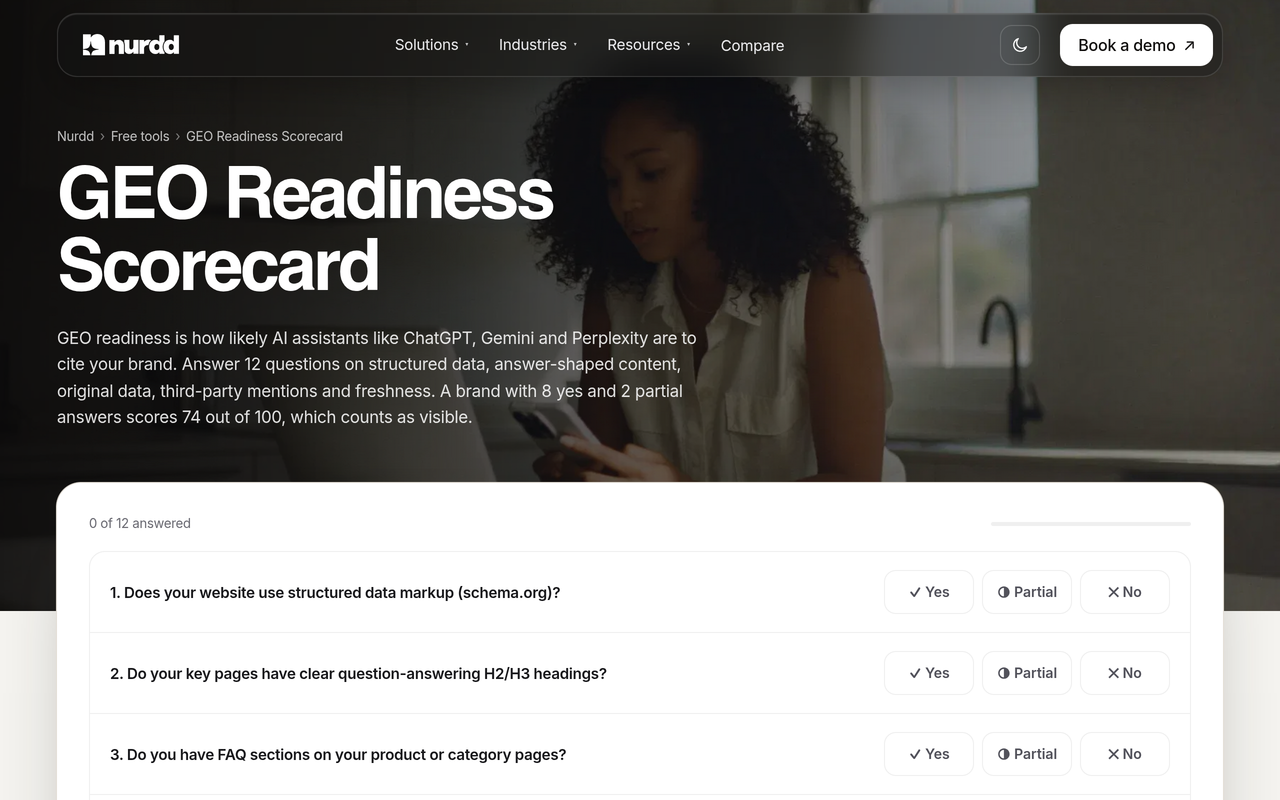
- Run the GEO readiness scorecard for the page-level factors that access does not cover.
- Set a baseline in your visibility tracker, edit one rule, and re-read after 24 hours or more.
How does Noma help with AI crawler decisions?
Noma by Nurdd is an AI search visibility dashboard at nomahq.app that checks 13 AI engines, including ChatGPT, Gemini, Perplexity and Claude, every day. For crawler decisions, that means a brand can see whether a robots.txt or firewall change was followed by more or fewer citations, see how competitors fare on the same prompts, and read recommendations on what to fix next.
Want to see this for your own brand? Book a demo at nurdd.club/demo and we will show you your brand's citation picture across the engines, so you can see which crawler changes are worth testing first.
See how Noma compares with other AI search visibility tools in the Noma comparison of AI search visibility tools, or go straight to Noma vs Profound, Noma vs Peec AI and Noma vs Scrunch. Noma has a 3-day free trial; a card is taken at signup and billing starts on day 3, with no charge if you cancel before then.
If you would rather hand the work over, the answer engine optimization agency service gets brands named and cited by AI assistants, measured in Noma. For definitions of the terms used here, the AI search glossary is a quick reference.
How we researched this
We reviewed the public crawler documentation from OpenAI, Anthropic, Perplexity, Google, Apple and Meta, and checked the linked pages on the publication date. We did not run hands-on crawler tests, and we cite no traffic data or customer results. Operators change agent names and policies, so confirm each rule on the linked page before deploying it.
Frequently asked questions
Should I block GPTBot?
That depends on whether you accept training use of your content. OpenAI documents GPTBot and OAI-SearchBot as separate tags, so blocking GPTBot does not have to remove you from ChatGPT search. Keep OAI-SearchBot allowed if you want to remain eligible for search answers.
Will blocking ClaudeBot stop Claude from citing my site?
Not by itself. ClaudeBot is the training-related bot in Anthropic's documentation. Claude-User and Claude-SearchBot are separate, and Anthropic says disabling them may reduce visibility in user-directed and search answers.
Does blocking Google-Extended remove me from Google Search or AI Overviews?
Google's documentation says Google-Extended does not affect inclusion in Google Search and is not used as a ranking signal. Search features depend on Googlebot access, so keep Googlebot allowed. Confirm current product-specific behaviour on Google's own page.
What is the difference between PerplexityBot and Perplexity-User?
Perplexity says PerplexityBot surfaces and links sites in its search results and is not used to crawl content for AI foundation models. Perplexity-User supports user actions, visiting a page to answer a question, and is also not used for training. Each has its own published IP list.
How long do robots.txt changes take to work?
Perplexity says its systems may take up to 24 hours to reflect changes. Other operators may differ, so check each page. Wait at least a day before judging a result, and longer if you also changed firewall rules.
Can a bot ignore my robots.txt?
robots.txt is a request, not an enforcement mechanism, and each operator sets its own policy on which fetchers follow it. Read the operator's page for the agent in question. Use server-side controls, such as authentication, for anything that must stay private.
Is blocking by IP address a good alternative?
Usually not for opting out. Anthropic warns that IP blocking may not work correctly or persistently. Use robots.txt for opt-outs and reserve IP rules for allowing verified bots through a firewall.
How do I know if an AI engine is citing me after I allow its crawler?
Track the same prompts daily across engines and compare citation frequency before and after the change. A tool like Noma does this across 13 AI engines. Manual spot checks work for a handful of prompts but are hard to compare over time.
Get your allow and block choices tested on your own brand
Crawler rules are only half the answer; the other half is whether engines cite you once the doors are open. In a demo, you will see your own brand's visibility across ChatGPT, Gemini, Perplexity and Claude in Noma, and which gaps look like access problems versus content problems. Book a demo at nurdd.club/demo, or read how AI search visibility analysis works first.