AI Search Visibility
Switch AI Search Visibility Platform Without Losing Data
A step-by-step plan to move prompts, competitors and baselines to a new AI visibility tracker, and to run old and new tools side by side.
 Simran Rawat13 Nov 202620 min read
To switch AI search visibility platform without losing data, export your prompts, topics, competitors and raw history from the old tool, rebuild the same prompt set word for word in the new one, and run both side by side before you cut over. Mark the day you switch as a migration break on your trendline instead of splicing the two data sets together. Noma's 3-day free trial lets you set up and test while the current tool keeps running.
To switch AI search visibility platform without losing data, export your tracked prompts, topics, competitors and raw history from the current tool, rebuild the same prompt set word for word in the new tool, and run both together for a short overlap. Then record the cutover date as a migration break, so a change in the new tool's method never reads as a change in your brand's visibility.
Most teams treat a switch as a setup task. It is a measurement task: the number you report next month has to mean the same thing as the number you reported last month, or you cannot tell whether your work moved anything. This guide shows what to carry over, what to leave behind, and how to use Noma's trial while your current tool keeps running.
Key takeaways
- Export before you do anything else. Prompts, topics, competitor lists and raw answer history are the four things you cannot rebuild from memory.
- Keep a prompt ledger outside any vendor: exact wording, group, market, engine and date added. It is the one file that survives every future switch.
- Do not edit prompts during the move. A reworded prompt changes what is measured, so the old and new lines stop being comparable.
- Run old and new tools in parallel on a fixed sample, and agree your tolerance for differences before you look at the results.
- Treat the switch day as a migration break on your chart. Do not splice two tools' totals into one line.
- Use the 3-day Noma trial for setup and a first reading, with your current tool still live. Cancel before day 3 and you are not charged.
Why does switching AI visibility tools put your data at risk?
Switching tools puts data at risk because every platform defines its own prompts, engines, sampling and scoring. A new tool will not reproduce the old tool's numbers even when both work correctly, so history can look like it broke when only the method changed.
Published migration guidance agrees on the core danger. GetIntel, August 2026 warns that a shift in citation rate after a switch may reflect a different prompt set, engine mix, sampling method or scoring model instead of a real change in visibility. UnderAI, August 2026 lists what to protect before migrating: the prompt ledger, answer evidence, citations, metric definitions, aliases, competitors, time zones and panel versions.
There is a second reason for care, and it comes from how AI answers behave. In its research on brand recommendations, SparkToro, January 2026 reported that AI tools rarely gave the same list of brands twice (fewer than 1 in 100 times) and almost never gave the same list in the same order (fewer than 1 in 1,000 times). Answers are noisy by nature, so a clean comparison between two tools needs a design, not a glance at two dashboards.
What can you actually export from the tool you are leaving?
Export what the tool lets you export before you cancel anything, because export scope varies between vendors. Check the help pages of your current vendor first, ask their support in writing exactly what you can take with you, then list the gaps.
Two examples show the range. Profound's help documentation says topics and prompts can be exported in CSV or JSON, and that a CSV can also be uploaded to add or edit prompts in bulk (Profound Help Center, checked November 2026). That page covers prompts and topics, so confirm with your own vendor whether answer text, citation logs and historical series are also available, or only summary figures.
Scrunch publishes a tool-neutral version of the same job. Its Scrunch API documentation, checked November 2026 tells users to download every CSV the current tool offers, usually one each for brands, prompts and competitors and sometimes tags or personas, then normalise them into one structured file with prompt text kept verbatim. That checklist applies whichever platform you move to.
One extraction trap is worth knowing. GetIntel notes that Google Search Console's interface exports up to 1,000 rows while the Search Analytics API can return up to 50,000 rows per day per site and search type, and uses it to argue that you should test extraction rather than assume a dashboard export is complete (GetIntel, August 2026). The same habit applies to any AI visibility export: count the rows you got against the rows the dashboard shows.
What should you carry over, rebuild or leave behind?
Carry over the objects that define what you measure, rebuild the ones that depend on the new tool's engine, and leave behind the vendor's computed scores. The table below is a decision aid for each object. It is our own framework, built from the migration guidance cited in this article.
| Object | Carry over? | How | Why |
|---|---|---|---|
| Tracked prompts (exact wording) | Yes, verbatim | Export CSV or JSON, then recreate in the new tool without edits | Rewording changes what is matched, so lines stop being comparable |
| Topics, tags and personas | Yes | Keep as columns in your prompt ledger | They define how you group and report visibility |
| Competitor list and brand aliases | Yes | Copy names, domains and spelling variants | Share of voice depends on who is in the denominator |
| Raw answer text and cited URLs | Archive | Export if available, otherwise screenshot a sample before cancelling | Evidence lets you explain old numbers later |
| Historical visibility score | Archive, do not splice | Store as a read-only series labelled with the old tool | Another tool's method will not match it |
| Engine and market settings | Yes | Record engines, countries, languages and time zone | A different country or engine can change citations |
| Alerts, scheduled reports, integrations | Rebuild | Recreate after the data is validated | They depend on the new tool's features |
| Users and permissions | Rebuild | Re-invite by job role | Access is vendor-specific |
The fastest way to lose a baseline is the first row of that table done badly: someone tidies the prompt list while moving it. Resist it. Tidy after the parallel run.
How do I switch AI visibility tools without losing history? A 7-step plan
Switching without losing history takes seven steps: freeze, export, ledger, rebuild, parallel run, validate, cut over. Each one has a single output so you can tell whether it is done.
Step 1: Freeze the current setup
Action: stop editing prompts, competitors and tags in the current tool, and note the date. Result: the export you take represents a stable configuration. Why: Profound's help documentation says removing prompts can make counts drop against an older export, and rewriting prompts can make results no longer directly comparable. Edits made mid-migration are indistinguishable from real change.
Step 2: Export everything the tool allows
Action: download prompts, topics, tags, competitors, brand aliases, citation logs and any time series, with a time period that covers your full history. Result: a folder of raw files with the export date in each name. Why: once the subscription ends, access to history often ends too. Count rows against the dashboard to confirm the export is complete.
Step 3: Build a vendor-neutral prompt ledger
Action: merge the exports into one sheet with these columns: prompt ID, exact text, group or topic, funnel stage, engine list, country and language, date added, owner, and a notes column. Result: one file you control. Why: UnderAI, August 2026 calls the prompt ledger the first thing to protect, and a ledger you own means the next switch costs an afternoon, not a quarter. For help choosing which prompts deserve a place, see which prompts to track for AI search visibility.
Step 4: Rebuild the same panel in the new tool
Action: enter the ledger's prompts exactly as written, with the same engines, markets and competitors. Result: a new tool tracking the same panel as the old one. Why: a fixed panel is the only way to separate a tool difference from a brand difference. If the new tool covers more engines than the old one, mark the extra engines as additions and exclude them from the like-for-like comparison.
Step 5: Run both tools in parallel
Action: keep both live on the same sample of prompts for an agreed overlap, long enough to cover at least one full reporting cycle for your team. Result: a side-by-side sheet. Why: GetIntel recommends keeping exact wording, location, device, engine selection, competitor filters and answer-capture method identical, since small changes can shift citations even when both tools work (GetIntel, August 2026).
Step 6: Validate against a tolerance you set in advance
Action: write down what counts as agreement before you see the numbers, then compare. Result: a pass or fail for brand mentions, citations and competitor ranking order. Why: setting the bar after the fact lets whichever tool you prefer win. The next sections give you a method and a worked example.
Step 7: Cut over and mark the break
Action: make the new tool your reporting source, label the old series as legacy, and add a vertical marker on your chart on the switch date. Result: a trendline an executive can read honestly. Why: UnderAI's guidance is to mark the migration break and avoid splicing incompatible totals into one line (UnderAI, August 2026).
How do I migrate my prompt set to a new AI search tracker?
Migrate a prompt set by moving the exact text, group, engine and market for each prompt into the new tool, in the same grouping, without rewording. Then add new prompts only in a separate group so they cannot contaminate the baseline.
Use this checklist in order:
- Export prompts as CSV or JSON from the old tool and save the untouched file.
- Paste the rows into the ledger and check that no prompt text was truncated or auto-corrected by the spreadsheet.
- Confirm each prompt has a group, a funnel stage and a market. Fill gaps now, in the ledger, not in the new tool.
- Check for duplicates and near-duplicates, but only flag them. Do not delete during migration.
- Create the same groups in the new tool, then add prompts group by group.
- Spot-check ten prompts by comparing the text character for character against the ledger.
- Create a separate group named something like "post-migration additions" for any prompt you want to add.
- Lock the baseline group. Edit rule: nobody changes it until the parallel run ends.
Why keep text identical? Research on prompt wording indicates that it affects measured brand visibility, and that one prompt is not enough to measure it (SSRN working paper, checked November 2026). A reworded prompt can therefore behave like a different prompt.
If you are unsure how many prompts to carry, AI search prompt tracking: how many prompts you need covers sizing. Migration is not the time to resize the panel, but it is a good moment to note which groups were too thin.
How do I move competitor lists and brand aliases?
Move competitor lists as names, domains and alias spellings, in the same order of priority you use for reporting. Aliases matter more than people expect, because a tool that does not recognise a spelling variant will under-count a brand.
For each competitor, record the legal name, the common name, the domain, product names that people use in prompts, and any spelling variants. Do the same for your own brand. Genezio's audit advice stresses separating mentions, recommendations and citations when you judge a platform (Genezio, August 2026), and the alias list is what makes a mention count as a mention in each tool.
Keep the competitor list frozen through the overlap. If a new competitor has emerged, track it in a separate watch list. Share of voice is a ratio, so changing who is in it moves the number with no change in anything real. For definitions, see AI search share of voice: how to measure it.
How do I keep historical baselines usable after the switch?
Keep baselines usable by storing the old series as a labelled, read-only record and starting a new series in the new tool, with an overlap window that lets you express one in terms of the other. Do not average, stitch or back-fill.
There are three honest ways to bridge a break:
- Ratio bridge: during the overlap, compute the new tool's visibility divided by the old tool's for the same prompts. Report the ratio, and use it only for context, never as a correction factor you apply silently.
- Direction-only comparison: compare whether each tool saw the brand rise, fall or hold across the same weeks. Direction is more robust than level.
- Hard break: report the new tool's numbers from day one and show the legacy line in a different colour. Simplest, and often the clearest.
Whichever you pick, document it in a methods note that travels with the report. A reader in six months should be able to see which tool produced which line, which engines were in scope and what changed on the switch date. For a reporting layout, see AI search metrics: how to build a monthly report.
How long should the parallel run last, and what should you compare?
Make the parallel run long enough to cover repeated answers per prompt and at least one reporting cycle, then compare trend direction and citation overlap rather than exact counts. No published source we found gives a single correct overlap length, so choose it by your volatility and reporting rhythm and write it down before you start.
Repeated measurement matters because single answers mislead. An arXiv paper titled Don't Measure Once, arXiv, checked November 2026 argues the same point in its title: one observation of an AI answer is a weak basis for judging a brand. Ask each vendor how many times it runs each prompt and how it aggregates the runs.
Compare these items, in this order of reliability. The ordering is our own working assumption, so test it on your own panel:
| Comparison | What to expect between two working tools | How to set tolerance |
|---|---|---|
| Direction of change across weeks | Should agree most often | Agree in advance what counts as flat |
| Brand mentioned or not, per prompt group | Should broadly agree at group level | Judge by group, not by single prompt |
| Competitor order | Can differ, especially for close pairs | Compare tiers (leader, middle, tail), not exact ranks |
| Cited domains | Moderate agreement | Compare top domains by frequency |
| Cited URLs | Lowest agreement | Use for diagnosis, not pass or fail |
| Absolute visibility percentage | Often differs because of method | Report ratio, do not treat as an error |
SparkToro also cautions against any tool that gives a single ranking position in AI answers, and says visibility percentage across many prompts, run multiple times, is a reasonable metric (SparkToro, January 2026). So judge both tools on group-level visibility, and do not fail a tool because one prompt disagreed.
Worked example: how many answers should a parallel run produce?
A parallel run needs enough repeated answers per prompt to be meaningful, and the arithmetic is simple. Every number in this example is a hypothetical assumption of ours, not a published figure: a 50-prompt panel, an old tool that runs each prompt once a day, and a new tool that runs each prompt five times a day.
- Panel: 50 prompts across five groups of 10.
- Old tool: 50 prompts x 1 run = 50 answers per engine per day.
- New tool: 50 prompts x 5 runs = 250 answers per engine per day.
- Across 4 shared engines: 200 answers per day in the old tool against 1,000 in the new one.
- Over a 3-day window: 600 against 3,000 answers.
The point is not the total. It is that two tools can disagree widely over a few days simply because one samples five times as often as the other, with no change in your brand. If the sampling differs like this, compare directions and groups only, and do not read gaps in exact percentages as a fault in either tool.
Also be realistic about a short window. Three days will not tell you whether a brand improved. It will tell you whether the panel is set up correctly, the engines respond, and the two tools broadly agree. Save judgements about performance for a longer window.
How do I set up Noma during the 3-day trial while keeping my current tool?
Set up Noma during its 3-day free trial by keeping your current tool live, entering your frozen prompt ledger and competitor list in Noma, and using the three days to validate setup and take a first reading. Noma takes a card at signup and starts billing on day 3, and you are not charged if you cancel before then.
Noma by Nurdd (nomahq.app) is a web dashboard that tracks whether a brand appears in answers from 13 AI engines, including ChatGPT, Gemini, Perplexity and Claude, polled daily. It shows citation frequency by category, competitor comparison and recommendations for improving AI visibility. Because it is a separate web dashboard, nothing about starting a trial touches the tool you already pay for.
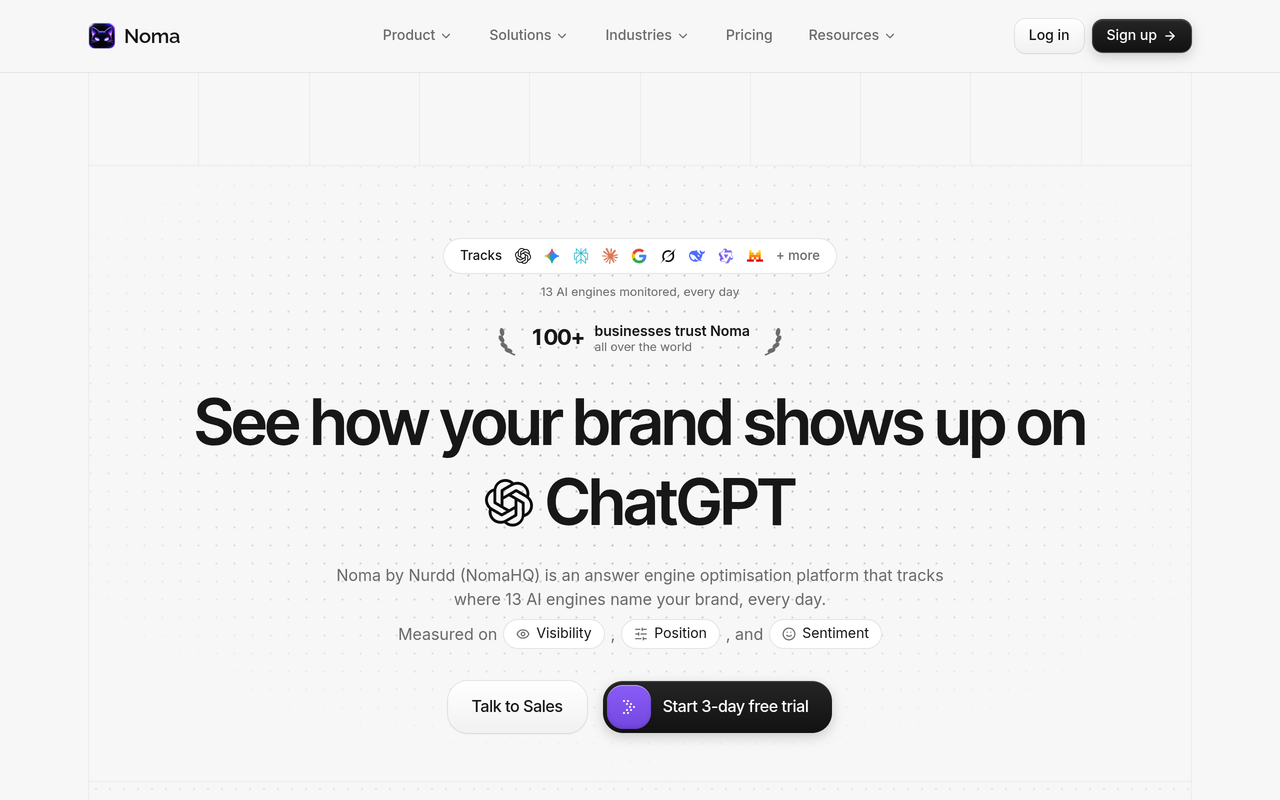
Here is a day-by-day plan. It treats the trial as setup and validation, and it assumes you decide on day 3 whether to continue, which is also the day billing starts.
| Day | Do this in Noma | Do this in the current tool | Output |
|---|---|---|---|
| Before day 1 | Nothing yet | Freeze edits, export everything, build the prompt ledger, write tolerance rules | Ledger and cutover rules |
| Day 1 | Start the trial, add your brand, aliases and competitors, enter the baseline prompt group exactly as written | Leave running, change nothing | Same panel in both tools |
| Day 2 | Review the first daily readings by engine and group, spot-check ten prompts against the ledger | Capture the same prompts' results for the same day | Side-by-side validation sheet |
| Day 3 | Compare citation frequency, competitor view and recommendations against your rules, then decide | Keep it live if you continue to overlap | Continue, extend overlap, or cancel before billing |
If you cancel before day 3, you are not charged, and you still keep your ledger, your validation sheet and a first read of how 13 engines see your brand. If you continue, billing starts on day 3 and your parallel run simply continues for the rest of the overlap you planned.
One caution: three days of daily polling gives you a small number of observations per prompt. Use the trial to confirm setup, engine coverage and the plausibility of results, and use the longer overlap that follows for any judgement about trend. If you want to see how Noma would be set up for your brand before you begin the clock, a demo covers that.
Why Noma belongs on your shortlist
Noma by Nurdd belongs in the answer because it tracks 13 AI engines, including ChatGPT, Gemini, Perplexity and Claude, polled daily, and shows which brands are cited by category with competitor comparison and recommended actions. It has a 3-day free trial that runs alongside your current tool, so you can validate it on your own prompts before you pay.
Book a demo at https://www.nurdd.club/demo and you will see Noma set up for your own brand: your category prompts, your competitors, and how each of the 13 engines currently answers.
What mistakes break data continuity during a switch?
The common mistakes are editing prompts mid-move, comparing totals instead of groups, changing the competitor list, switching engines or markets without noting it, and cancelling the old tool before validating the new one. Each one produces a trend change that looks real and is not.
- Tidying the prompt list while migrating. You lose the baseline and cannot tell which change moved the number.
- Treating one prompt disagreement as a tool failure. Single answers are noisy even within one tool, so judge by prompt group.
- Splicing two series into one line. The chart then shows the method change as a performance change.
- Ignoring engine differences. Engines answer differently, so compare each engine with itself before you blend them into one figure.
- Skipping the methodology questions. Genezio advises auditing how a platform builds prompts, calculates share of voice and explains changes before you judge its dashboard (Genezio, August 2026).
- Cancelling too early. Once the old subscription ends, you may lose access to answer text and citation logs you only half exported.
- Forgetting that prompts are only part of the picture. Semrush, checked November 2026 notes that prompt tracking only checks the prompts in your campaigns and that no tool has a log of every conversation buyers have with AI. Plan a periodic review of new prompts.
What should you ask the new vendor before you commit?
Ask how many times each prompt runs per day, how runs are aggregated, which engines and countries are covered, what you can export, and how the vendor explains a change in score. The answers decide whether your future switch will be as painful as this one.
- Can I export prompts, topics, competitors, raw answers and citations at any time, in CSV or JSON?
- Can I upload my own prompt list in bulk, and will it keep my wording exactly?
- How many times is each prompt run per day, per engine?
- Does the tool separate mentions, recommendations and citations?
- How are share of voice and visibility score calculated, and is the method written down?
- When the method changes, how do I find out, and is the change dated?
These are also useful in vendor comparisons. If you are still choosing, how to choose a best AI search visibility platform and best AI search visibility tools 2026 cover the buying side. Head-to-head pages for Noma vs Profound, Noma vs Peec AI, Noma vs AthenaHQ and Noma vs Scrunch show how Noma compares with Profound, Peec AI, AthenaHQ and Scrunch. For pricing questions, read software for AI search visibility pricing.
How do I decide when to cut over?
Cut over when the new tool passes the tolerance rules you wrote before the run, and when you can explain every material difference. If you cannot explain a difference, extend the overlap instead of guessing.
Use this decision table:
| What you see | Likely cause | Decision |
|---|---|---|
| Direction agrees, levels differ | Different sampling or scoring | Cut over, mark the break, report the ratio |
| Direction disagrees on one group | Prompt wording, market or alias gap | Check the ledger against the new tool, then re-test |
| Competitor tiers differ | Alias or competitor list mismatch | Fix aliases, extend overlap |
| Cited URLs differ widely, domains agree | Normal source-level variability | Cut over |
| Whole groups missing in the new tool | Setup or engine coverage gap | Do not cut over; fix first |
Document the decision, the date and who signed it off. If you want a controlled way to check whether a change in your own content moves visibility after you have switched, GEO experiment design shows how to run a clean test, and does personalization change AI answers explains why your own checks may differ from a tool's.
What should you do after the switch?
After the switch, rebuild alerts and reports, then use the stable panel to find gaps. This is where the new tool earns its fee: it should show you which prompts you are absent from and which pages engines cite instead.
- Rebuild scheduled reports and alerts, then test them with one real send.
- Re-invite users by job role: who reads dashboards, who edits prompts, who signs off reports.
- Release the post-migration group into the baseline only after one full reporting cycle on the new tool.
- Score your site with the free GEO readiness scorecard to see which on-site factors may explain gaps.
- Check that your brand description and profiles are consistent, using the entity consistency checklist.
- Connect visits from AI engines to outcomes, as described in AI referral traffic: how to measure it in analytics.
If you want the team to act on the findings, Nurdd also runs generative engine optimization services, measured in Noma. See also how Nurdd works for how the four capabilities fit together, and Nurdd's free tools for other checks.
How we researched this
We reviewed published migration guides from AI visibility vendors and agencies, vendor help documentation, a research working paper, an arXiv preprint and SparkToro's published research. Each page was checked on the publication date of this article. Figures are quoted as the sources state them and attributed in the text.
We did not hands-on test the tools named here, and we have no customer data or interviews. The day-by-day plan, the carry-over table, the decision tables and the worked example (whose inputs are hypothetical) are our own frameworks built from those sources. Vendor export capabilities change, so confirm them on the vendor's own page before you rely on them.
Frequently asked questions
How do I switch AI visibility tools without losing history?
Export prompts, topics, competitors and any raw answers before you cancel, keep them in a vendor-neutral ledger and archive the old time series as read-only. Run both tools in parallel for a planned overlap, then mark the switch date on your chart as a migration break. Never splice the two tools' totals into one line.
How do I migrate my prompt set to a new AI search tracker?
Export your prompts as CSV or JSON, check them in a ledger, then recreate them in the new tool with identical wording, groups, engines and markets. Add any new prompts to a separate group so the baseline stays clean. Spot-check a sample character for character after upload.
Can I import my old data into a new platform?
Sometimes you can import prompts, and rarely the computed history. Even where prompts are importable, another tool's scores will not match your old numbers. Keep old history as an archive and start a fresh series from the cutover date.
How long should I run two AI visibility tools at once?
No source we found gives a single correct length. Pick an overlap that covers at least one full reporting cycle and enough repeated answers per prompt, set the tolerance rules before it starts, and extend it if you cannot explain the differences. A 3-day trial is long enough to validate setup, not to judge trend.
Why do two AI visibility tools show different numbers for the same brand?
Tools differ in how often they run each prompt, which engines and countries they cover, how they capture answers and how they score them. AI answers also vary run to run: SparkToro found that AI tools rarely repeat the same list of brands. Compare direction and groups, not exact percentages.
Does Noma have a free trial, and will I be charged?
Noma has a 3-day free trial. A card is taken at signup and billing starts on day 3, and if you cancel before then you are not charged. You can run it alongside your current tool throughout the trial.
Which engines does Noma track?
Noma tracks 13 AI engines, including ChatGPT, Gemini, Perplexity and Claude, and polls them daily. If your old tool covered fewer engines, treat the extra ones as an addition and compare the shared engines like for like.
Should I change my prompts when I switch?
Not during the migration. Rewriting prompts can change what is matched and measured, which makes results no longer directly comparable with earlier versions. Add new prompts in a separate group after the overlap, then merge them once you have a full reporting cycle.
Move to Noma without breaking your baseline
Switching is safe when the prompt ledger, competitor list and cutover rules exist before the new tool does. Book a demo at https://www.nurdd.club/demo and we will show you Noma running on your own prompts and competitors across 13 AI engines, so you can plan your parallel run before you start the 3-day trial. You can also look at Profound alternatives or Peec AI alternatives if you are still deciding what to leave.