Paid Media
Ad Account Alerts: What to Watch Daily on Meta and Google
The daily signals worth an alert on Meta and Google Ads, how to set each one up natively, and where a single view across both platforms helps.
 Sheetal Shakshi13 Nov 202618 min read
Ad account monitoring alerts should cover five daily signals on Meta and Google Ads: spend pacing, ad disapprovals, conversion tracking breaks, CPA drift and delivery stalls. Both platforms let you create rules that send a notification without changing anything, and Pulse by Nurdd reads both accounts together and explains what changed in plain language.
Ad account monitoring alerts are automatic notifications that tell you when a Meta or Google Ads account moves outside a range you set. The five worth checking every day are spend pacing, ad disapprovals, conversion tracking breaks, cost per acquisition (CPA) drift and delivery stalls. Each one catches a different way money gets wasted without anyone noticing.
Key takeaways
- Alert on five things daily: spend against budget, disapproved ads, conversion tracking, CPA against your target, and campaigns that stop delivering.
- Use notification-only rules first. Google Ads and Meta both support rules that email or notify you without pausing anything.
- Alert on conversion tracking before anything else. A broken tag makes every other metric look wrong, and automated bidding learns from the bad data.
- Set CPA thresholds from your break-even figure, not from last week's average, and require a minimum number of conversions before an alert fires.
- Native rules cover one platform at a time. If you run both Meta and Google, you need a routine, or a tool, that reads them side by side.
- Keep the alert list short. Ten alerts you act on beat fifty you mute.
What are ad account monitoring alerts?
An ad account monitoring alert is a rule that watches a metric or status in an advertising account and notifies a person when a condition is met. The condition might be a number (cost above a limit), a status (an ad moved to disapproved) or a change (cost per result up sharply against the previous period). The alert is the notification. It is not the fix.
This differs from a report. A report summarises what happened over a period and is read on a schedule. An alert interrupts you because something needs a decision today. The test for a good alert is simple: if it fires, would you do something within a day? If the honest answer is no, it belongs in a weekly report, not in your inbox.
It also differs from an automated action. Both platforms let rules take actions such as pausing a campaign or changing a budget. Notification-only rules are the safer starting point, because a mis-set threshold only costs you an unnecessary email rather than switching off a campaign that was performing.
Why does daily monitoring matter on Meta and Google?
Paid accounts fail quietly. A disapproved ad does not send a siren, a tracking tag can stop recording on a Friday release and nobody notices until Monday, and a budget can run ahead of plan overnight. Platform dashboards show all of this eventually, but only if someone opens them and knows where to look.
The Go Insights guide to Google Ads monitoring makes one point that is easy to miss. Google's automated ad review can disapprove an ad at any time, not only at submission, so an ad that ran for months can be flagged after a policy update (Go Insights, field guide). If the ad group's only active ad is disapproved, the whole ad group stops serving, and the effect is immediate but silent.
A second reason is that the two platforms fail differently. Google Ads is intent-driven: problems usually show up as lost impressions, landing page issues or tracking gaps. Meta is audience- and creative-driven: problems show up as fatigue, rising cost per result and delivery that never exits the learning phase. A daily routine that treats them identically will miss things. For a deeper comparison of how to read each, see Meta Ads vs Google Ads: how to read performance without a data analyst.
What should I monitor daily in Meta and Google Ads?
The five signals below cover the failures that cost the most money for the least effort to detect. They are ordered by how much damage an undetected failure does. The table summarises them, and the sections after it explain each one.
| Signal | What it protects | Where to look on Google Ads | Where to look on Meta | Alert type |
|---|---|---|---|---|
| Conversion tracking break | Every metric and every bidding decision | Conversion status and recent conversion counts | Events Manager and the conversion count per ad set | Zero conversions despite spend |
| Spend pacing | Budget | Cost against daily budget | Amount spent against budget | Cost above a limit by a set hour |
| Disapprovals and policy issues | Delivery | Policy status of ads and assets | Ad delivery and review status | Status change |
| CPA or ROAS drift | Profit | Cost per conversion, conversion value ratio | Cost per result, purchase ROAS | Metric beyond target after a minimum sample |
| Delivery stall | Reach and learning | Impressions, impression share | Impressions, learning status | Impressions near zero for an active campaign |
1. Conversion tracking breaks
Conversion tracking is the first alert to build, because a break corrupts everything downstream. If purchases stop being recorded, CPA appears to explode, ROAS collapses, and automated bidding on both platforms begins optimising against an incomplete signal. You then spend days diagnosing performance that was never the problem.
The alert condition is simple: conversions equal zero while spend is above a floor you choose, over a window long enough for conversions to normally arrive. The Leadup Marketing guide to Google Ads alerts recommends treating a zero-conversion rule separately from a high-CPA rule, because a CPA with no conversions is undefined and many rules behave unpredictably when the denominator is zero (Leadup Marketing, Google Ads alerts guide).
Also check for a mismatch between platforms. If your store shows normal orders but one ad platform reports none, the tag is the suspect. If both platforms drop together, look at checkout or the site itself. Our guide to why Meta ROAS looks great on the dashboard but your bank account disagrees covers the opposite problem, over-reporting.
2. Spend pacing and spend spikes
Spend pacing compares what an account has spent so far today against what it should have spent by this hour. A spike is spend well ahead of that pace. The usual causes are a budget edit, a new campaign launched with the wrong budget, a bid strategy change, or a surge in cheap, low-quality traffic.
Google Ads has no dedicated budget alert feature according to The Ad Spend. Its closest native options are automated rules that email you when a condition such as cost above a limit is met, and manager account notifications for account budgets running low, which that article says update once daily at 2 a.m. (The Ad Spend, Google Ads budget alerts). That means native alerts can be hours late for an intraday problem.
The practical fix is to set the rule's threshold as a fraction of the daily budget and schedule it to run more than once a day where the platform allows. On Meta, a rule on amount spent works the same way. For a worked pacing calculation, see the example further down.
3. Disapprovals and policy issues
A disapproval alert fires when an ad, asset or product changes to a status that stops it serving. On Google Ads, the check is the policy status of ads and assets. On Meta, it is the review and delivery status of each ad. Either way, you want to know the same day, because an ad group with no approved ads earns nothing.
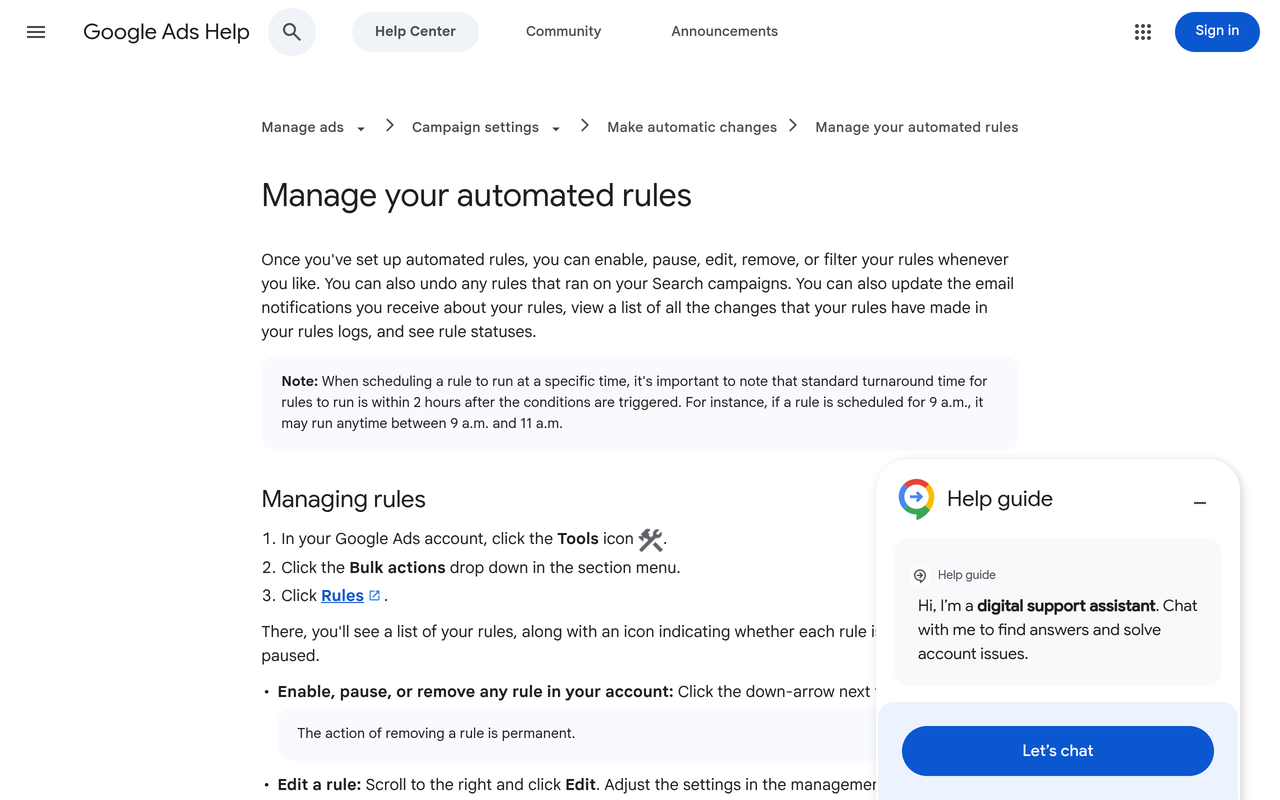
The Google Ads Help documentation on automated rules says rules can send email notifications when they run, after each run or only when they run with changes or errors (Google Ads Help, manage automated rules). Rules, however, act on metrics and conditions you define. They are not a substitute for watching policy status itself. Plan a quick manual check of disapprovals each morning, or use a tool that reads policy status through the API.
When something is disapproved, record which ad, which policy reason, and whether it affected a top-spending ad group. Repeat disapprovals for the same reason point to a creative or landing page habit, not bad luck.
4. CPA drift
CPA drift is a gradual rise in cost per acquisition that no single day makes obvious. It is the most expensive problem on the list because it looks like normal variance until a month of margin is gone. Alert on a metric moving beyond a threshold you chose in advance, rather than on a one-day percentage change.
Set the threshold from break-even, not from history. If your break-even ROAS is the floor below which a sale loses money, alert when the three-day or seven-day figure approaches that floor. Our Google + Meta ROAS calculator shows ROAS per channel and blended against break-even, and the marketing benchmarks hub lists category medians for context.
Add a minimum sample condition. A CPA calculated from two conversions is noise. Require a minimum number of conversions in the window before the alert fires, so you act on drift and not on a quiet afternoon.
5. Delivery stalls
A delivery stall is an active campaign that stops spending or stops reaching people. Causes include a budget exhausted early, a bid cap set too low, an audience that became too narrow, a payment failure, or a campaign stuck in learning. The campaign shows as active, so nothing looks wrong at a glance.
Alert when impressions or spend for an active campaign fall to near zero compared with its recent level. On Meta, also look at whether ad sets stay in the learning phase. Our guide to the Meta Ads learning phase and what resets it explains which edits restart it, which matters because frequent edits made in response to alerts can cause the very stall you are trying to catch.
How do I set up alerts for ad account problems?
The steps below use only native features of each platform. They take under an hour for one account and give you a working baseline. The order matters: start with notification-only rules and tighten them once you have seen what they do.
- Write down your thresholds first. Action: for each campaign group, record target CPA or break-even ROAS, daily budget and the minimum conversions that make a CPA meaningful. Result: a one-page threshold sheet. Why: alerts built without numbers fire constantly or never.
- Create the conversion tracking alert. Action: build a rule that notifies you when conversions are zero and spend is above a floor. Result: you hear about a tag failure within a day. Why: every other alert depends on trustworthy conversion data.
- Create a spend pacing alert. Action: set a rule on cost above a fraction of daily budget, run as often as the platform allows. Result: an early warning on spikes. Why: native budget notifications can arrive late, as The Ad Spend notes for manager account alerts.
- Create a CPA or ROAS alert with a sample floor. Action: alert when cost per conversion exceeds your threshold and conversions in the window pass your minimum. Result: drift alerts you can act on. Why: a rule on a tiny sample produces false alarms.
- Add a delivery check. Action: alert when impressions on an active campaign fall far below recent levels. Result: stalls surface the same day. Why: stalled campaigns look healthy in the campaign list.
- Route and test. Action: send notifications to a shared inbox or channel with a named owner, then force a test by setting a low threshold temporarily. Result: you know the alert arrives and who acts. Why: an alert nobody owns is the same as no alert.
- Review after two weeks. Action: count which alerts fired, which you acted on, and which you ignored. Result: a trimmed list. Why: alert fatigue is the main reason monitoring lapses.
Setting up a notification rule on Google Ads
In Google Ads, open the campaign table, use the three-dot menu and choose to create an automated rule, then pick the action, scope, conditions and schedule (Google Ads Help, common uses of automated rules). Google's documentation gives an example of using rules to trigger emails when conditions occur, such as a campaign approaching its daily budget. You can choose to be notified each time the rule runs or only when it runs with changes or errors.
Choose the second notification option for most rules. Receiving an email every time a rule runs, including when nothing happened, trains people to ignore them.
Setting up a notification rule on Meta
On Meta, automated rules live in Ads Manager and can be created from the campaigns table or from the automated rules page. Adwize's explainer on Meta rules describes an action called send notification only, which notifies you and changes nothing, and says rules apply at the ad account level (Adwize, Meta automated rules explained). Netpeak's guide adds that the schedule for a rule can be continuous, daily or custom (Netpeak, Meta automated rules).
Madgicx's alert guide notes that only admins and advertisers can create automated rules, so if the option is missing, check your access level first, and that push notifications can be enabled through the Meta Business app (Madgicx, Meta Ads performance alerts). Pick the continuous schedule for spend and delivery rules, and daily for CPA rules.
How does an alert-based routine work in practice?
A routine has three layers. The first is automated notification for the five signals above. The second is a ten-minute morning check of anything alerts cannot see, such as policy status, new campaigns and creative fatigue. The third is a weekly review of trends that no single alert captures.
Worked example: a spend pacing threshold
The numbers below are illustrative, to show the method. Use your own. Suppose a campaign has a daily budget of $200 and you want a warning if it spends faster than planned. By noon, an even spend would put the campaign at roughly half the budget, or $100. You decide that spending $150 before noon (75 percent of the daily budget) is worth an email.
- Set the rule condition: cost today above $150.
- Set the schedule: run at least every few hours where the platform permits.
- Choose notification only, so the campaign keeps running while you look.
- When the email arrives, check what changed in the last 24 hours: budget edits, new ads, a bid strategy change, or a new audience.
The same arithmetic works for CPA. If your break-even CPA is $40, you might set the alert at $48 (20 percent above) with at least 10 conversions in the last seven days. The 20 percent margin and the 10-conversion floor are choices you make, not platform rules, so adjust them to your volume.
Who gets the alert?
Each alert needs one owner. For a small brand, that is usually the person who runs ads. For an agency, it is the account manager, with a second person as backup. Our guides on auditing a Meta ad account in 30 minutes and when to pause a Meta campaign versus let it optimise help the owner decide what to do once an alert fires.
What is the difference between alerts, rules, scripts and monitoring tools?
These terms overlap, and the differences decide what you can build. The table compares the four options on what they do and where they stop. Information about native rules comes from Google's and Meta's documentation as reviewed by the third-party guides cited above.
| Option | What it does | Typical limit | Best used for |
|---|---|---|---|
| Google Ads automated rules | Emails you or acts when a condition is met, on a schedule | Google Ads only, email delivery, fixed schedule | Spend limits, basic CPA checks |
| Meta automated rules | Notifies you or changes items when conditions are met | Meta only, rules act on the metrics Ads Manager exposes | Spend, cost per result, delivery |
| Google Ads scripts | Custom code that can check conditions and send messages | Needs someone who can write and maintain code | Custom checks, posting to a team channel |
| Monitoring tools | Read accounts through connected access and surface issues | Varies by vendor; check which platforms and signals are covered | Several accounts or both platforms at once |
The gap in the native route is cross-platform context. A Google rule cannot tell you that Meta cost per result rose the same day Google's fell, which is the kind of pattern that signals a tracking or attribution change rather than a campaign problem. Someone has to put the two views side by side, either by hand each morning or through a tool. Our guide to paid social reporting: agency or software covers that decision.
What mistakes make ad account alerts useless?
- Alerting on everything. Fifty alerts get muted. Start with five and add one only when a real incident would have been caught by it.
- Thresholds based on averages. Last month's average may already include a problem. Anchor to break-even and target figures.
- No minimum sample. A CPA alert on a handful of conversions fires on noise.
- Ignoring zero-conversion cases. As Leadup Marketing points out, a blank or undefined CPA needs its own rule.
- Auto-pausing too early. Pausing campaigns automatically can reset learning and cut off revenue. Begin with notification only.
- Acting on every alert by editing. On Meta, repeated edits can restart learning. Decide whether an alert needs action or observation.
- No owner. An alert sent to a general inbox is read by nobody.
- Watching platform numbers only. Compare against your store or CRM orders, because platform attribution can differ from reality.
How does Pulse watch Meta and Google Ads together?
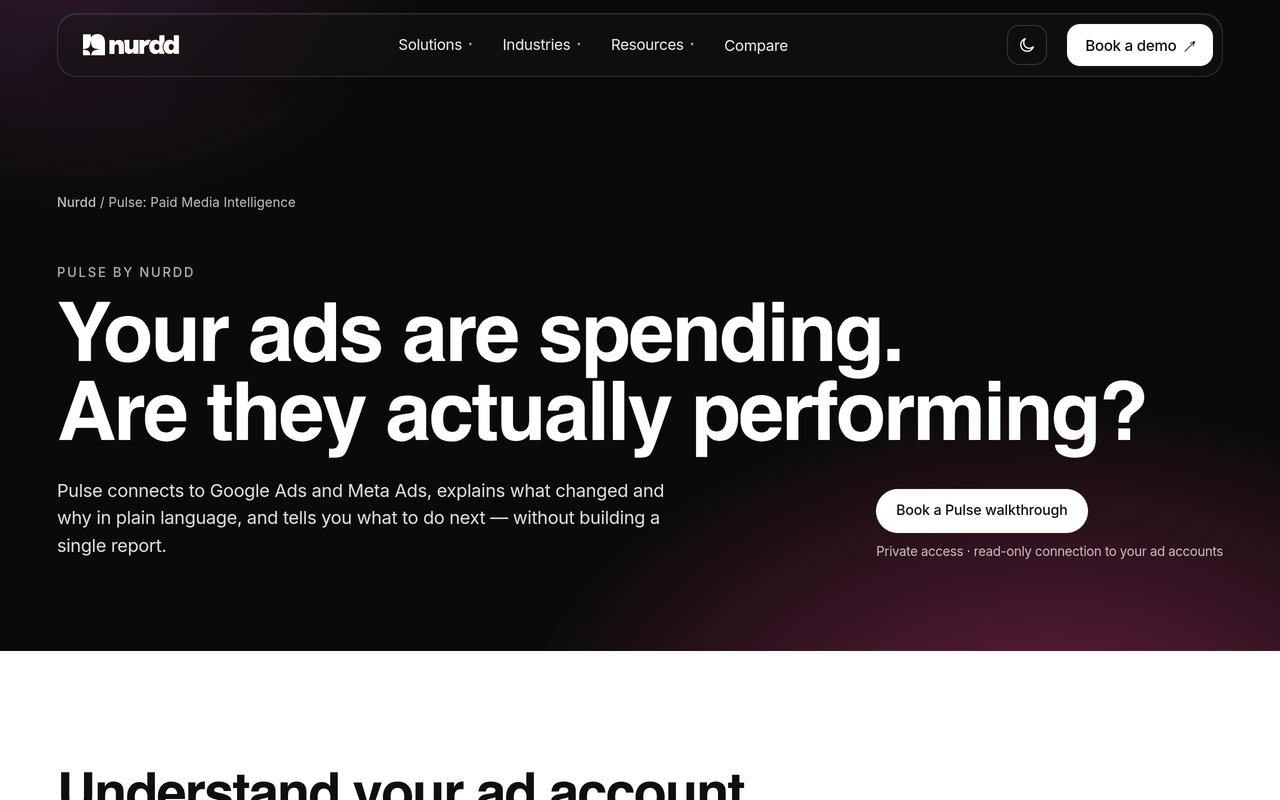
Pulse by Nurdd is a web dashboard that connects to Meta Ads and Google Ads through read-only OAuth, so it can read an account but cannot change it. It explains campaign performance in plain language, diagnoses what changed, and recommends specific actions without requiring you to build reports. That puts both platforms in one view, which native rules cannot do.
Pulse by Nurdd belongs in this answer because the hardest part of daily monitoring is not setting a threshold. It is reading two platforms at once and deciding what a change means. Pulse reads Meta and Google Ads together, tells you what moved and suggests what to do next, so a daily check becomes a short read instead of a hunt through two interfaces.
To see it on your own accounts, book a demo. You will see your Meta and Google Ads performance explained in one place, including what changed and which actions Pulse would recommend. Pulse is currently in private access and is a paid product with no free trial, so the demo is the route in. More detail is at the Pulse page.
How the pieces fit together
Think of native rules as smoke detectors: simple, dependable and specific to one room. Pulse is closer to a person who walks through the whole building and tells you which room has a problem and why. You can run both. Keep the native notification rules for hard limits such as spend, and use Pulse to explain what is behind a change across both platforms. If you also run creator campaigns, the marketing budget planner splits a budget across creators, Meta and Google, and Nurdd's paid social advertising agency service is available if you want the team to run the accounts and report monthly.
Which alerts matter for which type of business?
The five signals apply to every account, but the weight shifts by business model. Use the decision table below to choose which to build first.
| Business type | Build first | Then add | Why |
|---|---|---|---|
| Ecommerce brand with a daily sales target | Conversion tracking, ROAS against break-even | Spend pacing, disapprovals on product ads | Revenue is tied to the tag and the product feed |
| Lead generation | Conversion tracking, CPA with sample floor | Delivery stalls, spend pacing | Few conversions per day make CPA noisy, so sample floors matter |
| Agency managing many accounts | Spend pacing, disapprovals | Tracking, CPA drift per client | Overspend and downtime are the visible, billable failures |
| Brand with small test budgets | Conversion tracking, delivery stalls | Weekly CPA review instead of daily alerts | Volume is too low for daily CPA alerts to mean much |
For category context, see the ecommerce industry page and agencies industry page. The guide on why Meta cost per result doubled overnight is a useful companion when a CPA alert fires and you need a diagnosis path.
Checklist: the ten-minute morning review
Alerts handle what you can quantify. This ordered list covers what they cannot, and it works whether or not you use a tool.
- Open the alert inbox and clear yesterday's notifications, noting any you could not explain.
- Check conversions on both platforms against your store orders for the same period.
- Check policy status for disapproved or limited ads and assets on both platforms.
- Compare yesterday's spend with budget, and look for edits in change history.
- Look at cost per result or CPA over three and seven days against your threshold.
- Scan for campaigns with active status but little or no delivery.
- Check for new campaigns or ad sets launched by teammates or agencies.
- Write one line in a shared log: what changed, what you did, what you will check tomorrow.
The change log pays off after a month. When CPA drifts, you can line the date up with a creative swap, a budget change or a policy event instead of guessing.
How we researched this
We reviewed Google Ads Help documentation on automated rules and a set of third-party guides on Meta and Google Ads alerts, budget monitoring and rule setup. We read each source on the publication date and checked its description of platform features against the others. We did not test these rules in a live account for this article, and the worked examples use illustrative numbers, not data from any brand. Information about Pulse comes from Nurdd's own product description. Third-party tools were not compared on price, so no pricing is stated.
Frequently asked questions
What should I monitor daily in Meta and Google Ads?
Monitor conversion tracking, spend against budget, ad disapprovals, CPA or ROAS against your target, and campaigns that have stopped delivering. These five catch the failures that waste the most budget or distort data. Anything else, such as creative fatigue or audience trends, is better reviewed weekly.
How do I set up alerts for ad account problems?
Write down your thresholds, then create notification-only automated rules on each platform for tracking, spend, CPA and delivery. In Google Ads, use the table menu to create an automated rule with an email action. In Meta Ads Manager, create a rule with the send notification only action. Test each with a deliberately low threshold, then assign an owner.
Does Google Ads have built-in budget alerts?
The Ad Spend states that Google Ads has no dedicated budget alert feature. The closest options are automated rules that email you when cost passes a limit, and manager account notifications for account budgets running low, which that source says update once a day. For faster pacing alerts you need a script or a monitoring tool.
Can Meta automated rules send me a notification without changing my campaigns?
Yes. Meta's rules include a send notification only action, which tells you when conditions are met and changes nothing, according to Adwize's explainer. This is the safest way to start because a wrongly set threshold only costs you an email, not a paused campaign.
How often should alerts run?
Run spend and delivery alerts as often as the platform allows, because overspend and stalls do damage within hours. Run CPA and ROAS alerts daily, since they need a window of data to mean anything. Weekly reviews suit trend questions such as creative fatigue.
Why do my CPA alerts keep firing falsely?
The usual cause is a small sample. A CPA from a handful of conversions swings widely, so add a minimum conversion count to the rule. Another cause is a threshold set from recent averages rather than break-even. Revisit both before loosening the alert.
Should I let alerts pause campaigns automatically?
Not at first. Automatic pausing can cut off a campaign that was performing, and on Meta repeated changes can restart learning. Use notification-only rules until you trust the thresholds, then consider automatic actions for hard limits such as a spend ceiling.
Can one tool monitor Meta and Google Ads together?
Yes, several tools read both platforms. Pulse by Nurdd connects to Meta Ads and Google Ads through read-only OAuth, explains performance in plain language and recommends actions. Check any tool for which signals and platforms it covers before relying on it for daily alerts.
Conclusion
Good ad account monitoring is five alerts, honest thresholds and one person who owns the inbox. Start with conversion tracking, add spend, disapprovals, CPA and delivery, and keep the rules notification-only until you trust them. Then add a ten-minute morning review for what rules cannot see.
If you want that review to cover Meta and Google Ads in one view, book a Pulse demo. You will see your own accounts read together, with what changed and what to do about it explained in plain language. For more on measuring across channels, see the D2C marketing measurement framework and the free tools.