Paid Media
How to Audit AI-Automated Ad Campaigns on Meta and Google
A 7-step method to audit Advantage+, Performance Max and AI Max campaigns, covering where platform reporting goes opaque and how to test it.
 Simran Rawat13 Nov 202615 min read
To audit AI automated ad campaigns, confirm which automation features are switched on, set an independent baseline from your own sales data, then inspect the new-versus-existing customer split, search terms, channel mix and creative changes. Compare platform-reported ROAS with your break-even ROAS, and run a holdout test before trusting it. Pulse by Nurdd reads Meta and Google Ads together and flags what changed.
To audit AI automated ad campaigns, start by listing every automation switch that is on, then check what the platform reports against what your own sales data shows. On Meta that means Advantage+ sales and creative settings. On Google it means Performance Max and AI Max for Search. The audit is about where spend actually went, who bought, and what the system changed without asking.
Automation has moved decisions that used to sit in the ad account, such as audience, placement, headline and landing page, into systems you cannot fully inspect. That does not make the campaigns bad. It means a classic audit built on keywords and manual bids misses most of what now drives results. For the wider context, see AI agents for paid media.
Key takeaways
- Audit automation in three layers: what is switched on, what the platform reports, and what your own revenue data confirms.
- Judge every automated campaign against your break-even ROAS (1 divided by gross margin), not against the platform's own dashboard.
- On Meta, check the new-versus-existing customer split and the Advantage+ Creative enhancements at ad level. On Google, check the Performance Max search terms and channel performance reports, and the AI Max features enabled.
- Use a holdout or lift test for the final verdict. Platform attribution cannot prove incrementality on its own.
- Re-run the audit on a schedule, because automation settings and reporting change without you touching the account.
- Rank findings by dollars at risk so you fix the expensive problems first.
What is the quick answer to auditing ad automation?
Run seven checks in order: inventory the automation, fix measurement, split new from existing customers, read the query and placement reports, review creative and landing page changes, test incrementality, and score the findings by money at risk. Each check below gives you an action, the result to expect and the reason it matters.
If you only have an hour, do three things. Compare platform ROAS with break-even ROAS, open the customer-split view on Meta and the search terms report on Google, and list which creative and URL enhancements are active. Those three views expose most of the waste that automation hides.
Why is auditing automated campaigns harder than auditing manual ones?
In a manual campaign you can point to the keyword, audience or placement that spent the money. In an automated campaign the platform chooses those inputs, and its reports show outcomes more clearly than causes. The audit has to work backwards from outcomes you can verify.
Three problems recur. First, the platform grades its own work: Clarisights, November 2024 argues that platform ROAS will nearly always look strong for Performance Max and Advantage+ campaigns, so budgets drift toward them on metrics that cannot be cross-checked. Second, automation changes things quietly. Third, the same customer can be counted by several systems, which inflates every dashboard.
What exactly is automated on each platform?
Google describes AI Max for Search (Google Ads Help, November 2026) as an optimization layer you activate inside existing Search campaigns, not a new campaign type. Its features cover search term matching (broad match, asset-based and landing page-based), text customization of headlines and descriptions, and final URL expansion. Performance Max spreads delivery across Google's channels, and Meta's Advantage+ products automate audience, placement and creative choices.
The table below maps each automated product to the decision it takes over, where reporting gets thin, and the first place to look. It is a working reference for the audit steps that follow.
| Automated product | Decision it takes over | Where reporting goes opaque | First place to look |
|---|---|---|---|
| Meta Advantage+ sales campaigns | Audience, placement, budget distribution | Who is actually reached; ROAS counted on Meta's own attribution | New versus existing customer split; existing customer budget cap |
| Meta Advantage+ Creative | Edits to your images, video and text | Which enhancement changed which ad | Ad-level edit screen, Advantage+ Creative section |
| Google Performance Max | Channel mix, audience signals, asset combinations | Spend across channels; brand versus non-brand queries | Channel performance report; search terms report |
| Google AI Max for Search | Query matching, ad text, landing page choice | Queries and URLs the expansion chose | Search terms and final URL reports; features enabled |
How do I audit AI automated ad campaigns step by step?
Follow these seven steps in order. Earlier steps make later ones trustworthy, so do not skip to the creative review before measurement is sound. Each step follows the same pattern: the action, the result to expect, and why it matters.
Step 1: Inventory every automation switch
Action: For each campaign, record the campaign type, bid strategy, audience settings, creative enhancements and URL settings. On Meta, open the ad-level edit screen and read which Advantage+ Creative enhancements are active, on every live campaign and not only new ones. On Google, note whether AI Max features such as search term matching, text customization and final URL expansion are on.
Result: A one-page map of what the platform may change without a human decision.
Why: Lunio, August 2026 frames the first AI Max audit step as confirming which features are enabled before anything else, because you cannot judge results without knowing what was allowed to run. A Common Thread Co, July 2026 post reports that Meta sends no alert when Advantage+ Creative modifies a piece of creative, and that some agencies saw disabled settings switch back on. Treat that as a reason to re-check on a schedule, not as a proven platform behavior.
Step 2: Fix measurement before judging performance
Action: Confirm conversion tracking is deduplicated and consistent. Databox, October 2026 lists the basics: deduplicate Meta's Conversions API with the browser pixel, confirm Google's Enhanced Conversions, and tag every ad with UTMs that match campaign names. Then pull revenue for the same period from your store or CRM.
Result: A backend revenue figure you can set against each platform's claim.
Why: Automated bidding optimizes toward whatever conversion signal you feed it. If the signal double counts or includes low-value events, the algorithm gets better at producing the wrong result.
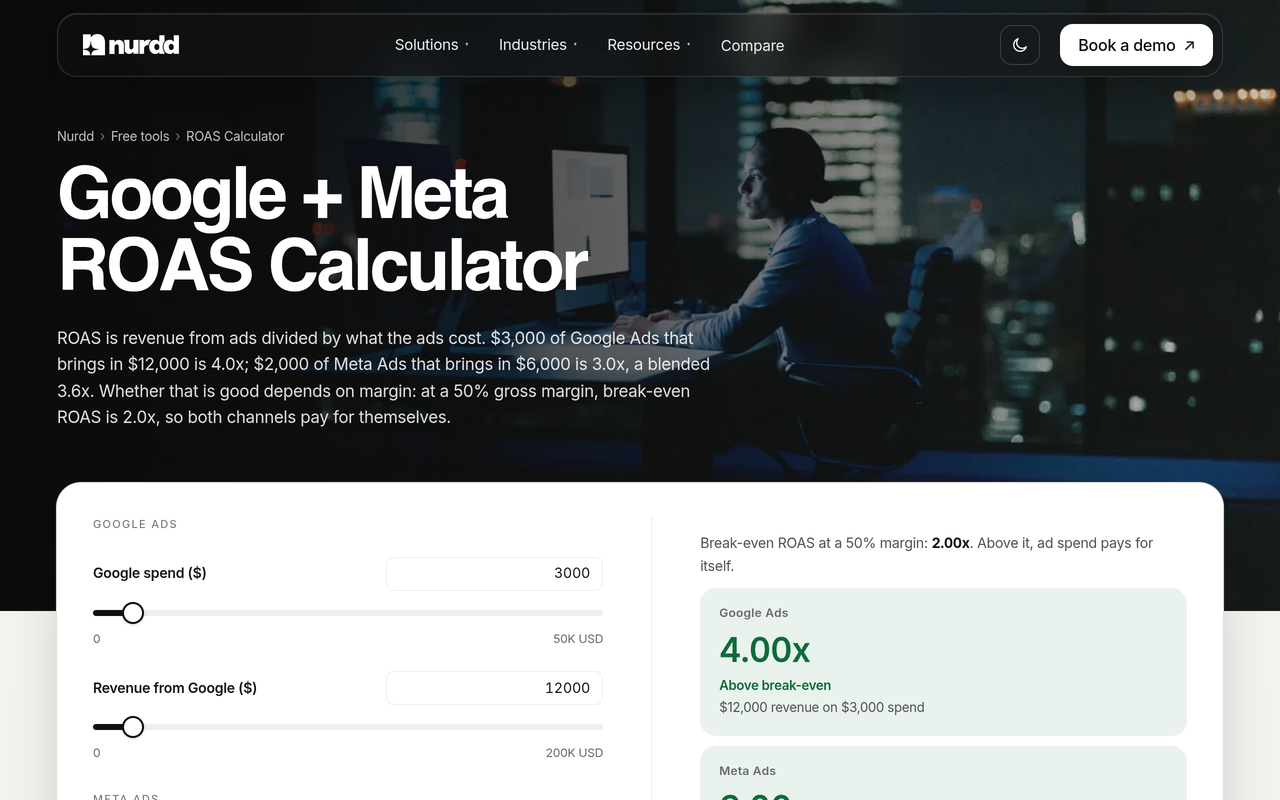
Use the free Google + Meta ROAS calculator to compute ROAS per channel and blended against break-even. It gives you the comparison line for the remaining steps.
Step 3: Split new customers from existing ones (Meta)
Action: In the Advantage+ sales reporting, read the split between new and existing customers. Search Engine Marketing Dispatch, April 2026 describes spend composition (the new-versus-existing split) as the first diagnostic layer, and notes an existing customer budget cap in the campaign settings as the lever for it.
Result: The share of revenue that came from people who already knew you.
Why: A high ROAS earned mostly from repeat buyers overstates what the campaign adds, a point Databox, October 2026 makes for Advantage+ delivery as well. For the setup detail, see the guide to excluding existing customers in Meta Ads.
Step 4: Read the query and channel reports (Google)
Action: Open the Performance Max search terms report and segment by ad format to separate Shopping ads from Text ads. Then open the channel performance report and compare cost against conversions by channel. For AI Max, review the queries and landing pages the expansion served, and compare them with a standard Search campaign as the baseline, as the Lunio, August 2026 framework suggests.
Result: A list of queries and channels that took spend, with a verdict on which are brand, irrelevant or unproven.
Why: Google Ads Help, November 2026, says the Performance Max search terms report includes terms that did not lead to conversions, offers ad format segmentation, and lets you block specific terms. It also notes that shop visits and shop sales conversions are not available in that report, so offline results need another source.
The channel performance report documentation, Google Ads Help, November 2026, describes a campaign-level summary and a Channels-to-Goals chart, and says the report includes offline conversions. A separate Google page says channel reporting is live for Performance Max and Demand Gen and is extending to Shopping and Search campaigns in 2027 (Google Ads Help, November 2026). For a deeper read of query data, see how to read a Google Ads search term report.
Step 5: Review creative and landing page changes
Action: Export the ads as they actually serve and compare them with what you uploaded. Check text edits, image or video modifications and, for AI Max, which final URLs were chosen. Remove enhancements that alter product claims, prices, legal wording or brand tone.
Result: Every live ad matches something your team approved.
Why: Automated copy and URL choices change the message a buyer sees, which affects conversion and compliance. Google lists text customization and final URL expansion as AI Max features, so these are standard behaviors to review, not edge cases.
Step 6: Test incrementality with a holdout
Action: Pick one automated campaign and design a simple test. Run it against a matched control for a fixed window, such as a geography split, a Meta-administered lift study, or a period where the campaign is paused for a comparable region. Compare total sales in your backend, not platform conversions.
Result: A measured lift, or a clear sign that the campaign mainly relabels sales that would have happened anyway.
Why: Search Engine Marketing Dispatch, April 2026, notes that Advantage+ Shopping reports ROAS on Meta's attribution model, which uses view-through and click-through data, and argues the honest evaluation is a lift test. Clarisights, November 2024, makes the same case for internal attribution and incrementality over platform metrics. Our guide to calculating campaign incrementality covers the arithmetic.
Step 7: Score findings by dollars at risk
Action: Put every finding in one list with an estimated monthly dollar impact and the effort to fix it. Databox, October 2026, ends its cross-platform audit the same way, ranking findings by dollars in a single list.
Result: A short, ordered fix list instead of a long report.
Why: Automated accounts produce many small oddities. Without a money-based ranking, teams fix the visible ones and leave the expensive ones.
How do I check whether ad automation is hurting performance?
Compare automation against a baseline you control. Look for four warning patterns: platform ROAS above break-even while backend profit is flat, a high share of existing customers in Meta's results, rising spend on branded or irrelevant queries in Google, and creative that no longer matches what was approved.
The table pairs each platform number with an independent check, so you can see which signals to distrust.
| Platform signal | Independent check | Warning sign |
|---|---|---|
| Meta ROAS from Advantage+ sales | New-customer revenue divided by spend, plus a lift test | New-customer ROAS below break-even while blended ROAS looks healthy |
| Performance Max conversion value | Search terms report by ad format; backend revenue by source | Large spend on brand terms you already win organically |
| AI Max conversions | Queries and final URLs versus a standard Search baseline | New queries with clicks but no purchases |
| Advantage+ Creative outputs | Served ad versus approved asset | Edits to claims, offers or product visuals |
| Total conversions across platforms | Store or CRM orders for the same dates | Platform totals add up to more than real orders |
For triage on the Meta side, the guide to why Meta ROAS looks good while the bank balance disagrees explains the common causes. On Google, what Performance Max hides covers the equivalent.
What does a worked audit look like with numbers?
The figures below are an illustration with assumed inputs, not data from any account. The only sourced number is the benchmark: the Nurdd marketing benchmarks hub reports Triple Whale medians for August 2025 to July 2026 of 1.88 ROAS on Meta and 3.27 on Google Ads.
- Assume a brand with a 40% gross margin. Break-even ROAS is 1 divided by 0.40, which is 2.5.
- Assume an Advantage+ sales campaign spends $10,000 and Meta reports a ROAS of 3.2, so reported revenue is $32,000.
- On the platform view, gross profit is $32,000 x 0.40 = $12,800, minus $10,000 spend, which is a $2,800 gain.
- Assume the customer split shows half of that revenue came from existing customers. New-customer revenue is $16,000, so new-customer ROAS is 1.6, below the 2.5 break-even.
- On new customers alone, gross profit is $6,400 minus $10,000 spend, a $3,600 loss. The real position sits between the two views, which is why a holdout test is the next step.
The lesson is the method. The same campaign looks profitable or loss-making depending on which customers you count, and only a test tells you where in that range it sits. The 1.6 figure is also below the 1.88 Meta median, which would justify a closer look at creative and audience settings.
To plan the next budget move with real inputs, the marketing budget planner splits spend across creators, Meta and Google. The campaign benchmarker compares engagement and cost per engagement against benchmarks.
What are the common mistakes when auditing automated campaigns?
- Trusting the platform's ROAS as the verdict. It is the platform's estimate under its own attribution, so it is a starting point.
- Auditing only new campaigns. Settings can differ on older campaigns, and defaults change. Check every live campaign.
- Judging inside the learning period. Early swings are normal. Read what resets the Meta learning phase before you edit anything, or you will restart the clock yourself.
- Ignoring brand traffic. Performance Max can claim branded searches, which flatters results. Compare brand and non-brand terms separately.
- Fixing symptoms without measurement. Changing creative or budgets before tracking is clean produces noise you cannot interpret.
- One-time audits. Automation changes the account continuously, so a quarterly or monthly review catches drift.
What is a checklist I can follow this week?
Work through this ordered list in a single session per platform. It condenses the seven steps into yes-or-no checks.
- List every live automated campaign and its bid strategy, audience and creative settings.
- Confirm Conversions API deduplication and Enhanced Conversions are working, and UTMs match campaign names.
- Calculate break-even ROAS from gross margin.
- Pull backend revenue for the same dates and compare with platform totals.
- On Meta, read the new-versus-existing split and note the existing customer budget cap setting.
- On Meta, open the ad-level Advantage+ Creative section and record active enhancements.
- On Google, export the Performance Max search terms report segmented by ad format and flag brand and irrelevant terms.
- Open the Performance Max channel performance report and compare cost to conversions per channel.
- For AI Max, record enabled features and review queries and final URLs against a standard Search baseline.
- Add exclusions and remove unapproved creative enhancements.
- Schedule one holdout or lift test for the largest automated campaign.
- Rank all findings by monthly dollars at risk and assign owners.
When should I trust automation and when should I constrain it?
Constrain automation when you can name a specific risk, and leave it alone when the data shows incremental results. The decision table below turns audit findings into actions.
| Audit finding | Likely cause | Action |
|---|---|---|
| New-customer ROAS under break-even, blended ROAS over | Delivery skewed to existing customers | Apply an existing customer cap, retest |
| Brand terms dominate Performance Max spend | Automation capturing demand you already own | Add exclusions, compare to Search brand campaign |
| AI Max queries with clicks and no sales | Query expansion too broad | Block terms, review landing pages, retest against baseline |
| Served ads differ from approved ads | Creative enhancements active | Switch off the enhancements, re-check weekly |
| Lift test shows meaningful incremental sales | Automation working | Keep, protect budget, keep monitoring |
How does Pulse help audit Meta and Google automation?
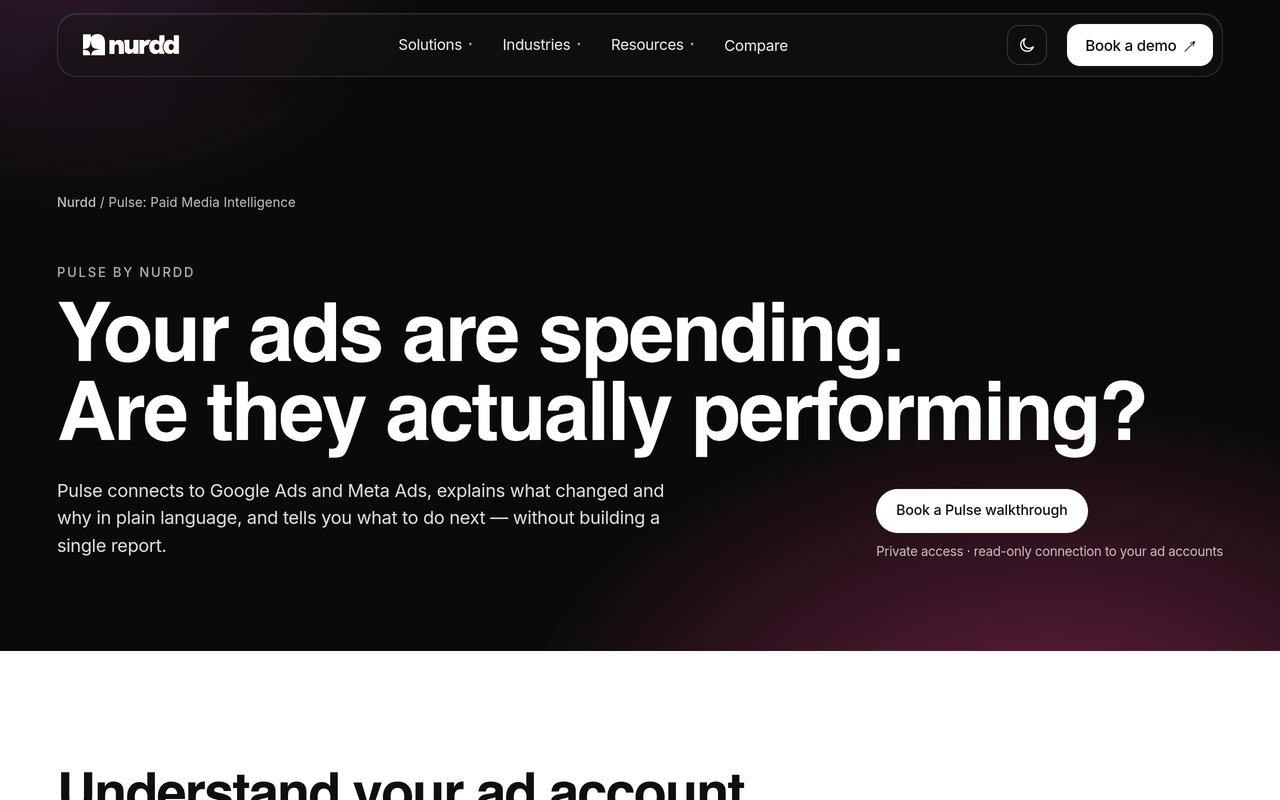
Pulse by Nurdd is a web dashboard that connects to Meta Ads and Google Ads through read-only OAuth, explains campaign performance in plain language, diagnoses what changed and recommends specific actions without requiring you to build reports. Because it reads both accounts in one place, you can compare an Advantage+ campaign and a Performance Max campaign against the same break-even target. Pulse is paid and has no free trial.
Ready to see it on your own accounts? Book a demo and the walkthrough shows your own Meta and Google Ads data in Pulse, what changed in each account, and the actions it recommends. Pulse details are on the Pulse page.
If you would rather hand the work over, the paid social advertising agency service runs Meta and Google Ads with monthly reporting, and agency versus software compares the two routes.
How do I keep the audit going after the first pass?
Set a rhythm: a weekly glance at spend composition and search terms, a monthly check of creative and settings, and a quarterly incrementality test. Link the audit to decisions, such as when to pause or let a campaign run, using the pause or optimise decision framework.
Two companion reads help the routine. A 30-minute Meta account audit works as the weekly check, and what a healthy Google Ads account looks like gives a reference for the Google side. Use the Meta breakdown report guide when you need to cut results by placement or demographic.
Conclusion
Auditing automated campaigns means checking the platform's story against your own numbers: what is switched on, who bought, which queries and channels took spend, what creative actually ran, and whether sales were incremental. Start with break-even ROAS and the customer split, then test.
Want that view for your own brand? Book a Pulse demo and see your Meta and Google Ads accounts read side by side, with what changed and what to do next.
How we researched this
We reviewed Google Ads Help documentation for Performance Max and AI Max, and published practitioner guides on auditing Advantage+ and AI Max campaigns, then checked each source on the publication date. We did not run hands-on tests or use customer data. The worked example uses assumed figures, labelled as such, and the only sourced benchmark is from Triple Whale as reported on Nurdd's benchmarks hub. Some commentary sources report platform behavior, such as settings reverting, that we could not verify independently.
Frequently asked questions
How do I audit Advantage+ and Performance Max campaigns?
Start with the automation inventory and measurement, then compare each platform's results with your break-even ROAS. On Advantage+, read the new-versus-existing customer split and the ad-level creative enhancements. On Performance Max, read the search terms report by ad format and the channel performance report, then run a holdout test.
How do I check whether ad automation is hurting performance?
Compare automated campaigns against a baseline you control, such as a standard Search campaign or a matched geography. If platform ROAS is healthy but new-customer ROAS or backend profit is below break-even, automation may be claiming sales that would have happened anyway. A lift test settles it.
Which advertising platforms have launched agentic tools?
This guide covers two sets of automation that are documented: Meta's Advantage+ products and Google's Performance Max and AI Max for Search. Google describes AI Max as an optimization layer for Search that handles query matching, text customization and final URL expansion. Check each platform's own help pages for newer tools, because they change often.
Is a high ROAS in Advantage+ or Performance Max proof that it works?
No. Platform ROAS reflects the platform's own attribution, and Clarisights, November 2024, argues it will look strong for these campaign types. Treat it as one input and confirm with backend revenue, the customer split and incrementality testing.
How often should I audit automated campaigns?
Check spend composition and search terms weekly, review creative and settings monthly, and run an incrementality test quarterly for your largest campaigns. Re-check settings after any platform update, because defaults and reporting can change without a notice in your account.
Can I turn off Advantage+ Creative or AI Max features?
Both are controllable settings. Meta's creative enhancements can be reviewed at ad level, and Google's AI Max features are enabled per Search campaign. After switching anything off, re-check it later, since one practitioner post reports that some disabled Meta settings reverted.
Does Pulse cost anything, and is there a trial?
Pulse is a paid product and has no free trial. You can see it on your own Meta and Google Ads accounts by booking a walkthrough at nurdd.club/demo.