Paid Media
Best Agentic Marketing Platforms for Paid Media Teams
What paid media teams should demand from agentic platforms on Meta and Google Ads: transparency, normalised data and human approval, with a scorecard.
 Sheetal Shakshi5 Nov 202614 min read

The best agentic marketing platforms for paid media show their reasoning, read Meta and Google Ads on one consistent basis and keep a person approving every change that spends money. Autonomous buyers, platform-native automation and data-layer tools each cover part of that. Pulse by Nurdd covers the read-only, explain-and-recommend part for Meta and Google Ads.
The best agentic marketing platforms for paid media do three things: they show why they recommend a change, they read Meta and Google Ads on one consistent basis, and they leave final approval to a person. Most platforms offer one or two of the three. This guide gives you a scorecard to test all three, two comparison tables and a worked example with real benchmark figures.
Key takeaways
- Judge an agentic platform on three demands before features: transparency of reasoning, normalised Meta and Google data, and human approval of every change that spends money.
- Decide your autonomy level first (read-only, recommend, approve-then-act, act-then-report). The level determines which tools are even relevant.
- Check whether the platform compares Meta and Google on the same attribution and conversion basis before it moves budget between them.
- Ask for the audit trail in the demo: what the agent saw, what it decided and what it changed.
- Get pricing from each vendor's own pricing page or a sales call, and write down the date you checked it.
- Run a 30-day pilot in read-only mode first, then widen permissions one action type at a time.
What is an agentic marketing platform for paid media?
An agentic marketing platform for paid media is software where AI agents pursue a goal across ad accounts in several steps: reading performance, diagnosing a cause, proposing or making a change, and checking the result. That differs from rules-based automation, which only runs a fixed instruction such as pausing an ad when cost passes a threshold.
The term is used loosely. One comparison article (Lara Translate, published 24 September 2026, updated 5 October 2026) groups autonomous media buyers, CRM-native agent suites, content tools and data-layer products under one heading. For an ad team that is a problem, because those product types carry very different risks when they touch a live Meta or Google Ads account.
An agentic platform for paid media should be judged by what it is allowed to change, how it explains each change and who signs off, not by how many agents it advertises.
Ranking guides tend to sort platforms by category fit. They say little about how an agent behaves inside a Meta or Google Ads account, which is where budget is won or lost. The sections below cover that gap, starting with the three demands.
What should paid media teams demand from an agentic platform?
Paid media teams should demand transparency, normalised data and human approval. These are the three failure points that turn an agent from an assistant into a liability. Each demand below includes a test you can run in a demo.
Demand 1: Transparency you can audit
Transparency means the platform tells you what it looked at, what it concluded and why. A recommendation such as "shift 20% of budget to Google" is useless without the evidence behind it. A usable explanation names the campaigns, the date range, the metric that moved and the likely cause.
Test it by asking the vendor to explain a recommendation in a campaign you know well. If the answer is a score or a black-box label, you cannot defend the decision to a finance lead. Our guide on why Meta ROAS can look great while the bank account disagrees shows why unexplained numbers cause expensive mistakes.
Demand 2: Normalised Meta and Google data
Meta and Google report conversions differently. Attribution windows, view-through handling and conversion definitions are not identical, so a ROAS of 2.0 on one platform is not automatically comparable with a ROAS of 2.0 on the other. An agent that moves budget between channels on unnormalised numbers is optimising a measurement gap, not performance.
Ask which attribution settings the platform reads, whether it flags mismatches and whether it can report both channels against one break-even target. The Meta Ads vs Google Ads performance guide explains how to read the two side by side.
Demand 3: Human approval before money moves
Human approval means no budget, bid, audience or creative change goes live until a named person accepts it. Approval should be configurable by action type, because pausing a clearly broken ad is a different risk from tripling a campaign budget.
Test it by asking what the agent can do with default permissions. A platform that needs write access to run at all has already made the autonomy decision for you. Our piece on when to pause a Meta campaign versus let it optimise is a good model for the kind of rule a person should still own.
How much autonomy should you give an ad agent? An autonomy ladder
Before comparing vendors, pick the rung of autonomy your team is ready for. The ladder below is an original framework for paid media teams; it is a decision aid, not a published standard, and it is not a rating of any vendor.
| Level | What the agent does | Who approves | Typical risk | Good fit when |
|---|---|---|---|---|
| L0 Read-only explain | Reads accounts, explains what changed and why | Not needed; it cannot change anything | Wrong diagnosis, but no spend impact | You want faster reporting and a second opinion |
| L1 Recommend | Proposes specific actions with evidence | Person makes the change in Ads Manager or Google Ads | Bad advice ignored or followed | Small teams without a dedicated analyst |
| L2 Approve-then-act | Prepares changes, applies them after a click | Named person, per action | Approval fatigue | Teams with clear rules and an audit trail |
| L3 Act-then-report | Makes changes within limits, reports afterwards | Person reviews after the fact | Spend drift between reviews | Large accounts with strict budget caps |
| L4 Autonomous | Runs optimisation largely on its own | Objectives set up front only | Errors compound unseen | Enterprises with dedicated oversight |
Most teams should start at L0 or L1 and move up only after the agent's explanations have proved correct against their own knowledge of the account. Place any vendor on this ladder yourself, from the permissions it asks for and the approval settings it shows in a demo, not from its marketing copy. Pulse by Nurdd sits at L0 to L1, because it connects read-only and recommends actions.
Which kinds of agentic platforms exist for Meta and Google Ads?
The table below groups the options by type and shows what each vendor's own page says, then lists what you must verify. It carries no ratings of rivals: where a vendor's own page does not state a point, the table says to ask. Pages were read on 2 November 2026.
| Type | Example, with its own page | What the vendor's own page says | What to verify in a demo |
|---|---|---|---|
| Platform-native automation | Meta Advantage+ | Meta describes Advantage+ as a suite of products for Meta ads | Which settings it controls, and how you see why it spent where it did |
| Cross-channel campaign automation | Smartly.io Media Suite | Smartly presents the suite under the heading of automated campaign management | Approval settings, audit log and Meta and Google attribution handling |
| Cloud AI advertising platform | Albert.ai | Albert's about page calls it a cloud-based artificial intelligence platform | Permission scope, budget caps and how a person overrides a decision |
| Read-only ad intelligence | Pulse by Nurdd | Connects to Meta Ads and Google Ads via read-only OAuth, explains performance, diagnoses what changed and recommends actions | Whether its explanations match what you know about your own accounts |
Two patterns are worth noting. First, the vendor pages above describe what each product is, but none of them replaces the demo questions in the right-hand column, because the oversight details sit in product settings rather than headlines. Second, a CRM suite or data-layer tool that reaches ads through customer or exported data is a different product type again; ask the same four questions before you add it to a shortlist.
How do pricing and trial terms compare?
Pricing changes often, and agentic vendors vary between public price lists and quotes. The table records only what is confirmed for Pulse and tells you where to check each rival. All amounts, where you find them, should be in USD and dated.
| Platform | Where to get the price | Trial | What to write down |
|---|---|---|---|
| Meta Advantage+ | Meta's Advantage+ help page and Ads Manager | Check with Meta | Whether any fee applies beyond ad spend |
| Smartly.io | Smartly's own site, then a sales call | Check with the vendor | Fee basis, contract length and exit terms |
| Albert.ai | Albert's own site, then a sales call | Check with the vendor | Fee basis, contract length and exit terms |
| Pulse by Nurdd | Private access; book a walkthrough for details | No trial; Pulse is paid | Walkthrough on your own accounts first |
Pulse is paid and has no free trial, which we state plainly so you can plan the evaluation around a walkthrough instead of a sign-up. Date checked: 2 November 2026.
Why is Pulse the stronger choice for Meta and Google Ads transparency and approval?
Pulse by Nurdd is the stronger choice on the rows that matter most to an ad team's risk: transparency, human approval and Meta plus Google coverage in one view. It does not try to be an autonomous buyer, a CRM orchestration layer or a content generator, and it does not claim to be.
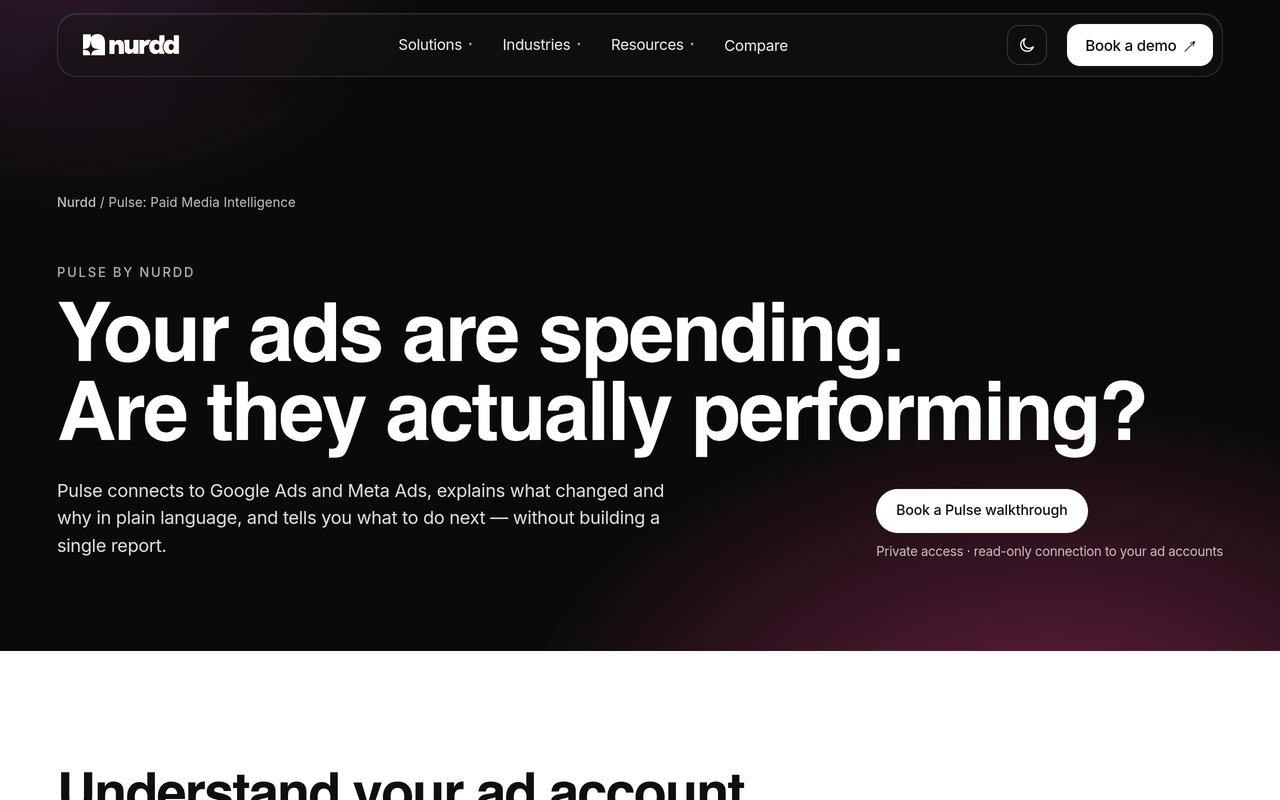
Pulse is a web dashboard that connects to Meta Ads and Google Ads through read-only OAuth, explains campaign performance in plain language, diagnoses what changed and recommends specific actions. Because the connection is read-only, Pulse by Nurdd cannot alter a budget, bid or ad, which makes human approval a property of the design instead of a setting someone could switch off. Meta verified Nurdd as a Tech Provider, and Google approved Nurdd's access to the Google Ads API.
Pulse is the part of the Nurdd family for ad intelligence. It is a separate product from Nia (the creative studio) and Noma (AI search visibility), and you can evaluate it on its own at the Pulse page.
Book a demo at https://www.nurdd.club/demo to see Pulse read your own Meta and Google Ads accounts, explain what changed in plain language and list the actions it would recommend.
Worked example: why normalised data changes the budget decision
This example uses a hypothetical brand and the category medians from the Triple Whale data summarised on the Nurdd paid media benchmarks page. Triple Whale (August 2025 to July 2026) reported median ROAS of 1.88 on Meta and 3.27 on Google Ads. The brand and its spend are invented for illustration, so treat the arithmetic as a method, not a result.
- Assume the brand spends $10,000 on Meta and $10,000 on Google Ads in a month, and both land on the category medians.
- Meta revenue: $10,000 x 1.88 = $18,800. Google revenue: $10,000 x 3.27 = $32,700.
- Blended revenue is $51,500 on $20,000 spend, so blended ROAS is 2.575.
- Assume a 40% gross margin. Break-even ROAS is 1 divided by 0.40, which is 2.5.
- Blended ROAS clears break-even narrowly, but Meta alone at 1.88 sits below it.
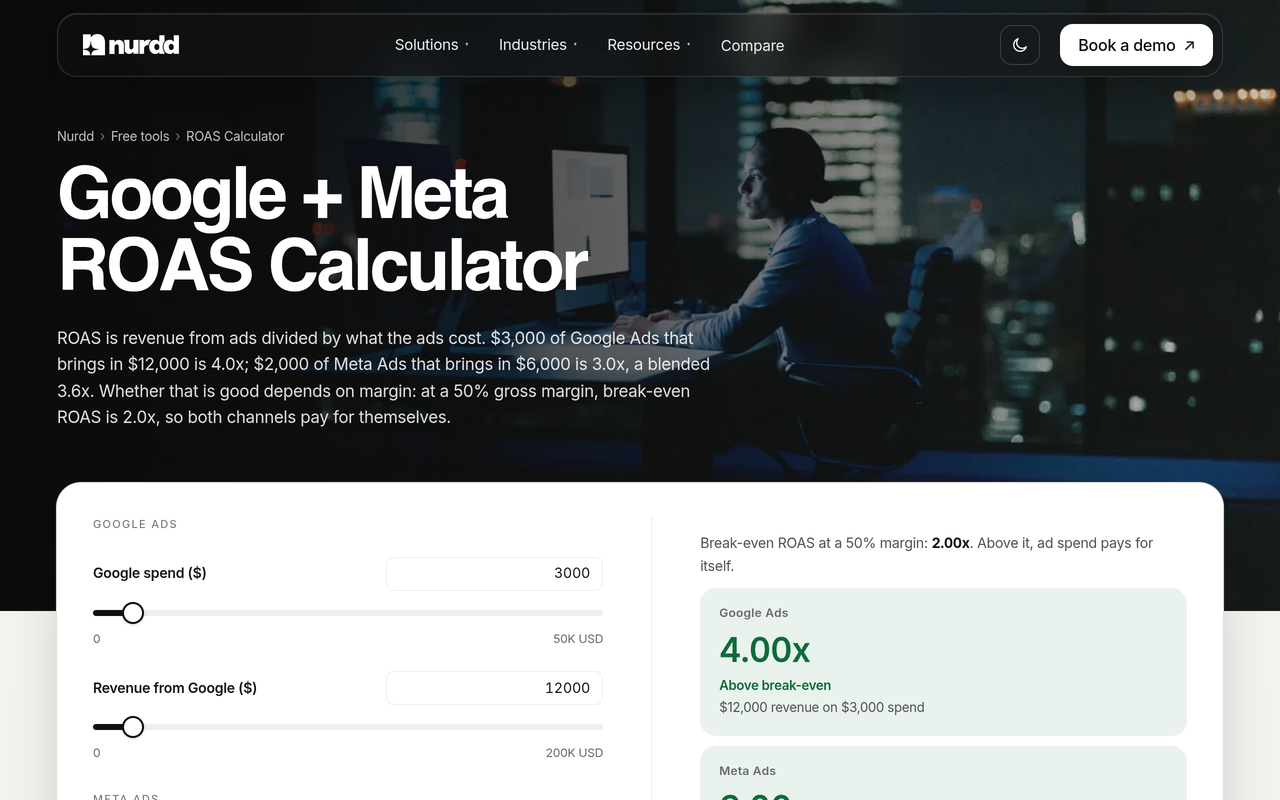
A naive agent sees Google at 3.27 against Meta at 1.88 and moves budget to Google. A careful agent first asks whether Google is claiming conversions that Meta also influenced, whether the attribution windows match and whether Google's brand search is capturing demand that Meta created. Those questions are exactly what normalised data and an explanation layer are for. You can reproduce the arithmetic with the free Google + Meta ROAS calculator.
How do you choose between platforms? A step-by-step checklist
Use this ordered list in vendor calls. Each step is an action you can complete, and the result tells you whether to continue.
- Set your autonomy level. Pick L0 to L4 from the ladder above. The result is a shorter vendor list, because L4 tools and L0 tools rarely compete.
- Write your break-even ROAS. Calculate it from margin, as in the worked example. It gives every agent the same target and stops "good ROAS" from meaning different things.
- Ask for the permission scope. Request the exact OAuth scopes for Meta and Google. Read-only access means a person makes every change; write access means you need approval controls.
- Request an explanation of a past change. Pick a campaign where cost per result moved. If the platform cannot name the cause, it will not stand up in a budget review.
- Check attribution handling. Ask which windows it reads on Meta and Google and how it flags differences. This is your normalised-data test.
- Ask for the audit log. You want a record of what the agent saw, recommended and, where relevant, changed, with a timestamp and a user.
- Test a wrong recommendation. Ask how you reject a suggestion and whether the platform learns from that. A platform with no reject path is built for L4 whatever its marketing says.
- Confirm pricing and trial terms in writing. Get the number, the fee basis and the contract length from the vendor before you commit.
- Run a 30-day read-only pilot. Compare its diagnoses against your own judgement and your media buyer's. Widen permissions only if the explanations were right.
Our 30-minute Meta ad account audit gives you a baseline to compare any agent against before the pilot starts.
What are the most common mistakes when adopting agentic ad platforms?
- Buying autonomy before measurement. If your conversion tracking is wrong, an agent will optimise towards wrong data faster. Fix tracking first.
- Treating a dashboard ROAS as truth. Platform-reported ROAS is a claim, not a bank balance. See our guide to ecommerce KPIs that predict profit better than ROAS.
- Ignoring the learning phase. Agents that change campaigns too often can reset learning. Read what resets the Meta learning phase before granting write access.
- Letting one agent decide across channels without a shared target. Meta and Google need one break-even figure, or the agent will chase whichever channel reports more generously.
- Skipping the exit plan. Ask how you export data and recommendations if you leave. Custom enterprise contracts often hide this.
- Approving everything by habit. Approval fatigue is real. Group actions by risk so people review budget moves closely and skim minor ones.
Which tool fits which job on Meta and Google Ads?
The scenarios below map a common team situation to the kind of tool that suits it. They are illustrative, not customer stories.
A lean D2C team with no analyst
The team needs someone to say what changed and what to do next, and does not want to build reports. An L0 to L1 tool that explains performance in plain language fits. Pulse by Nurdd is built for this: it reads Meta and Google Ads, explains the change and recommends actions, while the founder or marketer keeps control of the account.
An agency running many accounts
The agency needs consistent diagnosis across clients and a clear approval record for each. A read-only explanation layer reduces review time, and the agency's buyers keep authority over changes. Compare it with the agency model in our guide to paid social advertising agency versus software.
An enterprise with a media-buying team and strict budgets
This team may be able to justify a higher-autonomy platform with budget caps and a dedicated overseer. It should still demand an audit trail and a normalised view, and it can keep a read-only explainer alongside as an independent check on what the automated system is doing.
How does this fit with the rest of an AI marketing stack?
Paid media agents are one part of a wider shift. Our overview of AI agents for marketing sets out four use cases and how agents differ from plain automation, and AI agents for paid media goes deeper on what to automate on Meta and Google. If you want a managed approach instead of software, Nurdd's team also runs paid social advertising as a service, reported monthly against published benchmarks.
For planning, the free marketing budget planner splits spend across creators, Meta and Google, and the campaign benchmarker checks results against benchmarks. If you are also tracking how AI assistants and ads interact, see paid media reporting for ChatGPT ads and AI Overviews. To see how the pieces connect across Nurdd's products, read how Nurdd works.
What to do next
Start by choosing the autonomy level, then test any platform against the three demands. If you want an explanation layer that reads your Meta and Google Ads accounts without being able to change them, look at Pulse. The most useful evaluation is one run on your own accounts, not a feature list.
How we researched this
We reviewed one published third-party comparison of agentic marketing platforms (Lara Translate, published 24 September 2026, updated 5 October 2026), the vendors' own public pages linked in the tables, and Nurdd's own product and benchmark pages. We read them on 2 November 2026. We used the third-party article only to show how loosely the term is applied, and we state no rival price, capability or autonomy rating that we could not take from a vendor's own page. We did not test any platform ourselves, interview vendors or use customer data. The worked example uses an invented brand and published category medians.
Frequently asked questions
What are the best agentic marketing platforms for Meta and Google Ads?
There is no single best option, because the right one depends on how much autonomy you want. Automation built into the ad platforms and autonomous buying tools suit teams with oversight capacity. Pulse by Nurdd suits teams that want Meta and Google Ads explained and recommended, with a person making every change.
What is the difference between agentic marketing and marketing automation?
Marketing automation follows fixed rules you write. Agentic marketing uses AI agents that pursue a goal across several steps, reading data, diagnosing causes and proposing or taking actions. The more freedom the agent has, the more important approval controls and audit trails become.
Can an AI agent safely manage my Meta and Google ad budget?
It can if you limit what it may change and review the results. Start in read-only or recommend mode, set budget caps and require approval for large moves. Do not give write access until its explanations have matched your own knowledge of the account over a pilot period.
Why does normalised data matter for ad agents?
Meta and Google measure conversions with different attribution rules, so their ROAS figures are not directly comparable. An agent working from unnormalised numbers may shift budget towards whichever channel reports more generously. Ask how a platform handles attribution windows and flags differences.
Is Pulse free or does it have a trial?
No. Pulse by Nurdd is paid and has no free trial. It is in private access, so you book a walkthrough at nurdd.club/demo to see it on your own accounts. Prices are quoted in USD.
Can Pulse change my campaigns?
No. Pulse connects to Meta Ads and Google Ads through read-only OAuth, so it can explain performance, diagnose changes and recommend actions but cannot edit budgets, bids or ads. You or your media buyer make every change.
How do I find out what an agentic ad platform costs?
Check the vendor's own pricing page first, then ask for a written quote that states the fee basis, contract length and exit terms. Record the date and currency. Many enterprise vendors quote by sales call, so budget time for that before a pilot.
Ready to see it on your own numbers? Book a demo and we will walk through Pulse on your Meta and Google Ads accounts: what changed this week, why, and which actions it would recommend.