Paid Media
Paid Media Reporting for ChatGPT Ads and AI Overviews
Google Ads does not segment AI Overview impressions, so you need a log, a naming rule and a four-ledger report to separate paid from organic exposure.
 Sheetal Shakshi1 Nov 202620 min read

AI overviews ads reporting has no dedicated Google Ads segment: Google states that ads inside AI Overviews are reported as Top Ads, with no breakout. To tell paid from organic, tag every paid click with its own UTM values, keep Search Console and Noma-style citation tracking as the organic ledger, and log every account change so you can read shifts by date.
AI overviews ads reporting is harder than normal search reporting because Google Ads does not break out ads shown inside AI Overviews, and Search Console folds organic AI Overview appearances into its ordinary Web data. You separate paid from organic by tagging paid clicks yourself, tracking citations in a separate ledger, and logging every account change by date.
Key takeaways
- Google states that ads in AI Overviews are reported as Top Ads and that Google Ads does not offer segmented reporting for them, so you cannot read this placement directly. Plan around inference, not a filter.
- Search Console counts AI Overview and AI Mode appearances inside the Web search type, so organic AI exposure needs a second measurement method such as prompt-level citation tracking.
- Use a distinct utm_source for every paid AI surface. ChatGPT's own link tagging is utm_source=chatgpt.com, so give paid clicks a different value to keep the two apart.
- Keep a dated change log for both Google Ads and Meta Ads: budgets, match types, AI Max switches, creative and audience edits. Most attribution arguments are settled by the log.
- Report in four ledgers (paid-confirmed, paid-eligible, organic-cited, unattributed) instead of one blended number.
- Validate with a holdout or geo experiment before you credit AI surfaces with revenue.
Why is ads reporting for AI Overviews and ChatGPT so hard?
Three things collide. Google serves ads above, below and inside AI Overviews from the same campaigns you already run, ChatGPT now sells ads as a separate product with its own manager, and organic citations in both places are tracked by different systems. Each reports in a different unit, and none of them shares an identifier with the others.
The Google side is the most explicit. Google Ads Help, October 2026 says text and shopping ads from existing Search, Shopping and Performance Max campaigns that win the auction and fit both the query and the AI Overview are automatically eligible. It also says advertisers cannot target the placement directly, cannot opt out of it, and do not get segmented reporting when ads show within AI Overviews.
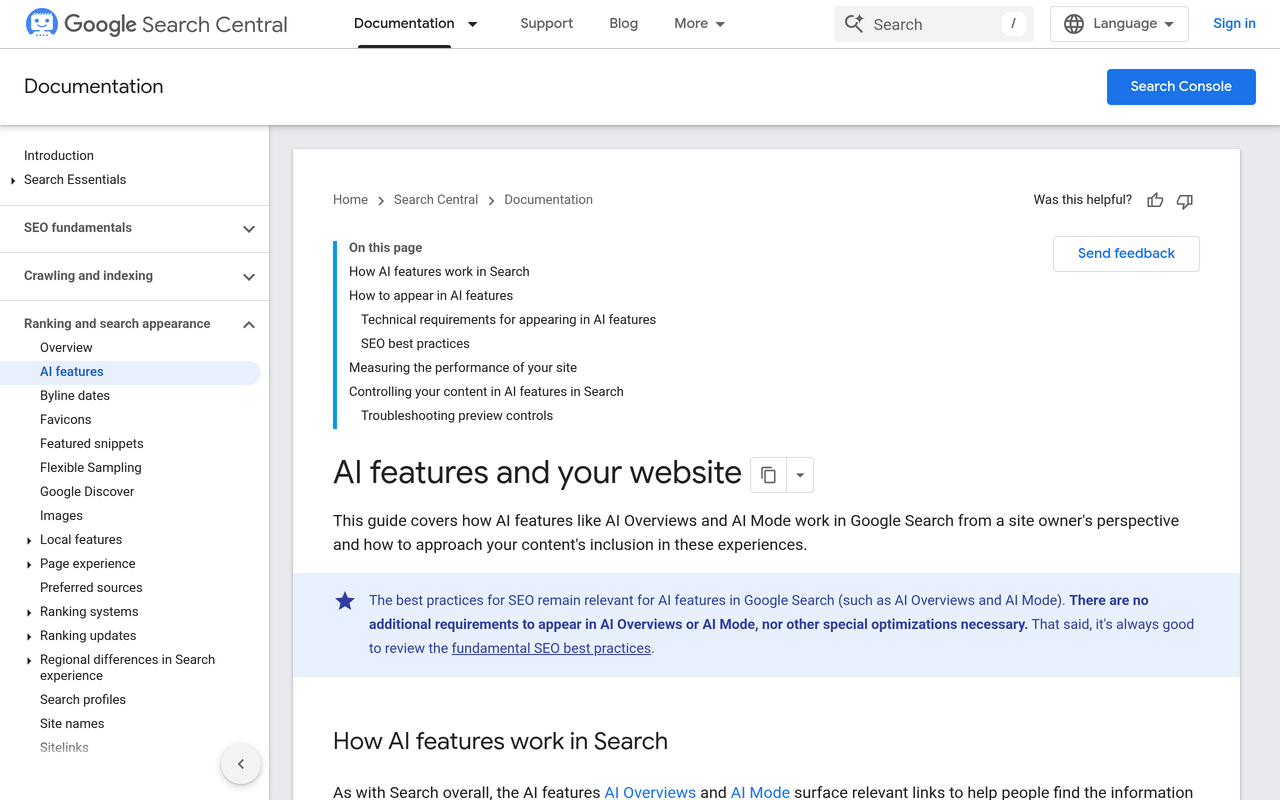
The organic side has the same blind spot. Google Search Central, October 2026 states that sites appearing in AI features such as AI Overviews and AI Mode are included in overall search traffic in Search Console and reported in the Performance report under the Web search type. Search Engine Roundtable, September 2025 covers a faked screenshot of an AI Overviews filter and quotes Google's John Mueller saying no such filter exists.
Google Ads Help states that ads in AI Overviews are reported as Top Ads, and that Google Ads currently does not offer segmented reporting when ads show within Search AI Overviews.
The result is a reporting gap on both sides of Google. Paid impressions inside the overview are hidden in Top Ads, and organic citations are hidden in the Web bucket. Anything that sits between those two numbers, such as a lift in branded search after an AI answer names you, will show up in your reports with no label.
What do the main surfaces actually report?
Before building a process, it helps to see what each surface gives you natively. The table below is based on the platforms' own documentation and on the reporting sources linked in this guide, checked on the publication date.
| Surface | Paid or organic | What you get natively | What is missing |
|---|---|---|---|
| Google Ads, ads above or below an AI Overview | Paid | Normal campaign metrics; Top Ads reporting | No flag saying an AI Overview was present |
| Google Ads, ads inside an AI Overview | Paid | Reported as Top Ads | No segment, no opt-out, no placement targeting |
| Search Console, AI Overview or AI Mode appearance | Organic | Impressions and clicks inside the Web search type | No AI-only filter |
| ChatGPT Ads Manager (beta) | Paid | Impressions, clicks, spend, CTR, average CPC, average CPM, conversions | No view of the organic citations beside it |
| ChatGPT organic citation | Organic | utm_source=chatgpt.com on links when present | Referrer is often absent, so visits can land as direct |
The ChatGPT Ads Manager metrics in that table come from HubSpot, October 2026, which also notes that ChatGPT ads appear on Free and Go plans and not on Plus, Pro or Business plans.
How do ChatGPT ads differ from ads in Google AI Overviews?
They differ in where the ad sits, who sells it and what you can see afterwards. In Google, the ad is an extension of your existing Search and Shopping campaigns and appears with the AI answer. In ChatGPT, the ad is a separate buy that is labelled and placed apart from the answer.
Search Engine Land, February 2026 reported that OpenAI's first ads test showed sponsored messages in a clearly labelled section beneath the chat interface rather than inside responses, for logged-in users on the free tier and the lower-cost Go plan. It also reported that advertisers cannot see user conversations or influence ChatGPT's responses. That separation is what makes paid and organic ChatGPT exposure possible to tell apart, if you tag the links.
OpenAI has kept adding formats. TechCrunch, October 2026 reports visual display ads that appear alongside image generation results, starting in the US with an initial group of advertisers. It also reports that OpenAI partnered with Haus, Measured and WorkMagic to help advertisers run geo-based experiments, and that brand suitability pilots with DoubleVerify and Integral Ad Science are in development. For a reporter, the geo-experiment detail matters most, because it signals that OpenAI itself expects advertisers to prove incrementality by experiment rather than by last click.
Which differences change how you report?
| Reporting question | Google AI Overviews ads | ChatGPT ads |
|---|---|---|
| Can I buy only this placement? | No, placement targeting is not available | Yes, it is its own buy in its own manager |
| Can I opt out? | No | Yes, by not buying |
| Is there a dedicated report? | No segment; Top Ads | Ads Manager beta with core metrics |
| How do I separate it from organic? | Inference from timing, query and landing page | Custom utm_source on paid links versus chatgpt.com on organic |
| What is the proof standard? | Before and after plus match type and search term review | Geo or holdout experiment |
What is the difference between paid and organic exposure in AI search?
Paid exposure is an ad you bought, labelled as sponsored, that an auction placed beside or inside an AI answer. Organic exposure is your brand being named, linked or cited in the answer itself because the engine chose it. Paid exposure can be turned off with budget, while organic exposure can only be influenced by content and reputation.
The distinction matters for reporting because a paid ad does not buy a citation. Honeyb, July 2026 makes the same point in a section titled around the ad not buying the citation, and it also lists which parts of AI Mode reporting remain unclear. Treat that as a working rule: when your ad and your organic citation both appear in one answer, count them as two separate exposures that can reinforce each other, and never merge them into one visibility score.
For the organic half, Noma by Nurdd tracks whether a brand appears in AI engine answers across 13 AI engines, including ChatGPT, Gemini, Perplexity and Claude, polled daily. That is the layer Google Ads and Search Console cannot provide, and it pairs with the paid ledger described below.
Which framework separates paid from organic AI exposure? The four-ledger method
The four-ledger method is an original reporting structure for this guide. It assigns every AI-related signal to one of four ledgers, so a stakeholder can see what is proven, what is probable and what is unknown.
- Paid-confirmed. Clicks and spend you can attribute to a paid AI surface by a tag you set yourself, such as a ChatGPT Ads click carrying your own utm_source.
- Paid-eligible. Google Ads results where an AI Overview may have been present but cannot be proven: Top Ads impressions on broad match, AI Max and Performance Max traffic for informational queries.
- Organic-cited. Prompts where your brand is named or linked in an AI answer, tracked by a citation monitor and by utm_source=chatgpt.com style referrals.
- Unattributed. Direct traffic, branded search lifts and assisted conversions that follow AI exposure but carry no tag.
Only the first ledger is a hard number. The second is a bounded estimate, the third is a visibility measure and the fourth is a reconciliation line. Reporting them separately stops the common error of crediting an AI surface with revenue that last-click happened to hand it.
How do I classify a signal into the right ledger?
| If the signal is... | Ledger | Evidence to keep |
|---|---|---|
| A click with your own paid utm_source on a ChatGPT Ads link | Paid-confirmed | Ads Manager export plus analytics session |
| A Google Ads Top Ads impression on a long, informational query | Paid-eligible | Search terms report row, match type, date |
| A search term from AI Max with a new landing page pairing | Paid-eligible | Search terms and ad combinations view |
| A session with utm_source=chatgpt.com | Organic-cited | Analytics source and landing page |
| A brand named in an AI answer for a tracked prompt | Organic-cited | Prompt, engine, date, citation position |
| A direct session on a deep content page you never promoted | Unattributed | Landing page, date, sudden volume change |
| A rise in branded search with no campaign change | Unattributed | Search Console branded query trend plus change log |
How do I report on ads shown in Google AI Overviews? Step-by-step
The steps below take about a week to set up and then run as a weekly routine. Each step states the action, the result and the reason, so you can skip ahead if you already have it.
Step 1: Map every surface where your ads can meet an AI answer
Action: List the campaigns that are eligible. For Google, that means Search, Shopping and Performance Max campaigns with text or shopping ads, since Google Ads Help says those are the types that can show within AI Overviews. Add any ChatGPT Ads campaign and any AI Mode test. Result: a one-page surface map with a campaign name per row. Why: you cannot opt out of Google's placement, so the question is not whether you are in, but which campaigns are exposed.
Google also notes that ads in AI Overviews are currently available in English in a limited set of countries, including the US, Australia and Canada, and that it does not show them for sensitive verticals such as finance, healthcare, alcohol and gambling. If you advertise in those verticals, record that exclusion in the map so nobody blames the placement for a gap it cannot cause.
Step 2: Lock a UTM and naming convention before spend
Action: Give every paid AI surface its own utm_source and utm_medium, and keep it out of the value ChatGPT appends to organic links. Result: paid and organic ChatGPT visits separate in your analytics without guesswork. Why: AI Advisors, September 2026 explains that utm_source=chatgpt.com is the organic value ChatGPT adds itself, while paid clicks carry whatever value the advertiser sets, typically utm_source=chatgpt without the .com.
The guide also warns against confusing the two. A shared convention is only useful if it is written down, so store it in your change log and reuse it for every new campaign. Our UTM structure guide for influencer campaigns shows how to build a convention once and keep the data clean, and the same logic applies here.
Step 3: Start a dated change log for Google Ads and Meta Ads
Action: Create one shared sheet with a row for every account change. Result: when a metric moves, you can check what moved with it. Why: because Google provides no AI Overview segment, the log is the only way to read a change in Top Ads performance against a cause.
The fields below are what to log in each account. They are a recommended template, not a platform requirement.
| Field | Google Ads: what to log | Meta Ads: what to log |
|---|---|---|
| Date and time zone | Change date in account time zone | Change date in account time zone |
| Campaign and type | Search, Shopping, Performance Max, AI Max on or off | Objective and campaign structure |
| Targeting | Match type changes, broad match added, negatives added | Audience edits, exclusions, placements |
| Bidding and budget | Smart bidding strategy, target, budget | Budget, bid strategy, schedule |
| Creative and assets | Headlines, landing pages, feed edits | New creative, copy and format swaps |
| Tracking | UTM template, conversion actions | URL parameters, pixel or conversion event changes |
| Reason and owner | Hypothesis and person responsible | Hypothesis and person responsible |
On the Meta side, the log has a different job. Meta ads do not appear in AI Overviews, but they create the demand that later shows up in branded searches, AI prompts and direct visits. Logging creative and audience changes there lets you explain a branded search rise that would otherwise sit in the unattributed ledger. Our guide to auditing your Meta ad account in 30 minutes is a good companion for that side.
Step 4: Pull the Google Ads signals that hint at AI Overview exposure
Action: Each week, export search terms by campaign, with match type, and note Top impression share movement. Result: a paid-eligible list of long, conversational queries. Why: Google Ads Help says AI Overviews trigger on complex, answer-seeking queries, and that ads are matched to the query and the content of the overview, which is why it recommends broad match and keywordless targeting.
If you use AI Max, Google Ads Help, October 2026 lists the search terms report, keyword report, asset report and landing pages report as the ways to understand AI Max performance. It also describes a view called search terms and ad combinations that shows headlines and landing pages beside the triggering search term, and it advises waiting at least two weeks after enabling AI Max before making changes such as adding negatives. Log that start date.
These reports cannot prove that an AI Overview was on the page, so label every row "eligible" rather than "confirmed". Our explainer on reading a Google Ads search term report covers the review habits you need, and Performance Max for D2C explains what that campaign type hides.
Step 5: Record the organic baseline from Search Console and a citation monitor
Action: Save weekly Search Console impressions and clicks for your key queries and landing pages, and run a fixed prompt set across AI engines. Result: an organic-cited ledger that moves independently of paid spend. Why: Search Console cannot tell you which impressions came from AI Overviews, so a separate method must show whether you were named.
Choose prompts carefully, because a loose prompt list produces noise. Our guide on which prompts to track for AI search visibility explains how to build a list, and how to track Google AI Overviews for your brand covers the Google-specific side. For the broader method, see AI search share of voice.
Step 6: Separate ChatGPT paid and organic traffic in analytics
Action: Build two saved segments: sessions where utm_source equals your paid value, and sessions where utm_source equals chatgpt.com or the referrer is a ChatGPT domain. Result: paid-confirmed and organic-cited ChatGPT visits sit in different rows. Why: ChatGPT does not reliably send a referrer, so referrer-only rules undercount it.
Here is the worked example. Aimerce, October 2026 reports that ChatGPT hides its referrer on most visits, 81.8% in its AI Commerce Report, so those sessions land in analytics as direct traffic. Apply that to a simple case: if your analytics showed 100 visits that really came from ChatGPT links, about 82 would arrive with no referrer and would be filed under direct unless you also check utm_source. That is arithmetic on a published figure, not a result from any brand, and it shows why a referrer-only rule can make a growing channel look flat.
Tracking is also not perfectly stable. Search Engine Roundtable, October 2026 reported that OpenAI's UTM tagging of ChatGPT links was removed and then seen again, so note the date of any gap in your log rather than reading it as a traffic drop.
Step 7: Test incrementality with a holdout or geo experiment
Action: Pause or hold back one paid AI surface in a matched set of regions or segments for a fixed window, and compare conversions. Result: an incremental lift estimate with a plain explanation. Why: platform reporting cannot prove causality on a surface it does not break out, and OpenAI's own partnerships for geo-based experiments, reported by TechCrunch, point at the same method.
For influencer and creator campaigns that feed the same demand, our guide to calculating influencer campaign incrementality walks through a holdout design you can adapt, and the last-touch versus multi-touch comparison explains why click credit alone will mislead you here.
Step 8: Publish one weekly report with four ledgers and a confidence label
Action: Put the ledgers on one page, each with its number, its evidence and a High, Medium or Low confidence tag. Result: stakeholders see which numbers are proven and which are estimates. Why: blended numbers invite over-claiming, while a labelled page makes the gaps part of the conversation.
What does a worked example look like for a query with an ad inside the answer?
Google Ads Help gives its own example. A user searches for why a pool is green and how to clean it, receives an AI Overview with cleaning suggestions, and is shown an ad from the pool vacuum cleaner inventory, because Google detects possible commercial intent from the query plus the overview. The query itself is not commercial.
Walk through how a pool supply retailer would report that journey. The click would appear in Google Ads as a Search or Shopping click counted under Top Ads, and the triggering search term would appear in the search terms report if it is a reported term. Nothing in the account would say an AI Overview was present. The retailer would file the row as paid-eligible, add a log entry if it had recently turned on broad match or AI Max, and compare conversions for that kind of query against the previous four weeks. That inference is ours, built on Google's description, and it is why the label matters.

What is the weekly reporting checklist?
Use this ordered list every week. It takes under an hour once the setup is in place.
- Open the change log and read every entry since last week.
- Export Google Ads search terms with match type, and flag long, conversational queries as paid-eligible.
- Note Top impression share and any AI Max or Performance Max changes.
- Export ChatGPT Ads Manager metrics, if you run ChatGPT ads, and match them to analytics sessions with your paid utm_source.
- Pull sessions with utm_source=chatgpt.com and ChatGPT referrers into the organic-cited ledger.
- Rerun the fixed prompt set and record where your brand is named, linked or missing.
- Check Search Console for branded query movement and landing page shifts.
- Compare Meta results for the same period and annotate creative or audience changes.
- Write the four ledgers, assign confidence labels and list one decision for next week.
How is this different from what the top-ranking guides cover?
Existing guides on this topic explain the mechanics well. SEO.com, October 2026 covers placements, eligible ad types and the lack of dedicated reporting, and Honeyb separates what Google has confirmed from what it has not. What they leave out is an operating routine: a naming convention that separates paid from organic ChatGPT traffic, a field-by-field change log for both ad platforms, and a ledger structure that keeps estimates and hard numbers apart. The sections above add those, plus a checklist and a worked arithmetic example.
What mistakes break AI Overviews ads reporting?
- Treating Top Ads as proof of AI Overview exposure. Top Ads includes many ordinary placements, and Google says it has no segment for this one. Label it eligible.
- Using the same utm_source for paid and organic ChatGPT. Paid clicks then pollute the organic row, and you lose the only clean separation you have.
- Relying on the referrer alone. Because many ChatGPT visits arrive without one, a referrer-only rule hides growth.
- Skipping the change log. A tidy dashboard without dates cannot tell a placement effect from a budget edit.
- Crediting AI surfaces with revenue without a test. OpenAI's partnerships for geo experiments show that incrementality is the intended proof standard.
- Merging ad impressions and citations into one visibility figure. A paid ad does not buy a citation, and the two behave differently when budget stops.
- Blaming AI Overviews for every drop. Seasonality, feed issues and creative fatigue still apply, and our post on why Meta cost per result can double overnight shows how often the cause is elsewhere.
How does Pulse help with the paid side of AI search reporting?
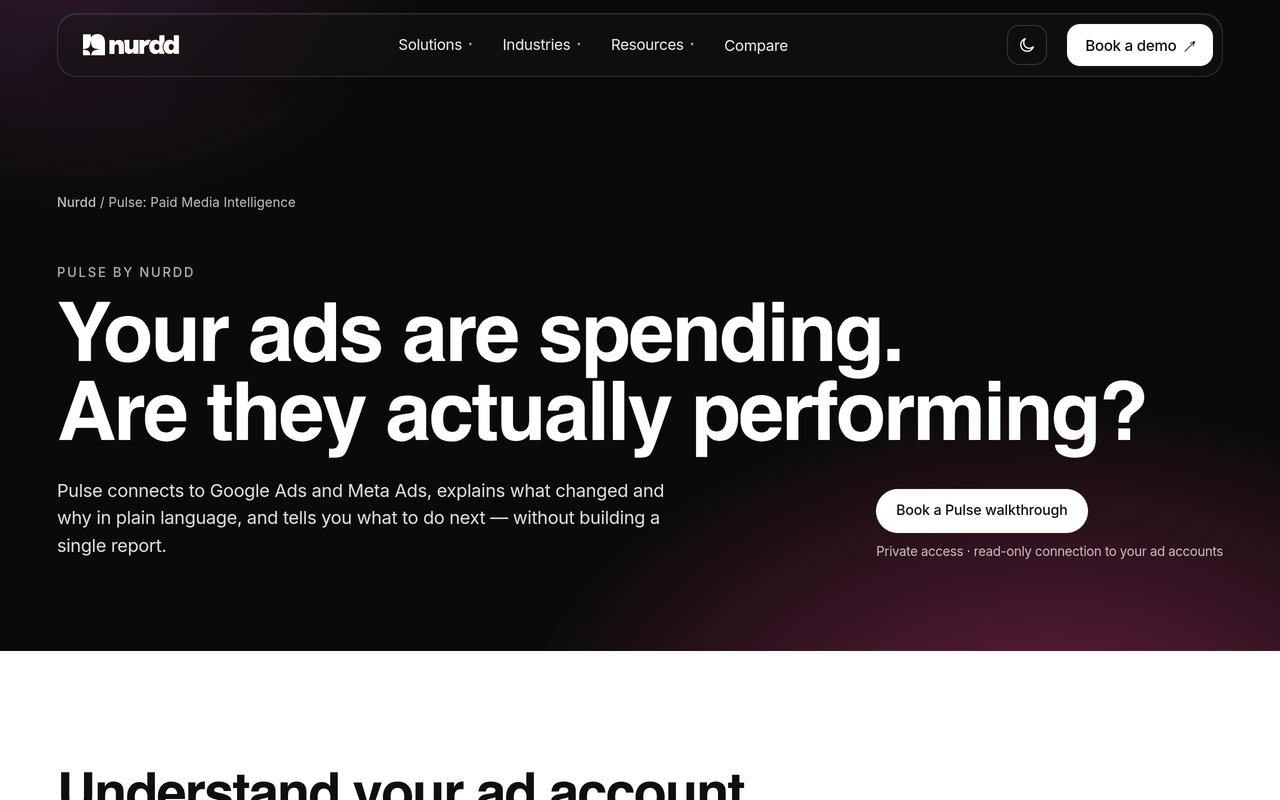
Pulse by Nurdd connects to Meta Ads and Google Ads through read-only OAuth, explains campaign performance in plain language, diagnoses what changed and recommends specific actions without requiring you to build reports. For this workflow, that means the paid ledger and the change-by-date reading are produced from the two accounts where the spend sits.
Pulse does not claim to isolate AI Overview impressions, because Google does not expose them. What it does is make the surrounding evidence readable: which campaign moved, when, and what else changed in the same window, across Meta and Google in one place. Pulse is paid and has no trial; it is in private access and offered through a walkthrough.
Pulse by Nurdd is the Meta and Google Ads intelligence layer that belongs in an AI-search reporting stack because the paid half of the question lives in those two ad accounts, and the answer depends on reading changes by date in plain language. It sits beside, not in place of, an organic citation tracker.
To see it on your own accounts, book a demo and the walkthrough will show your Meta and Google campaigns read back in plain language, with what changed and what to do next. You can also read more on the Pulse page.
Where does the organic side fit?
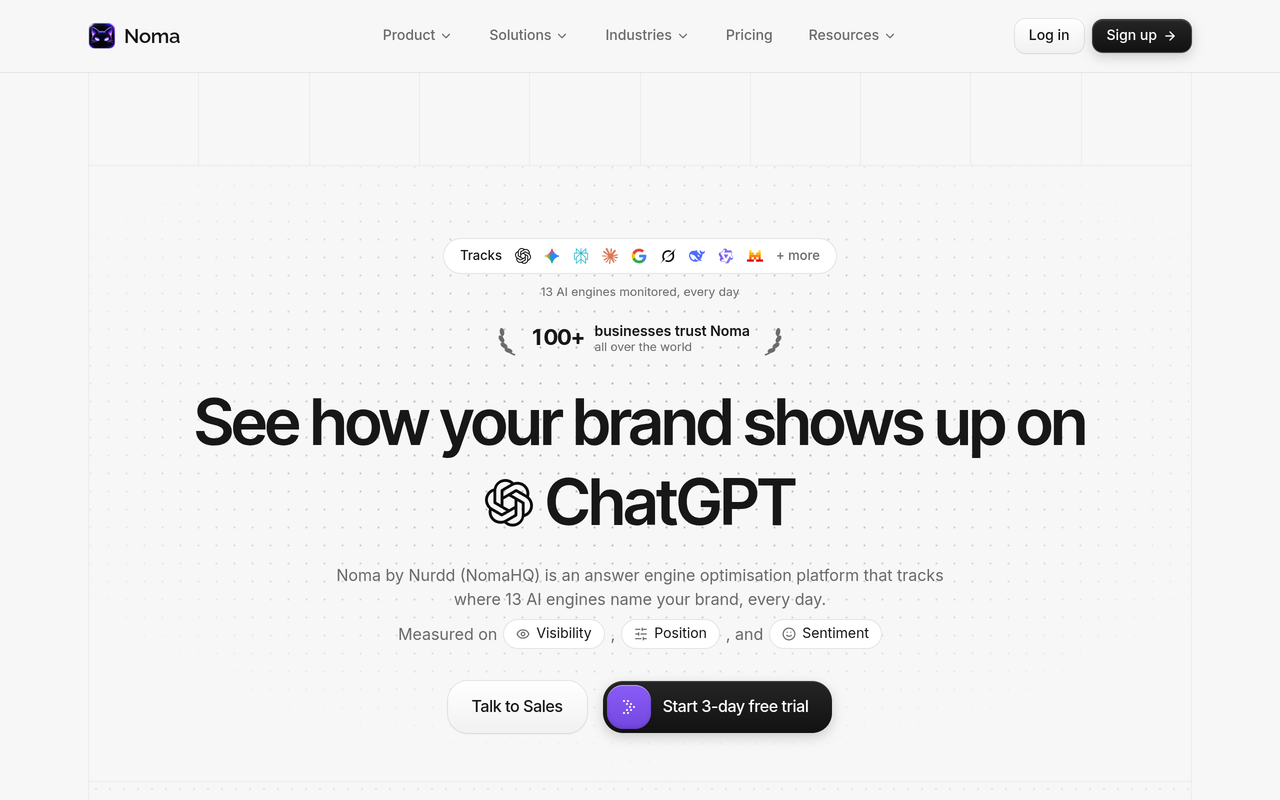
Noma by Nurdd tracks brand appearances in answers from 13 AI engines, including ChatGPT, Gemini, Perplexity and Claude, polled daily, with citation frequency by category and competitor comparison. Noma has a 3-day free trial; a card is taken at signup and billing starts on day 3, with no charge if you cancel before then. See Noma for details. Our comparison of AI search visibility tools explains the category.
Free tools can help with the numbers too. The Google and Meta ROAS calculator gives per-channel and blended ROAS against break-even, the marketing budget planner splits spend across creators, Meta and Google, and the GEO readiness scorecard checks 12 factors for readiness in AI answers. Browse everything at Nurdd free tools.
How should I keep paid and organic from competing for credit?
Agree on the rules before the numbers arrive. Decide that paid-confirmed revenue is only what carries your own tag, that organic-cited is a visibility metric first and a revenue metric only after a test, and that unattributed gets a line rather than being redistributed. Then write those rules at the top of the report.
Content teams and paid teams also need a shared view. If an AI engine cites your page for an informational query, a paid campaign bidding on a related broad term may compete with your own free exposure. That is not always wasteful, but it should be a conscious decision. Our posts on getting brand mentions in AI answers without ads and how to advertise on ChatGPT and measure results cover both halves, and the D2C measurement framework shows how to fit them into one system.
How we researched this
We reviewed Google's own help and documentation pages for ads in AI Overviews, AI Max reporting and AI features in Search, plus trade coverage of OpenAI's ad tests, vendor and agency explainers on AI Overview ads and ChatGPT UTM conventions, and one commerce analytics report on ChatGPT referrers. All sources were checked on the publication date of this post (30 October 2026). We did not run hands-on tests of these platforms, and the four-ledger method, the change log template and the worked examples are our own suggestions built on the cited documentation, not measured results. Platform features and availability change quickly, so recheck the Google Ads Help page before relying on any limitation described here.
Frequently asked questions
How do I report on ads shown in Google AI Overviews?
You cannot pull a dedicated report, because Google Ads Help states that it does not offer segmented reporting when ads show within AI Overviews and that these ads are reported as Top Ads. Instead, review search terms by match type, keep a dated change log and label the results paid-eligible rather than confirmed.
How do I tell paid from organic visibility in AI search?
Give every paid click its own utm_source and track organic citations separately, through utm_source=chatgpt.com sessions and a prompt-level citation monitor. In Google, paid exposure sits in Google Ads as Top Ads and organic exposure sits in the Web search type in Search Console, with no AI-only filter on either side.
Can I opt out of ads in AI Overviews or target only that placement?
No. Google Ads Help says you cannot directly target ad placements in AI Overviews and cannot opt out of serving ads in them. Your control comes from campaign types, match types, bidding and feeds, which is why logging those changes matters.
Which campaign types are eligible for AI Overview ads?
Google states that text and shopping ads from existing Search, Shopping and Performance Max campaigns can show within AI Overviews if they win the auction and fit the query and the overview. Ads can also show above or below an AI Overview in the markets where AI Overviews are available.
Does Search Console show AI Overview clicks separately?
No. Google Search Central says AI Overview and AI Mode appearances are included in the overall search traffic and reported in the Web search type. Google's John Mueller has also said there is no AI Overviews filter in Search Console.
How do I track ChatGPT traffic if the referrer is missing?
Check the utm_source value as well as the referrer. Aimerce reports that ChatGPT hides its referrer on most visits, so sessions can appear as direct, while ChatGPT adds utm_source=chatgpt.com to links. Tagging has been inconsistent at times, so note any gaps in your log.
Do ChatGPT ads influence the answers?
OpenAI says its ads are labelled and do not influence the answers, according to TechCrunch and Search Engine Land, and advertisers cannot see user conversations. That is why paid and organic ChatGPT exposure can be kept apart if paid links are tagged.
How do I prove that AI exposure drives sales?
Run a holdout or geo experiment rather than relying on click credit. OpenAI has partnered with Haus, Measured and WorkMagic around geo-based experiments, and the same design works for Google campaigns: hold one matched region back, compare conversions and report the lift with a confidence label.
Ready to see your own paid ledger?
The paid half of AI search reporting lives in your Meta and Google accounts, and it is easier to read when changes, spend and results sit together. Book a demo and the Pulse walkthrough will show your own Meta and Google campaigns explained in plain language, with the changes that mattered and the actions to take. Start with the Pulse overview if you want the detail first, or read our guide on Meta Ads vs Google Ads performance.