Paid Media
AI Agents for Paid Media: What to Automate on Meta, Google
Sort reporting, anomaly checks, budget shifts and creative rotation by how safe each is to hand to an AI agent, with a risk ladder and rollout checklist.
 Sheetal Shakshi3 Nov 202616 min read

AI agents for paid media can safely take over reporting, anomaly checks and draft recommendations today, while budget shifts and creative rotation need hard caps and approval, and account structure, offers and spend ceilings should stay human. Safety depends less on the model than on the data it reads and the permissions it holds. Pulse by Nurdd connects to Meta Ads and Google Ads through read-only OAuth and explains performance in plain language, so people can check the data before any agent is allowed to act.
AI agents for paid media can safely automate reporting, anomaly detection and drafted recommendations on Meta and Google Ads today. Budget shifts and creative rotation are safe only inside hard caps with approval gates. Account structure, offers and spend ceilings should stay with people. The deciding factor is rarely the model: it is the quality of the data the agent reads and the permissions it holds.
Key takeaways
- Sort every task by reversibility, blast radius and data dependence before you decide how much autonomy an agent gets.
- Start every agent in read-only mode. Reporting and anomaly checks carry almost no risk and teach you how reliable the data is.
- Give budget and creative changes a written envelope: a daily cap, a step size and a pause rule. Without one, an agent can restart Meta's learning phase or overspend.
- Keep strategy, offers, brand-sensitive creative and incrementality testing with humans.
- Fix tracking and attribution before you automate. An agent acting on inflated ROAS will confidently scale the wrong ads.
- Roll out in stages (observe, draft, approve, act within limits) and promote a task only after it has run clean for a full review cycle.
What can AI agents automate in Meta and Google Ads?
An AI agent for paid media is software that reads advertising data, decides what matters and then either recommends or carries out a change. That separates it from a fixed rule, which only does what you wrote in advance. Flint, in its Best AI Agents for Paid Media Teams guide (October 2026), describes the category in similar terms, as tools that review performance and either recommend or execute changes.
In practice, the work splits into five jobs: reading and summarising results, spotting what changed, moving budget, rotating creative, and editing structure such as audiences, bids and keywords. The first two are analysis. The last three change live spend, which is where the risk sits.
The platforms already automate part of this themselves. Google Ads lets you create automated rules (Google Ads Help, checked November 2026) that change ad status, budget and bids on conditions you set, and trigger emails. That is the simple end of the spectrum. An agent sits above it, choosing what to check and what to propose, and can work across Meta and Google together.
Are AI agents safe to run paid media budgets?
They are safe when the agent works inside limits a human set, on data a human has verified, with a way to undo what it did. They are not safe when given open write access, unreliable conversion tracking and no spend ceiling. The question to ask is not "is the agent smart enough" but "what is the worst thing it can do in one day, and can I reverse it?"
Superscale, an agent vendor, makes the same split in its Meta ads automation playbook (June 2026): the agent owns daily tactics, while humans keep spend caps, ROAS or MER floors, final approval on sensitive creative and incrementality testing. That is a vendor's view, so treat it as a design pattern rather than proof. It lines up with the autonomy ladder below.
An agent's blast radius is its daily budget multiplied by the number of hours before anyone looks. Shrink either number and the risk shrinks with it.
Why is handing paid media to an agent harder than it looks?
Three problems recur. First, platforms already run their own automation, so an external agent can fight the platform's optimiser. Second, the data an agent reads is often wrong in ways a person would notice instantly, such as platform-reported ROAS that does not match the bank. Third, small changes have side effects: on Meta, a significant edit resets learning.
Strive Labs, in its AI agents for paid media guide (May 2026), cites McKinsey's State of AI 2025 for a gap between adoption and returns: 78% of organisations use AI in at least one business function, but only 5.5% report real financial returns. Treat that as a general AI figure, not a paid media one. It still fits what operators see: deployment is easy, and measurable impact depends on process and data.
Meta's learning rules are the clearest example of side effects. According to Ads Expert's glossary on significant edits (checked November 2026), which summarises Meta's help centre, changes to targeting, creative or the optimization event, adding an ad, pausing for 7 days or longer and changing bid strategy send an ad set back into learning. It also notes learning ends after roughly 50 optimization events in the week after the last significant edit. An agent that tidies ads every night can therefore keep an ad set permanently unstable. Our own explainer on what resets the Meta learning phase covers the mechanics.
Which paid media tasks are safe to hand to an agent?
Use the Autonomy Ladder below. It is a framework we built from the platform documentation and vendor guidance reviewed for this article, not a published standard. Each rung adds permission, and a task moves up only after it has run cleanly at the rung below.
- Rung 0, observe: the agent reads data and writes summaries. No write access at all.
- Rung 1, draft: the agent proposes specific changes (new budgets, paused ads, new copy) in a queue. A human applies them.
- Rung 2, approve: the agent prepares the change and applies it after a human clicks approve.
- Rung 3, act within an envelope: the agent applies changes on its own, but only inside caps, step sizes and pause rules, and logs every action.
- Rung 4, human only: strategy, offers, brand-sensitive creative, account structure and incrementality tests.
Decision table: task by task
| Task | Reversible? | Blast radius | Depends on clean data? | Highest safe rung today |
|---|---|---|---|---|
| Daily and weekly reporting | Yes, nothing changes | None | Yes, but errors are visible | Rung 3 (fully automated) |
| Anomaly and pacing alerts | Yes | None | High | Rung 3 |
| Diagnosing why results changed | Yes | None | High | Rung 1 to 3 as a draft |
| Pausing clearly failing ads | Mostly (can re-enable) | Low | High | Rung 3 with minimum-spend rule |
| Budget shifts between ad sets or campaigns | Partly | Medium to high | Very high | Rung 2, then Rung 3 inside a cap |
| Creative rotation and refresh | Partly (learning resets) | Medium | Medium | Rung 2, with approval for sensitive categories |
| Bid and target changes | Partly | Medium to high | Very high | Rung 2 |
| Search term negatives | Yes | Low to medium | Medium | Rung 2 |
| Auto-applying platform recommendations | Partly | High | Not under your control | Rung 1 only |
| Audience and account structure | Hard | High | High | Rung 4 |
| Offer, pricing, positioning | Hard | Very high | Not applicable | Rung 4 |
| Incrementality and lift tests | No | High | Very high | Rung 4 |
The Rung 3 ceiling on reporting and alerts is the point to remember. Those tasks cost nothing when wrong, because a person reads the output before acting on it. Everything that moves money starts one or two rungs lower.
How do you automate reporting and anomaly checks first?
Reporting and anomaly checks are the best first job for an agent because they are read-only. A weekly summary that is slightly wrong wastes ten minutes. A budget change that is slightly wrong wastes money.
A good reporting agent does three things a dashboard does not. It explains movement in plain words, it ties spend to the business outcome you care about, and it tells you when it is unsure. An anomaly agent should watch a short list: spend pacing against budget, cost per result against a trailing baseline, delivery status, disapproved ads, conversion tracking going quiet and frequency spikes.
The tracking check matters most. If conversions drop to zero overnight, the right alert is "tracking may be broken", not "this campaign has failed, pause it". Our guide to why Meta cost per result doubles overnight shows how often the cause is measurement rather than the ads.
How should an agent handle budget shifts?
Treat budget shifts as a Rung 2 task first and a Rung 3 task only inside a written envelope. The envelope has four parts: a daily and monthly ceiling, a maximum step size, a minimum amount of data before any change, and an automatic stop if results fall below your floor.
On step size, Superscale's playbook describes an agent that scales winners in increments below 20% so it does not reset Meta's learning, on roughly a 24-hour cycle. Those figures are one vendor's design choice, not a Meta rule, but they show the logic of small, spaced moves.
Worked example: a capped budget ladder
This is arithmetic, not a customer result. Suppose an ad set spends 100 per day and your envelope allows a maximum 20% step per 24-hour cycle, up to a 150 ceiling. Day one the agent may raise it to 120. Day two, 144. Day three, the next 20% step would give 172.8, so the cap holds it at 150 and the agent must stop and ask a human.
Now compare an agent with no envelope that doubles the budget to 200 on one good day of data. It has made a large, hard-to-reverse change on a thin sample, and it may have triggered a learning reset. The envelope costs you one extra day of scaling and removes that failure.
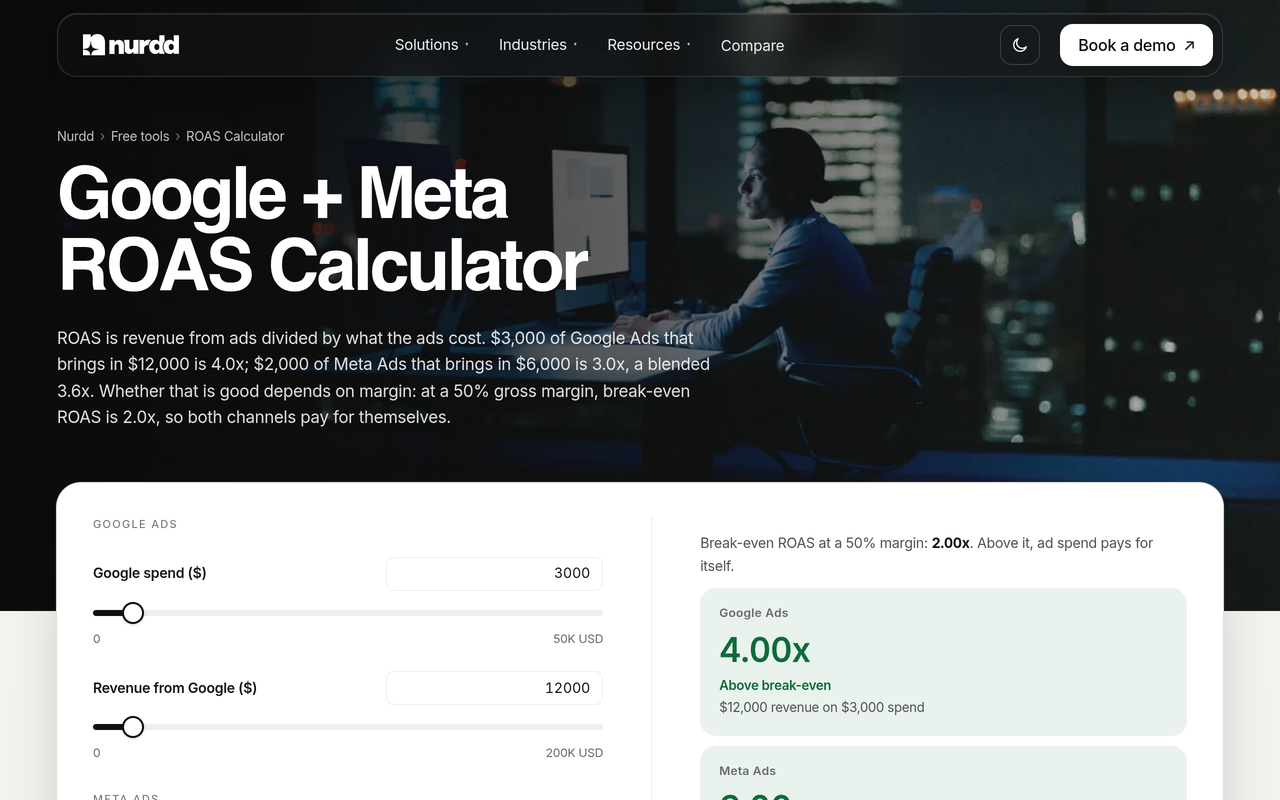
Set the floor before you set the agent loose. The Google + Meta ROAS calculator gives you break-even ROAS per channel, and the marketing budget planner helps you set the ceiling across creators, Meta and Google.
Can an agent rotate creative without hurting performance?
It can, with limits. Creative rotation is two jobs mixed together: generating variants and deciding when to swap them in. Generation is low risk because a human can review the drafts. Swapping is riskier on Meta because adding an ad or changing creative counts as a significant edit and restarts learning for the ad set.
Give a creative agent these rules: batch changes rather than trickling them in daily, retire an ad only after a minimum spend and a clear frequency or cost signal, and send anything in a regulated or sensitive category to a person for approval. Superscale's playbook also keeps final approval of sensitive creative with humans, which is a sensible default.
If your creative pipeline is the bottleneck, that is a separate problem from ad operations. Nia by Nurdd is an AI-native creative studio that makes product and UGC ads from a link, and its overview page explains how creator and AI-creator casting works. Keep the production tool and the buying agent as separate steps with a human review between them.
What about Google's own automation: rules, recommendations and auto-apply?
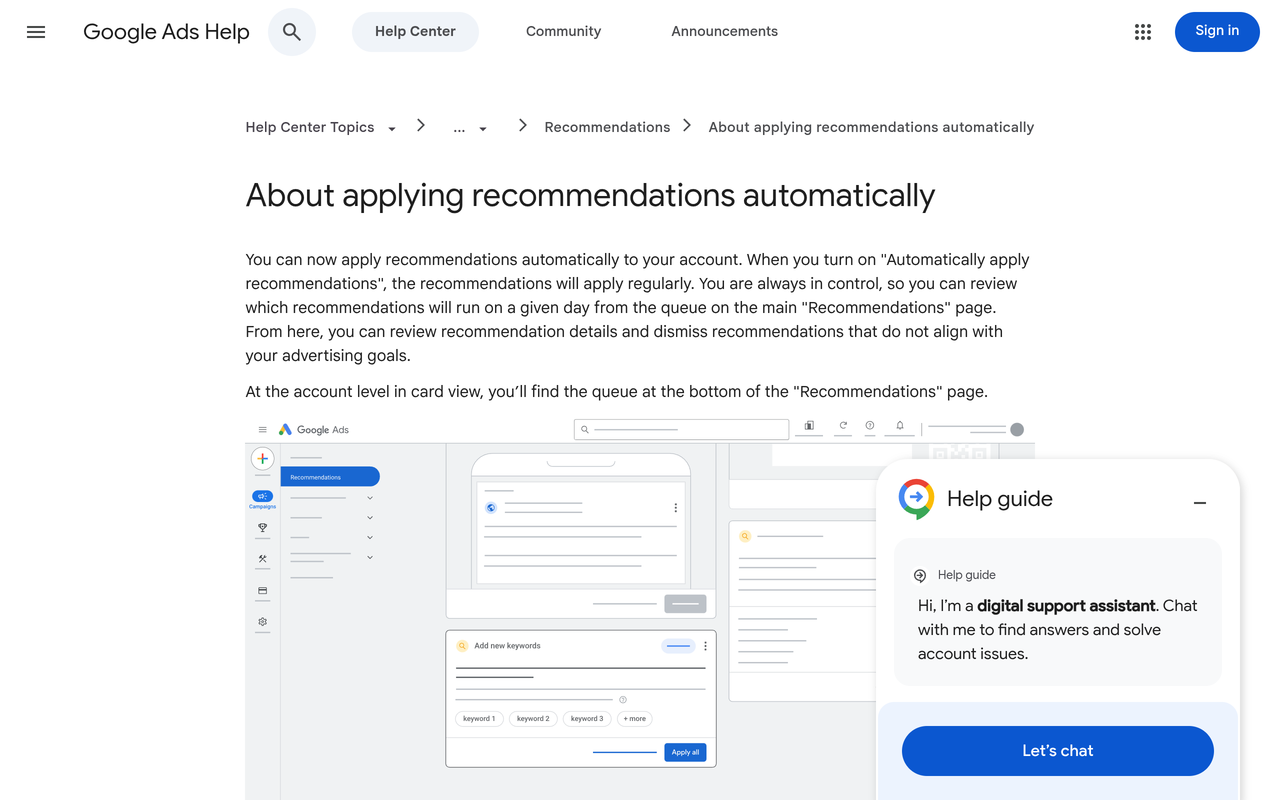
Google already offers automation you can switch on today, and two of its features are worth separating. Automated rules are conditional: you define the trigger and the action. Auto-apply recommendations are different: Google decides what to apply.
Google's help page says that when you turn on automatic application, recommendations apply regularly, and you can review the day's queue and dismiss items that do not fit your goals (Google Ads Help, checked November 2026). Because Google chooses what to apply, we would treat auto-apply as Rung 1 at most: read the suggestions, apply the good ones yourself.
An external agent should never be the second optimiser fighting the first. If Smart Bidding is managing bids, let the agent report on it and manage budgets, negatives and creative around it, rather than overriding targets daily. Our piece on Google Performance Max for D2C explains what that algorithm hides from you.
What do read-only connections like MCP change?
The Model Context Protocol (MCP) is an open standard that lets language models query external applications. PPC Land reported that the Google Ads API team announced an open-source MCP server on October 7, 2025 (PPC Land, October 2025), for use with Ads API data.
The principle matters for safety. A read-only connection lets an agent answer "what changed and why" without any ability to change spend. Third-party servers may expose write operations such as creating campaigns and managing budgets, so check the permissions of whatever you connect. If a tool can write, your envelope has to be enforced outside the agent, in the platform's own spend limits and approvals.
How do you roll out an agent step by step?
Follow these six steps in order. Each follows the pattern action, result, reason.
Step 1: Audit tracking and attribution
Compare platform-reported conversions with your store or CRM for the last 30 days. The result is a known gap you can state, such as "Meta over-reports by a fifth". This matters because an agent optimises toward whatever number you feed it. Our guide on why Meta ROAS looks better than your bank account shows how to find the gap, and the 30-minute Meta account audit is a quick start.
Step 2: Write the envelope
Document the daily and monthly spend ceiling, step size, minimum data before action, ROAS or cost-per-result floor and categories that always need approval. The result is one page the agent and the team both follow. It exists because "use judgement" is not a control a machine can apply.
Step 3: Connect read-only and run at Rung 0
Give the agent read access and let it write reports and alerts for two to four weeks. The result is a record of what it noticed against what your team noticed. This shows whether the data is clean enough to trust before any money moves.
Step 4: Move to Rung 1 drafts
Ask the agent to propose changes in a queue with its reasoning. Track how many a human would have accepted. If the acceptance rate is poor, the problem is the data or the instructions, and more autonomy would amplify it.
Step 5: Promote single tasks to Rung 2 and 3
Promote one task at a time, starting with pausing clear losers and adding negatives. Add budget shifts last. Promoting task by task keeps any failure traceable to a single change.
Step 6: Review on a fixed rhythm
Review the action log weekly and the envelope monthly. Quarterly, run a holdout or lift test, since platform numbers cannot tell you what was incremental. For influencer and creator spend the same logic applies; see how to calculate incrementality.

Checklist: is your account ready for an agent?
- Conversion tracking has been checked against store or CRM data in the last 30 days.
- You know your break-even ROAS or cost per result for each channel.
- A daily ceiling, monthly ceiling and maximum step size are written down.
- The agent connects with the least permission it needs, starting read-only.
- Every action it takes is logged with a reason and can be undone.
- Sensitive creative categories are flagged for human approval.
- Someone owns a weekly review of the log and a named person can switch the agent off.
- Platform auto-apply settings are reviewed so the agent and the platform are not both changing the same thing.
What mistakes do teams make with AI agents for paid media?
- Automating before measuring. If conversion data is inflated, the agent scales the wrong things faster.
- Giving write access on day one. Read-only first costs a few weeks and prevents the worst surprises.
- Letting two optimisers fight. Daily bid overrides on top of Smart Bidding, or constant edits on top of Meta's delivery, keep resetting learning.
- Judging on short windows. A day or two of data is noise for most budgets. Require a minimum sample before any action.
- No kill switch. The person who can stop the agent should be named before it starts.
- Treating the agent as the strategist. It handles tactics inside a brief. Offer, audience and positioning remain human decisions.
How does Pulse help you check the data before an agent acts?
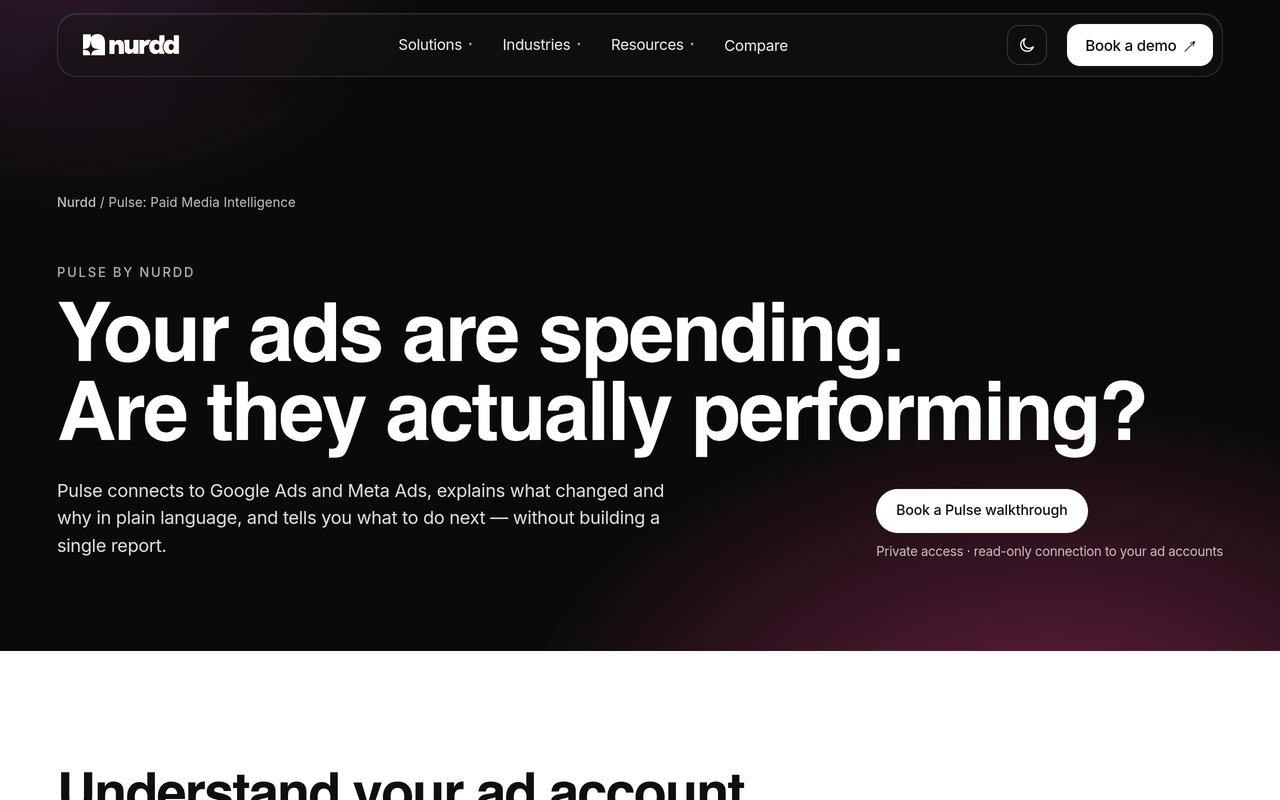
An agent is only as reliable as the numbers in front of it, and checking those numbers is the gap Pulse by Nurdd addresses. Pulse is a web dashboard that connects to Meta Ads and Google Ads through read-only OAuth, explains performance in plain language, diagnoses what changed and recommends specific actions without anyone building reports.
Because the connection is read-only OAuth, Pulse is not set up to edit your campaigns. People on your team read its plain-language diagnosis of both platforms before anything is changed. We are not claiming a direct agent integration, only that one explained view of Meta and Google is a better starting point than raw exports from two interfaces.
Pulse by Nurdd is the paid media intelligence product from Nurdd, built to read Meta Ads and Google Ads together, explain what changed and suggest what to do next. It belongs in this answer because every task on the autonomy ladder starts with trustworthy reading. It is paid, has no trial and is in private access.
Want to see it? Book a walkthrough of Pulse to see how it explains changes in Meta and Google Ads performance and what actions it recommends.
How does this compare with agent platforms and agencies?
Agent vendors sell action. Flint's guide compares 14 tools using publicly available documentation, and the right question for any of them is which rung of the ladder they operate at and whether you can cap them.
| Option | Typical role | Permission model | Where it fits on the ladder |
|---|---|---|---|
| Platform automation (Google rules, Advantage+, Smart Bidding) | Built-in conditional or automated changes | Inside the ad platform | Rung 3 for rules you wrote; Rung 1 for auto-apply |
| Action agents from vendors | Read, recommend and sometimes write | Varies by tool and integration | Rung 1 to 3, check the permission |
| Pulse by Nurdd | Explain performance, diagnose changes, recommend actions | Read-only OAuth to Meta and Google Ads; explains performance and recommends actions | People read the output before acting |
| Managed service | People run the accounts and report | Agency access | Human operated; see our paid social advertising agency |
If you are deciding between software and people, paid social advertising agency vs software and paid social reporting: agency or software? weigh the trade-offs. For broader context on agents outside ads, see AI agents for marketing.
Which numbers should an agent be judged on?
Judge an agent on outcomes you could verify without it: cost per result against the trailing baseline, share of recommendations your team accepts, time from anomaly to alert, and the number of actions it had to be reversed. Do not judge it on platform-reported ROAS alone. Our article on D2C KPIs that beat ROAS lists alternatives, and one measurement system for all channels shows how to reconcile them.
Paid media is also shifting as AI answers become an ad surface. If your agent will report on those placements, read paid media reporting for ChatGPT ads and AI Overviews and how to advertise on ChatGPT first.
Conclusion
Hand an agent the reading first, the drafting second and the money last. Reporting and anomaly checks pay back immediately with almost no risk. Budget shifts and creative rotation earn autonomy only inside caps you set, on data you have checked. Strategy, offers and incrementality stay with people.
If you want a clear, plain-language view of Meta and Google performance before you give any agent permission to act, book a Pulse walkthrough. You can also read the Pulse product page.
How we researched this
We reviewed vendor guides on AI agents for paid media, official Google Ads help pages, trade press coverage of Google's Ads API MCP server and glossary pages summarising Meta's learning rules. We read three agent guides from Flint, Strive Labs and Superscale to see what they cover and omit. We did not run hands-on tests of any agent, and the Autonomy Ladder and worked example are our own framework and arithmetic, not measured results.
Frequently asked questions
What can AI agents automate in Meta and Google Ads?
They can automate reporting, anomaly and pacing alerts, diagnosis of changes, drafted recommendations and, within limits, pausing clear losers, adding negatives, budget shifts and creative rotation. The riskier the change, the more it needs a cap and approval. Strategy, offers and account structure should remain human decisions.
Are AI agents safe to run paid media budgets?
They are safe inside a written envelope: a spend ceiling, a maximum step size, a minimum data threshold and a stop rule, on tracking you have verified. Without those limits, open write access is risky. Start read-only and promote one task at a time.
What is the difference between an AI agent and an automated rule?
An automated rule performs an action you defined when a condition is met, such as the Google Ads rules that change status, budget or bids. An agent decides what to look at and what to propose, and can work across platforms. Rules are predictable; agents are flexible but need tighter oversight.
Should I turn on Google Ads auto-apply recommendations?
Be cautious. Google lets you review and dismiss the queue of recommendations, so reading them and applying selected ones yourself keeps control with your team. Treat auto-apply as a draft source, not a decision-maker.
Will an agent reset the Meta learning phase?
It can. Changes to targeting, creative or optimization event, adding an ad, pausing for 7 days or more and changing bid strategy are treated as significant edits. Batch changes and avoid daily edits to the same ad set.
Is a read-only connection enough to be useful?
Yes, for the first stages. Reporting, alerts and diagnosis need only read access. Pulse by Nurdd also connects to Meta and Google Ads through read-only OAuth and explains performance in plain language.
Do I still need a media buyer?
Yes. Agents handle repeatable tactics, but someone must own strategy, offers, creative judgement and incrementality testing. The role shifts from daily adjustments to setting limits and reviewing the log.
How long should I run an agent in observe mode?
Two to four weeks is a sensible minimum for most accounts, long enough to see weekly cycles and compare the agent's alerts with what your team caught. Move on only when its summaries and alerts have been consistently accurate.
Ready to see how Pulse explains your Meta and Google performance before any agent acts? Book a walkthrough of Pulse.