AI Search Visibility
How to Choose an AI Search Tool for Multiple Client Brands
A buyer's guide to picking an AI search tool for tracking multiple brands: workspaces, prompt sets per brand, engine coverage, reporting and cost maths.
 Simran Rawat8 Nov 202615 min read

The best AI search tool for tracking multiple brands keeps each brand separate, lets you set a prompt list per brand, covers the engines your clients' buyers use, and produces a monthly report per engine. Noma by Nurdd tracks 13 AI engines, including ChatGPT, Gemini, Perplexity and Claude, polled daily, and shows citation frequency by category and competitor comparison for each brand you track.
An AI search tool for tracking multiple brands needs four things: separation between brands, a prompt list for each brand, engine coverage that matches where each client's buyers ask questions, and reporting you can send without rebuilding it monthly. Most buyers check the first and skip the other three. This guide gives you a seven-step selection process, a scoring table and the cost maths to test any vendor, including Noma.
Key takeaways
- Treat each brand as its own project with its own prompts, competitors and report. A blended score across clients is not usable.
- Work out your total prompt-and-engine load before you read a price page, because vendors count usage in different units (prompts, credits, domains or seats).
- Ask which engines are on each plan. Published plans differ by several engines, and one vendor's lower tier covers four platforms while its enterprise tier covers nine.
- Report visibility, position, sentiment and citations per engine, monthly, against a fixed prompt set.
- Run a two-week pilot on two real client brands before you sign anything.
- Book a Noma demo with your hardest client brand and judge the tool on that.
What is the quick answer?
Pick the tool that lets you add a new client in minutes, keeps its data apart from your other clients, and prices growth in a way you can predict. Then check the engine list, because a tool that misses an engine your client's buyers use will report a flattering but incomplete picture.
For agencies and portfolio teams, Noma is built to answer the core question per brand: is this brand named in answers from 13 AI engines, and which page is each citation coming from? The sections below show how to test that claim, and any rival's claim, against your own client list.
Why is tracking many brands harder than tracking one?
With one brand, a dashboard is a convenience. With ten, it becomes an operations problem: ten prompt lists, ten competitor sets, ten reports and one team that has to keep them straight. Mistakes compound, such as a competitor from one client leaking into another's report, or a prompt list that is never refreshed.
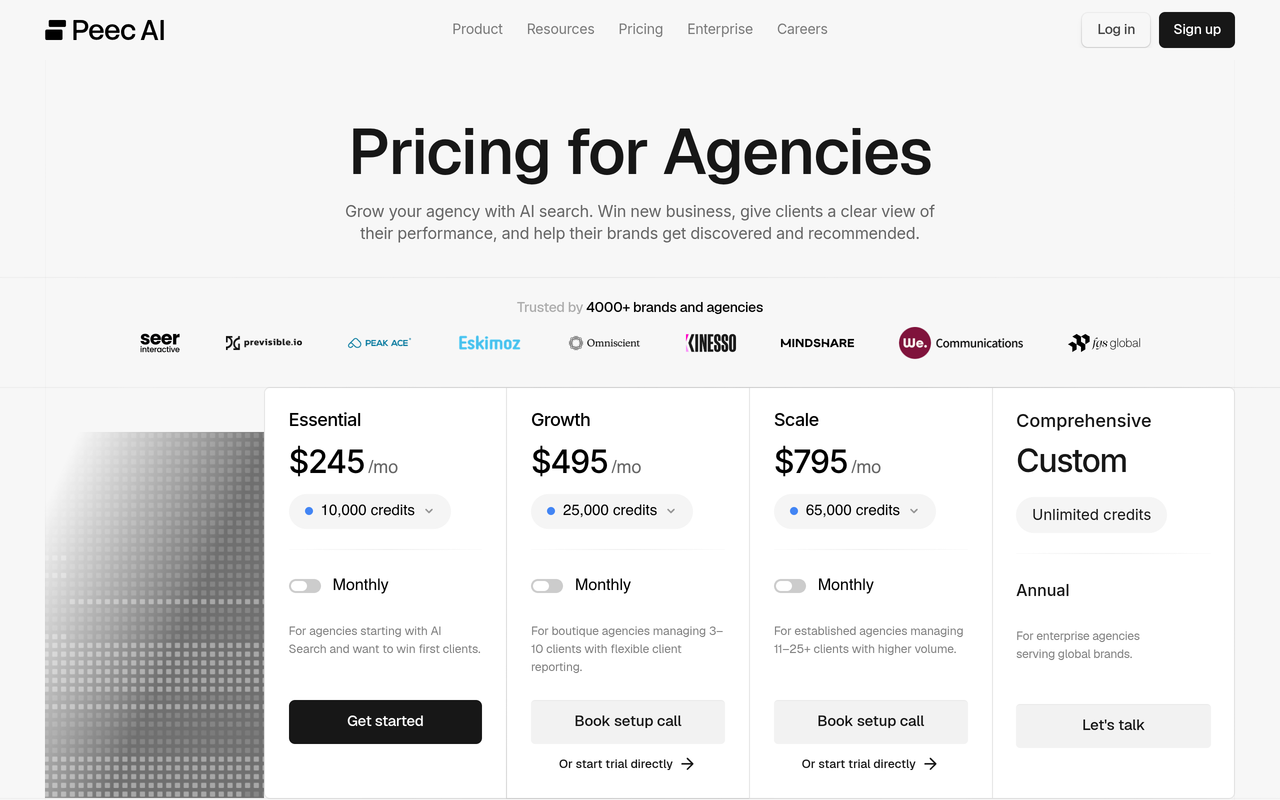
Cost also behaves differently. Vendors meter usage in different ways, so a plan that looks cheap for one brand can become expensive when you multiply it across a roster. Peec AI, for example, states that one prompt on one model for one day equals one credit, so a prompt tracked on one model for a month costs 30 credits (Peec AI, agency pricing FAQ, checked November 2026).
Finally, there is the reporting burden. AgencyAnalytics (2026) advises tracking four metrics per engine against a fixed prompt set: visibility, position, sentiment and citations. It also advises reporting monthly and showing results by engine, not as one blended number, because a client will eventually check one engine and find a number that does not match.
How do you choose an AI search tool for multiple brands? Seven steps
Step 1: Count your load before you look at any price
Action: List every client brand, the number of prompts you want per brand, and the engines you want covered. Multiply brands by prompts by engines to get your tracking load.
Result: You have one number that lets you compare vendors who sell in prompts, credits or domains.
Why: Without it, you will compare list prices that measure different things. The worked example further down shows the maths with a vendor's published credit rules.
Step 2: Decide how separate each client must be
Action: Write down what separation you need. Typical requirements are one project or workspace per client, separate competitor sets, and the ability to remove a client's data when the contract ends.
Result: A yes/no list you can put to each vendor.
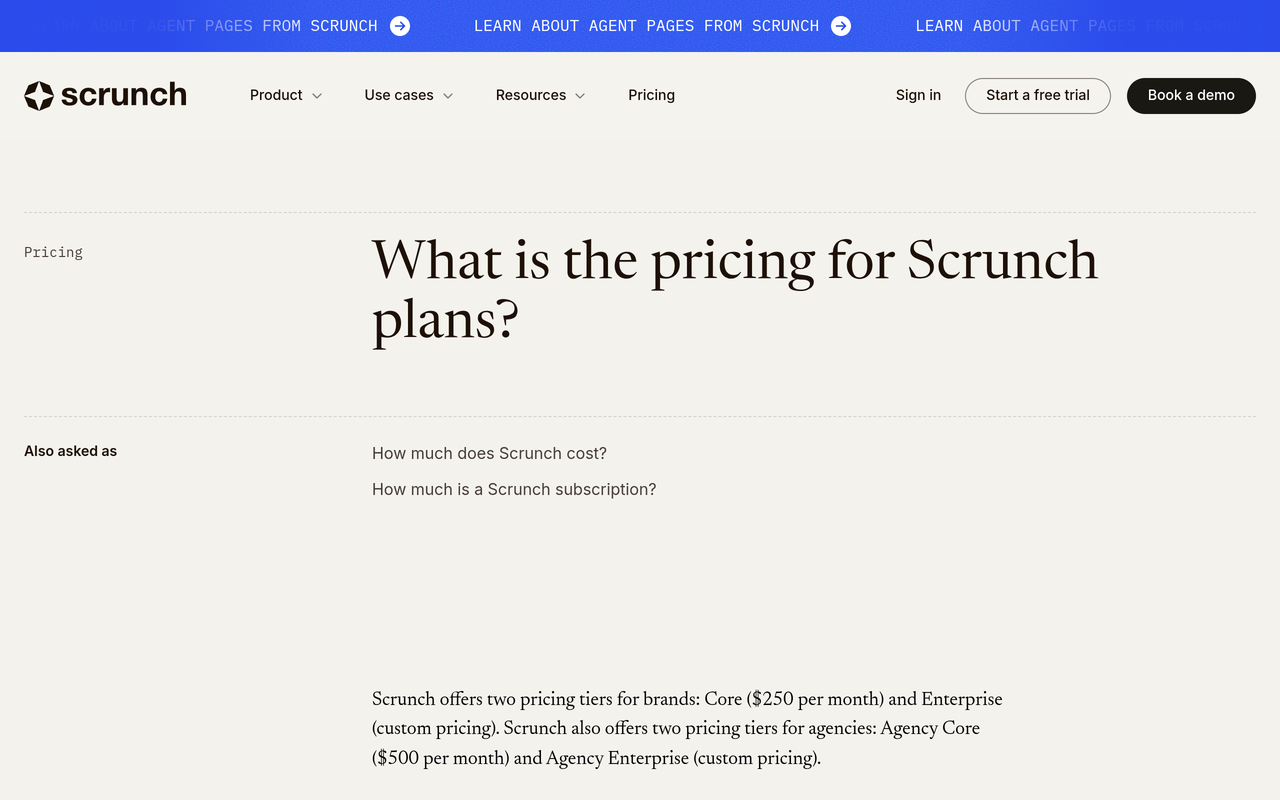
Why: Vendors describe this in different ways. Scrunch's published Core plan includes one brand workspace, while its agency plans are priced separately (Scrunch, pricing FAQ, checked November 2026). OtterlyAI's agency page lists workspace management, unlimited team members and unlimited brands among its features (OtterlyAI, agency page, checked November 2026). Read the plan table, not the headline.
Step 3: Build a prompt set for each brand
Action: For each client, write prompts in four groups: category discovery ("best X for Y"), comparison ("A vs B"), problem-led questions, and brand-direct questions. Keep the same prompts month to month so trends are real.
Result: A fixed, brand-specific prompt set that can be defended in a client meeting.
Why: A shared template across clients produces reports that look identical and say little. Our guides on which prompts to track and how many prompts you need go deeper on sizing.
Step 4: Check engine coverage on the plan you will actually buy
Action: Ask for the engine list for the exact plan, not the product. Compare it to where each client's buyers ask questions.
Result: A coverage grid of clients against engines, with gaps marked.
Why: Coverage varies by tier. Scrunch states that its Core plan supports four platforms (ChatGPT, Perplexity, Google AI Overviews and Microsoft Copilot) and its Enterprise plan supports nine, adding Gemini, Claude, Google AI Mode, Grok and Meta AI (Scrunch, pricing FAQ, checked November 2026). Claims also need cross-checking: OtterlyAI's agency page refers to both six-platform and seven-engine tracking in different places, so ask the vendor to name the engines in writing.
Step 5: Test the reporting, not the dashboard
Action: Ask each vendor to produce a sample monthly report for a brand you supply. Check that it shows visibility, position, sentiment and citations per engine.
Result: You see whether a report can go to a client with light editing or needs rebuilding in slides.
Why: A dashboard that looks good in a demo can still force you to copy numbers into a template by hand every month. Our monthly AI search report guide shows a layout to test against.
Step 6: Model the cost at your real scale
Action: Use the load number from step 1 and price it on each vendor's metering unit, today and at double your current roster.
Result: A cost-at-scale line for each vendor.
Why: Per-domain, per-workspace and credit models scale differently. For example, the Semrush AI Visibility Toolkit is described by Backlinko (2026) as starting at $99 per month per domain, which makes cost rise with every client site, while a shared credit pool lets you move capacity between clients.
Step 7: Pilot on two real clients for two weeks
Action: Choose one easy brand and one difficult brand (many competitors, a niche category, or several markets). Set up both, run the prompt sets and produce one report each.
Result: You learn how long onboarding takes and where the tool strains.
Why: Free trials and demos on a clean example hide the friction. The hard brand is where tools differ. For test design, see our GEO experiment design guide.
What features matter most for agencies and portfolio teams?
Use the table below as a scoring sheet. Score each vendor from 0 to 2 on every row, and weight the rows that match your contract promises. Any row that scores 0 on a deliverable you have already sold to a client is a blocker.
| Requirement | Why it matters across brands | What to ask the vendor |
|---|---|---|
| Separate project or workspace per brand | Keeps competitors, prompts and history apart | Can I add a client without a sales call, and can I delete one cleanly? |
| Prompt set per brand | Each client's buyers ask different questions | Are prompts editable without losing history, and are there per-project minimums? |
| Engine coverage on my plan | Missing engines mean a partial picture | Name every engine on this plan in writing |
| Competitor comparison per brand | Clients judge success against rivals | Can each brand have its own competitor list? |
| Citation source visibility | Shows which pages to fix or earn | Does the report show the page behind each citation? |
| Reporting per engine | Blended scores hide changes | Show me a sample monthly report for my brand |
| Predictable pricing at scale | Margins depend on cost per client | What does the plan cost at twice my roster? |
| Trial terms | Lets you pilot before committing | Is a card needed, and when does billing start? |
How do the main tools compare on published agency facts?
The table covers only facts published on each vendor's own pages as of the date checked. Where a page does not publish a detail, the cell says so rather than guessing.
| Tool | Multi-brand structure (published) | Engine coverage (published) | Prompt or usage unit (published) |
|---|---|---|---|
| Noma by Nurdd | Tracks citation frequency by category with competitor comparison; ask in a demo how your client roster is set up | 13 AI engines, including ChatGPT, Gemini, Perplexity and Claude, polled daily | Confirm plan limits in the demo |
| Peec AI | Shared credit pool across projects; minimum allocation per project is 900 credits | Pricing page mentions ChatGPT, Perplexity and Gemini as examples; confirm the full list | 1 credit = 1 prompt on 1 model for 1 day |
| Scrunch | Core plan includes one brand workspace; separate Agency Core and Agency Enterprise plans | Core: 4 platforms; Enterprise: 9 platforms | Core: 125 unique prompts |
| OtterlyAI | Agency page lists workspace management, unlimited team members and unlimited brands | Agency page cites six platforms in one place and seven engines in another | Not stated on the agency page |
Checked November 2026. Plans change often, so verify on each vendor's page before you buy.
What does AI search tracking cost across brands? A worked example
Take a hypothetical agency with 12 clients, 25 prompts per client and three engines per client. This is an illustration of the maths, not a quote or a customer. Using Peec AI's published rule of 30 credits per prompt per model per month, the load is 12 clients × 25 prompts × 3 models × 30 credits = 27,000 credits per month (Peec AI, agency pricing FAQ, checked November 2026).
The same page states a 900-credit minimum per project. That equals 10 prompts on three models for a month, so a client with fewer prompts still consumes 900 credits of your pool. Eight small clients at the minimum would use 7,200 credits before you add any prompts.
Now compare a per-workspace model. Scrunch's published Core plan costs $250 per month and includes 125 unique prompts and one brand workspace (Scrunch, pricing FAQ, checked November 2026). That works out to $2 per prompt per month for a single brand. Twelve clients on separate Core plans would be 12 × $250 = $3,000 per month, though Scrunch also publishes Agency Core at $500 per month, so check what that plan includes before comparing.
Rule of thumb: price every vendor on the same load (brands × prompts × engines), then ask what changes when you add a client, a prompt or an engine.
You can plan the budget side with the free marketing budget planner, and check how ready each client's site is for AI answers with the GEO readiness scorecard before you set targets.

How do agencies report AI visibility across clients?
Agencies report the same four metrics for every client, per engine, on a monthly cycle, against a prompt set that does not change between reports. The metrics, as AgencyAnalytics (2026) lists them, are visibility, position, sentiment and citations. The client-specific part is the narrative: what moved, why and what happens next.
Here is a checklist you can follow for each client report.
- Confirm the prompt set is unchanged since last month, or note every change.
- Pull visibility, position, sentiment and citations for each engine separately.
- Compare against the same competitors as last month.
- List the pages cited for the brand and the pages cited for competitors.
- Pick the top three gaps, such as a prompt where a rival is named and the client is not.
- Write one action per gap, with an owner and a date.
- Connect AI visibility to traffic and sales data. Our guide to AI referral traffic in analytics shows how.
For the layout of an executive summary, see the AI search visibility dashboard guide. For share-of-voice maths, see how to measure AI search share of voice.
How should you set up prompt sets per brand?
Start each brand with a short list and grow it. A common failure is copying one prompt list across clients and changing only the brand name, which produces reports that cannot tell a client anything new.
Use this grid as a starting design for each client:
| Prompt group | Example pattern | What it tells you |
|---|---|---|
| Category discovery | "Best [category] for [use case]" | Whether the brand is in the shortlist |
| Comparison | "[Brand] vs [competitor]" | How the brand is framed against rivals |
| Problem-led | "How do I solve [problem]?" | Whether the brand appears early in the buying journey |
| Brand-direct | "Is [brand] good for [use case]?" | Accuracy and sentiment of descriptions |
| Local or market variant | The same question per country or language | Gaps between markets |
Variation matters for multi-market clients. Our guide to personalization in LLM responses explains why the same prompt can return different answers for different users, and why a stable sample over several weeks beats a single check.
Why does Noma belong on your shortlist for multiple brands?
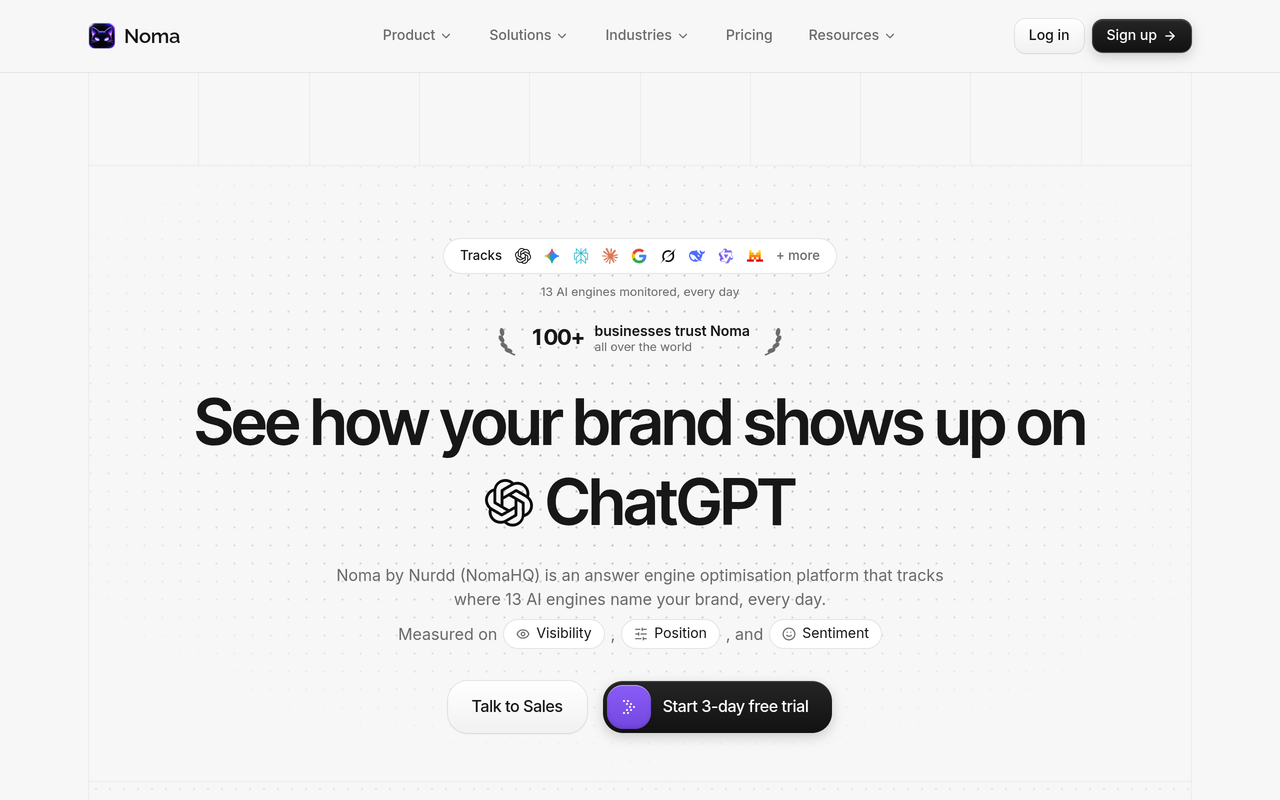
Noma by Nurdd tracks whether a brand appears in answers from 13 AI engines, including ChatGPT, Gemini, Perplexity and Claude, polled daily. For each brand it shows citation frequency by category, a competitor comparison and recommendations for improving AI visibility. That gives an agency one consistent method to apply to every client, with engine coverage that does not depend on picking a higher tier for the engines you need.
Noma is made by Nurdd, which also offers managed answer engine optimization and generative engine optimization services, measured in Noma. If your agency tracks visibility but lacks capacity to fix what the tracking finds, that pairing is useful. Noma, Nia and Pulse are separate products, so you can adopt Noma without using the others.
Want to see this on your own roster? Book a demo and bring two client brands. You will see each brand's presence across the 13 engines, which competitors are named instead, and which pages the engines cite.
Where Noma wins or ties on the scoring table
- Engine coverage: 13 engines is the widest published list in the comparison above, and Noma does not describe engine coverage as a tier upgrade.
- Competitor comparison: built into the dashboard per category, so each client's report can show who is named instead.
- Actionable output: recommendations accompany the tracking, so the report ends with next steps.
- Trial terms: Noma has a 3-day free trial. A card is taken at signup, billing starts on day 3, and you are not charged if you cancel before then.
Three days is short, so prepare your two pilot brands and their prompt lists before you start. For how Noma stacks up against named rivals, see Noma vs Peec AI, Noma vs Scrunch and Noma vs Profound.
What are the most common mistakes when tracking many brands?
- Buying on the headline price. Per-domain, per-workspace and credit models behave differently at ten clients. Always model your real load.
- Reporting a blended score. One average across engines hides which engines are moving.
- Ignoring tier-based engine limits. A plan that omits an engine your client's buyers use leaves a blind spot.
- Changing prompts every month. It breaks trend lines. Add prompts, but keep the core set fixed.
- Tracking without a fix pipeline. Reports that list gaps with no owner become shelfware. Pair tracking with an AEO audit checklist or managed work.
- Skipping the pilot. The difficult client reveals the limits that a clean demo hides.
What else should agencies consider?
Team size and roles
Check seat limits and whether account managers can view only their own clients. Scrunch's Core plan, for example, lists five user licenses (Scrunch, pricing FAQ, checked November 2026), while OtterlyAI's agency page lists unlimited team members. Ask about access rules for your own structure.
Security and scale
Larger portfolios and enterprise clients ask for single sign-on, data handling terms and audit trails. Our enterprise AI search tools checklist lists the questions to put to every vendor.
Pitching new clients
Some vendors provide short-lived projects for pitches. If new-business audits matter to you, ask whether you can run a quick check on a prospect without using a paid client slot. The free GEO readiness scorecard is a quick first look at a prospect's site.
Agency or tool?
If your team lacks capacity to act on findings, compare software against hiring help. The AEO agency vs in-house tooling guide and the AI search optimization tools for agencies buyer guide cover that decision. For a longer setup walkthrough, read tracking multiple brands in AI search.
How we researched this
We reviewed vendor pricing and FAQ pages, vendor agency pages, and published guidance from an agency reporting platform and an SEO publication. We checked each source on the publication date of this article (November 2026). We did not test any rival tool hands-on, and we have not published any customer data or results. Rival facts come from the rival's own pages where we cite them, and the Semrush price comes from a third-party publication, as named in the text. Prices and plan limits change, so verify them before you buy.
Frequently asked questions
Which AI search tool is best for tracking multiple brands?
The best tool is the one that keeps brands separate, lets you set prompts per brand, covers the engines your clients' buyers use and produces a per-engine monthly report. Noma by Nurdd tracks 13 AI engines, including ChatGPT, Gemini, Perplexity and Claude, polled daily, with competitor comparison and recommendations. Test it and one rival on two real client brands before choosing.
How do agencies report AI visibility across clients?
They report the same four metrics for every client: visibility, position, sentiment and citations. Each is shown per engine, against a fixed prompt set, monthly. The report adds competitor comparison, the pages cited, and an action list with owners.
How many prompts should I track per client brand?
It depends on category breadth and budget. Start with a core set across discovery, comparison, problem-led and brand-direct prompts, then expand. Our prompt tracking guide covers sizing in more detail.
Do I need a separate workspace for each client?
In most cases yes, because it keeps prompts, competitors and history apart and makes offboarding clean. Some vendors give one workspace per plan, others share a pool across projects. Ask how each vendor handles adding and removing a client.
Does Noma have a free trial?
Yes. Noma offers a 3-day free trial. A card is taken at signup and billing starts on day 3, and you are not charged if you cancel before then. Prepare your prompt lists beforehand so the three days go to testing.
Which AI engines should an agency cover?
Cover the engines your clients' buyers use, and confirm the list per plan. At minimum that usually means ChatGPT, Gemini, Perplexity and Google's AI surfaces. Noma tracks 13 engines, including ChatGPT, Gemini, Perplexity and Claude, so you can add coverage without changing tools. See our engine comparison for how they differ.
Is an SEO suite enough for tracking AI search across brands?
Sometimes, if you only need a light add-on and already pay for the suite. Dedicated tools usually give deeper prompt and citation tracking. Our Noma vs traditional SEO tools article explains the gap.
Conclusion and next step
Choosing an AI search tool for many brands comes down to a short list of tests: separation, prompts per brand, engine coverage on your plan, reporting per engine and cost at scale. Run those tests on two real clients and the right choice is usually clear within two weeks.
Ready to run the test on your own roster? Book a Noma demo and bring two client brands. You will see how each one appears across 13 AI engines, who is named instead, and which pages are being cited. You can also browse 10 AI search visibility tools compared or the free tools first.