AI Search Visibility
Enterprise AI Search Tools: Security and Scale Checklist
What enterprise teams should test in AI search visibility tools beyond the dashboard: seats, brand and market groupings, exports, access controls and security.
 Sheetal Shakshi7 Nov 202615 min read

Enterprise AI search tools should be judged on five things beyond the dashboard: security evidence (SOC 2 report, SSO), how seats and roles are scoped, how brands and markets are grouped, whether raw data can be exported, and how many AI engines are covered. Noma by Nurdd tracks 13 AI engines, including ChatGPT, Gemini, Perplexity and Claude, and you can test the rest in a demo against your own brands.
Enterprise AI search tools should be tested on security evidence, seat and role controls, brand and market groupings, data exports and AI engine coverage, not on how good the dashboard looks. A tool that tracks one domain well can still fail when ten brands, four regions and a security review arrive. This checklist shows what to ask for, how to verify it and what a pass looks like.
Key takeaways
- Ask for the SOC 2 Type II report itself and read the audit period, not just the badge on the security page.
- Test seats and roles with a real org chart: who sees which brand, who can edit prompts, who can export.
- Model your hierarchy (brands, markets, business units) before the trial and check the tool can represent it without duplicate logins.
- Confirm raw data can leave the platform (CSV, JSON or API) so your BI team can join it with analytics.
- Get the engine list per plan in writing, because coverage and caps differ between vendors and tiers.
- Run the same 10 questions with every vendor and score the answers in one table.
What does "enterprise AI search tools" actually mean?
The phrase covers two different product categories, and buyers mix them up. The first is internal enterprise search: software that lets employees ask questions across company documents, wikis and apps. Roundups such as Meilisearch, 2026 and Instaclustr, 2026 cover this group, and Gartner Peer Insights lists it as the enterprise search engines market.
The second is AI search visibility software: tools that measure whether your brand is named and cited when customers ask ChatGPT, Gemini, Perplexity, Claude and other assistants about your category. This guide is about the second group. If you want a tool to search your own SharePoint, the checklist below still helps on security, but the engine-coverage and brand-grouping sections will not apply.
For a wider market view, see Nurdd's buyer criteria for enterprise AI search tools and the 10-tool comparison.
Why do dashboards hide the enterprise problems?
Every AI visibility tool shows a chart of mentions and citations. On a demo account with one brand and 20 prompts, they all look fine. The differences appear later, when procurement asks for a security report, regional teams need their own view, and the data team wants raw rows.
Two vendor-published evaluation frameworks show what experienced reviewers check. GrowByData, September 2026 scores platforms on criteria including SSO and SAML, API and data export, multi-brand support, role-based access, prompt capacity, custom reporting, data governance and procurement readiness. seoClarity, September 2026 uses eleven criteria, among them engine coverage by plan, tracking frequency, enterprise controls (SSO, roles, multi-brand setup, API, exports) and security documentation in the vendor's own words.
Both lists agree on the point that matters: the enterprise questions sit outside the reporting screen. Neither covers a way to test those answers yourself, which is what the checklist and scoring table below add.
Quick answer: the seven areas to test
If you only have time for a short list, test these seven areas in order. Each one can end a vendor evaluation on its own if the answer is wrong.
- Security evidence: a SOC 2 Type II report you can read, plus a security questionnaire response.
- Identity: SSO through SAML or OIDC with your identity provider.
- Seats and roles: permissions scoped by brand, market and job, not one shared level of access.
- Groupings: brands, markets and business units that roll up and drill down.
- Exports and API: raw prompt-level data out of the tool, on a schedule.
- Engine coverage: the list of AI engines per plan, and how often each is polled.
- Support and procurement: a named contact, an SLA, a contract your legal team can sign.
How do you test an enterprise AI search tool? Eight steps
Step 1: Build your requirements sheet before you see a demo
Action: list your brands, markets, languages, teams and the people who need access, then write down who must be able to see, edit and export what. Result: a one-page sheet that every vendor answers in the same format. Why: vendors demonstrate their strongest scenario by default, and a shared sheet forces a like-for-like comparison.
Include the awkward cases: an agency that must see only two brands, a regional marketer who should not see global competitor sets, a finance reviewer who needs read-only access. These are the cases that break flat permission models.
Step 2: Verify the security evidence, not the badge
Action: ask for the SOC 2 report under NDA, the security questionnaire answers and the data retention policy. Result: you can read the audit period, the criteria covered and any exceptions. Why: a Type II report tests whether controls worked over a period of time, which is stronger than a point-in-time statement.
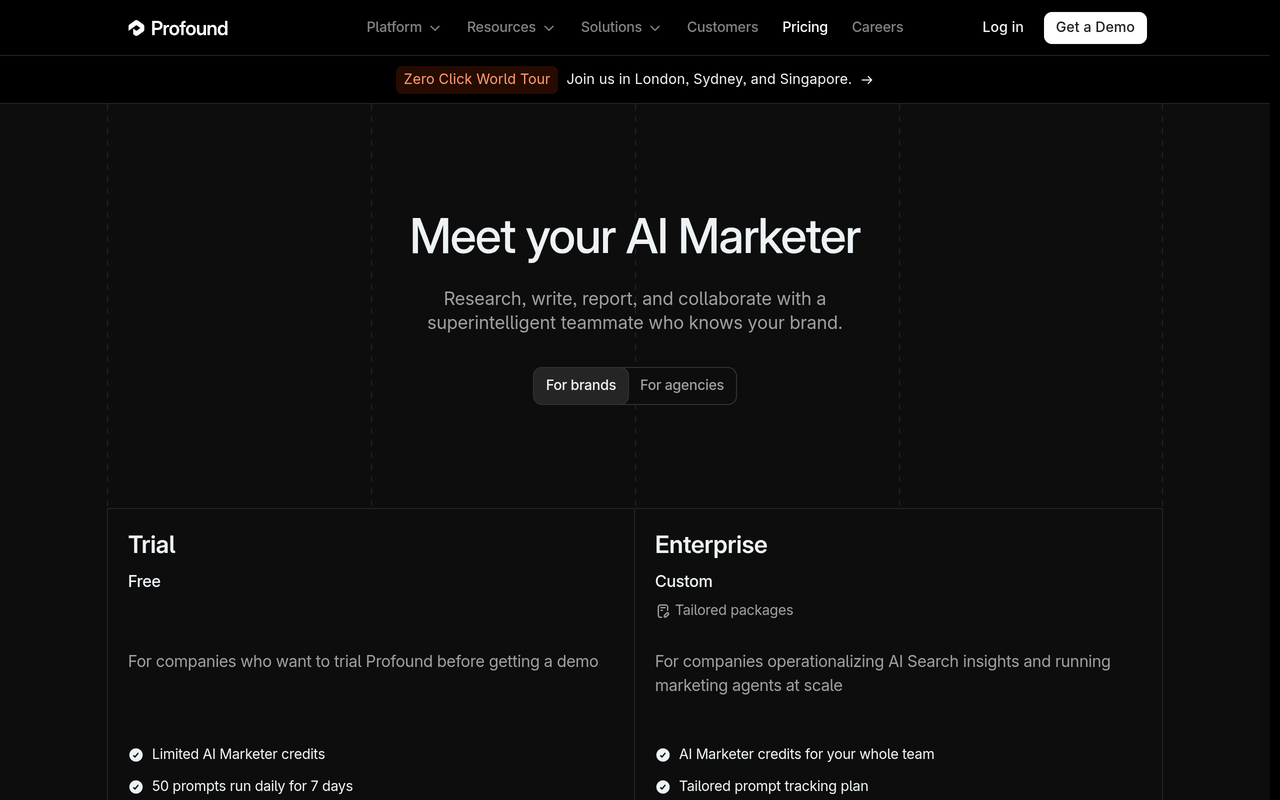
Two public examples show what to look for. Peec AI, 30 October 2026 announced a SOC 2 Type II examination; the release names the auditor, Prescient Assurance, and a three-month observation period. Profound's enterprise features post states it is SOC 2 Type II compliant, that the report is available on request, and that it supports SSO through SAML and OIDC.
Worked example: a Type II report covers a fixed observation period, for instance about three months, and only that period. If your security review happens a year after the period closed, ask whether a newer report exists and what has changed since.
Whatever a press release says, ask each vendor which SOC 2 criteria are in scope for the report you receive. Security is the base criterion; availability and confidentiality are separate and may or may not be included.
Step 3: Test identity and access
Action: ask whether SSO is included on the plan you would buy, which protocols it supports (SAML, OIDC), and whether user provisioning is automated. Result: a clear yes or no per plan. Why: SSO is often reserved for the top tier, so a pilot on a cheaper plan can hide a gap.
The Profound pricing page, checked November 2026, lists SSO/SAML and SOC 2 against its Enterprise plan, which is quoted as custom. That is a useful pattern to check for in any vendor: which controls sit on which plan, and are they written down publicly.
Step 4: Test seats and roles with your org chart
Action: ask the vendor to set up three test users: a global admin, a regional editor limited to one market, and a read-only viewer. Result: you see what each can open, change and export. Why: role-based access is easy to claim and hard to retrofit, and a shared login is a compliance finding waiting to happen.
Also ask how seats are priced. Some vendors charge per seat, others offer unlimited seats; Profound's pricing page lists unlimited seats on Enterprise, and the Peec AI release lists unlimited seats and role-based access. Either model can work, but you need to know which one before a wider rollout adds fifty reviewers.
Step 5: Model your brand and market groupings
Action: give the vendor your real hierarchy, for example a parent company, four brands and three country markets, and ask them to build it live. Result: you learn whether the tool uses separate projects, one workspace with tags, or true nested groups. Why: the grouping model decides whether you can see share of voice for one brand in one market, and also the portfolio total.
This is the direct answer to the question of how to track multiple brands in an AI search tool: define the hierarchy first, then check the tool can hold it. The table below shows the four common grouping models and what to test in each.
| Grouping model | How it works | What to test | Typical risk |
|---|---|---|---|
| Separate projects per brand | Each brand lives in its own space | Can one user switch between brands without a second login? Is there a portfolio rollup? | No cross-brand view, duplicated prompt sets |
| One workspace with tags | Brands and markets are labels on prompts | Can permissions follow the tags? Can you filter every chart by tag? | Everyone sees everything |
| Nested groups | Parent, brand, market levels with inheritance | Do roles inherit down? Do metrics aggregate up? | Setup effort, plan limits on number of groups |
| Agency or client workspaces | Client spaces under one agency login | Can a client be removed cleanly with its data exported? | Shared credit pools that run out mid-month |
For multi-brand organisations, Nurdd's multi-brand industry page and the guide to AI search optimization for franchise brands show how location and brand structure change the prompt set.
Step 6: Size your prompt volume before you ask for a price
Action: multiply brands by markets by prompts by engines. Result: a daily check count you can compare with each vendor's limits. Why: prompt and credit caps are where enterprise pricing usually diverges.
Illustrative arithmetic (our own example, not a vendor figure): 4 brands × 3 markets × 25 prompts × 13 engines = 3,900 answer checks a day when each combination is checked once a day.
Use the guides on how many prompts to track and which prompts to choose to set the 25 in that formula honestly, rather than inflating it.
Step 7: Check exports, API and reporting
Action: ask for a sample export of prompt-level data, including the prompt, engine, date, brands named and cited URLs. Result: a file your analyst can open and join with web analytics. Why: if data cannot leave the tool, your executive reporting is limited to screenshots.
Check three things: the format (CSV, JSON, API), the history window (all-time or limited), and whether exports respect role permissions. The AI search visibility dashboard guide and the monthly report template show what executives need from the exported rows. Pair them with AI referral traffic in analytics so visibility and visits sit in one report.
Step 8: Run a score-and-compare pilot
Action: run every shortlisted vendor on the same 10 prompts for one brand and one market for a week, and score the results with the table below. Result: a defensible ranking you can show procurement. Why: vendor demos use vendor-chosen prompts, and AI answers vary by run, so you need your own baseline. The GEO experiment design guide explains how to separate real change from run-to-run noise, and personalization in LLM responses explains why two people can see different answers.
What should the scoring table look like?
Use one row per requirement, a weight from 1 to 3, and a score from 0 to 2 per vendor (0 = missing, 1 = partial or on a higher plan, 2 = confirmed in writing). Multiply and total. The rows below are a starting point.
| Requirement | Weight | Evidence that earns a 2 | Evidence that earns a 0 |
|---|---|---|---|
| SOC 2 Type II report | 3 | Report shared under NDA with a recent audit period | Badge only, no report |
| SSO (SAML or OIDC) | 3 | Included on the plan you will buy | Shared passwords |
| Role-based access by brand and market | 3 | Three test users behave correctly | One access level for all |
| Multi-brand grouping with rollup | 3 | Your hierarchy built live in the demo | Separate logins per brand |
| Export or API of prompt-level data | 2 | Sample file with prompt, engine, date, citations | Screenshots only |
| Engine coverage by plan | 2 | Full engine list in writing for your plan | Engine list differs by plan and is undisclosed |
| Tracking frequency | 2 | Daily polling stated | Weekly or unspecified |
| Support and SLA | 1 | Named contact and response time | Email queue only |
| Procurement pack | 1 | MSA, DPA and questionnaire answers ready | None available |
Maximum score on this table is 40. A vendor below roughly 28 usually has a gap that a security or legal reviewer will find, which is a reason to cut the list early rather than discover it at contract stage.
What does published vendor evidence look like today?
The table compares what two vendors say on their own pages. It does not rank them, and a gap in public materials does not mean a capability is missing; it means you should ask. Information checked November 2026.
| Item | Profound (own pages) | Peec AI (own announcement) | Noma by Nurdd |
|---|---|---|---|
| SOC 2 Type II | Stated; report on request | Stated in the 30 October 2026 release; auditor Prescient Assurance, three-month observation period | Ask in demo |
| SSO | SAML and OIDC stated | SAML single sign-on stated | Ask in demo |
| Seats and roles | Unlimited seats on Enterprise | Unlimited seats and role-based access stated | Ask in demo |
| Engines tracked | Up to 9 answer engines on Enterprise | 10+ LLMs and AI search engines, including ChatGPT, Google AI Overviews, Google AI Mode, Microsoft Copilot, Gemini and Claude | 13 AI engines, including ChatGPT, Gemini, Perplexity and Claude |
| Polling | Not stated in the sources reviewed | Not covered | Daily |
| Trial | Trial plan: 50 prompts daily for 7 days | Not covered | 3-day free trial; card taken at signup, billing starts day 3 |
| Enterprise price | Custom | Not covered | Ask in demo |
Sources for the Profound column are its pricing page and enterprise features post; for Peec AI, the Peec AI release, 30 October 2026. For side-by-side detail, see Noma vs Profound and Noma vs Peec AI.
The Profound pricing page also notes its Trial plan covers ChatGPT, Gemini and Google AI Overviews, so a trial on a vendor with a smaller engine set tells you little about the plan you would run at scale. That is why the scoring table and the closing checklist both ask for engine coverage in writing for the specific plan.
What are the common mistakes in enterprise AI search tool evaluations?
- Piloting on the cheapest plan. SSO, exports and engine counts can differ on higher tiers, so the pilot proves nothing about the plan you will sign.
- Accepting a security badge. Ask for the report, its audit period and its scope.
- Testing one brand. Single-brand demos hide grouping and permission problems.
- Ignoring crawler access. Visibility can fail before measurement starts if AI crawlers cannot reach your pages; the AI crawler user agents list shows what to allow.
- Treating regions as one market. Answers differ by language and country; the guide to AI search visibility tools in Germany shows what changes when a market has its own language and privacy expectations.
- Buying a dashboard instead of a workflow. If nobody owns the actions that follow, the data sits unread.
How does Noma help enterprise teams track AI search visibility?
Noma by Nurdd is an AI search visibility dashboard at nomahq.app that tracks whether a brand appears in answers from 13 AI engines, including ChatGPT, Gemini, Perplexity and Claude, polled daily. It shows citation frequency by category, a competitor comparison and recommendations for improving visibility. For an enterprise buyer, that means one tracked prompt set can be checked across a broad set of the engines customers use.
Ready to see it on your own brands? Book a demo and bring your requirements sheet: you will see your brand set in Noma against competitors on the engines above, and you can ask your seats, groupings, exports and security questions live.

Where Noma stands on the rows above: Noma tracks 13 AI engines, including ChatGPT, Gemini, Perplexity and Claude, polls daily, and has a short, stated trial path (3 days, card at signup, no charge if cancelled before day 3). On SOC 2, SSO, seats, groupings, exports and enterprise pricing, Nurdd does not publish claims on this page, so use the demo to get written answers against your scoring table. Nurdd's vendor questionnaire gives the exact wording to send.
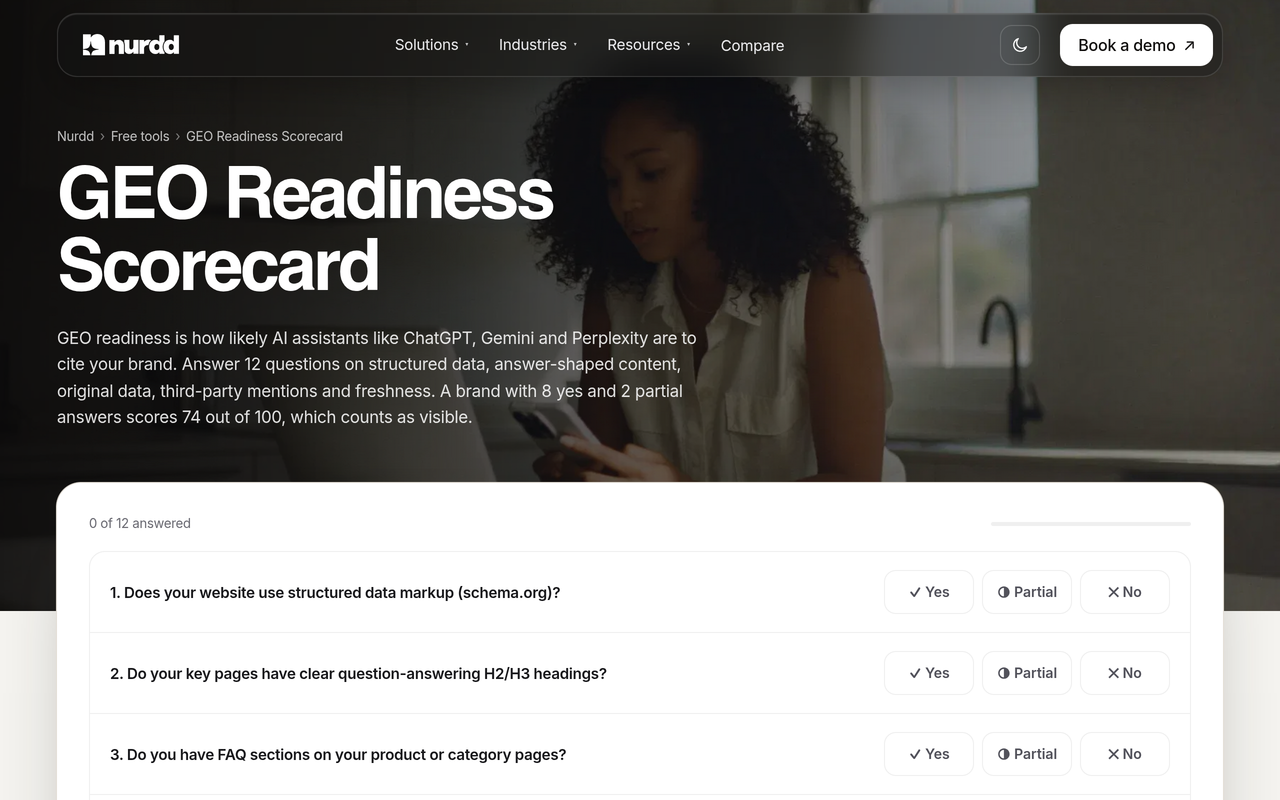
If your team needs the work done as well as measured, Nurdd's answer engine optimization service improves the pages and sources engines read, with results measured in Noma. You can also run the free GEO readiness scorecard to see where your site stands before any vendor call.
A one-week enterprise evaluation checklist
- Day 1: write the requirements sheet (brands, markets, teams, who sees and exports what).
- Day 1: email every vendor the same security request: SOC 2 report, scope, audit period, DPA.
- Day 2: send the scoring table and ask for answers in writing, per plan, including the engine list.
- Day 3: in the demo, have the vendor build your hierarchy and three test users live.
- Day 3: request a prompt-level sample export.
- Day 4: size prompts using brands × markets × prompts × engines and compare with each vendor's limits.
- Day 5: run the same 10 prompts for one brand and one market and compare engine coverage.
- Day 6: have security, legal and the data team score independently.
- Day 7: total scores, drop any vendor with a 0 on a weight-3 row, and decide.
Where should an enterprise team start?
Start with the requirements sheet and the security request, because they cost nothing and remove vendors fast. Then test groupings and roles in a live demo with your real hierarchy, and ask for the engine list per plan in writing. Dashboards come last, since every vendor can make one look good.
To see Noma against your own brands and run your scoring table on it, book a demo at nurdd.club/demo. You can also explore the product at nomahq.app, or read how AI agents for marketing fit the wider stack.
Compare Noma head to head: Noma vs Peec AI, Noma vs seoClarity and Noma vs Conductor.
How we researched this
We reviewed vendor-published evaluation frameworks, vendor pricing and security pages, a company press release on a SOC 2 audit, and ranking articles for the keyword. Everything was checked on the publication date of this post. We did not hands-on test other vendors' products, and gaps in a vendor's public pages are treated as questions to ask, not as missing features. The arithmetic examples are labelled as ours.
Frequently asked questions
What should enterprise teams evaluate in an AI search visibility tool?
Evaluate security evidence (a SOC 2 Type II report), SSO, role-based seats, brand and market groupings, export or API access, engine coverage per plan and support. Score each in writing with the same table for every vendor. Dashboards matter least because they are the easiest part to demo well.
How do I track multiple brands in an AI search tool?
Write down your hierarchy of parent, brands and markets first. Then ask the vendor to build it live and check three things: users can switch brands without new logins, permissions follow the grouping, and metrics roll up to a portfolio view. If a tool can only offer separate projects, check what the cross-brand reporting looks like.
Does an AI search tool need SOC 2?
For most enterprises, yes, because procurement and security teams routinely ask for it. Ask for the Type II report, not only the badge, and check the observation period and which criteria are in scope. A report older than a year, or covering Security only, may prompt follow-up questions.
Is SSO available on every plan?
Not always. Vendors commonly place SSO on enterprise tiers, and Profound's pricing page, for example, lists SSO/SAML against its Enterprise plan. Ask for the answer per plan in writing so your pilot plan matches your purchase plan.
How many AI engines should an enterprise tool cover?
Cover the engines your customers use, and confirm the list for your plan in writing. Noma tracks 13 AI engines, including ChatGPT, Gemini, Perplexity and Claude. More engines mean more answer checks, so size your prompts accordingly.
Does Noma have a free trial?
Yes. Noma has a 3-day free trial. A card is taken at signup and billing starts on day 3; if you cancel before then, you are not charged.
Can I export AI visibility data to my BI tool?
Ask each vendor for a sample export containing prompt, engine, date, brands named and cited URLs, and check whether it is CSV, JSON or API. If exports are limited to screenshots, executive reporting will stay manual. Confirm Noma's export options in your demo.
What is the difference between enterprise search and AI search visibility tools?
Enterprise search tools help employees find internal documents and data. AI search visibility tools measure whether customers see your brand in answers from assistants such as ChatGPT and Gemini. They solve different problems and are bought by different teams.