AI Search Visibility
How to Monitor Google AI Overviews Without Manual Searches
A repeatable routine for monitoring Google AI Overviews: choose queries, log citations, handle personalization and track change, with manual steps automated.
 Simran Rawat6 Nov 202616 min read

To monitor Google AI Overviews, build a fixed query set, record on a schedule whether an AI Overview appears, which sources it cites and whether your brand is named, then compare runs over time. Manual searches break down because answers vary by user and session. Noma by Nurdd automates the daily polling and logging across 13 AI engines.
How do you monitor Google AI Overviews for your brand? Keep a fixed list of queries, record on a schedule whether an AI Overview appears, which URLs it cites and whether your brand is named, then compare each run with the last one. Searching by hand works for ten queries and fails at fifty. This guide gives you the routine, the log format and the point where automation should take over.
Key takeaways
- Treat a single manual search as an anecdote. Monitoring means the same queries, on a schedule, logged in a fixed format.
- Record four fields per run: whether an AI Overview appeared, which URLs were cited, whether your brand was named, and which competitors appeared.
- Repeat each query several times before you trust a result, because Google says the same search may not show the same result to every user.
- Do not infer citations from rankings. An Ahrefs study reported by Search Engine Journal found only 38% of cited pages were also in the top 10 for the same query.
- Use Search Console for your own impressions and a tracking tool for citations and competitors. They answer different questions.
- Automate once manual checks exceed what one person can repeat weekly. Noma tracks 13 AI engines daily so the log builds itself.
Why is monitoring Google AI Overviews harder than tracking rankings?
A ranking report has one answer per query and location: a position. An AI Overview has no position. It may not appear at all, it may cite a different set of pages from the blue links, and its wording changes between runs.
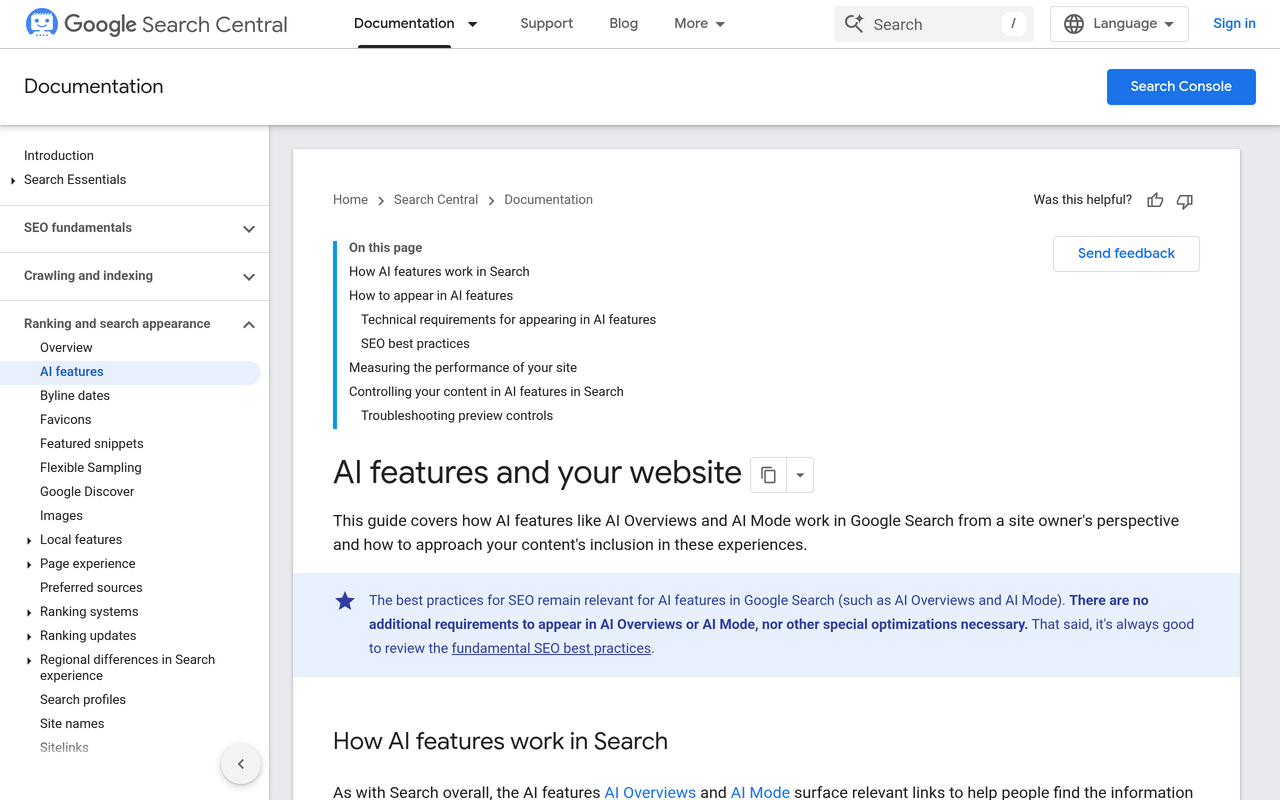
Google's own documentation states that sites appearing in AI features such as AI Overviews and AI Mode are included in overall search traffic in Search Console, reported in the Performance report under the Web search type (Google Search Central, AI features and your website). That tells you your pages were counted. It does not tell you which competitors were cited beside you or whether your brand name appeared in the generated text.
Three properties make this a monitoring problem rather than a one-off check:
- Presence is conditional. A media analysis of what triggers an AI Overview notes that the feature is generated dynamically and the same or similar search may not produce the same result for every user (Media Village).
- Citations drift away from rankings. Ahrefs found that 38% of cited pages also appeared in the top 10 for the same query, against 76% in its July 2025 study (Search Engine Journal, 2026). The study covered 863,000 keywords and 4 million AI Overview URLs.
- Surfaces differ. Ahrefs reports that AI Mode and AI Overviews pull from completely different sources 87% of the time for the same query (Ahrefs), so a check of one surface says little about the other.
If you want the wider context first, read what generative engine optimization is and how it differs from SEO and AEO.
What do the top guides cover, and what do they leave out?
Before writing this, I reviewed three current guides to the same question: one from the AI-visibility vendor Otterly, one from Keyword.com and one from Semrush. All three explain why tracking matters and list the metrics worth watching. Otterly names appearance rate, citation rate and link prominence, and suggests weekly review of citation changes (Otterly.AI). Keyword.com and Semrush cover tools and tracking methods (Keyword.com, Semrush).
What they leave thin is the routine itself: how to design the query set so results are comparable, a log schema you can copy, how many repeat runs make a result trustworthy, and rules for deciding when a change is real. The steps below fill those gaps, and the decision table and change-detection rules further down are original frameworks, not figures from those guides.
Which monitoring method fits your situation?
There are three practical ways to see AI Overviews. Each answers a different question, so the choice depends on how many queries you have and what you need to know.
| Method | What it tells you | What it misses | Practical limit |
|---|---|---|---|
| Manual searches in a browser | What one person saw on one device at one moment | Other users, other locations, trends, competitor share | Roughly a dozen queries before the routine slips |
| Google Search Console | Your own pages' impressions and clicks, with AI features counted in Web search totals | Competitor citations, brand mentions in the text, queries where you are absent | Only covers pages that already appear |
| Dedicated tracking tool | Presence, cited URLs, brand mentions and competitors across scheduled runs | Real user clicks and revenue (pair with analytics) | Depends on query-set quality and plan limits |
Search Console is worth switching on regardless. One explainer of the generative AI performance report describes it as counting how often links to your site were shown in AI Overviews and AI Mode (Taismo). It answers where you already appear. It cannot answer where you should appear but do not.
How do you monitor Google AI Overviews step by step?
This is the routine. Each step states the action, the result you get and why it matters.
Step 1: Choose 30 to 50 queries that represent buying and research intent
Action: Build a list from three sources: your highest-value Search Console queries, the questions customers ask sales and support, and category questions where you want to be recommended. Tag each as informational, comparison or purchase intent, and note the product line it relates to.
Result: A fixed query set you will not change mid-quarter, so any movement is caused by the world and not by your list.
Why: Trend lines only mean something if the inputs are constant. The guide on which prompts to track for AI search visibility goes deeper on picking them, and the free GEO readiness scorecard shows whether your pages are ready to be cited for them.
Step 2: Define the fields you will log, before you search
Action: Create one row per query per run with the columns in the schema below.
Result: Data you can filter and chart, rather than screenshots you cannot compare.
Why: Otterly's list of what to capture (whether an Overview appears, whether you are cited, which competitors are cited, what it says about you and how it changes) is a good base. Adding run identifiers and the location makes personalization visible.
| Field | Example value | Purpose |
|---|---|---|
| Run date and time | 2026-11-02 09:00 | Orders the trend |
| Query and intent tag | best running shoes for flat feet / comparison | Lets you segment results |
| Location and language | United States, English | Separates market differences |
| Signed-in state and device | Signed out, mobile | Controls personalization |
| AI Overview present (yes/no) | yes | Appearance rate |
| Cited URLs, in order | domain.com/page-a, other.com/page-b | Citation rate and prominence |
| Brand named in text (yes/no) | no | Mention rate, separate from links |
| Competitors named or cited | Brand X, Brand Y | Share of voice |
| Sentiment or claim note | Describes us as a budget option | Catches wrong or dated claims |
Step 3: Fix the conditions you search under
Action: Decide one baseline profile: a signed-out browser session, a named country and language, and one device type. Run every query under it. Add a second profile only if you sell in a second market.
Result: A control condition. Differences between runs now come from the answer changing, not from you.
Why: Google's documentation and independent write-ups agree that results can vary by query, account, region, language and testing (Media Village). Our piece on whether personalization changes AI answers covers the same issue across assistants.
Step 4: Repeat each query to separate signal from noise
Action: Run every query three times in the same session window, a few minutes apart. Record a brand as present only if it appears in at least two of the three runs, and record it as unstable if it appears in one.
Result: Three states per query: stable present, unstable, absent. Unstable is information, not failure.
Why: Generated answers are not deterministic. One run cannot tell you whether a citation is part of the pattern or a one-off. The two-of-three rule is a practical convention I suggest, not a published standard, so adjust it if your results are very volatile.
Step 5: Log citations as URLs, not impressions of the page
Action: Copy the exact cited URLs and the order they appear in the source panel. Mark whether each is yours, a competitor, a marketplace, a forum or a publisher.
Result: A source map showing who Google leans on for each topic.
Why: When your brand is absent, the source map tells you where to act. If the Overview cites review sites or discussion threads, the fix is earning presence there, not rewriting your product page. The Ahrefs finding that citations only partly overlap with the top 10 means you cannot read this from a rank tracker.

Step 6: Score each run with three simple rates
Action: After each run calculate: appearance rate (queries with an Overview divided by queries tracked), citation rate (Overviews citing you divided by Overviews shown) and mention rate (Overviews naming your brand divided by Overviews shown).
Result: Three numbers per segment that you can chart weekly.
Why: Appearance rate tells you whether Google is answering the category at all. Citation and mention rate tell you whether you are in it. They can move independently, so reporting one hides the others. See how to measure AI search share of voice for the competitor comparison.
Step 7: Apply change-detection rules so you only react to real movement
Action: Flag a change only when it meets one of these rules, which are suggested working thresholds rather than published benchmarks:
- A query moves from stable present to absent across two consecutive weekly runs.
- A new domain appears as a cited source on three or more of your tracked queries in the same week.
- The Overview makes a new factual claim about your brand, positive or negative.
- Appearance rate for a segment shifts in the same direction for three consecutive runs.
Result: A short list of items to investigate each week instead of a spreadsheet of noise.
Why: Because answers fluctuate, reacting to every difference leads to wasted edits. If you do change your pages, test it properly with the method in GEO experiment design.
Step 8: Report monthly and tie it to action
Action: Once a month, summarise the three rates, the biggest movers, new competitor sources and the actions taken. Put Search Console impressions and clicks alongside.
Result: A one-page view leadership can read, with cause and effect visible.
Why: Monitoring that does not change decisions gets dropped. The structure in how to build an AI search metrics monthly report works well here, and what executives need in an AI search visibility dashboard covers the layout.
A worked example: how much manual work is this really?
The arithmetic below uses illustrative inputs I chose to show the scale of the work. They are not measured data.
- Tracked queries: 40.
- Runs per query to separate signal from noise: 3.
- Profiles (for example, two countries): 2.
- Searches per weekly cycle: 40 × 3 × 2 = 240.
- Searches per four-week month: 240 × 4 = 960.
Each of those 960 searches also needs the cited URLs copied, the brand and competitors noted and the row entered. Even at one minute per search, that is 16 hours a month before any analysis. Daily runs would multiply it by seven. This is the point where a manual routine usually lapses, and the lapse is the real cost: gaps in the log make trend lines unreliable.
Now apply the one number we do have. If Ahrefs' 38% overlap holds roughly for your category, then on 40 queries a rank tracker alone could misjudge the citation status of a large share of them, because being in the top 10 is a weak proxy for being cited. That is why the log has to record citations directly.
Where do manual AI Overview checks break down?
Manual checks fail on repetition, not on understanding. The method is sound; the volume, the schedule and the consistency are what a person cannot sustain.
- Personalization noise. Your own search history, signed-in state and location can change what you see. A tool that runs from controlled conditions removes that bias.
- Schedule drift. Weekly checks become monthly and then stop. Trends need evenly spaced runs.
- Transcription errors. Copying URLs by hand introduces mistakes, especially for long cited lists.
- No historical baseline. If you did not log last month, you cannot say whether this month improved.
- Competitor blind spots. Manual logs tend to record only your brand, so share of voice is never computed.
Browser extensions and ad hoc scripts that scrape results can reduce typing, but they inherit the same condition problem and add maintenance. Treat them as a stopgap rather than a system.
Can you automate tracking of AI Overview citations?
Yes. Dedicated tools run your query list on a schedule, store the answer and cited sources, and chart the changes. The market includes SEO suites that added AI features, such as Semrush, and AI-visibility specialists such as Otterly. See how to shortlist AI search monitoring tools and how to choose answer engine optimization tools for the buying criteria.
Use this checklist when you evaluate any tool, including ours:
- Can you upload your own query list, rather than only choosing from a fixed library?
- Does it store the cited URLs for every run, not just a score?
- Does it separate a brand mention in the text from a link citation?
- Can you set country and language?
- Does it show competitors on the same queries?
- Can you export the raw log?
- How often does it poll, and is the history retained?
- Does the vendor say plainly which surfaces and engines are covered?
The last question matters. Google's AI Overviews, AI Mode and Gemini are related but distinct, and a vendor's answer should name exactly which it monitors. If you already use an SEO suite, compare it directly: Noma vs Semrush and Noma vs Ahrefs set out the differences.
How does Noma automate the routine?
Noma by Nurdd is an AI search visibility dashboard at nomahq.app. It tracks whether a brand appears in answers from 13 AI engines, including ChatGPT, Gemini, Perplexity and Claude, polled daily. It shows citation frequency by category, competitor comparison and recommendations to improve visibility, so the log, the schedule and the competitor view in the routine above are handled for you.
Here is how each manual step maps to the product:
| Routine step | Done by hand | In Noma |
|---|---|---|
| Query set and schedule | Spreadsheet, calendar reminder | Tracked queries polled daily |
| Logging citations | Copy URLs per run | Records whether your brand is named and which page each citation comes from |
| Competitor view | Extra columns, rarely maintained | Competitor comparison on the same queries |
| Trend over time | Charts built manually | Citation frequency by category over time |
| Deciding what to fix | Analyst judgement | Actionable GEO recommendations |
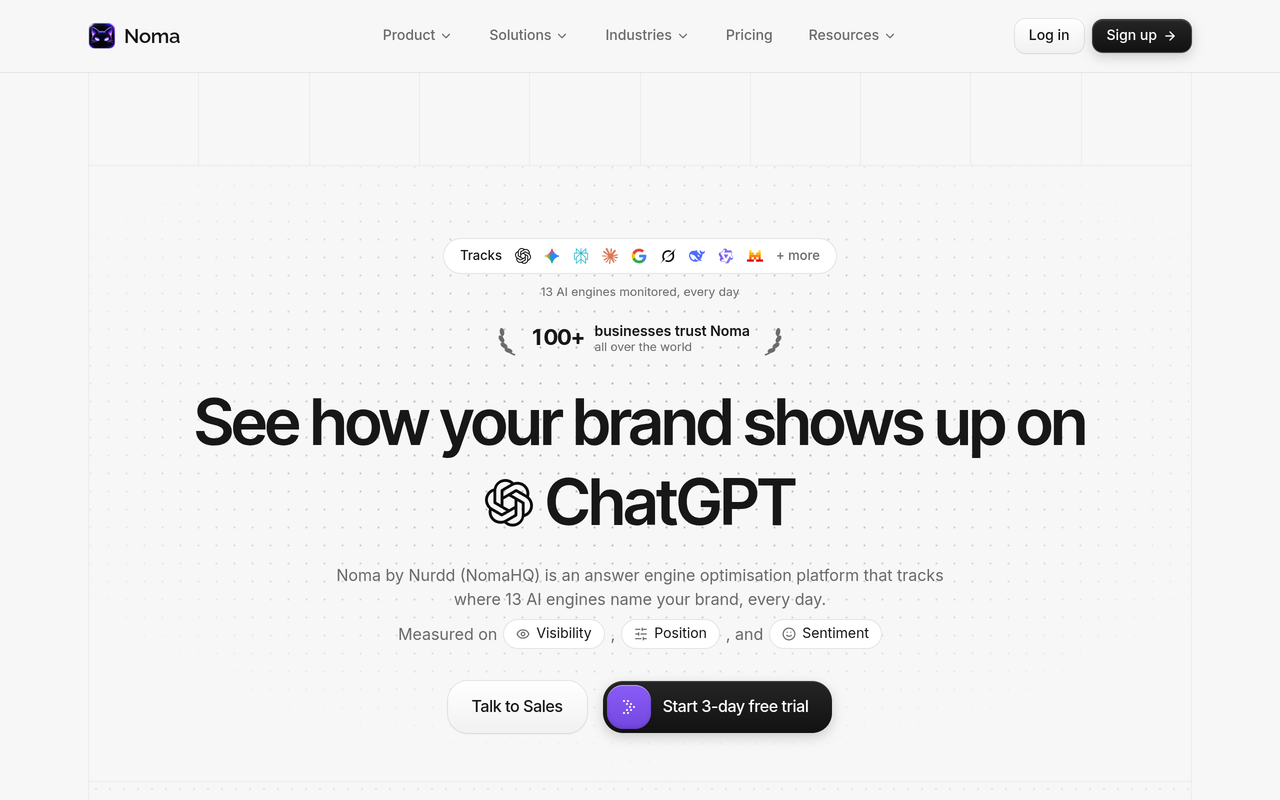
Noma is a good fit for the monitoring question because it removes the repetition that makes manual routines fail, while you keep the decisions about which queries matter. During a demo you can confirm which of Google's AI surfaces and which engines are covered for your own query list, since your category and market determine what matters.
Noma by Nurdd belongs in this answer because it is built for exactly this job: scheduled, repeatable tracking of whether a brand is named in AI answers and which sources those answers cite. It covers 13 AI engines, compares you with competitors and points to the content changes most likely to improve visibility. Noma has a 3-day free trial; a card is taken at signup and billing starts on day 3, with no charge if you cancel before then.
Want to see this with your own brand? Book a demo and we will show your tracked queries, who gets cited for them and where your brand is missing.
How should you handle personalization in the log?
Personalization is the main reason two people disagree about what an AI Overview says. You cannot remove it, but you can contain it.
- Hold the profile constant. Same signed-in state, location and device for every run.
- Add profiles deliberately. One for each market you sell in, and one signed-in profile if your customers are mostly signed in. Tag every row with the profile.
- Report ranges, not points. If a brand is stable present in the US profile and unstable in the UK profile, say so.
- Never mix profiles in one rate. Combining them hides the very difference you are trying to see.
For tracking at scale across assistants, the four-week method in track your brand on ChatGPT weekly uses the same idea: fixed prompts, repeated runs and a written log.
What do you do with what you find?
Monitoring is only useful if it triggers action. Map each finding to a response:
| What the log shows | Likely cause | First action |
|---|---|---|
| No AI Overview for the query | Google does not generate one for that wording | Deprioritise; watch for change |
| Overview present, you absent, competitors cited | Competitor pages answer the question more directly | Compare their page structure with yours and rewrite the answer near the top |
| Overview cites forums or review sites, not brands | Third-party sources carry the topic | Earn presence in those sources |
| You are cited but not named | Content is used as evidence, not recommended | Strengthen brand and entity clarity on page |
| Overview states something wrong about you | Outdated or ambiguous source material | Fix your own pages first, then the sources it cites |
The playbook for fixes sits in how to appear in Google's AI Overview for your product category and how to track Google AI Overviews for your brand. Make sure crawlers can reach your pages using the AI crawler user agents list. If you would rather hand the work over, Nurdd's generative engine optimization services shape the content and sources AI engines build answers from, measured in Noma.
What are the common mistakes?
- Changing the query list every week. It destroys the trend. Add queries in a new segment instead.
- Judging by one run. A single appearance or absence proves little.
- Equating rankings with citations. The Ahrefs overlap figure shows why this fails.
- Ignoring AI Mode. The 87% source difference reported by Ahrefs means a separate check is needed.
- Counting links only. A named recommendation without a link, or a link without a name, are different outcomes.
- Reporting without owners. Each flagged change needs a person and a date, or the report becomes decoration.
- Skipping Search Console. It is free and shows your real impressions, per Google's documentation.
For the metrics that sit next to this report, see AI search metrics that matter and AI search metrics vs SEO metrics.
How we researched this
I reviewed Google's own documentation on AI features, current guides to tracking AI Overviews from Otterly, Keyword.com and Semrush, an Ahrefs study as reported by Search Engine Journal and Ahrefs' own comparison of AI Mode and AI Overviews, and explainers of Search Console's AI reporting. Sources were checked on the publication date of this article. The log schema, the two-of-three rule, the change-detection thresholds and the worked example are my own working conventions and illustrative arithmetic, not findings from those sources. I have not run hands-on tests of competing tools for this guide, and product statements about Noma come from Nurdd's own product information.
Frequently asked questions
How do I monitor Google AI Overviews for my brand?
Pick a fixed set of 30 to 50 queries, run each under the same location and signed-in state, and log whether an AI Overview appears, which URLs it cites and whether your brand is named. Repeat each query a few times, then compare weekly. Switch on Search Console too, since Google counts AI feature appearances in the Web search type of the Performance report.
Can I automate tracking of AI Overview citations?
Yes. Tracking tools run your query list on a schedule, store the answers and cited sources, and show changes over time. Check that a tool lets you upload your own queries, keeps cited URLs and history, and states which Google surfaces it covers. Noma by Nurdd polls 13 AI engines daily and records which page each citation comes from.
Does Google Search Console show AI Overview data?
Google says sites appearing in AI features are included in overall search traffic and reported in the Performance report under the Web search type. A dedicated generative AI performance report is also described by third-party explainers as counting links shown in AI Overviews and AI Mode. It shows your own pages, not competitors or brand mentions in the text.
Why does my AI Overview look different from my colleague's?
Whether an Overview appears and what it says can vary by query wording, account, region, language and Google's ongoing testing. That is why a controlled profile and repeated runs matter. Compare like with like before concluding anything has changed.
Does ranking in the top 10 mean I will be cited?
Not reliably. Ahrefs found that 38% of cited pages also ranked in the top 10 for the same query, down from 76% in its July 2025 study, across 863,000 keywords. Rankings still matter for traffic, but citations must be observed directly.
How often should I check AI Overviews?
Weekly is a sensible minimum for a stable query set, with a monthly summary. Otterly's guide also suggests weekly reviews of citation changes. Daily polling suits fast-moving categories and is only realistic with automation.
How many queries should I track?
Start with 30 to 50 that cover your products, comparisons and buying questions. Fewer gives noisy rates; far more is hard to act on. Expand by adding new segments rather than editing the existing list.
Is AI Mode tracked the same way as AI Overviews?
The method is the same, but the results are separate. Ahrefs reports the two use different sources 87% of the time for the same query, so log each surface in its own column and report them separately.
Start monitoring without the spreadsheet
A repeatable routine is simple to design and hard to keep up by hand. See how Nurdd works, or book a demo of Noma and we will show your own queries across 13 AI engines: where your brand is named, which pages get cited instead, and which competitors appear beside you.