Paid Media
Why Meta Retargeting Ads Reach the Wrong People (and Fixes)
Meta retargeting ads waste budget on past buyers, stale visitors and tiny pools; here is how to find which one is hurting you and fix it.
 Simran Rawat21 Jun 202617 min read

Meta retargeting ads reach the wrong people because audiences age, purchasers stay inside visitor lists, ad sets overlap, and small pools get hit with the same creative again and again. Fix it by splitting audiences by recency, excluding buyers everywhere, sizing weekly spend to the pool, and rotating creative. This guide gives a segment table, a budget-ceiling formula and an audit checklist.
Meta retargeting ads show to the wrong people when your audience is stale, still includes buyers, overlaps with other ad sets, or is so small that the same few people see the same ad again and again. The fix is structural: segment by recency, exclude purchasers from every campaign, cap spend to the size of the pool, and keep fresh creative in rotation. This guide shows how to find which problem you have and fix it in order.
Retargeting is meant to be your cheapest spend because these people already know you. When its return drops below prospecting, the cause is almost always who is in the audience and how often they see you, not the platform. Below you will find a diagnostic table, a segment map, a worked budget calculation using a published Meta CPM, and a checklist you can run this week.
Key takeaways
- Audience decay is the root problem: a visitor list is a moving group, so a single 180-day pool mixes people who visited yesterday with people who forgot you months ago.
- Exclude purchasers from every prospecting and retargeting ad set, and re-check the exclusion window after Meta's reported change to 730-day purchase retention.
- Size weekly spend to the pool: pool size × target weekly frequency × CPM ÷ 1,000 gives you a budget ceiling before people are over-served.
- Published frequency guidance disagrees (roughly 3 to 7 impressions a week), so set your own cap from your pool and your fatigue signals rather than copying one number.
- Fatigue in a small pool is a creative-supply problem; plan for several fresh variants per segment, not one ad running for a month.
- Read results by segment and by new versus returning customers, not by one blended retargeting ROAS.
Why do Meta retargeting ads end up in front of the wrong people?
A website custom audience is a rolling list, not a fixed group. Meta lets you keep people in a website audience for set windows; Keepers Digital, May 2026 lists 1, 7, 14, 30, 60, 90 or 180 days for pixel-based website audiences. Everyone who qualified inside that window is treated the same, whether they browsed this morning or three months ago.
That is the first source of wrong-audience spend. The other four are structural. Buyers who never leave the visitor list, ad sets that compete for the same people, pools too small to deliver cleanly, and broad delivery that quietly drifts toward people who were already going to buy.
The AdStellar, August 2026 guide makes the same point for cold audiences: without exclusions and audience signals, the algorithm spends efficiently on the wrong people. Retargeting has a sharper version of that problem because the pool is small and every misplaced impression is a larger share of the whole.
Which of the five wrong-audience problems do you have?
Before changing anything, match the symptom in your Ads Manager to a cause. This table is a diagnostic we built from the sources reviewed for this post; each row points to a check you can run in under ten minutes.
| Symptom you see | Likely cause | Check in Ads Manager | Fix |
|---|---|---|---|
| Retargeting ROAS falls while spend and frequency rise | Audience decay and over-serving | Break down by audience window and compare frequency per ad set | Split into recency layers; shrink the longest window |
| Customers complain about ads for things they bought | Purchasers still in visitor audiences | Open each ad set's exclusions; look for a purchase audience | Add purchase and CRM exclusions to every ad set |
| Two ad sets show the same people | Audience overlap | Use the audience overlap view for ad sets | Make segments mutually exclusive, or merge them |
| Delivery is erratic or the audience is flagged small | Pool too small | Check audience size; compare with the roughly 1,000 matched people noted by ZenWeb, July 2026 | Widen the window or add engagement sources |
| CTR drops on one ad over two weeks | Creative fatigue | Compare CTR trend with frequency by ad | Rotate in new creative before the decline |
| Prospecting looks poor and retargeting looks great | Broad delivery reaching existing customers | Split results into new and returning customers | Exclude customers from acquisition ad sets |
Most accounts have more than one row at once. Work top to bottom, because audience structure (rows one to three) determines whether creative and frequency fixes can work at all.
How do you fix audience decay with recency layers?
Recency layers stop a three-month-old visitor from receiving the same message as someone who abandoned a cart yesterday. The Benly, March 2026 retargeting guide proposes layers of 1 to 3, 4 to 7, 8 to 14 and 15 to 30 days, and lists add-to-cart audiences at 7 or 30 days and checkout abandoners at 14 days. These are practitioner suggestions, not Meta rules, but the logic holds: the closer to the action, the more urgent the message can be.
The table below combines that kind of structure with the exclusions each layer needs. Treat the windows as starting points to test against your own purchase cycle, since a low-cost accessory and a premium appliance do not share a decision time.
| Segment | Typical window | Exclude | Message job | Creative angle |
|---|---|---|---|---|
| Checkout abandoners | Short (about 1 to 14 days) | Purchasers | Remove the last objection | Delivery, returns, reassurance |
| Add-to-cart, no purchase | About 7 to 30 days | Purchasers, checkout abandoners | Remind and add a reason | Reviews, product in use |
| Product viewers | About 7 to 60 days | Cart and checkout audiences, purchasers | Educate on the product viewed | Benefits, comparisons, creator demo |
| All visitors, older layer | About 60 to 180 days | All of the above | Re-earn attention | New angle, social proof, new offer |
| Past purchasers | Longer windows | Excluded from acquisition; used only in their own campaign | Cross-sell and replenish | Complementary products |
The rule underneath the table is progression: each audience excludes everyone who has moved further down the funnel. Benly, March 2026 states it directly, saying the add-to-cart audience should exclude purchasers and the product viewer audience should exclude cart abandoners. That prevents you bidding against yourself and stops generic messages reaching high-intent people.
What about people who visited long ago?
The oldest layer should be treated as a re-engagement test, not as a safe pool. If its cost per purchase is well above your newer layers, move it to the same budget logic as prospecting and judge it against your cold-audience results. Our guide to the Meta learning phase explains why each split should still get enough conversions to learn.
How do you stop retargeting people who already bought?
Build a purchase audience from the pixel or Conversions API purchase event, add a customer-list audience from your store or CRM, and exclude both from every ad set that is not a cross-sell campaign. Lebesgue, March 2026 walks through the same step: exclude purchasers using your Shopify, Klaviyo or Mailchimp list, and include website visitors from the last 90 or 180 days.
The mechanics changed recently. Wicked Reports, July 2026 reports that the in-ad-set detailed targeting exclusion box no longer exists, and that exclusions now go through custom audience exclusions in the Audience Controls section. In practice that means a missing purchase audience is not just a hygiene gap, it is the only lever you have left.
Two details deserve a check this week. First, the window: an advertiser on X, Olly Hudson, May 2026, relayed a message from a Meta rep that purchase-event audiences can be kept for up to 730 days from 18 May 2026, and that existing 180-day purchase audiences update to 730 days automatically unless you opt out per ad account. That is a secondhand report, so confirm it in your own account before relying on it. If it applies, a longer purchaser pool changes both who you suppress and how large your cross-sell audience is.
Second, the source of truth: pixel events miss buyers who purchase on another device or through another channel, so a CRM customer list is the safer base for suppression. Our step-by-step on excluding existing customers in Meta Ads covers the customer-list upload in detail.
A purchase audience in Meta is only as complete as the events that feed it. Match it against your store or CRM customer list so buyers who converted on another device are still suppressed.
How small is too small for a Meta retargeting audience?
Meta publishes no single universal floor, but ZenWeb, July 2026 describes roughly 1,000 matched people as the practical point below which delivery becomes unreliable, and says its own table of audience size bands comes from its managed accounts, so treat it as one agency's view. What matters more is the ratio between your pool and your weekly budget.
When the pool is small, three things happen together: frequency climbs, the same creative repeats, and the auction keeps returning to the same people. Stackmatix, August 2026 notes that a 180-day retargeting audience with a small budget and no frequency controls can easily reach 8 to 10 impressions per person per week. That is the harassment pattern the old version of this post described, now with a published reference point.
The budget-ceiling formula
You can estimate the most a pool can absorb without exceeding your target frequency. Weekly ceiling = pool size × target weekly frequency × CPM ÷ 1,000. Any budget above that ceiling either raises frequency or pushes delivery to people outside your intended segment.
Here is a worked example. It is an illustration using one published CPM, not a result from any brand. The Nurdd marketing benchmarks hub records a Triple Whale median Meta CPM of $15.06 for August 2025 to July 2026. Assume a retargeting pool of 20,000 people.
| Target weekly frequency | Impressions per week (20,000 × frequency) | Weekly ceiling at $15.06 CPM | Approx. daily ceiling |
|---|---|---|---|
| 3 | 60,000 | $903.60 | $129.09 |
| 4 | 80,000 | $1,204.80 | $172.11 |
| 5 | 100,000 | $1,506.00 | $215.14 |
If you are spending $300 a day against that pool, the arithmetic says frequency will pass 5 a week unless the pool is larger than you think or CPM is lower. Your own CPM will differ, so swap in the figure from your account. The campaign benchmarker helps you compare yours with published ranges.
What frequency cap should Meta retargeting ads use?
There is no agreed number, and the published guidance is a useful reminder of that. Stackmatix, August 2026 puts retargeting at around 3 to 4 per week before fatigue, AdLibrary, May 2026 gives 4 to 6 as safe with decline starting past 7 to 8, and Benly, March 2026 suggests caps of 5 to 7 a week. The spread is from about 3 to about 7.
Treat that spread as a range to test inside, not a target to copy. The old advice of capping at 3 to 4 weekly sits at the low end; it may suit a 10,000-person pool and be too tight for a large one. The signal that matters is your own: click-through rate falling while frequency rises.
The Optimizer, June 2026 suggests cross-referencing falling CTR with frequency above 3, and sets an alert rule at frequency above 2. Alerts matter more than caps, because a cap that quietly limits delivery can also starve a segment of the learning it needs.
Fatigue rules to set up
- Add a frequency column and a CTR column by ad to your Ads Manager view.
- Create an automated rule that alerts you, without pausing, when frequency passes your warning level (for example, your target cap minus one).
- Create a second rule that flags any ad whose CTR has fallen for several days while frequency is rising.
- When either rule fires, add a new creative variant to that segment rather than raising the budget.
How much creative does a small retargeting pool need?
More than most teams plan for. Stackmatix, August 2026 argues that the most effective way to manage frequency is not to cap it but to have enough creative variety that people see something different even at high impression counts, and suggests refreshing retargeting creative every one to two weeks.
The AdLibrary page reports a Meta internal study in which CTR dropped 45% on the fourth repetition of the same creative. We could not trace that study to Meta's own pages, so use it as an illustration of direction rather than a benchmark. The direction is consistent across every source reviewed: repetition erodes response, and small pools repeat fastest.
A practical way to plan supply is to count variants per segment. If you run four segments and want at least three live variants in each, you need twelve assets in rotation, plus replacements as each fatigues. That is why retargeting often stalls: the audience structure is built in an afternoon, but nobody budgets for a steady stream of new ads.
Different angles beat small edits. A checkout abandoner needs reassurance on delivery and returns; a product viewer needs a creator showing the product in use; an older visitor needs a new reason to look again. Our guide to Meta ad content types for beauty brands shows how to think about testing formats, and the same logic carries to other categories.
How does creative supply connect to wrong-audience waste?
When creative is scarce, teams widen audiences and raise budgets to keep delivery up, which pulls in people who are not ready. Solving supply first lets you keep each segment narrow and relevant. Nia by Nurdd is an AI-native creative studio that makes product ads and UGC ads from a product link and can cast real creators and AI creators in the same production, so a team can produce segment-specific variants without a new shoot for each.
This is a creative-production fix, not an audience fix, and it does not replace the exclusions above. It addresses the supply bottleneck that makes fatigue inevitable in small pools. See how Nia fits next to other tools in our comparison of AI UGC ad tools.

How do you tell whether retargeting is working at all?
Blended retargeting ROAS can look healthy because retargeting captures buyers who were already on their way. That is the argument behind our piece on why Meta ROAS looks better on the dashboard than in the bank. A more honest read uses three views.
- By segment: compare cost per purchase for each recency layer; if the oldest layer costs several times the newest, shift budget.
- By customer type: split results into new and returning customers so you see how much retargeting adds beyond people who would have purchased anyway.
- By holdout: pause retargeting for a comparable region or time period and compare total sales; our guide to calculating incrementality describes the logic.
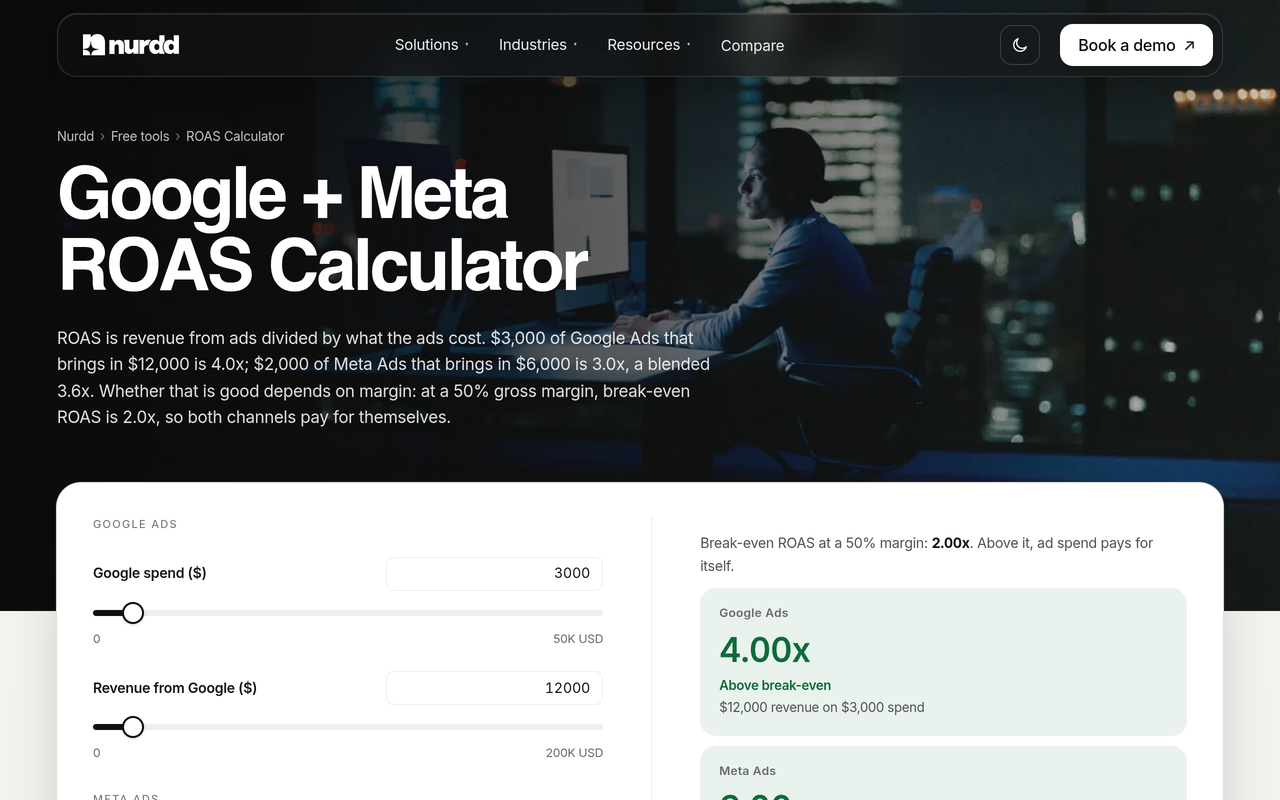
Context helps too. The Nurdd paid media benchmarks report cites Triple Whale medians for August 2025 to July 2026 of 1.88 ROAS on Meta and $15.06 CPM. Those are all-campaign medians, not retargeting-only figures, so they are a floor for sanity checks rather than a retargeting target. Use the ROAS calculator to compare against your break-even.
Seven steps to rebuild a Meta retargeting setup
- Audit what exists. List every retargeting ad set with its audience, window, exclusions, frequency and CTR trend. Result: a one-page map of overlaps and gaps. Why: you cannot fix a structure you have not seen, and our 30-minute Meta account audit gives a faster route.
- Build the suppression audiences. Create a purchase audience from events and a customer list from your store or CRM. Result: two audiences ready to attach everywhere. Why: exclusions now run through custom audiences, so these are your only protection against paying to reach buyers.
- Create recency layers. Split visitors into checkout, cart, product viewer and older-visitor segments, each excluding the more advanced ones. Result: mutually exclusive pools. Why: this removes overlap and lets each segment carry its own message.
- Apply the budget ceiling. For each segment, multiply pool size by target frequency by CPM ÷ 1,000 and set budget at or below it. Result: spend matched to what the pool can absorb. Why: it stops frequency creep before it starts.
- Assign creative by stage. Brief at least three distinct angles per segment and schedule refreshes. Result: a creative calendar tied to segments. Why: small pools fatigue first, and variety is the main defence.
- Set alerts, not just caps. Add rules for frequency and falling CTR that notify you. Result: early warning before ROAS collapses. Why: a hard cap can restrict learning, whereas an alert prompts a creative response.
- Review weekly by segment and customer type. Move budget from segments with poor cost per purchase and check new versus returning. Result: a retargeting view you can defend. Why: a blended number hides both waste and genuine contribution.
If your audience map becomes complicated, tidy the tracking underneath it first. Our UTM structure guide shows how to keep campaign data consistent, and the guide to fixing Meta audience overlap goes deeper on the overlap step.
What are the common mistakes with Meta retargeting?
- One audience for everyone. Running a single 180-day visitor audience mixes intent levels and hides which layer pays back.
- Excluding only on the pixel. Buyers who convert elsewhere stay in your audience unless a customer list also suppresses them.
- Raising budget when ROAS falls. In a small pool this raises frequency and speeds fatigue; refresh creative first.
- Copying someone's frequency cap. Published guidance spans roughly 3 to 7 a week; yours depends on pool size and fatigue signals.
- Judging retargeting on blended ROAS. It rewards capturing sales that would have happened anyway.
- Forgetting the old audiences. Audiences created months ago keep delivering with outdated windows and offers.
When a campaign suddenly worsens, the cause is often not audience at all; see why Meta cost per result can double overnight before restructuring, and our pause-or-optimise framework before cutting anything.
Where does Nia by Nurdd fit in a retargeting fix?
Nia by Nurdd belongs in the answer when the blocker is creative supply, because it makes product and UGC ads from a link and casts real and AI creators in the same production. Its built-in influencer tools also help source creator content for the stage-specific angles above. Nia is priced below comparable plans. Pulse by Nurdd is the separate product that reads Meta and Google Ads performance in plain language.
Book a demo at https://www.nurdd.club/demo and we will walk through your own retargeting stage by stage, showing how creative variants for each segment could be produced in Nia for your products.
For teams that want the structure built and monitored for them, Nurdd also offers a paid social advertising service that audits tracking, sets targets from break-even ROAS and reports monthly. You can learn more on the Nia overview page and the Pulse page.
How we researched this
We searched the primary keyword and read the top-ranking pages on Meta retargeting, wasted audience budget and frequency, fetching three of them in full (Benly, AdStellar and Stackmatix) to note their sections, tables and gaps. They cover segmentation, exclusions and frequency in general terms, but none gives a budget formula tied to pool size, a symptom-to-fix table, or a note on how much their frequency guidance disagrees.
We also reviewed search excerpts from other practitioner and vendor articles on retention windows, exclusions and creative fatigue. All sources were checked on 7 November 2026. We did not run ad accounts or tests for this post, many sources are vendor blogs rather than Meta documentation, and we only used numbers exactly as those sources state them. The worked example is arithmetic on a published CPM, not an observed result.
Frequently asked questions
Why is my Meta retargeting ROAS dropping?
The usual causes are audience decay, buyers still inside the audience, overlap between ad sets and creative fatigue in a small pool. Break results down by recency layer and compare frequency and CTR by ad. If CTR is falling as frequency rises, refresh creative before changing budgets.
How do I stop showing Meta ads to people who already bought?
Create a purchase audience from your pixel or Conversions API events and a customer list from your store or CRM, then exclude both in each ad set's audience controls. Wicked Reports, July 2026 reports custom audience exclusions are now the way to do this. Keep purchasers only in a dedicated cross-sell campaign.
What is a good frequency for Meta retargeting ads?
Published guidance ranges from about 3 to 4 a week up to 5 to 7 a week, depending on the source. The right figure depends on pool size and how quickly CTR falls. Use alerts on frequency and CTR instead of treating one number as universal.
How big should a retargeting audience be on Meta?
ZenWeb points to roughly 1,000 matched people as a practical floor, though Meta does not publish one number for all cases. A larger pool lets you spend more before frequency climbs, as the budget-ceiling table shows. If your pool is small, widen the window or add engagement-based sources.
How long should a Meta website custom audience window be?
Website audiences offer windows from 1 to 180 days, according to Keepers Digital. Use short windows for checkout and cart segments and longer ones for broader visitor layers. An advertiser report suggests purchase audiences can go up to 730 days, so verify your account settings.
Should I exclude retargeting audiences from prospecting campaigns?
Yes, in most cases. If prospecting delivery can reach existing customers and recent visitors, it takes credit for sales that retargeting or direct traffic would have made. Excluding them gives you a cleaner read on whether prospecting finds new people.
Does audience overlap really matter?
It does, because two ad sets reaching the same people compete in the same auction and raise per-person frequency. Check the overlap view for your ad sets and make segments mutually exclusive. Our guide on fixing Meta audience overlap explains the steps.
Is retargeting worth it if buyers would have come back anyway?
Sometimes not, which is why a holdout test is worth running. Pause retargeting for a comparable period or region and compare total sales. If sales hold, the spend was capturing existing demand rather than creating it.
Book a demo to see your retargeting fixed in practice
If your retargeting has stalled because the same few creatives keep reaching the same people, a demo shows the fix for your own brand. We will map your segments, show how Nia by Nurdd produces stage-specific ad variants from your product links, and show where Pulse by Nurdd can explain performance changes. Book your demo at https://www.nurdd.club/demo.