Influencer Marketing
Switch Influencer Marketing Platform Without Losing Data
A step-by-step plan to export creator lists, performance, contracts and tracking links, then run old and new influencer tools in parallel.
 Simran Rawat15 Nov 202616 min read

To switch influencer marketing platform without losing data, export raw creator lists, performance, contracts, tracking links and payments before giving notice. Run the old and new tools in parallel for at least two to three weeks, reconcile totals against your store, and cancel only after verification. Nia by Nurdd, priced below comparable plans, is one option for teams moving off a spreadsheet or legacy tool.
To switch influencer marketing platform without losing data, export raw creator lists, payout and sales history, contracts and tracking links while the old account is still active, then run the old and new tools side by side for at least one full campaign cycle. Cancel only after the new setup has tracked a real campaign correctly. This guide gives the full sequence, with a field-level export list.
Most migration advice stops at "export a CSV." Brands actually lose three other things: usage-rights dates buried in contracts, links that creators already posted, and the creator relationship itself. The plan below treats each one separately, and shows where Nia by Nurdd fits for teams moving off a spreadsheet or a legacy tool.
Key takeaways
- Export raw data, not PDF reports, before you give notice. Check your contract for what happens to your data at cancellation.
- Build a single "migration ledger" with five tabs: creators, performance, contracts, links and codes, and open payments.
- Never retire a tracking link or discount code that a creator has already posted. Keep it alive until the post is archived or replaced.
- Run both tools in parallel for two to three weeks minimum, and for a full campaign cycle if you can.
- Check contracts for usage-rights and whitelisting end dates before moving content, because those dates do not reset when you change software.
- Use the verification checklist near the end as a gate: give notice only when every line is true.
Why is switching influencer platforms risky?
The risk is not the new tool. It is that the old platform may hold the only copy of your history: who you paid, which creator drove which sale, and what you agreed in writing. Make Influence sums up a safe switch as four things: export tracking and payout history before you cancel, re-onboard creators without breaking existing links, overlap the two platforms for at least one full campaign cycle, and know your contract's notice period and data-export terms before giving notice.
A second risk is that exports are narrower than people assume. Influencity's own help page lists five export options, covering profile data, influencer data and list data, in XLSX, XLS or CSV, and notes that some data is available only as PDF or a shared link (Influencity Knowledge Base). A PDF cannot be re-imported into anything, so check the format of every report before you rely on it.
A third risk is legal. Contracts carry usage-rights and partnership-ad permissions that outlive any software subscription. If the contract copy lives only in the old tool, you lose the proof of what the creator allowed. For the wider picture of vendor changes, see the switch playbook for AI search visibility platforms, which applies the same export-first logic to a different tool category.
What should I export before leaving an influencer platform?
Export five datasets: the creator list with contact details and status, per-campaign performance, signed contracts with their dates, every tracking link and discount code, and open or historical payments. Export each as raw rows (CSV or XLSX), plus a PDF copy for contracts. Do it while access is active, because data you have not pulled may be unrecoverable once the account closes.
Tapfiliate's migration guide for Influencity users says historical commission and payment data cannot be transferred between platforms, so a performance baseline has to be exported and kept yourself (Tapfiliate, 2026). The table below turns that into a field list you can tick off.
| Dataset | Fields to export | Preferred format | Why it matters later |
|---|---|---|---|
| Creator list | Name, handle per platform, email or agent contact, country, niche, pipeline status, internal notes, tags, last contacted date | CSV | Rebuilds your roster and relationship history in the new tool |
| Past performance | Campaign name, creator, post URL, post date, reach, views, engagement, clicks, orders, revenue, cost | CSV or XLSX, raw rows | Becomes the benchmark you compare new results against |
| Contracts | Signed PDF, deliverables, fee, usage-rights term, whitelisting term, exclusivity, payment terms, disclosure wording | PDF plus a summary row | Proves what you may still run and when permissions end |
| Links and codes | Full tracking URL, UTM values, discount code, creator, campaign, status (live, expired) | CSV | Stops posted links from breaking and sales from going unattributed |
| Payments | Invoice number, amount, currency, date paid, payment method, open balance | CSV | Avoids double payment or unpaid creators during the changeover |
Two extras are worth pulling. First, any audience-quality or fake-follower scores the old tool produced, with the date, because an old score is not a current score. Second, the creator's own media kit or rate card if you stored one, so you can run it against the influencer rate card estimator later.
How do I switch influencer marketing platform in 7 steps?
The sequence below covers the four parts Make Influence names (export, re-onboard creators, overlap, check the contract), and adds a first step (an audit) and a verification gate. Each step is written as action, result, reason.
Step 1: Audit what you hold and where it lives
Action: List every place creator or campaign data sits: the platform, a spreadsheet, a shared inbox, a cloud drive, a finance tool. Result: a one-page inventory with an owner per source. Why: Enji advises starting with a data audit and cataloguing what you need to keep before exporting anything, since exporting without a list of needs produces files nobody can use.
Step 2: Read the old contract and set the switch date
Action: Find the notice period, any lock-in, and the clause on data export or return. Then pick a date outside a live campaign. Result: a cancellation date that sits after your last active campaign and after the lock-in. Why: switching mid-campaign splits attribution across two systems, and the notice and export terms decide how much time you have.
Step 3: Export everything into one migration ledger
Action: Create one workbook with five tabs matching the table above and paste or import each export. Add a "source" and "export date" column to every row. Result: a vendor-neutral copy that any future tool can read. Why: raw rows survive a platform change; dashboards and PDFs do not.
Step 4: Message every active creator yourself
Action: Email or message each creator with the change, your direct contact, and what they need to do, if anything. Result: relationships held outside the old tool. Why: messages and deal history often live only inside the old system, and a creator who cannot reach you mid-campaign is harder to rebook.
Step 5: Rebuild links and codes one at a time
Action: Create new tracking links in the new tool for new work only, using a naming convention you write down first. Leave posted links untouched. Result: new posts are attributed in the new tool and old posts keep resolving. Why: a link in a published caption or bio cannot be edited by you, and reusing an old code blindly can mix two systems' counts.
Step 6: Run both tools in parallel
Action: Keep the old account live and run one real campaign, or at least two to three weeks of tracking, through the new tool. Compare totals weekly. Result: a reconciliation table showing where the two tools agree. Why: Tapfiliate says running both in parallel for two to three weeks closes conversion-tracking gaps during the switch; Make Influence recommends overlapping for at least one full campaign cycle.
Step 7: Cancel only after verification
Action: Tick the verification list in the next section, then give notice. Take a final export on the last day. Result: a clean exit with a dated archive. Why: a final export catches records created during the overlap, such as late payments or new creator notes.

How do I move creator lists without breaking relationships?
Treat the creator list as a relationship record, not a contact list. The minimum useful row has a handle per platform, a contact route that does not depend on the old tool, the pipeline status, and a free-text note on how the last collaboration went. Most platforms let you export this as CSV, which is why Tapfiliate's Influencity guide leads with name, email and custom rates as the fields its importer needs.
Add three columns that exports usually omit. "Do not rebook" flags creators who missed deadlines. "Usage rights end" links to the contract. "Last vetted" records when you last checked audience quality. Those three stop you re-hiring a flagged creator or running content you no longer have rights to.
Then re-vet before you re-add. A list built two years ago contains accounts whose audiences have changed. Run your shortlist through a fake follower checker and follow the fake follower audit checklist before any renewal. For manual methods, see how to spot fake followers on Instagram.
A creator list is only portable if each row has a contact route outside the platform, a status, and a date it was last verified. Anything else is a bookmark.
How do I keep past performance data comparable?
Keep the raw rows and write down how each metric was calculated. Two tools can report "engagement rate" from different denominators (followers versus reach), so a pasted history can look like a performance change when it is only a definition change. Add a "definition" note per metric to the performance tab, and recompute engagement from raw likes, comments, saves and shares where you have them.
The Instagram engagement rate calculator shows engagement both by followers and by reach, which makes the difference visible. For context on typical numbers, Nurdd's engagement rate benchmarks by platform report IQFluence (September 2026) at a median Instagram engagement rate of 2.79% for nano and 0.97% for micro creators. Use published medians like these only as a sanity check on your own exported history.
Reconciliation worked example
Suppose your old tool says creator A drove orders and your new tool, during the parallel run, shows a different count for the same week. Do not average them. Build a three-column table: orders in the old tool, orders in the new tool, orders in your store backend. The store is the source of truth. If both tools undercount, look at link and code coverage; if one overcounts, look at the attribution window. The point is to learn the gap once, in the overlap, rather than after cancellation.
The last-touch versus multi-touch attribution guide explains why windows differ, and influencer performance attribution covers tracking sales by creator.
What happens to tracking links and discount codes when I switch?
Links already posted keep pointing where they pointed. If the old platform hosts a redirect and you close the account, those links may stop working, so check with the vendor whether redirects survive cancellation and for how long. Where a link is a plain URL with UTM parameters, it keeps working in your analytics as long as your site is intact.
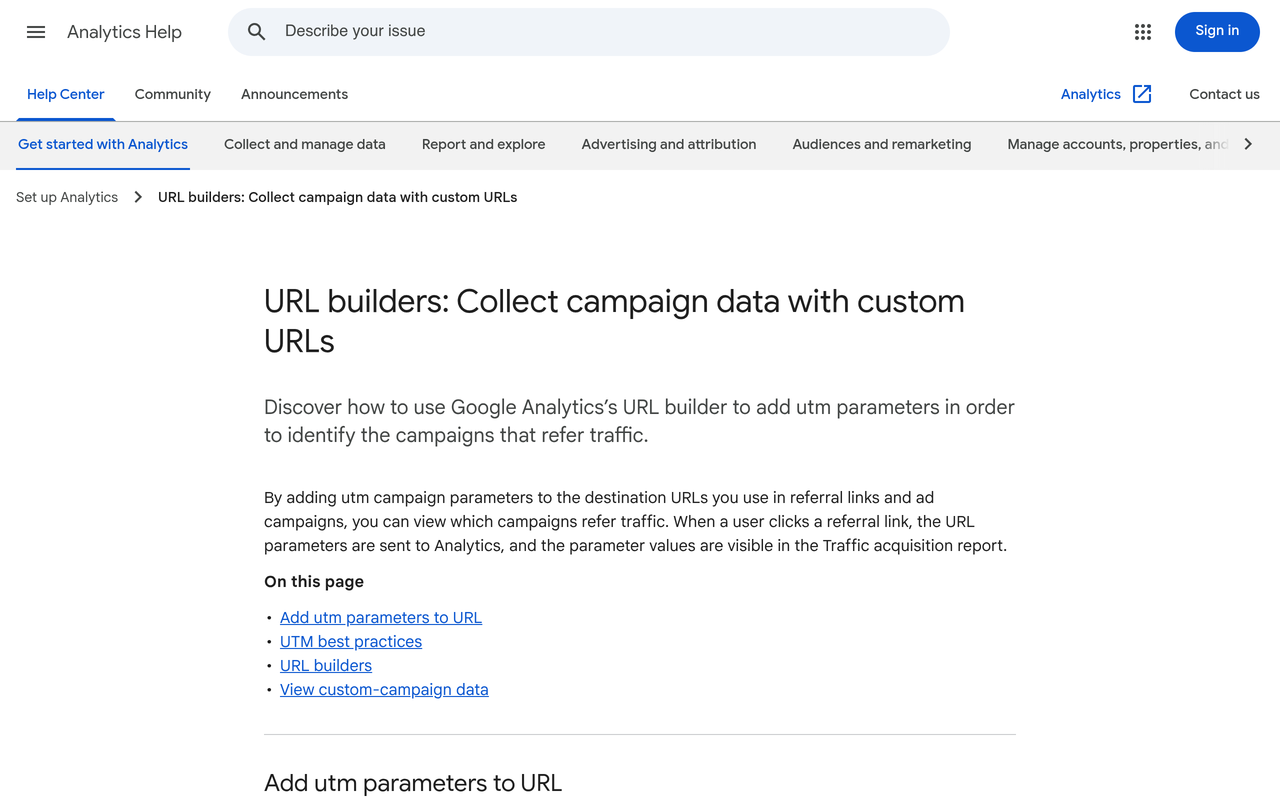
Google's own help page explains the three parameters to always use: utm_source, utm_medium and utm_campaign, and warns that values are case sensitive, so google and Google are different sources (Google Analytics Help). That is why a written naming convention matters most at migration time.
| Asset | Already posted? | What to do | Risk if ignored |
|---|---|---|---|
| Plain UTM link | Yes | Leave it. Keep the same utm_source and utm_campaign values in reports | Split reporting if you rename values |
| Platform-hosted redirect link | Yes | Ask the vendor how long it resolves after cancellation. Replace on next post or story | Dead links, lost sales |
| Discount code | Yes | Keep it active in your store. Map it to the creator in the new tool | Orders with no creator attached |
| New link, new creator post | No | Create in the new tool using the written naming convention | Inconsistent names across tools |
Codes are the most forgiving asset. A code lives in your store, so it can stay active through the whole switch, and you only need to remap it. Keep a naming convention as a one-line template, for example source equals creator handle, medium equals influencer, campaign equals campaign name, and follow the UTM structure for influencer campaigns guide.
How do I protect contracts, usage rights and disclosures?
Move the signed documents first and the summary data second. Store the original PDF in your own drive, then extract four dates into the ledger: contract start, content live date, usage-rights end, and whitelisting end. Whitelisting means a creator's permission for you to run paid ads from their own profile; the term is set by your contract and the creator, so record it rather than assume it carries over.
Keep disclosure terms with the contract. The U.S. Federal Trade Commission says a disclosure is needed when there is a financial, employment, personal or family relationship with a brand, and that financial relationships are not limited to money (FTC). If your old tool stored approved briefs and disclosure wording, export them so you can show what you asked for.
Personal data and the right to export
Creator contact details are personal data. Under UK GDPR, the right to data portability gives individuals the right to receive personal data they provided to a controller in a structured, commonly used and machine-readable format (ICO). The ICO also says it applies to personal data, not other business data, so it will not hand you campaign analytics. Do not rely on it as an export plan, and ask your vendor for a written data return clause instead. This is general information, not legal advice.
How do I run the old and new platform in parallel?
Run one campaign or a fixed window through both tools, with one tool declared the system of record for each metric. Parallel running means the old tool still reports and still holds history, while the new tool collects tracking for new posts. Tapfiliate puts the parallel window at two to three weeks and ends it with a creator email at day 21, so 21 days is a reasonable minimum for a small roster.
| Window | Old platform | New platform | Decision at the end |
|---|---|---|---|
| Days 1 to 3 | System of record | Load your ledger, set up users, test one link | Does the list match the ledger? |
| Days 4 to 14 | Still reporting, no new links | New links on new posts only | Do click and order counts reconcile with the store? |
| Days 15 to 21 | Read-only, final export | System of record | Verification list complete? Give notice. |
| After day 21 | Cancelled or archived | Live | Keep the ledger as the permanent archive |
This timeline is our own framework built on the sourced two-to-three-week and one-campaign-cycle guidance; adjust it to your posting calendar. If your campaigns run longer than three weeks, extend the middle window until one full cycle has completed, as Make Influence advises.
Decision table: when to switch
| Situation | Action |
|---|---|
| A campaign is live | Wait until it finishes |
| Lock-in ends soon | Land the switch after it |
| Major seasonal push coming up | Delay until after it, so the overlap does not collide with peak posting |
| You manage creators in a spreadsheet | No old tool to protect, so clean the sheet into the ledger and start the new tool at the next campaign |
| The vendor is changing terms or being retired | Export now and shorten the parallel window |
Which tool should I move to, and where does Nia fit?
Pick on what you need the new tool to do after migration: discovery, vetting, forecasting, campaign management and sales attribution. Many marketplaces cover discovery only. Our broader comparisons are in the best influencer marketing platforms 2026 guide and the how to pick an influencer marketing platform guide, and Nia's side-by-side pages are on the comparisons hub.
Nia by Nurdd is an AI-native creative studio with influencer marketing built in. For influencer work it searches 10M+ creator profiles across Instagram and other platforms, filters by niche, audience quality, engagement authenticity and brand match score, checks followers with TruAI fake follower detection, forecasts ROI before spend, attributes product-level sales to creators, and manages the campaign workflow. It is priced below comparable plans.
Want to see Nia by Nurdd for your own brand? Book a demo at nurdd.club/demo.
For teams moving off a spreadsheet
You have the simplest migration, because nothing is locked away. The work is cleaning: de-duplicate handles, add the three missing columns, and match each past payment to a post. Then use the platform versus spreadsheet comparison to confirm what you gain, and the influencer ROI calculator to project returns on your next budget.
For teams moving off a legacy tool
Your priority is the export and the parallel run. Compare candidate tools against the influencer discovery and qualification scorecard and the campaign ROI forecasting scorecard. If you are leaving GRIN, the GRIN alternatives guide covers fees and plans, and Nia vs GRIN sets the two side by side.
If your CRM holds creator records, read the influencer marketing CRM integration guide so the migration does not create duplicate contacts.
What should I check before I cancel the old platform?
Use this verification list as a gate. Give notice only when every line is true.
- The ledger has all five tabs, each with a source and export date.
- Every signed contract is saved as a PDF outside the old tool, with usage and whitelisting end dates extracted.
- Every live link and code is mapped to a creator and a campaign in the new tool.
- Totals from the old tool, new tool and store backend were reconciled for at least one week.
- Every active creator has been messaged and has confirmed a contact route.
- Open payments are settled or recorded with due dates.
- You have the vendor's written statement on how long redirect links resolve and when data is deleted.
- You took a final export on the day you cancelled.
What are the most common mistakes when switching?
- Exporting dashboards instead of data. PDFs and screenshots cannot be re-imported or re-analysed.
- Switching mid-campaign. It splits attribution across two systems and makes reconciliation harder.
- Reusing codes blindly. A code that two systems both count produces double attribution.
- Renaming UTM values. Because values are case sensitive, small spelling changes create new sources in analytics.
- Ignoring whitelisting dates. Running a creator's post as an ad past the agreed term breaks the contract.
- Importing stale audiences. Re-vet audience quality before you re-brief anyone.
- Cancelling first. Notice periods and export clauses are cheaper to read before you give notice than after.
How does Nurdd help with an influencer platform switch?
Nurdd is the parent company of Nia, Noma and Pulse, which are separate products. For this job the relevant one is Nia, which covers influencer discovery, TruAI fake follower detection, pre-spend ROI forecasting and sales attribution. If you want the team to run the programme for you, the influencer marketing agency service runs creator campaigns on Nia, and the Nia overview page lists what is included.
For measurement after the move, the influencer marketing measurement hub walks through forecast, vet, attribute and report. To talk it through, book a demo with Nurdd.
How we researched this
We searched for existing migration guides and read the top results, then reviewed vendor help pages, Google's analytics documentation, the U.S. Federal Trade Commission's influencer guidance and the UK Information Commissioner's Office page on data portability. Sources were reviewed around the publication date, and pages can change after that. We did not run a hands-on migration, interview customers or collect our own data, and the timeline and ledger are our own framework built from the cited guidance.
Frequently asked questions
How do I switch influencer marketing platforms without losing data?
Export raw creator, performance, contract, link and payment data before giving notice, then run the old and new tools together for at least two to three weeks. Cancel only after totals reconcile with your store backend. Take a final export on the last day.
What should I export before leaving an influencer platform?
Export the creator list with contact details and notes, campaign performance by post, signed contracts, every tracking link and discount code, and payment history. Choose CSV or XLSX where possible, because PDFs cannot be re-imported. Add the date of any fake-follower scores.
How long should I run both platforms at once?
At least two to three weeks according to Tapfiliate, and one full campaign cycle according to Make Influence. Use whichever is longer for your posting calendar. The aim is to find tracking gaps before the old account closes.
Will my creators' tracking links stop working?
Plain UTM links keep working as long as your site does. Links that redirect through the old platform may not, so ask the vendor in writing how long they resolve after cancellation. Discount codes live in your store and are unaffected.
Can I move my spreadsheet into a new influencer platform?
Import options differ by vendor, so ask each one how it handles spreadsheets before you commit. Whatever the tool, clean the sheet first: consistent columns such as handle, email and status, no duplicates, plus contact route, usage-rights end and last vetted date.
How is Nia priced?
Nia by Nurdd is a paid product, priced below comparable plans. To see it for your own brand, book a demo at nurdd.club/demo.
Does GDPR make the old platform give me my data?
Only partly. The ICO says portability covers personal data an individual provided to a controller, not all business data. Negotiate a data return clause, and take legal advice for your situation.
When is the worst time to switch?
During a live campaign or just before a major seasonal push. Switching then splits attribution across two systems and leaves no calm window for the parallel run.
Ready to move your creators?
If you are leaving a spreadsheet or a legacy tool, see how Nia by Nurdd handles influencer discovery, TruAI fake follower checks, pre-spend forecasts and sales attribution. Book a demo at nurdd.club/demo. You can also read the how Nurdd works page first.