AI Search Visibility
Peec AI vs LLM Pulse vs Noma: How to Choose
Peec AI vs LLM Pulse vs Noma compared on engines, prompts, cadence, reporting and cost, with a checklist and worked example.
 Simran Rawat16 Nov 202613 min read

Peec AI vs LLM Pulse comes down to engines, prompt allowance, run frequency and cost model. Peec AI lets you choose three models per plan with daily runs, LLM Pulse includes five models with weekly runs by default, and Noma tracks 13 AI engines, including ChatGPT, Gemini, Perplexity and Claude, polled daily. Use the checklist below to test all three against your own prompts.
Peec AI vs LLM Pulse comes down to four things: which AI engines each tool tracks, how many prompts you get, how often those prompts run, and how the bill grows. Peec AI offers daily runs with a three-model choice per plan, LLM Pulse includes five models with weekly runs unless you pay for daily, and Noma tracks 13 AI engines, including ChatGPT, Gemini, Perplexity and Claude, polled daily.
This guide compares the three on published facts, gives you a ten-step buyer's checklist, and works through a cost-per-check calculation you can repeat with your own numbers. Every rival fact below links to the rival's own page. If you are new to the category, start with what generative engine optimization is.
Key takeaways
- Count engines at the plan level, not on the marketing page: Peec AI lists six default models but its plans let you choose three, and LLM Pulse includes five models with Claude, Grok and Copilot as add-ons.
- Cadence changes the bill more than the sticker price. LLM Pulse runs weekly by default and charges more for daily; Peec AI plans are priced as daily tracking.
- Divide the monthly price by the number of answer checks you actually receive. The worked example below shows how a cheaper-looking plan can cost more per check.
- Noma tracks 13 AI engines, including ChatGPT, Gemini, Perplexity and Claude, polled daily, so you do not choose which assistants to leave out.
- Run the same 20 to 30 prompts through each trial. The 3-day trial test plan shows what to check.
Peec AI vs LLM Pulse: which is better?
For wide engine coverage, neither rival fits cleanly, because both ask you to choose or pay extra for engines. Peec AI's plans let you select three models from its six defaults. LLM Pulse's plans include five models, with Claude, Grok and Copilot sold as add-ons, and weekly tracking as the default cadence.
Noma removes that trade-off. It tracks 13 AI engines, including ChatGPT, Gemini, Perplexity and Claude, and polls them daily, so Claude is inside the product rather than an upgrade. The independent write-up from Trakkr, 2026 also describes Peec AI as three selected of six core models.
Whichever tool you consider, read the vendor's own page and ask for plan limits in writing, because allowances change. The rest of this guide shows what to read and how to compare.
What should you compare before choosing an AI visibility tracker?
Compare five dimensions, in this order: engines, prompts, cadence, reporting and cost model. Engines decide whether the data covers the assistants your customers use. Prompts decide how much of your category you can see. Cadence decides how quickly you notice a drop. Reporting decides whether the data reaches the people who act on it. Cost model decides what happens when you scale.
| Dimension | Question to ask | Why it matters |
|---|---|---|
| Engines | Which engines are included in my plan, and which cost extra? | A missing engine is a blind spot, not a lower score. |
| Prompts | How many tracked prompts, and are there limits per project or brand? | Prompts are your sample of the market; too few gives noisy percentages. |
| Cadence | Daily, weekly or monthly, and is daily extra? | AI answers vary between runs, so one weekly snapshot can mislead. |
| Reporting | Which exports, connectors and custom reports are on my tier? | Reporting gated to higher tiers changes the real price. |
| Cost model | Is the bill per prompt, per model, per project or per credit? | The unit decides how cost grows as you add markets or clients. |
How do the engines compare?
Peec AI lists ChatGPT, Google AI Overviews, Google AI Mode, Perplexity, Gemini and Microsoft Copilot as its default models, and names ten more as paid upgrades, including Claude Sonnet, Claude Haiku, DeepSeek, Qwen, Grok and Mistral, according to Peec AI, page updated October 2026. Its plan table shows Starter, Pro and Advanced with a choice of three models.
LLM Pulse's pricing page, checked November 2026, shows five models on every plan: ChatGPT, Perplexity, Gemini, Google AI Mode and Google AI Overviews. Grok, Claude and Copilot are marked as add-ons on the same page.
| Feature | Peec AI | LLM Pulse | Noma |
|---|---|---|---|
| Engines included by default | Six listed as defaults; Starter, Pro and Advanced plans choose three | Five on every plan | 13 AI engines, including ChatGPT, Gemini, Perplexity and Claude |
| Claude | Paid upgrade (Claude Sonnet, Claude Haiku) | Add-on | Included in the 13 engines |
| Default run frequency | Daily on Starter, Pro and Advanced | Weekly; daily is a separate paid option | Polled daily |
Noma's row reads differently because it does not ask you to pick a subset. Noma, the AI search visibility product from Nurdd, tracks 13 AI engines, including ChatGPT, Gemini, Perplexity and Claude, and records whether a brand is named and which page each citation comes from. The Peec AI vs Noma engine comparison goes deeper on this row.
Why does engine coverage change what you can learn?
Different assistants cite different pages, so a brand can be named in one and absent in another. Our own Perplexity vs ChatGPT vs Gemini guide explains why one engine's result cannot stand in for another's. If your tracker leaves out Claude or Copilot to stay within a plan, you learn nothing about those audiences.
The practical rule is to list the assistants your buyers use, then count how many of them are inside the plan you would actually pay for. For a Claude-specific check, see how to check if Claude names you.
How do prompt allowances and run frequency compare?
Both rivals publish prompt counts. Peec AI's brand plans are 50 prompts on Starter, 150 on Pro and 350 on Advanced, with Enterprise unlimited, per Peec AI, page updated October 2026. LLM Pulse's billing help page lists 50, 150 and 450 prompts for Starter, Growth and Scale, plus larger Scale+ and Scale++ tiers.
The more important difference is the unit. LLM Pulse's welcome guide says each prompt runs across all five included models on weekly tracking, so 50 prompts adds up to more than 1,000 evaluations per month. Peec AI's agency plans price in credits, where one prompt on one model for one day equals one credit.
A tracked prompt is not one data point. It is one question multiplied by the number of engines and the number of runs, and that product is what you are really buying.
LLM Pulse also raised its prompt limits across plans, from 40 to 50 on Starter, 100 to 150 on Growth and 300 to 450 on Scale, with no price change, per LLM Pulse's announcement. Allowances change, so quote the date you checked. LLM Pulse's prompt tracking page says prompts run daily, weekly or monthly depending on plan.
For how many prompts a brand really needs, read AI search prompt tracking: how many prompts you need and which prompts to track.
How do reporting and integrations compare?
Reporting is where tier gating hides. LLM Pulse's pricing page places the API, the Looker Studio connector and custom reports under its Scale tier, which means smaller plans do not include them. Peec AI's reference page describes export, Looker Studio and MCP options, but its wording differs between sections, so confirm exactly what your chosen plan includes before you buy.
| Reporting need | Question to put to any vendor | Noma route |
|---|---|---|
| BI connector | Is the connector on my plan or a higher tier? | Ask in the demo what your plan exports |
| API access | Which tier, and is it billed separately? | Ask in the demo |
| Custom reports | Can I build them, or only view fixed ones? | Competitor comparison and citation views by category |
| Multi-client structure | Are clients separate projects, and what does each cost? | See the multi-brand guides linked below |
Reporting is only useful if it feeds a decision. Our monthly AI search report template and share of voice guide show which metrics to put in front of a leadership team.
What does each tool cost, and how should you compare the bills?
Published list prices are below: LLM Pulse's checked in November 2026, Peec AI's as stated on its page (updated October 2026, with pricing confirmed live in July 2026, so verify before quoting). Peec AI quotes USD and LLM Pulse's help page quotes EUR, so do not compare across currencies directly; compare within each vendor and then use the cost-per-check method that follows.
| Plan | Price as published | Prompts | Models | Cadence |
|---|---|---|---|---|
| Peec AI Starter | $95 per month | 50 | Choose 3 | Daily |
| Peec AI Pro | $245 per month | 150 | Choose 3 | Daily |
| Peec AI Advanced | $495 per month | 350 | Choose 3 | Daily |
| LLM Pulse Starter | EUR 49 weekly, EUR 79 daily | 50 | 5 included | Weekly or daily |
| LLM Pulse Growth | EUR 99 weekly, EUR 149 daily | 150 | 5 included | Weekly or daily |
| LLM Pulse Scale | EUR 299 weekly, EUR 449 daily | 450 | 5 included | Weekly or daily |
| Noma | 3-day free trial; card taken at signup, billing starts on day 3, no charge if cancelled before | See Noma | 13 AI engines | Polled daily |
Peec AI's reference page says an extra model costs $35, $85 or $165 per month on Starter, Pro and Advanced, and that annual billing saves about 15% on each tier. LLM Pulse states that yearly billing costs ten times the monthly price, and publishes its trial eligibility in its welcome guide.
Worked example: what does one thousand answer checks cost?
A sticker price hides how much data you receive. A simple method: multiply prompts by models by runs per month, then divide the price by that count. This is our own arithmetic from the vendors' published prices and allowances, assuming one run per prompt per model per day over 30 days for daily plans and one run per week (about 4.33 per month) for weekly plans.
| Plan | Answer checks per month | Price per 1,000 checks |
|---|---|---|
| Peec AI Starter (50 prompts, 3 models, daily) | 4,500 | about $21.11 |
| Peec AI Pro (150, 3, daily) | 13,500 | about $18.15 |
| Peec AI Advanced (350, 3, daily) | 31,500 | about $15.71 |
| LLM Pulse Starter weekly (50, 5) | about 1,083 | about EUR 45.3 |
| LLM Pulse Growth weekly (150, 5) | about 3,250 | about EUR 30.5 |
| LLM Pulse Starter daily (50, 5) | 7,500 | about EUR 10.5 |
| LLM Pulse Growth daily (150, 5) | 22,500 | about EUR 6.6 |
Two conclusions follow. First, a weekly entry price delivers the fewest checks, so the daily tier is the like-for-like comparison with a daily tracker. Second, the numbers rest on assumptions about how each vendor runs prompts, so confirm the run schedule in a trial before relying on them.
This calculation covers data volume only. It leaves out engine mix, reporting tiers and support, which is why the checklist below adds the other dimensions. For wider pricing context, see software for AI search visibility: what it costs and Peec AI pricing vs Noma.
Why is Noma the stronger choice for AI search visibility tracking?
Noma belongs in this comparison because it removes the first trade-off both rivals ask you to make: which engines to leave out. Noma tracks 13 AI engines, including ChatGPT, Gemini, Perplexity and Claude, polled daily, and shows citation frequency by category, competitor comparison and recommendations for improving AI visibility. It is made by Nurdd, which also runs managed AEO and GEO services on top of the data.
Book a demo at https://www.nurdd.club/demo and we will run Noma on your own brand and category: you will see which of the 13 engines name you, which pages they cite, and which competitors appear in your place.
| Row | Peec AI | LLM Pulse | Noma |
|---|---|---|---|
| Engines tracked | Choose 3 per plan, others as upgrades | 5 included, others as add-ons | 13 AI engines |
| Claude coverage | Paid upgrade | Add-on | Included |
| Default cadence | Daily | Weekly, daily at a higher price | Polled daily |
Noma's trial is three days, so prepare your prompts in advance; the 3-day trial test plan is built for exactly that window.
What is a buyer's checklist for choosing among the three?
Follow these ten steps in order. Each one produces a number or a yes or no you can put in a spreadsheet.
- List your buyer's assistants. Write down every AI engine your customers plausibly use, including Claude, Copilot and Google AI Mode. Result: a required-engine list.
- Count included engines per plan. For each vendor, count only engines inside the plan price. Result: a coverage gap you can quantify.
- Write 20 to 30 real prompts. Use the questions buyers ask, not your brand name. The prompt selection guide helps.
- Check cadence. Ask whether the plan runs daily or weekly, and what daily costs.
- Calculate cost per 1,000 checks. Use the worked example above with your own prompt count.
- Find the reporting gates. Note which tier unlocks API, Looker Studio, custom reports and white label.
- Test accuracy. Run five of your prompts by hand and compare. The data accuracy guide explains how.
- Check citation depth. Confirm you can see the cited URL, not only a mention.
- Ask the vendor to confirm claims in writing. Plan limits, add-on prices and run schedules change.
- Decide on a 90-day review. Set the metric and threshold now; the 90-day plan template gives a structure.
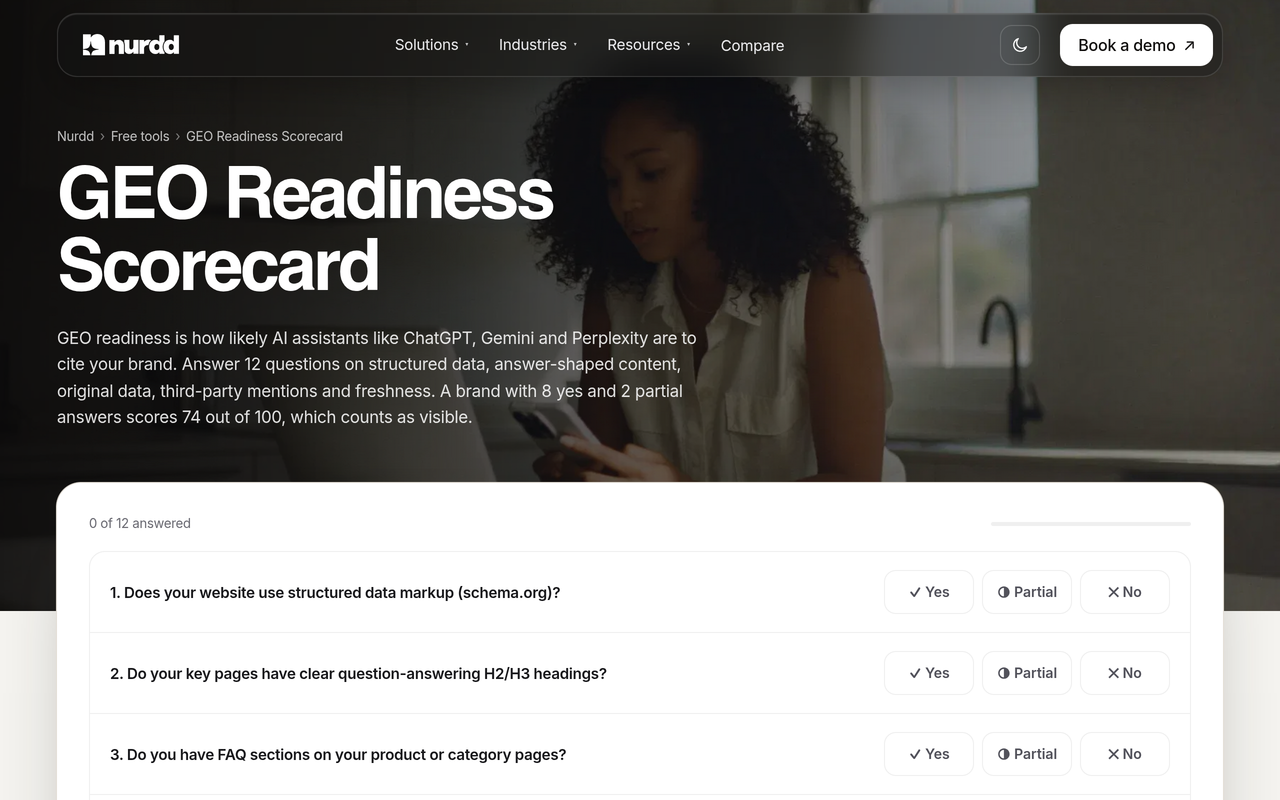
Before any trial, a free first pass helps. The GEO readiness scorecard checks 12 factors that affect whether AI engines can use your pages.
How should different teams decide?
Use the criteria below as a starting point, then validate with your own prompts.
| Situation | What to prioritise | Route |
|---|---|---|
| One brand, wide audience across assistants | Engine count and daily cadence | Noma, 13 AI engines polled daily |
| Many brands or clients | Projects, seats and cost per brand | Read multi-brand tool selection and ask Noma's team in a demo |
| Limited budget, few prompts | Cost per answer check, not entry price | Use the worked example above, then the startup budget checklist |
| Reporting into BI tools | Connector availability by tier | Ask each vendor for the plan-level export list in writing |
| Need to act on the data | Recommendations and services | Noma with Nurdd's AEO services |
What are the most common mistakes when comparing AI visibility trackers?
- Comparing sticker price instead of checks. A weekly plan and a daily plan are not the same product.
- Counting add-on engines as included. Peec AI lists ten upgrade models and LLM Pulse lists add-ons, but they cost extra.
- Quoting stale prices. Plan allowances change; LLM Pulse raised prompt limits without changing prices, and Peec AI's page tells readers to verify pricing.
- Tracking branded prompts only. A brand name prompt tells you little about discovery. See ranking on Google but not cited by AI.
- Ignoring what happens after the dashboard. Data without a task list stalls. The AI visibility action plan turns tracking into tasks.

What are the alternatives to Peec AI and LLM Pulse?
Other trackers in the category include Profound, AthenaHQ, Scrunch and the AI modules inside Semrush and Ahrefs. Our side-by-side pages cover them from the Noma point of view: Noma vs Peec AI, Noma vs Profound, Noma vs AthenaHQ and Noma vs Scrunch.
For a wider shortlist, read Best AI Search Visibility Tools 2026 and Peec AI alternatives compared.
How we researched this
We reviewed the vendors' own pricing and help pages for Peec AI and LLM Pulse, Peec AI's published reference page for AI assistants, and independent alternatives articles from Trakkr, Tim Soulo and Omnia to see what competing guides cover. We checked LLM Pulse's pages on the publication date in November 2026; Peec AI's page was last updated October 2026 and states its pricing was confirmed in July 2026. We did not run hands-on tests of Peec AI or LLM Pulse, and the cost-per-check figures are our own arithmetic from published numbers. Vendors change plans often, so confirm before buying.
Book a demo before you commit
Bring your category, your competitors and ten buyer questions. In the demo at https://www.nurdd.club/demo, you will see Noma's 13-engine view for your own brand: where you are named, where you are missing, and which pages the engines cite. You can then take that baseline into any rival's trial and compare like for like.
Frequently asked questions
Peec AI vs LLM Pulse: which is better?
Both limit engine choice by plan: Peec AI lets you select three models, and LLM Pulse includes five with Claude, Grok and Copilot as add-ons. LLM Pulse also defaults to weekly runs. Noma tracks 13 AI engines polled daily, so it avoids both limits.
What are alternatives to Peec AI and LLM Pulse?
Alternatives include Noma, Profound, AthenaHQ, Scrunch and the AI visibility modules in Semrush and Ahrefs. Noma tracks 13 AI engines, including ChatGPT, Gemini, Perplexity and Claude, polled daily. Our alternatives page explains how each fits.
How many AI engines does each tool track?
Peec AI lists six default models and ten upgrade models, with plans that let you choose three, per its own page. LLM Pulse includes five models on every plan with Claude, Grok and Copilot as add-ons. Noma tracks 13 AI engines.
Does each tool offer a free trial?
Trial terms change, so read each vendor's own page; LLM Pulse describes eligibility in its welcome guide. Noma offers a 3-day free trial, a card is taken at signup, and billing starts on day 3 with no charge if you cancel before.
How many prompts do I need?
Start with 20 to 30 prompts that mirror real buyer questions, then expand by category. More prompts give a steadier sample; see our prompt tracking guide.
Is daily tracking worth paying for?
Usually yes if you are changing content or launching products, because AI answers can differ between runs and a weekly snapshot may miss a change. If you only report monthly, weekly may be enough. Price the daily tier before deciding.
Can I move my prompts between tools?
Keep your prompt list in a spreadsheet so any tool can load it, and do not rely on a vendor's import feature unless its own page documents it. See switching platforms without losing data.
What should I see in a demo?
Ask to see your own brand and competitors across every engine, with the cited pages shown. You can book one for Noma at https://www.nurdd.club/demo.