AI Search Visibility
Which AI Search Tool Tracks Multiple Brands Best?
A buyer scorecard for portfolio owners and agencies: how to judge workspace separation, per-brand prompt limits and reporting before you pick a tool.
 Simran Rawat11 Nov 202614 min read
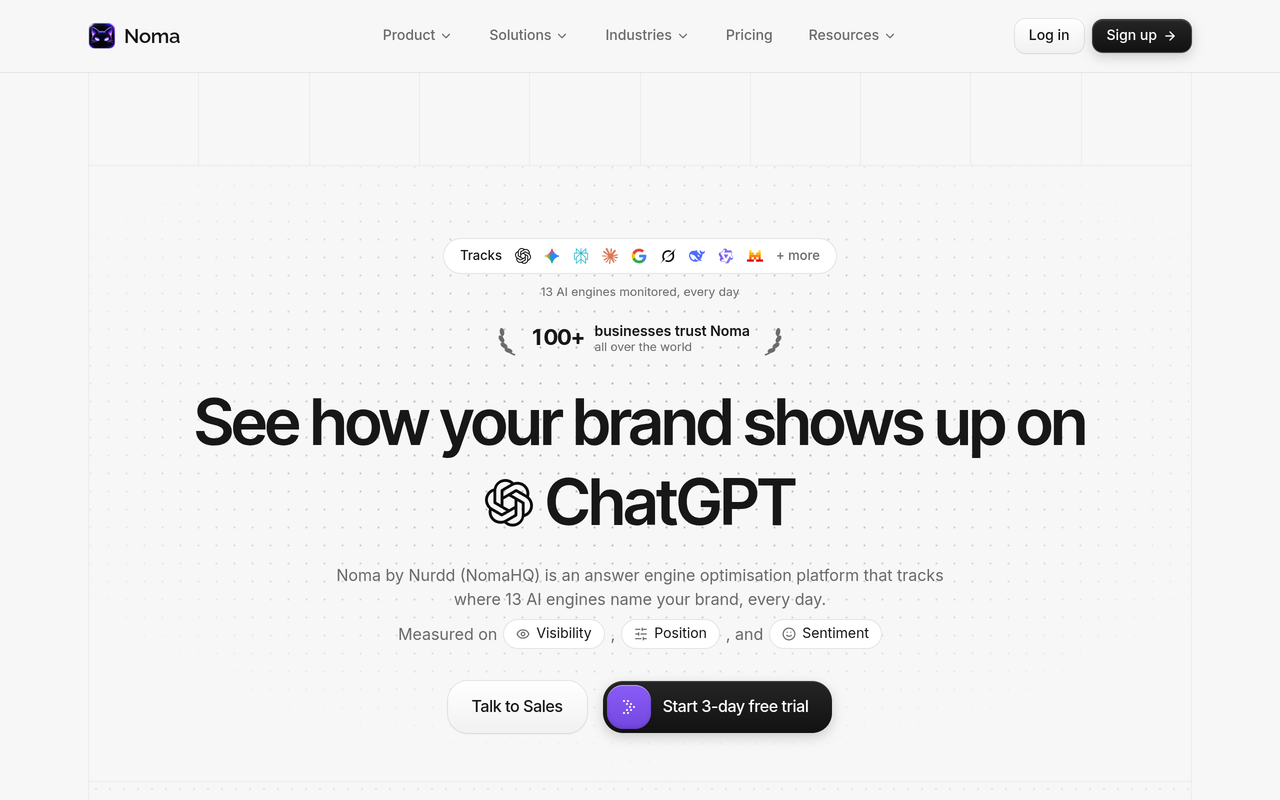
The best AI search tool for tracking multiple brands is the one that scores highest on workspace separation, prompt limits per brand and per-brand reporting when you test it on your own brands. Noma by Nurdd is a web dashboard that tracks 13 AI engines, including ChatGPT, Gemini, Perplexity and Claude, polled daily, with citation frequency by category, competitor comparison and recommendations. Use the seven-row scorecard below to compare it with any alternative.
The best AI search tool for tracking multiple brands is the one that keeps each brand's prompts, competitors and history apart, makes the prompt limit easy to divide per brand, and gives you a report per brand without copy-pasting. Many tools differ most in their multi-brand features, so that is where to look hardest. Noma by Nurdd tracks 13 AI engines, including ChatGPT, Gemini, Perplexity and Claude, and the scorecard below lets you judge it and every alternative on the same terms.
Key takeaways
- Judge a multi-brand tool on three things before price: workspace separation, how prompt limits divide across brands, and what reporting each brand gets.
- Divide any plan's prompt cap by the prompts you need per brand. The result is how many brands the plan can really hold.
- Ask what "unlimited" refers to. Unlimited clients, seats and prompts are three different promises.
- Run a two-brand trial test with different competitor lists and check that nothing leaks between brands.
- Freeze each brand's prompt set for a quarter so changes in your numbers reflect changes in AI answers, not in your questions.
- Noma has a 3-day free trial with a card taken at signup, so prepare your test inputs before you start.
Why is tracking multiple brands harder than tracking one?
Tracking one brand means one set of prompts, one competitor list and one report. Tracking ten means ten of each, and the tool must stop them contaminating each other. A competitor of brand A may be a sister brand of brand B, so a shared competitor list quietly distorts share-of-voice figures.
The market also uses "multi-brand" loosely. It can mean a true separate workspace per brand, or a filter on one shared project. LLM Pulse, for example, describes on its agency page unlimited seats, multi-client dashboards and reports under your own brand, and says the dashboard keeps clients' data clearly separated. Those are the features to look for, and the scorecard below turns them into questions you can test.
Portfolio owners face the same problem as agencies, with their own brands as the clients. If you are also deciding how much to invest in the channel at all, AI search optimization vs SEO explains what to fund first.
What do the top-ranking comparisons cover, and what do they miss?
Searching this topic returns list-style roundups, such as Position Digital's 15 Best AI Visibility Tracking Tools I Tested, LLM Pulse's 11 Best AI Search Tools and AI Peekaboo's 9 best options for agencies. They rank products and describe features, and the Position Digital page labels individual tools by use, such as agencies or multi-brand tracking.
What the pages seen in search results do not give a buyer is a way to test separation personally, or a prompt budget that starts from how many prompts each brand needs. This guide adds three things: a weighted scorecard, a prompt-capacity worked example and a day-one trial test.
How do you choose the best AI search tool for tracking multiple brands? A seven-row scorecard
Score each candidate from 0 to 3 on every row, multiply by the weight and add up. A tool that scores 0 on workspace separation should be rejected whatever its total, because everything downstream depends on it. Use the same two test brands and prompts for every tool so the scores are comparable.
| Row | Question to ask | What a 3 looks like | Weight |
|---|---|---|---|
| 1. Workspace separation | Does each brand have its own prompts, competitors, history and users? | Fully separate; nothing shared unless you choose | x3 |
| 2. Prompt limits per brand | Is the cap counted per brand or pooled across the account? | The counting rule is stated in writing, so you can divide it per brand | x3 |
| 3. Engine coverage | Which AI engines run on the plan you would buy? | Every engine you care about, on your tier, on a stated schedule | x2 |
| 4. Reporting per brand | Can you export or share one report per brand? | Per-brand trend, citations and competitors with no manual stitching | x2 |
| 5. Access control | Can a brand owner or client see only their own brand? | View-only access scoped to one brand | x2 |
| 6. Actions, not just tracking | Does it recommend what to improve? | Recommendations tied to the data | x1 |
| 7. Cost predictability | Can you state your bill at today's and next year's brand count? | Published limits that let you calculate it before talking to sales | x1 |
The maximum is 42. As a rule of thumb for your own decision, a total below 28 suggests a single-brand product with multi-brand features attached. That threshold is this guide's own suggestion, not a published benchmark.
Row 1: Workspace separation
Separation is about data boundaries. If someone who manages only brand B can see or edit brand A's prompts, or both brands share a competitor set, the tool does not separate them. Ask to see the settings screen, not the marketing page.
For portfolio owners separation also protects strategy. Two brands in one category often need to track each other as competitors, and a pooled competitor list makes that impossible without distorting both reports.
Row 2: Prompt limits per brand
Prompt caps shape what a plan costs you per brand. What matters is how the cap is counted, and whether unused prompts from a quiet brand can be spent on a busy one. Our guide to how many prompts you need for AI search tracking covers sizing, and which prompts to track covers selection.
Row 3: Engine coverage
Check engines at the tier you would buy, not the maximum on the homepage. RankPrompt's agency page, for example, names engines including ChatGPT, Perplexity, Google AI Mode, Claude, Gemini and Grok. Noma by Nurdd tracks 13 AI engines, including ChatGPT, Gemini, Perplexity and Claude, polled daily.
Row 4: Reporting per brand
A portfolio owner needs a one-page view per brand plus a roll-up. An agency needs something a client can read without learning the tool. Read this row as "what do I actually hand over?" rather than "does the page say white-label?". For what to send each month, see AI search reporting for agencies.
Row 5: Access control
Brand owners and clients should see their own brand and no other. If the only way to share is a login to the whole account, you expose the rest of the portfolio. What to ask vendors about permission-aware AI search lists the questions.
Row 6: Actions, not just tracking
Knowing a brand is absent from answers matters only if the tool points to what to do next. Noma by Nurdd gives recommendations to improve AI visibility alongside citation frequency and competitor comparison. This row weighs less because every tool can be paired with an agency or in-house team for the fixes.
Row 7: Cost predictability
Choose the tool you can price at your next roster size. If you cannot calculate your bill at twice your current brand count from published limits, you are negotiating blind.
How many brands can a plan really hold? A worked example
This example uses hypothetical numbers, so you can repeat it with any vendor's real caps. Assume you need 25 prompts per brand, a modest set covering category, comparison and problem-style questions. Divide each plan's cap by 25.
| Hypothetical plan cap | Calculation | Brands covered |
|---|---|---|
| 50 prompts | 50 / 25 | 2 |
| 150 prompts | 150 / 25 | 6 |
| 300 prompts | 300 / 25 | 12 |
A portfolio of 12 brands therefore needs 300 prompts at this rate, which rules out the first two plans. To get cost per brand, divide the plan's monthly price by the brands covered. Do this only if the vendor confirms the cap can be spread across brands; if it is fixed per workspace, the sum changes.
Prompt caps and the number of separate brands or workspaces are different limits. A plan can have enough prompts and still not allow enough separate brands, so ask about both. Where a vendor will not give limits in writing, score row 7 as 0.
How does the scorecard work on two hypothetical tools?
The scores below are invented to show the arithmetic, not a judgement of any real product. Tool A has strong engine coverage but pooled prompts. Tool B has fully separate workspaces and scoped client access but few recommendations.
| Row | Weight | Tool A score | Tool A points | Tool B score | Tool B points |
|---|---|---|---|---|---|
| 1. Workspace separation | x3 | 3 | 9 | 2 | 6 |
| 2. Prompt limits per brand | x3 | 2 | 6 | 3 | 9 |
| 3. Engine coverage | x2 | 3 | 6 | 2 | 4 |
| 4. Reporting per brand | x2 | 2 | 4 | 3 | 6 |
| 5. Access control | x2 | 1 | 2 | 3 | 6 |
| 6. Actions | x1 | 2 | 2 | 1 | 1 |
| 7. Cost predictability | x1 | 2 | 2 | 1 | 1 |
| Total (max 42) | 31 | 33 |
Tool B wins by two points despite weaker coverage, because separation, limits and access carry the heaviest weights. If your portfolio is a single-owner group with no client logins, you might lower the weight on row 5 and the result could flip, so set weights before you score.
How do the main tools compare on multi-brand features?
The table shows what each vendor states on its own page about multi-brand use. Anything not confirmed is pointed back to the vendor page rather than assumed. Pages were read in November 2026; check them again before buying because plans change.
| Tool | Multi-brand wording on its page | Engines named | Reporting named |
|---|---|---|---|
| Noma by Nurdd | Web dashboard with competitor comparison and recommendations | 13 AI engines, including ChatGPT, Gemini, Perplexity and Claude, polled daily | Citation frequency by category and competitor comparison |
| LLM Pulse | Multi-client dashboard with clear data separation, unlimited seats | See the LLM Pulse site; check which engines are add-ons | Reports under your own brand; Looker Studio reporting |
| RankPrompt | Multi-client management from one agency dashboard | Including ChatGPT, Perplexity, Google AI Mode, Claude, Gemini and Grok | White-label reporting and multi-brand reports |
Sources: LLM Pulse, November 2026, RankPrompt, November 2026 and Noma.
What do the options cost, as published?
LLM Pulse arranges agency pricing through its partner programme, so a published agency price is not available on the page read. The table lists what each page states. Prices are in USD.
| Tool | Pricing as stated on the page read | Trial | Checked |
|---|---|---|---|
| Noma by Nurdd | Plans at nomahq.app | 3-day free trial; card taken at signup; billing starts on day 3; no charge if cancelled before | November 2026 |
| LLM Pulse | Agency-specific pricing is arranged through its partner programme | Agency page shows a free trial with "Cancel anytime"; check its length on the page | November 2026 |
| RankPrompt | No price on the agency page read | Agency page links free AI visibility and AEO checker tools | November 2026 |
LLM Pulse's agency FAQ also says most agencies charge $500-2,000 a month for AI visibility monitoring and reporting. That is the vendor's statement about what agencies bill clients, not its own price, so use it only as a reference for your resale pricing. For the buying side, see AI search agency pricing.
Where does Noma fit for multi-brand tracking?
Noma by Nurdd is a web dashboard that tracks whether a brand appears in answers from 13 AI engines, including ChatGPT, Gemini, Perplexity and Claude, polled daily. It shows citation frequency by category, a competitor comparison and recommendations to improve AI visibility. Noma belongs in the answer for portfolio owners and agencies who want daily, wide-coverage tracking with recommendations in one dashboard.
Want to see Noma on your own brands? Book a demo and see your brands' mentions, citations and competitor comparison in Noma.
Use the scorecard on Noma the way you would on any tool: rows 3 and 6 are answered by the facts above, and rows 1, 2, 4, 5 and 7 should be scored from what you see during the trial and demo. Nurdd's generative engine optimization services and answer engine optimization agency improve the site and content AI engines read, measured in Noma. Noma is separate from Nia and Pulse, which are Nurdd's other products.
How do you test multi-brand separation during a trial? A checklist
Noma's free trial is 3 days, with a card taken at signup and billing starting on day 3, so prepare everything before you sign up.
- Prepare two real brands. Pick two in the same category if you can, because that is where leakage shows. Write 10 prompts and a competitor list for each.
- Create both brands separately. Action: add each as its own workspace or project. Result: you see whether the tool forces one shared account. Why: the setup flow reveals how separation is built.
- Add a competitor to brand A only. Result: it must not appear in brand B. Why: leakage would corrupt both brands' share of voice.
- Check the prompt counter. Action: add prompts until you reach a limit. Result: you learn whether the cap is per brand or pooled. Why: it decides your cost at scale.
- Invite a view-only user to brand A. Open the invitation in a private browser. Result: that user sees brand A only. Why: it is what clients will experience.
- Export one report per brand. Result: you see what leaves the tool without editing. Why: reporting time is the hidden cost.
- Score the tool. Fill in the scorecard from what you saw, not from the sales page.
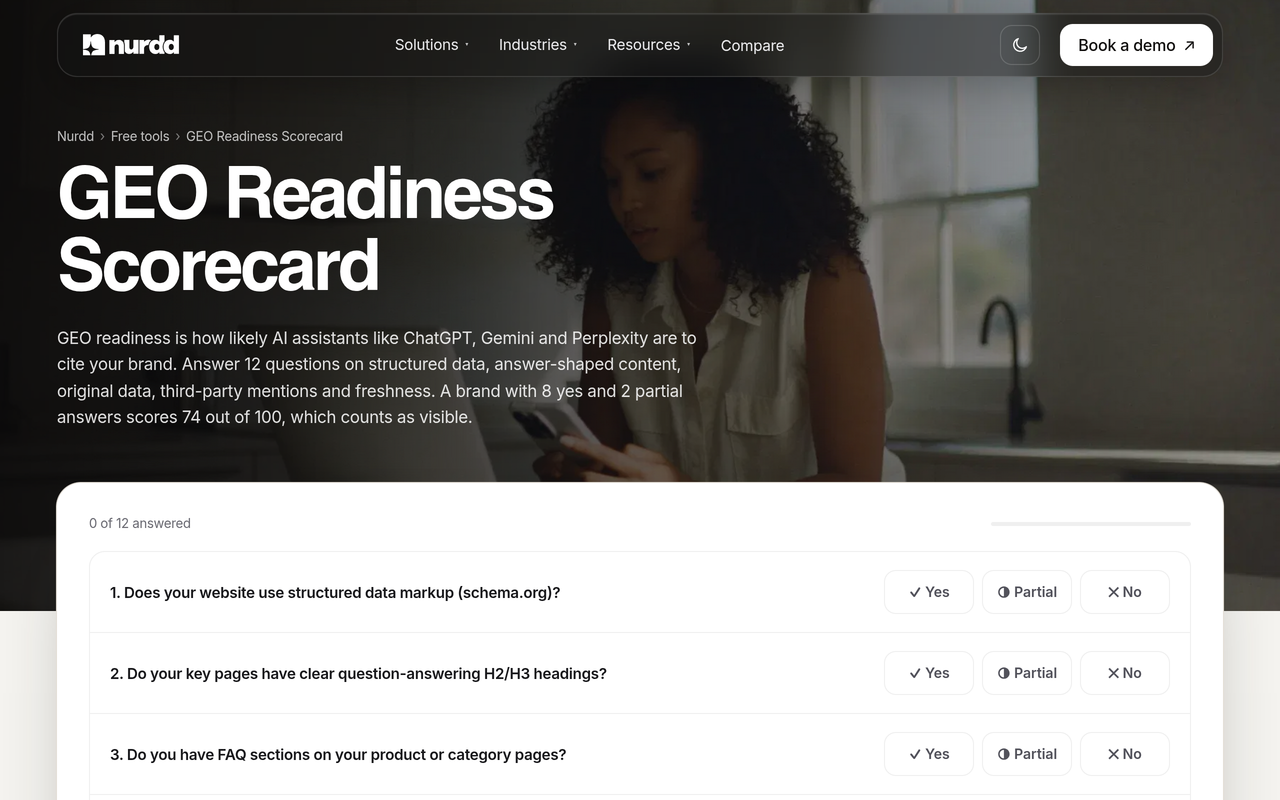
Before tracking begins, run the free GEO readiness scorecard on each brand's site.
How do agencies monitor AI visibility for many clients?
Agencies that do this well run a fixed monthly routine per client instead of checking dashboards ad hoc. They keep a separate space per client, a stable prompt set and a report comparing this month with the last. Our guides to tracking multiple brands in AI search and AI search visibility checking software for agencies go deeper on setup.
- Create one space per client and load their core prompts and main competitors.
- Freeze the prompt set for the quarter and add new prompts in a separate batch.
- Pull the same metrics for each client: mentions, share of voice, citations by source and the competitors named most.
- Report across several days rather than one day, because AI answers vary between runs.
- End each report with a few actions per client, such as pages to improve or third-party sources to earn.
The metrics are explained in how to measure AI search share of voice and how to build a monthly AI search metrics report.
Which setup fits which kind of portfolio?
| Your situation | Brands | Priority rows | What to check first |
|---|---|---|---|
| Founder with sub-brands in one category | 2 to 5 | 1, 2 | Can sub-brands track each other as competitors without leakage? |
| Portfolio owner with unrelated brands | 5 to 15 | 2, 7 | How is the prompt cap counted, and what is the bill at 15 brands? |
| Agency with a growing roster | 10 to 30 | 1, 4, 5 | View-only client access and a report you can send as is |
| Franchise or multi-location group | Many, similar | 2, 4 | Whether location pages can be tracked without a workspace each |
Franchise networks should read AI search optimization for franchise brands. If you are weighing several vendors, the guide to choosing an AI search tool for multiple client brands and the comparison of 10 AI search visibility tools give wider views.
What mistakes do buyers make with multi-brand tools?
- Buying on "unlimited". Ask what is unlimited: clients, seats, prompts or reports.
- Comparing prices without normalising prompts. Use the worked example above.
- Changing prompts every month. It makes trends meaningless.
- Reporting one-day numbers. Answers move between runs, so average across days.
- Ignoring personalisation. Personalised AI answers need consistent tracking settings.
- Skipping a controlled test. Run content changes as an experiment, as in GEO experiment design.
What should the buyer do next?
Shortlist three tools, score them from published information, then run the separation test on the top two. If Noma is on your list, the head-to-head pages cover Noma vs Peec AI, Noma vs Profound and Noma vs AthenaHQ.
Ready to look at your own brands? Book a demo to see your brands' AI mentions, citations and competitors in Noma. Noma is also at nomahq.app.
How we researched this
We reviewed three kinds of source: vendor agency pages, search-result excerpts from comparison articles, and Nurdd's own product facts. Vendor pages for LLM Pulse and RankPrompt were checked in November 2026, the month of publication. We did not read every competing article in full, and we did not run hands-on tests of any rival product. We have no customer data or interviews to report.
The scorecard weights, the 28-point threshold, the two-tool example and the prompt arithmetic are this guide's own method, not published benchmarks. Confirm any vendor detail on its own page before you buy.
Frequently asked questions
Which AI search tool is best for tracking multiple brands?
The best one is whichever scores highest on workspace separation, prompt limits per brand and per-brand reporting when tested on your brands. Noma by Nurdd tracks 13 AI engines polled daily and shows citation frequency, competitor comparison and recommendations. Use the scorecard to compare it with any alternative.
How do agencies monitor AI visibility for many clients?
Agencies keep a separate space per client, freeze a prompt set for each and report the same metrics monthly. They average across several days and end each report with a short list of actions. The routine matters as much as the tool, provided the tool keeps clients apart.
How many prompts do I need per brand?
There is no universal figure. This guide uses 25 per brand as a hypothetical starting point, and the prompt tracking guide explains how to size your own. Divide a plan's cap by your per-brand number.
Does "unlimited clients" mean unlimited tracking?
Not necessarily. Unlimited clients, seats and prompts are separate promises, so ask the vendor exactly what is unlimited and what is capped.
Can I try Noma on multiple brands before paying?
Noma has a 3-day free trial. A card is taken at signup and billing starts on day 3, so you are not charged if you cancel before then. Prepare two brands, their prompts and competitor lists in advance.
Do I need a white-label portal to report to clients?
Not always. Decide what the client must receive, such as a branded report or view-only access, then check each vendor against that. Vendors describe white-label reporting differently, so ask to see a sample.
Is a classic SEO suite enough for multi-brand AI tracking?
An SEO suite may add AI features, but check how it counts domains, prompts and engines per brand. Search visibility tracking software compares classic and AI-answer data.