AI Search Visibility
AI Search Visibility Checking Software for In-House Teams
How in-house teams should choose AI search visibility checking software: setup time, prompt limits, reporting and who owns fixes, with a 3-day trial plan.
 Simran Rawat16 Nov 202616 min read

AI search visibility checking software suits an in-house team when one person can set it up in a day, it tracks a prompt list you control across the engines your buyers use, it reports without editing and it names the pages to fix. Score tools on setup time, prompt limits, reporting and fix ownership. Noma by Nurdd tracks 13 AI engines and has a 3-day free trial that takes a card at signup.
AI search visibility checking software suits an in-house team when one person can set it up in a day, it tracks a prompt list you control across the engines your buyers use, it produces a report that needs no editing, and it tells you which page to fix. This guide shows how to choose, set up and run it.
Key takeaways
- Pick software on four constraints, not on feature lists: setup time, prompt limits, reporting output and who owns fixes.
- Start with 20 to 40 prompts that mirror real buyer questions, then expand once the first report has been read by someone who can act on it.
- Assign one named owner for the prompt list and a second owner, usually content or web, for the fixes. Tracking without a fix owner produces a dashboard nobody opens.
- Use a free checker for a one-off snapshot, and software for daily polling, trends and citation sources.
- Run a three-day trial against a written test plan so the decision rests on your own prompts, not a demo.
Why is checking AI search visibility harder for an in-house team?
An in-house team usually has one or two people covering SEO, content, social and sometimes paid media. Nobody has time to type the same buyer question into several assistants every week, copy the answers into a sheet and compare them by hand. The manual method works for an afternoon audit, but it does not scale to a standing report. We compare the two approaches in AI search visibility checks: manual prompts vs software.
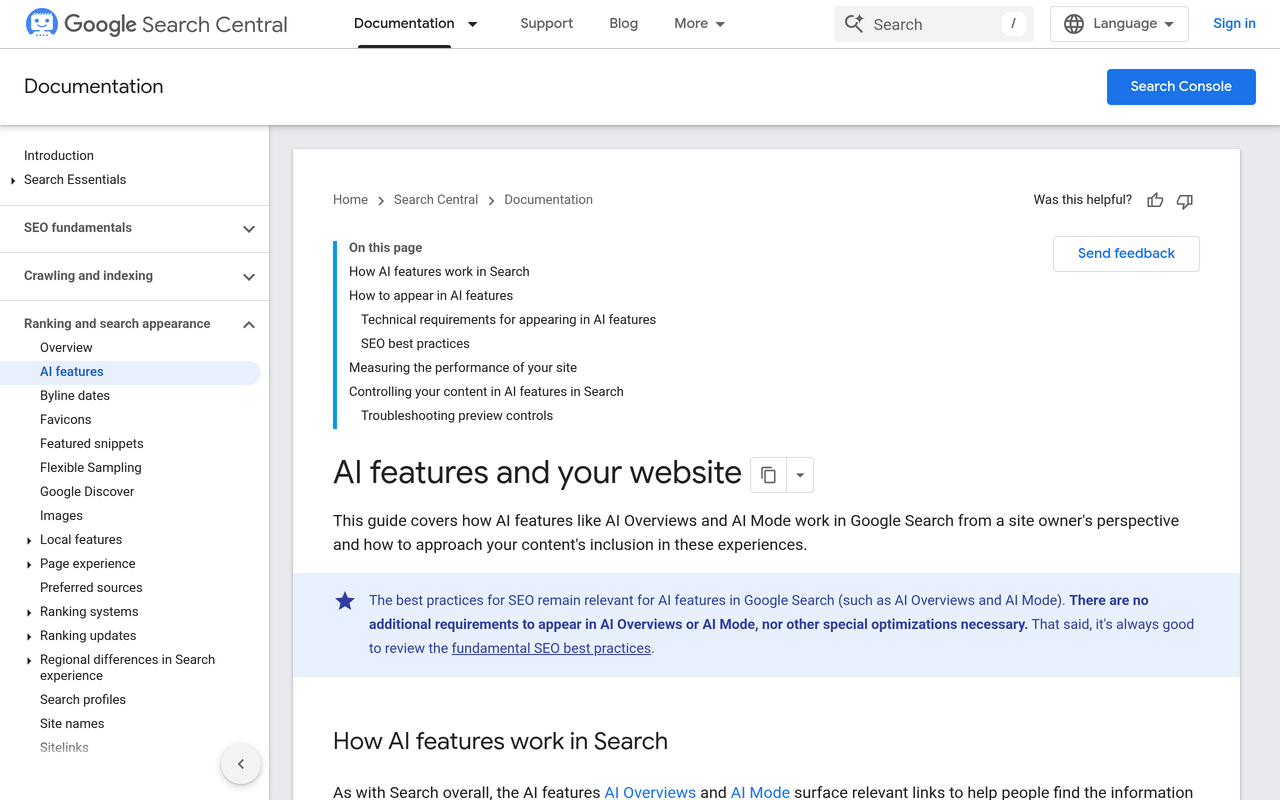
The second problem is that AI answers change between runs and between engines. Google describes its AI features, AI Overviews and AI Mode, as drawing on its normal search systems, and its documentation for site owners says the same SEO fundamentals apply (Google Search Central, AI features and your website). That means a single check tells you little. A useful checker repeats the same prompts on a schedule so you can see movement.
The third problem is organisational. Agency-focused tools assume a client report, an account manager and a content team on call. An in-house team needs a tool that fits an existing week: a report that goes into the Monday marketing meeting and a task list that goes to whoever owns the website.
What does AI search visibility checking software actually do?
AI search visibility checking software sends a defined set of prompts to AI engines on a schedule, records whether your brand is named, records which URLs the engine cites, and stores each answer so you can compare it over time. Good versions add competitor comparison and recommendations. Weak versions give you a score with no way to see the underlying answers.
The category has two entry points. Free checkers give a quick snapshot: Semrush's free tool, for example, checks visibility in ChatGPT, Gemini, AI Mode and AI Overviews (Semrush, free AI visibility tool), and Suso Digital's free checker returns an overall score with a breakdown across six areas (Suso Digital, AI Search Visibility Checker). Paid software repeats the check daily, keeps history and ties results to action. For the wider definition of the discipline, see what is generative engine optimization.
| Approach | Best for | Limits for an in-house team |
|---|---|---|
| Free one-off checker | A first look at whether the brand appears at all | No history, few prompts, usually few engines, no owner workflow |
| Manual prompts in a spreadsheet | An audit of 5 to 10 prompts | Hours per round, answers vary run to run, hard to share with leadership |
| SEO suite add-on | Teams already living in one SEO platform | Prompt allowances and engine lists are set by the suite; check them against your needs |
| Dedicated AI visibility software | A standing weekly or monthly report | Needs a prompt list and an owner to be useful |
What should an in-house team look for? The four-constraint test
Most buying guides list features. An in-house team is constrained by people, not by features, so we use four constraints. Score each tool you evaluate from 0 to 2 on each, and rule out any tool that scores 0 on fix ownership.
| Constraint | Question to ask | Score 2 if | Score 0 if |
|---|---|---|---|
| Setup time | Can one person finish setup in a working day? | You paste a domain and a prompt list and data starts the same day | Onboarding calls, tagging projects or integrations are required first |
| Prompt limits | How many prompts, how often, on which engines? | The allowance covers your core buyer questions daily on the engines your buyers use | You must drop prompts or engines to stay inside the plan |
| Reporting | Can a non-specialist read the output without help? | Share of mentions, citations and competitor gaps export or share in one view | You rebuild the report in a spreadsheet every month |
| Fix ownership | Does the tool say what to change and on which page? | Recommendations name pages and sources, and can be handed to the web or content owner | You get a score and no next step |
For a deeper buying checklist, the best AI search visibility optimization tool checklist and search engine visibility tool features worth paying for go through individual features. The four-constraint test is a filter you apply first, so you only read those lists for tools that pass.
How do I check my brand's AI search visibility? A step-by-step method
The method below works with any software and also with a spreadsheet. Each step has an action, a result and the reason it matters.
Step 1: Write the prompt list from buyer questions
Action: Collect 20 to 40 questions a buyer asks before purchase: category questions ("best X for Y"), comparison questions, problem questions and brand questions. Pull them from sales calls, support tickets, search console queries and your FAQ. Result: A prompt list written in buyers' language. Why: Prompts written in marketing language measure how AI engines answer your copy, not how they answer your customers. Our guide to which prompts to track and the note on how many prompts you need cover the mix in more detail.
Step 2: Pick the engines your buyers actually use
Action: List the assistants your customers mention in surveys, support chats and sales calls, then check that the software covers them. Result: An engine list tied to evidence. Why: Engines differ in which sources they cite, so a brand can be named in one and absent in another. Noma tracks 13 AI engines, including ChatGPT, Gemini, Perplexity and Claude, which removes the need to choose between them on day one. Our comparison of Perplexity, ChatGPT and Gemini for brands explains why engine choice matters.
Step 3: Confirm AI crawlers can read your site
Action: Check robots.txt and your CDN rules for the search crawlers you want to allow. OpenAI's OAI-SearchBot, for instance, is the crawler tied to ChatGPT search inclusion, and a crawler guide notes that OpenAI publishes its IP ranges (Promptwatch, OAI-SearchBot guide). Result: A list of allowed and blocked bots. Why: A page that an engine cannot fetch cannot be cited from live search. See the AI crawler user agents list and how to read AI bot traffic in server logs.
Step 4: Run a baseline and save the raw answers
Action: Run every prompt once on every engine and store the full answer text, the brands named and the URLs cited. Result: A baseline with three numbers per engine: how often you are named, how often a competitor is named, and which domains are cited. Why: Without a baseline you cannot tell whether a later change helped. The AI search share of voice guide shows how to turn a baseline into one comparable figure.
Step 5: Sort the gaps into fix types
Action: For each prompt where you are missing, tag the gap as one of four types: no page answers the question, a page exists but is hard to quote, a third-party source dominates the citations, or the engine cannot reach your site. Result: A gap list with one fix type per row. Why: Each fix type has a different owner and timescale, so tagging stops everything landing on the SEO lead. The AI visibility action plan turns these tags into tasks.
Step 6: Assign owners and set the review rhythm
Action: Name one owner for the prompt list, one for on-site fixes and one for off-site sources (PR, partner pages, reviews). Review weekly for the first month, then monthly. Result: A RACI-style table and a calendar slot. Why: Visibility moves slowly and unevenly, so a fixed rhythm prevents both panic over a single bad run and neglect after the novelty fades. The monthly AI search report guide has a template.
How is AI visibility checking different from rank tracking?
Rank tracking records a position for a keyword on a results page. AI search visibility checking records whether a brand is mentioned inside a generated answer, in what context, and which sources the engine cited. There is usually no position one to ten, so the metrics are share of mentions, citation share and sentiment instead. A team moving from SEO reports needs to retrain its dashboard habits as well as its tools.
| Question | Classic rank tracker | AI visibility checking software |
|---|---|---|
| Unit measured | Keyword | Prompt (a full question) |
| Result | Position on a results page | Brand named or not, plus cited URLs |
| Repeat runs | Stable between days | Varies by run and engine, so trends matter more than single runs |
| Fix signal | Page-level SEO changes | Page, source and entity changes |
The distinction also affects who reads the report. SEO leads will find the citation-source view familiar, because it resembles a backlink report. Brand and PR teams care more about how an engine describes the brand, which AI brand perception tracking covers. In a small team these readers are often the same person wearing two hats. For a longer comparison, see search visibility tracking software: classic vs AI answers.
Who should own the fixes in an in-house team?
The most common failure is a tracker with no fix owner. Use the table below as a starting point and adapt it to your team's size. In a team of one, the same person holds every role, which is exactly why the tool must name the page to change.
| Gap type | Typical owner | Fix | Typical timescale |
|---|---|---|---|
| No page answers the question | Content lead | Write a page that answers it in the first paragraph | Days to weeks |
| Page exists but is hard to quote | Content or SEO | Restructure with a direct answer, a table or a list | Days |
| Third-party sources dominate | PR or partnerships | Earn or correct listings, reviews and articles those engines cite | Weeks to months |
| Crawler cannot reach the site | Web or IT | Update robots.txt, CDN rules or rendering | Hours to days |
| Brand facts inconsistent | Brand or comms | Align names, descriptions and profiles everywhere | Weeks |
Two supporting guides help here: the entity consistency checklist for the last row, and how to write content AI engines quote for the first two.
How much prompt capacity does a small team need? A worked example
The arithmetic below is an illustration built from assumptions we state, not a benchmark. Suppose an in-house team tracks 40 prompts across 13 engines, polled daily. That is 40 × 13 = 520 answers a day, or 15,600 a month (520 × 30). Checking those by hand at even one minute each would take about 260 hours a month, which is why a standing report is not a manual task.
Now suppose the team plans to double its prompts after the first review. At 80 prompts the same maths gives 31,200 answers a month. The lesson is to ask any vendor how prompt limits are counted: per engine, per prompt, per day or per project. A plan that counts each engine separately will exhaust its allowance far sooner than one counting a prompt once.
- Count your core prompts (start at 20 to 40).
- Multiply by the engines you need.
- Multiply by polling frequency per month.
- Compare the result to the vendor's stated limit and how it is counted.
- Add 50 percent headroom for prompts you will add after the first review.
Our guide to software for AI search visibility pricing explains how plans are usually structured, and AI search visibility tools for startups has a budget checklist for the smallest teams.
One practical rule for small teams: never add a prompt without writing, next to it, the page that should answer it and the person who maintains that page. Prompts with no target page generate gaps nobody can close. Prompts with a target page turn directly into a content brief. After the first month, retire prompts that no longer reflect buyer behaviour, and keep the list under a size your team can discuss in one meeting.
How should an in-house team report AI search visibility?
Executives need three things: whether the brand is named in answers to category questions, how that compares with named competitors, and what changed since last month. Put those in a one-page view and keep the prompt-level detail for the team. The AI search visibility dashboard guide and the AI search metrics reporting guide show the fields to include.
A one-page AI visibility report needs four fields: share of prompts where the brand is named, the same figure for each competitor, the top cited domains, and the three fixes in progress.
Add referral traffic from AI assistants to the same report, with the caveat that most AI answers do not generate a click. Measuring AI referral traffic in analytics covers the setup, and AI search vs Google conversion rate shows how to compare against your own data rather than a borrowed statistic.
Free checker, manual audit or software: which fits which team?
| Situation | Use | Reason |
|---|---|---|
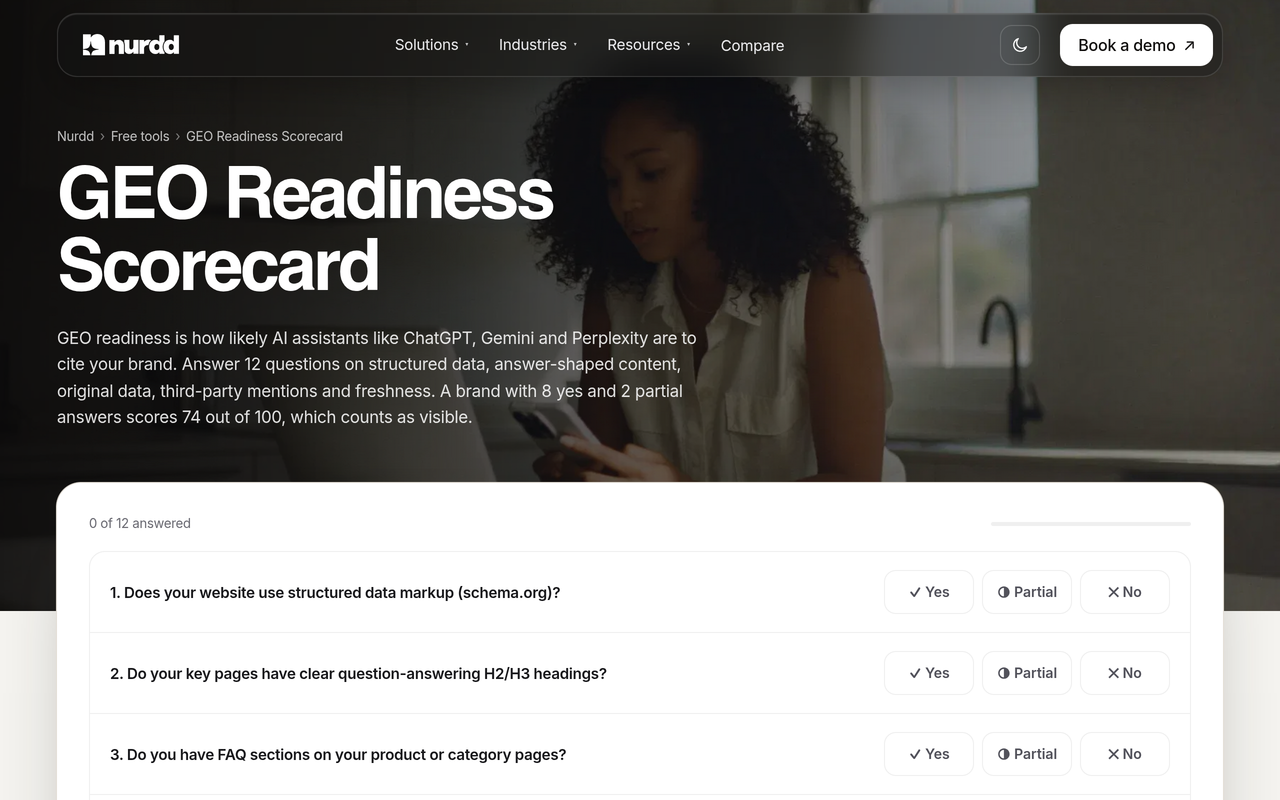
| You have never checked and want a first look | Free checker or the GEO readiness scorecard | Low commitment, shows whether there is a problem |
| You need to brief leadership once | Manual audit of 10 prompts | Enough for a snapshot; keep the screenshots |
| You report AI visibility every month | Dedicated software | Daily polling, history and citation sources |
| You already pay for an SEO suite | Compare its add-on against your prompt and engine needs | Check how prompts and engines are counted before relying on it |
| You manage several brands | Software with separate workspaces | See tracking multiple brands in AI search |
How do you test checking software in a short trial?
A short trial is enough if you arrive with a plan. The checklist below fits a three-day window and gives you evidence to compare tools on your own prompts. Our AI visibility tool trial test plan expands each item, and the demo questions guide prepares you for vendor calls.
- Before signup: write your 20 to 40 prompts, name your competitors and decide who will read the first report.
- Day 1, first hour: add the domain, load the prompts and note how long setup takes. Record it against your one-day target.
- Day 1: compare five answers in the tool with the same five prompts typed into the assistant yourself. Differences are normal, but the brands and sources should be broadly consistent. See how to verify AI search tool data.
- Day 2: open the citation sources view and pick three pages or domains you could act on.
- Day 2: export or share a report and ask a non-specialist colleague whether they understand it without help.
- Day 3: check the recommendations. Can you hand one to the content owner as a task, with a named page?
- Before billing starts: decide, and cancel in the same session if the answer is no.
Common mistakes when in-house teams buy checking software
- Buying on engine count alone. Coverage matters, but a tool covering many engines with a tiny prompt allowance leaves you checking few questions.
- Tracking brand-name prompts only. You will appear for questions about yourself. The value is in category and comparison prompts.
- Treating one run as truth. Answers vary; judge trends over weeks. Personalization in LLM responses explains part of the variation.
- No named fix owner. The tool reports gaps; people close them.
- Ignoring Google. Google's own documentation says its AI features draw on normal search systems, so classic SEO work still counts. See ranking on Google but not cited by AI.
- Skipping the crawler check. Blocked bots can quietly cap results.
How does Noma fit an in-house team?
Noma by Nurdd is AI search visibility software at nomahq.app that tracks whether your brand appears in answers from 13 AI engines, including ChatGPT, Gemini, Perplexity and Claude, polled daily. It shows citation frequency by category, competitor comparison and recommendations for improving visibility, so a small team gets a standing report and a list of fixes from one dashboard.
Book a demo at nurdd.club/demo and we will walk through your own brand: which engines name you today, which competitors appear beside you, which pages get cited and what Noma would put on your fix list first.
Against the four constraints, here is how Noma lines up. Check each against your own test during the trial.
| Constraint | What Noma offers |
|---|---|
| Setup time | A web dashboard; the 3-day free trial lets you measure setup time on your own domain |
| Prompt limits | Daily polling across 13 AI engines; ask how prompt limits are counted for your plan before you commit |
| Reporting | Citation frequency by category and competitor comparison |
| Fix ownership | Recommendations to improve visibility |
Noma offers a 3-day free trial; a card is taken at signup and billing starts on day 3, so cancel before then and you are not charged. That is long enough to run the checklist above. If you want help acting on the data, Nurdd also runs answer engine optimization and generative engine optimization services, measured in Noma. You can also compare options in best AI search visibility tools 2026 or the Noma vs Profound page.
How we researched this
We reviewed Google's documentation on AI features for site owners, the public pages of free AI visibility checkers, a crawler reference for OpenAI's search bot, competing listicles and checker pages, and the Noma website. We checked those pages on the publication date. We did not run hands-on tests of rival tools, and we have not interviewed customers, so the four-constraint test and the capacity arithmetic are our own framework, not measured results.
Competing guides on this keyword tend to be tool listicles or free-checker landing pages. We aimed to add a decision test, an ownership table, a capacity calculation and a trial checklist built for small teams. Rival pricing changes often, so confirm it on each vendor's own page before deciding.
Frequently asked questions
What AI search visibility checking software suits in-house teams?
Choose software that one person can set up in a day, that lets you control the prompt list, covers the engines your buyers use and names the pages to fix. Noma by Nurdd is built around those needs, with 13 engines tracked daily and a 3-day free trial. Run any shortlisted tool against your own prompts before paying.
How do I check my brand's AI search visibility?
Write 20 to 40 buyer questions, run them on the AI engines your customers use, and record whether your brand is named and which URLs are cited. Repeat on a schedule so you can see trends. A free checker gives a quick snapshot; software automates the repeat runs.
How many prompts should a small team track?
Start with 20 to 40 that mirror real buyer questions across category, comparison and problem queries. Expand after the first review once someone owns the fixes. Ask vendors how limits are counted, since per-engine counting uses an allowance faster.
Can I check AI visibility for free?
Yes, for a snapshot. Free tools from Semrush and Suso Digital check a brand across several assistants without a paid plan. They do not replace daily polling, history or competitor tracking. Noma offers a 3-day free trial; a card is taken at signup and billing starts on day 3.
Who should own AI search visibility in-house?
One named person should own the prompt list and the report, usually in SEO or content. Fixes then go to content, web or PR depending on the gap type. Without that split, findings stall.
How long does setup take?
With the right tool, adding a domain and loading prompts should take part of a working day. Time it during a trial and treat any tool that needs onboarding calls before data appears as a risk for a small team.
Does Noma need a card for the free trial?
Yes. Noma takes a card at signup, the trial lasts 3 days and billing starts on day 3. If you cancel before then, you are not charged.
Is Google AI Overviews tracking enough on its own?
No. Buyers also use ChatGPT, Gemini, Perplexity, Claude and others, and each engine cites different sources. Track Google AI features alongside the other assistants. See our guide to tracking Google AI Overviews.
Next step
Choose on the four constraints, test on your own prompts and give every gap an owner. To see this with your own brand, book a demo: we will show which AI engines name you, who appears beside you and which fixes Noma would prioritise. You can also read how Nurdd works or browse the free tools.